Stage LED Screen Rental for Concerts Theaters and Corporate Events


Stage LED screens have become central to live production — from stadium concerts to intimate theaters and high-profile corporate events. They transform stage design, deliver crisp visual storytelling, and solve sightline and lighting challenges that traditional projection systems cannot. For event planners and production managers, renting the right LED screen can elevate audience engagement, enable dynamic content, and keep budgets flexible. This article provides a practical, production-focused guide to renting LED screens for concerts, theaters, and corporate events, including technical considerations, logistical best practices, budgeting factors, and a comparative analysis table to help you choose the right solution.
Key Advantages of Renting vs. Buying
– Cost efficiency: Rent for one-off events without capital expenditure or storage and maintenance costs.
– Access to latest tech: Rental houses rotate inventory, offering current pixel pitch, higher refresh rates, and brightness options.
– Flexibility: Mix-and-match panels, curved or flexible options, quick swaps if a cabinet fails.
– Scalability: Rent exactly the size and configuration needed for the event; scale up or down across tours.
– Technical support: Many rental agreements include on-site techs, reducing staffing needs and operational risk.
Essential Technical Criteria
When selecting a rental led screen, consider these core specifications:
– Pixel Pitch: The center-to-center distance of LED diodes (e.g., P2.6, P3.9, P6.9). Smaller pitch = higher resolution and closer viewing capability. Concert stages often use P3.9–P6.9 for large viewing distances; theaters prefer P1.2–P2.5 for close-range clarity; corporate events vary depending on room size.
– Brightness (Nits): Measured in candelas per square meter. Outdoor concerts need 5,000–7,500 nits to overcome sunlight; indoor theaters and ballrooms typically use 800–2,500 nits to match stage lighting.
– Refresh Rate: Important for camera capture and broadcast. Aim for ≥3,840 Hz for camera-friendly output; non-broadcast applications can function at lower rates.
– Contrast and Color Calibration: True blacks and accurate colors depend on panel quality and calibration tools. Rental houses should offer calibration services.
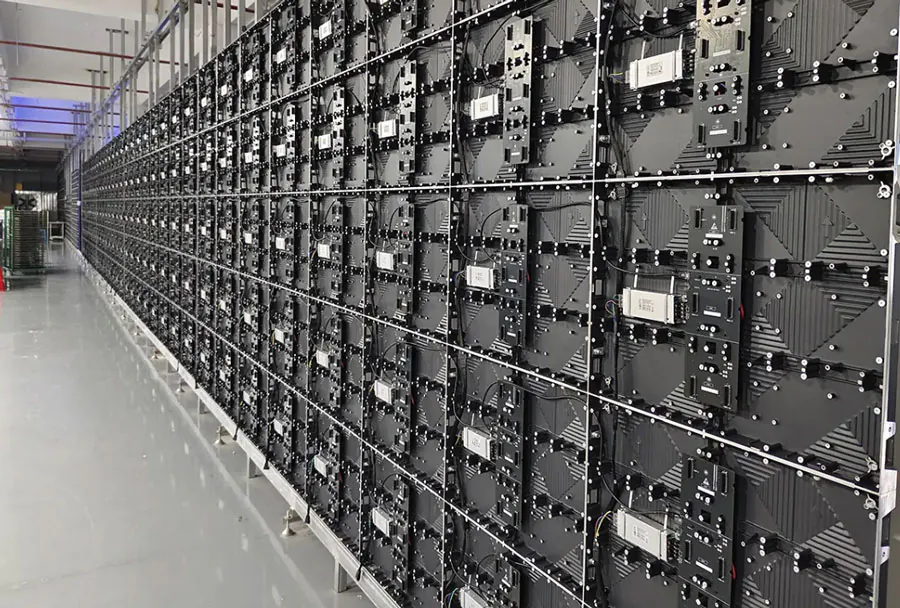
– Cabinet Size & Rigging: Panel dimensions and weight impact fly systems, truss capacity, and transport logistics. Choose modules compatible with rigging workflows.
– Control Systems & Content Servers: Ensure the rental package includes a reliable controller (e.g., Novastar, Brompton) and sufficient media playback capability, especially for multi-zone or mapped displays.
– Viewing Distance & Angle: Match pixel pitch and screen size to the nearest audience sightline to ensure perceived resolution is acceptable.
Event-Specific Considerations
– Concerts: Large audiences, long sightlines, high ambient light in outdoor venues. Prioritize brightness, larger modules for faster build, high refresh rates for live camera feeds. Consider stage LED as backdrops and side screens for sightline coverage.
– Theaters: Controlled lighting and closer audience proximity. Choose fine-pitch indoor LED for set integration and scenic immersion. Acoustic transparency may be important for hanging screens in front of orchestra pits or behind performers.
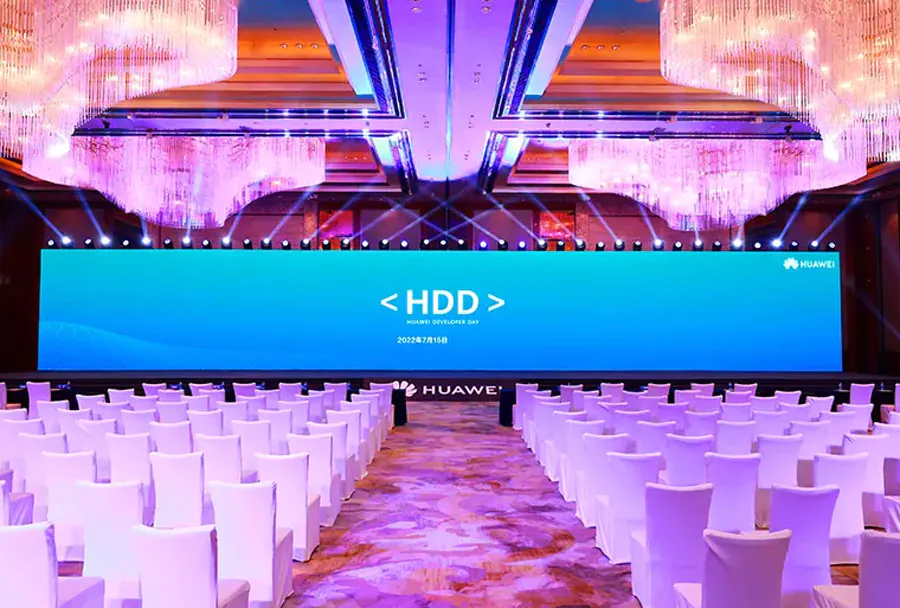
– Corporate Events: Diverse formats — keynote stages, trade show booths, product launches. Flexibility matters: combination of center stage LED, confidence monitors, and showroom walls. Emphasize color accuracy for branding and product visuals.
Logistics, Installation, and Safety
– Lead Time: Book LED rentals early, especially during peak seasons. Custom configurations and special finishes (curved, transparent) increase lead time.
– Power & Cabling: Confirm power distribution, redundancy, and cable runs. LED walls can require substantial power; plan for dimmers, emergency circuits, and load balancing.
– Rigging & Truss: Verify ceiling and structure load limits. Use certified riggers and approved flying frames. Ground-stacked walls require ballast and safety attachments.
– Weatherproofing: For outdoor events, ensure IP-rated cabinets and proper thermal ventilation. Have contingency plans for heavy rain or extreme heat.
– Redundancy & Spare Parts: Request spare panels, power supplies, and data converters onsite. Discuss failure-response plans with the rental house.
– Crew & Support: Negotiate inclusion of trained technicians for hang, alignment, calibration, and teardown.

Content, Mapping, and Playback
– Resolution Planning: Map your content to the active pixel area. For mixed-screen setups (center stage + side wings), design assets in native pixel dimensions.
– Aspect Ratios & Safe Zones: Confirm playback server supports your aspect ratio and live switching needs. Establish safe areas for subtitles or camera overlays.
– Pixel Mapping & Warping: For curved or irregular surfaces, servers must support warping and blending. Request a pre-event mapping session.
– Live Inputs & Multi-cam: Ensure switchers and frame rates match between cameras and the LED’s refresh specs to avoid flicker or rolling.
– Content Compression: Avoid over-compression; high bitrate and uncompressed formats deliver better results. Coordinate codecs and file delivery specs ahead of time.
Cost Factors and Budget Tips
– Rental Rates: Influenced by pixel pitch, panel size, brightness, and market demand. Prime-season rates (festivals, major conferences) are higher.
– Package Deals: Bundled offers (screen + control + crew) often reduce overall cost and risk.
– Transit & Labor: Account for trucking, daily labor rates, and overtime during load-in/out.
– Insurance & Damage Waivers: Check liability coverage and consider buying a damage waiver if handling risk is high.
– Value Engineering: Consider using a slightly larger pixel pitch with strategic sightline planning to reduce cost without sacrificing perceived quality.
Comparative Analysis Table
| Screen Type | Typical Pixel Pitch | Ideal Viewing Distance | Brightness (Nits) | Best Event Use |
|---|---|---|---|---|
| Indoor Fine-Pitch LED | P1.2 – P2.5 | 1–6 meters (close seating) | 800 – 2,500 | Theaters, intimate corporate stages, camera-facing panels |
| Standard Indoor LED | P2.6 – P4.8 | 4–15 meters | 1,000 – 3,000 | Mid-size auditoriums, conference keynotes, broadcast sets |
| Outdoor High-Brightness LED | P4.8 – P10+ | 10–50+ meters | 5,000 – 7,500+ | Concerts, festivals, large outdoor screens |
| Transparent/Flexible LED | P3.9 – P10 (effective pixel density varies) | Depends on configuration; typically 6+ meters | 2,000 – 5,000 | Set integration, retail, creative stage design |
| Rental Mega-Pixel Wall (Mixed Modules) | Custom / Mixed | Designed per venue | Variable | Touring shows, large broadcast stages, multi-zone deployments |
Case Examples and Practical Recommendations
– Concert Tour (Outdoor): Use modular outdoor cabinets with P6–P10 for main stage backdrop, combine with flown side screens for close audience areas. Require 5,000+ nits and high refresh-rate controllers for camera output.
– Regional Theater Run: Rent fine-pitch P1.9–P2.5 panels to integrate into set pieces. Prioritize low-reflection finishes and acoustic transparency when placed near performers.
– Corporate Product Launch: Choose a center-stage fine-pitch LED with color-calibrated playback. Include redundant media servers and on-site content technician to handle live edits and confidence displays.
Checklist Before Signing a Rental Contract
– Confirm native pixel resolution and physical dimensions.
– Verify included control system, playback server, and media compatibility.
– Check lead times for delivery, installation, testing, and teardown.
– Ensure rigging plans are stamped/approved and insurance is in place.
– Clarify scope for on-site technicians and spare parts.
– Ask for reference builds or photos from similar events.
Making the Right Rental Choice
Renting stage LED screens gives event professionals the agility to deliver immersive visuals without long-term capital commitments. The right choice depends on viewing distance, ambient light, camera use, and the creative goals of the production. By focusing on pixel pitch, brightness, refresh rate, rigging constraints, and content playback capabilities — and partnering with experienced rental vendors — you can craft a reliable, visually striking experience for concerts, theaters, and corporate events alike.