Rental Outdoor LED Screen for Weddings and Corporate Events

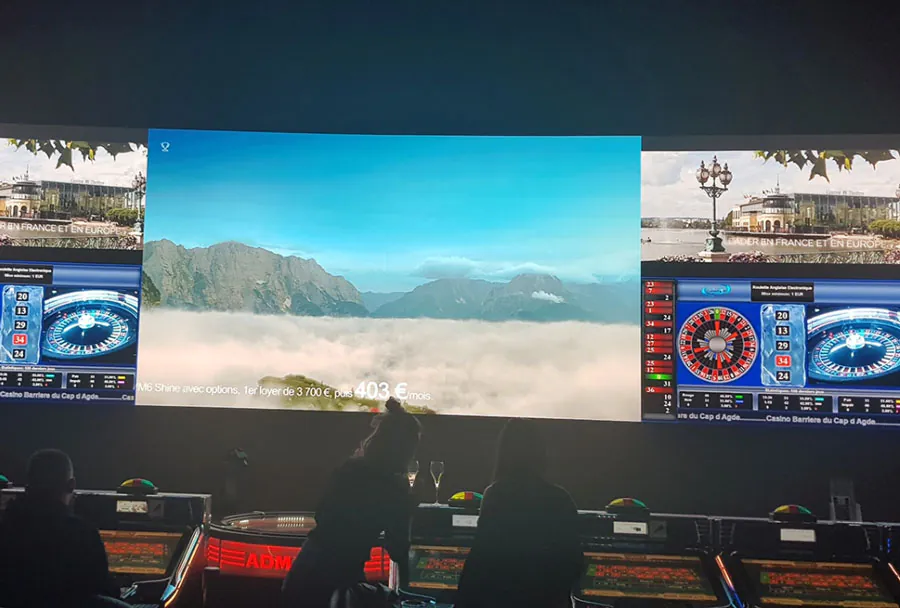
Outdoor LED screens have become essential production elements for weddings and corporate events. They transform open-air venues into cinematic spaces, amplify brand visibility, and create immersive guest experiences. For event planners, couples, and corporate producers, renting an outdoor LED screen is often the most flexible and cost-effective way to achieve high-impact visuals without the capital expenditure and storage demands of ownership. This article explores the practical, technical, and logistical considerations of renting outdoor LED screens for weddings and corporate events, offers guidance for selecting the right equipment, and presents an analysis table to compare common rental configurations.
Why Rent an Outdoor LED Screen?
Renting an LED screen provides several advantages:
– Flexibility: Rent for a single day or multi-day event without long-term commitments.
– Scalability: Rent a small screen for intimate ceremonies or a giant video wall for large corporate conferences and concerts.
– Latest Technology: Rental houses rotate stock regularly, meaning you can access current generation panels, processors, and control systems.
– Professional Support: Reputable rental companies include setup, calibration, and onsite technical support — crucial for outdoor environments where weather, power, and sightlines matter.
– Cost Efficiency: Renting avoids purchase, maintenance, insurance, and storage costs, especially for organizations or couples that need screens occasionally.
Key Technical Considerations
When selecting a rental led screen, focus on these technical parameters:
– Pixel Pitch: The distance between LEDs (measured in millimeters). Smaller pixel pitches (e.g., P2.5, P3.9) deliver higher resolution and are better for close viewing; larger pitches (P6.9, P8, P10) are suitable for long-distance viewing.
– Brightness: Outdoor screens need high brightness (measured in nits) to overcome ambient daylight. Typical outdoor rentals range from 4,000 to 8,000 nits or more depending on direct sunlight exposure.
– Weather Rating: Outdoor-rated cabinets usually carry IP65 or similar ratings for dust and water resistance. Confirm the rental panels’ suitability for the venue’s forecasted conditions.
– Mounting and Rigging: Options include ground stacks, scaffolding, truss or motorized rigging. Choose a method that suits site conditions, wind loads, and sightlines.
– Refresh Rate and Color Calibration: Higher refresh rates eliminate flicker in broadcast and live-streaming scenarios. Proper color calibration ensures branding and wedding visuals appear accurate.
– Control Systems: Media servers, video processors, and backup playback devices are essential. Ensure the rental includes devices compatible with your content sources and redundancy plans.
Analysis Table: Common Rental Configurations
| Screen Size | Pixel Pitch | Brightness (nits) | Weather Rating (IP) | Recommended Use / Viewing Distance |
|---|---|---|---|---|
| Small (6–12 ft diagonal) | P2.5 – P4 | 4,000 – 6,000 | IP54 – IP65 | Wedding ceremony backdrop; viewing distance 10–30 ft |
| Medium (12–24 ft diagonal) | P3.9 – P6 | 5,000 – 7,000 | IP54 – IP65 | Reception or small corporate town-hall; viewing distance 30–80 ft |
| Large (24–40+ ft diagonal) | P6 – P10 | 6,000 – 8,500+ | IP65+ | Large ceremonies, keynote stages, outdoor concerts; viewing distance 80–250 ft |
| Floor/Stage Panels | P4 – P8 | 4,000 – 6,500 | IP54 | Interactive dance floors, stage risers, close viewing but protected |
| Transparent/Creative Panels | P3.9 – P6 (transparent) | 3,500 – 6,000 | IP54 – IP65 | Decorative facades, glass-backed stages, branding installations |
Site Survey and Logistics
A detailed site survey is critical before finalizing a rental. Key site factors include:

– Power availability: LED walls require substantial power. Confirm onsite power, breaker capacity, and whether generators are needed.
– Ground conditions and load-bearing: Ensure staging and rigging setups meet local safety codes and can handle wind loads and the weight of the video wall and rigging.
– Sightlines and seating: Map the audience layout to determine screen dimensions and pixel pitch to maintain image clarity for the majority of guests.
– Access and load-in: Measure doorways, driveways, and lifts to ensure panels and trusses can be brought to the site.
– Permits and local regulations: Some municipalities require permits for temporary structures or amplified events; factor permit lead time into scheduling.
– Weather contingency: Have a backup plan for heavy rain or wind including quick-retraction stages, tarps, or alternate indoor spaces.
Content Preparation and Playback
Great visuals start with well-prepared content:
– Resolution and Aspect Ratio: Confirm the screen’s native resolution and aspect ratio. Provide content in native resolution where possible for best results.
– Media Codec and File Formats: Rental companies will specify supported codecs (H.264, H.265, ProRes) and file formats. Use recommended formats to avoid transcoding issues onsite.
– Safe Zone and Text Size: For directional screens or wide viewing angles, keep subtitles and important text within safe margins. Use large fonts for readability from distance.
– Playback Redundancy: Always have a primary and backup playback source (multiple laptops, thumb drives, or networked media servers). For important corporate presentations, consider a technician to manage transitions and live video feeds.
– Live Video Integration: For wedding live feeds or corporate keynote close-ups, arrange reliable camera-to-screen routing and ensure capture devices are compatible with the video processor.
Audio, Lighting, and Synchronization
Visuals are only part of the experience. Integrate LED screens into the event’s AV ecosystem:
– Timecode and Sync: For coordinated lighting and video cues, use SMPTE timecode or networked show control systems.
– Audio Alignment: Place speakers to cover the audience evenly; test lip-sync between live audio and screen visuals. Use audio delay if necessary to align sound and image across large spaces.
– Complementary Lighting: LEDs can appear flat without proper stage lighting. Blend screen brightness with controlled stage lighting to emphasize presenters and performers while preserving screen visibility.
– Safety and Cable Management: Secure all cabling with tape, ramps, or conduit to prevent trip hazards and protect against weather.
Vendor Selection and Contracts
Choose a rental partner with event experience:
– Reputation and Reviews: Request references and review past similar events. A supplier who has executed outdoor weddings and corporate events will anticipate common challenges.
– Full-Service Options: Confirm if the price includes transport, setup, technicians, and teardown. Transparent pricing prevents last-minute surprise costs.
– Insurance and Liability: Ensure the vendor carries adequate liability insurance and that your event insurance covers rented equipment.
– Service Level Agreements: Specify response times for technical issues and include contingency hours for rehearsals and dress runs.
– Itemized Quotes: Ask for a breakdown of equipment, rigging, power distribution, media servers, and staffing to compare vendor proposals fairly.
Costs and Budgeting
Rental costs vary by size, resolution, location, and required services. Typical components:
– Base screen rental (per day or multi-day): Varies with size and pixel pitch.
– Labor and rigging fees: Setup and teardown require skilled labor; outdoor installs may require additional crew for safety.
– Transport and logistics: Distance from vendor and size of equipment affect costs.
– Power and generator rental: If the venue lacks sufficient power, plan for generator hire and fuel.
– Insurance and permits: Factor in permit fees and any additional insurance.
– Technical support: Onsite technician(s) are often an additional but recommended expense.
As a rough guide:
– Small wedding setups can range from a few hundred to a few thousand dollars per day.
– Medium to large corporate events frequently range from several thousand to tens of thousands of dollars depending on scale and complexity.
Case Studies: Practical Applications
– Wedding Ceremony and Reception: A seaside wedding used a P3.9 LED wall (12 x 8 ft) as a ceremony backdrop to display a live video feed of the couple and personalized visuals during the reception. The higher brightness allowed visibility despite midday light, and onsite techs ensured smooth transitions between live and pre-produced content.
– Corporate Brand Launch: A product launch employed a 30 ft x 12 ft P6 video wall with multiple camera feeds, keynote slides, and synchronized lighting. The rental included a video processor with mapping capabilities to split content across custom-shaped panels, ensuring brand imagery was visible to a 1,200-person audience.
– Hybrid Conference: For a hybrid conference, organizers rented an LED screen for the outdoor stage and a smaller indoor screen for breakout sessions. Multiple media servers provided redundancy and streaming encoders ensured online attendees received a stabilized feed.
Safety and Risk Management
Outdoor installations introduce specific risks:
– Wind Loading: Large screens act like sails. Use proper engineering calculations and certified rigging to withstand local wind conditions. Have a wind threshold plan that specifies when to take down or secure the screen.
– Electrical Safety: Use GFCI protection, proper grounding, and weatherproofed connectors. Avoid overloading circuits and label distros clearly.
– Crowd Control: Place screens and rigging with sufficient clearance to prevent guest access to hazardous zones. Use barriers where appropriate.
– Emergency Procedures: Coordinate emergency egress routes and power shutdown procedures with venue management and emergency personnel.
Checklist for Renting
– Confirm viewing distance and choose pixel pitch accordingly.
– Verify brightness and weather rating.
– Request detailed rigging and power plans.
– Confirm included services (setup, techs, calibration).
– Provide native-resolution content and backups.
– Schedule site walk-through and rehearsals.
– Secure permits and verify insurance.
– Hire onsite technicians for the event duration.
– Prepare contingency plans for severe weather or power failure.
Renting an outdoor LED screen for weddings and corporate events is a strategic decision that elevates visual storytelling and audience engagement. With careful planning — from selecting the right pixel pitch and brightness, to ensuring safe rigging and reliable playback systems — rental LED screens can deliver unforgettable moments, reinforce branding, and provide clear communications across any outdoor venue. Partner with experienced rental vendors, prioritize redundancy and safety, and prepare content to the screen’s native resolution to ensure a smooth, high-impact experience for every guest, whether in person or online.