How to Choose the Best Big LED Screen Rental for Your Occasion

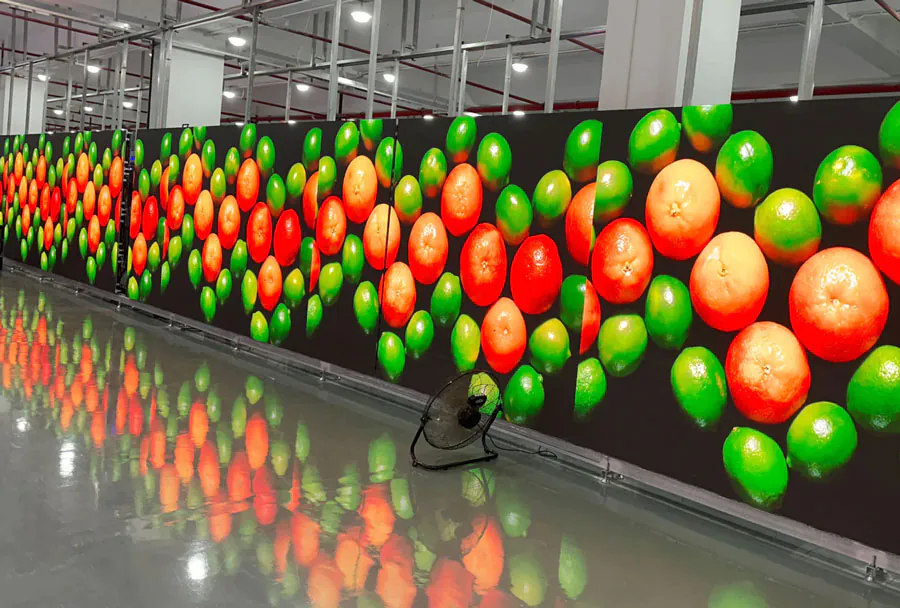
Choosing the right big LED screen rental can make or break your event. Whether you’re staging a concert, corporate conference, sporting event, trade show, or outdoor festival, the screen’s size, brightness, resolution, and reliability determine audience engagement and the overall visual impact. This guide walks you through the practical decisions you need to make, technical trade-offs to understand, vendor selection tips, and a simple analysis table to compare common rental options.
Start with Your Event Requirements
Define the Purpose
What will the screen show? Live video feeds, presentation slides, pre-produced video, interactive content, or sponsor ads? Live multi-camera feeds require low-latency inputs and a reliable video switcher. Detailed graphics or small text call for higher resolution (finer pixel pitch). Knowing the content type narrows down suitable screens.
Estimate Audience Size and Viewing Distances
Audience size and how far people will sit or stand from the screen dictate screen size and pixel pitch. Larger audiences and longer viewing distances favor larger screens with coarser pixel pitch; close-up audiences need finer pixel pitch for clarity.
Practical rule of thumb:
– Viewing distance (in feet) ≈ 1.5 × screen height for readable detail.
– Pixel pitch (mm) suitability: P2–P3 for close indoor viewing, P4–P6 for mid-range, P8+ for long-range outdoor viewing.
Indoor vs. Outdoor Considerations
Outdoor screens must handle sunlight, weather, and higher brightness. Indoor screens can prioritize resolution and tighter pixel pitch because brightness needs are lower. Also consider ambient light: bright venues require higher nits.
Key Technical Factors
Resolution and Pixel Pitch
Pixel pitch (distance between LED centers) determines visual sharpness. Lower number = sharper image. For big screens intended to be seen from a distance, a slightly larger pixel pitch keeps costs reasonable without compromising perceived image quality.
– Fine pixel pitch (P1.5–P3): great for close viewing, high-res data, text.
– Mid pixel pitch (P4–P6): versatile for indoor/outdoor where viewing distances vary.
– Coarse pixel pitch (P8+): typically used for large outdoor billboards and long-distance viewing.
Brightness and Contrast (Nits)
Brightness is measured in nits (cd/m2). For outdoor daytime use, 5,000–8,000 nits or more may be necessary. For indoor settings, 800–1,500 nits is usually sufficient. Contrast and color accuracy matter for video quality; higher contrast provides deeper blacks and more vibrant images.
Refresh Rate and Gray Scale
High refresh rates (960Hz or higher) and good gray scale performance help prevent flicker on camera and provide smoother motion—critical for live camera feeds and broadcast. If your event will be filmed or live-streamed, specify a screen with broadcast-safe refresh specifications to avoid camera strobing.
Viewing Angle and Seamlessness
Viewing angle impacts audience spread—wider angles are better for large crowds. Also check module seams: quality cabinets minimize visible seams between panels for a continuous image.
Practical Installation & Logistics
Mounting, Rigging and Structural Support
Determine whether the screen will be freestanding, flown (rigged), wall-mounted, or stage-integrated. Rigging requires certified trussing and experienced technicians. For rooftop or temporary outdoor structures, ensure the vendor performs structural analysis and wind-load assessment.
Power and Cooling
Big LED screens consume significant power. Confirm site power availability and whether generators are necessary. Also clarify cooling needs and ventilation—especially for enclosed structures or very large arrays.
Connectivity and Playback
Ask about input types (HDMI, SDI, DVI, fiber) and media players. Will you bring a laptop, or does the vendor provide a switcher and playback server? Check compatibility for live feeds, split-screen layouts, and multi-source scaling.
Installation Time and Onsite Support
Factor setup and teardown time into the event schedule. Ask if the rental includes technicians for setup, operation, and troubleshooting throughout the event. Onsite support minimises downtime and ensures smooth transitions.

Vendor Selection: Questions to Ask
Experience and References
Request references and case studies of similar events. Experience with your event type (sports, concerts, corporate) is a significant advantage.
Insurance and Liability
Confirm the rental company carries insurance, including equipment and liability. Ask for certificates of insurance if required by the venue or local authorities.
Service Level and Contingency Plans
What happens if a module fails? Ensure the vendor has redundancy, spare modules, and technicians to respond quickly. For critical events, specify SLAs (service-level agreements).
Permits and Venue Coordination
Some venues require permits for rigging, power, or public display. Good vendors coordinate with venues and can recommend required permits.
Budgeting and Cost Considerations
Understand What’s Included
A low rental quote may exclude essential services (delivery, setup, labor, cabling, generators). Get an itemized quote: screen rental, transportation, setup fee, technician day rate, insurance, and extras like playback servers or backup systems.
Balance Cost vs. Impact
Consider audience perception: a high-resolution indoor screen can elevate a premium corporate event, while a massive high-brightness screen is necessary for outdoor festivals. Choose what delivers the best return on attendee experience.
Types of LED Screens and When to Use Them
SMD (Surface Mount Device)
SMD modules offer compact, dense pixel layouts and great color reproduction. They’re ideal for indoor events and closer viewing distances.
COB (Chip on Board)
COB is gaining adoption for higher reliability and better thermal performance. It can provide seamless visuals and high pixel density for indoor installations.
Outdoor High-Brightness Panels
These are rugged, weatherproof panels with high nits for daylight use. Often have larger pixel pitches and require stronger structural support.
Analysis Table: Comparing Common Rental Options
| Screen Type | Typical Pixel Pitch | Brightness (Nits) | Ideal Use | Estimated Rental Cost (per day) |
|---|---|---|---|---|
| SMD Indoor | P1.5–P3 | 800–1,500 | Corporate events, conferences, trade shows | $400–$1,200 |
| Hybrid Indoor/Outdoor | P4–P6 | 1,500–3,500 | Indoor arenas, semi-outdoor venues, concerts | $800–$2,000 |
| Outdoor Daylight | P6–P10 | 5,000–10,000+ | Outdoor festivals, stadiums, sporting events | $1,200–$4,000 |
| Fine-Pitch Rental (Premium) | P0.9–P1.2 | 1,000–2,000 | High-end production, broadcast, close-view corporate | $1,500–$5,000 |
| Mobile LED Trailer | P6–P8 | 3,000–8,000 | Quick-deploy outdoor events, political rallies | $1,000–$3,000 |
Note: Costs are illustrative and vary by region, vendor, event duration, and included services.
Checklist: What to Confirm with Your Rental Provider
– Exact screen dimensions (width × height) and resolution.
– Pixel pitch and nearest comfortable viewing distance.
– Brightness specification in nits and whether screen has auto-brightness.
– Refresh rate and broadcast compatibility for camera work.
– Included equipment: media server, switcher, cables, trussing, transport.
– Setup/teardown time and crew size.
– Power requirements and generator needs.
– Weatherproof rating and wind-load plan for outdoor setups.
– Insurance coverage and contingency spares.
– Onsite technical support hours and after-hours contact.
Common Pitfalls and How to Avoid Them
– Underestimating Brightness: Outdoor daytime visibility requires much higher nits than indoor environments. Always test for ambient conditions or ask your vendor for a brightness demo.
– Ignoring Viewing Distance: Too low a pixel pitch raises costs unnecessarily; too coarse leads to poor image quality for close audiences. Match pixel pitch to audience distance.
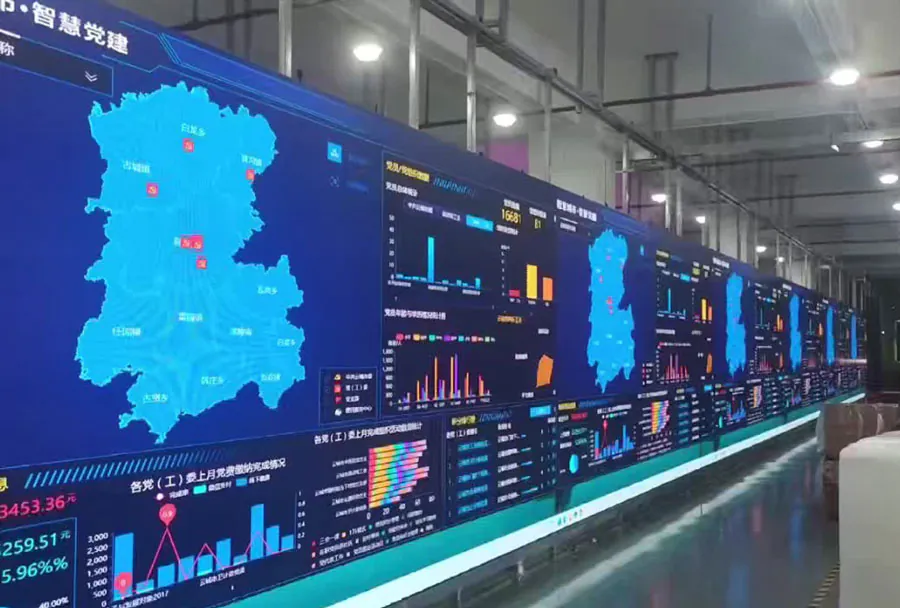
– Overlooking Rigging Requirements: Inadequate structure or improper rigging can create safety hazards and legal issues. Use certified riggers.
– Forgetting Broadcast Needs: If cameras will capture the event, request screens with high refresh rates and proper gray scale to avoid flicker.
– Not Confirming Deliverables: Ensure the contract lists all items included and clearly defines responsibilities for setup, operation, and breakdown.
Negotiation Tips
– Package Deals: Ask for bundled pricing—screen + playback + tech support often costs less when packaged.
– Day Rates vs. Multi-Day Discounts: If your event spans multiple days, negotiate a lower per-day rate.
– Off-Peak Discounts: Rental rates can be lower on weekdays or during slower seasons—ask about scheduling flexibility.
– Ask for References: Request photos and videos of past events similar in scale to yours.
Final Tips for a Successful LED Screen Rental
– Do a Site Visit: Whenever possible, let the vendor inspect the venue in person to identify constraints and ensure proper planning.
– Request a Mock-up: Ask for a scaled visual mock-up or a layout plan that shows where the screen will sit relative to seating and sightlines.
– Plan Redundancy: For critical events, include spare modules, backup power, and duplicate signal paths to reduce single points of failure.
– Test Early: Schedule a full technical rehearsal to test all content, camera feeds, and transitions.
– Document Everything: Have written agreements on service levels, liabilities, and responsibilities. Keep contact numbers for the technical lead.
Selecting the best big LED screen rental for your occasion is a mix of technical understanding, realistic budgeting, and careful vendor selection. Prioritize the audience experience—match pixel pitch and brightness to viewing distances, ensure reliable rigging and power, and confirm that the rental includes the technical support you’ll need. With clear objectives, a strong checklist, and the right vendor partnership, your LED screen can become the most compelling visual element of your event.