How to Choose the Best Rental Outdoor LED Screen

Introduction
Planning a live event outdoors means balancing visibility, weather resistance, budget, and technical reliability. Concerts, festivals, sports broadcasts, brand activations, and corporate gatherings all depend on screens that stay bright and clear in changing conditions. If you are comparing options for a temporary installation, knowing what matters most can save money and prevent avoidable problems on event day. This guide explains How to Choose the Best Rental Outdoor LED Screen by focusing on practical factors such as pixel pitch, brightness, cabinet design, structural safety, support service, and total rental value. Instead of chasing the lowest price or the biggest display, the smart approach is to match the screen to your audience, venue, content, and operating environment.
Table of Contents
- Introduction
- How to Choose the Best Rental Outdoor LED Screen for Venue Size
- How to Choose the Best Rental Outdoor LED Screen by Technical Specs
- How to Choose the Best Rental Outdoor LED Screen with the Right Supplier
- How to Choose the Best Rental Outdoor LED Screen Without Overspending
- FAQ
- What pixel pitch is best for an outdoor rental screen?
- How bright should an outdoor LED screen be?
- Is it better to rent or buy an outdoor LED screen?
- Conclusion
How to Choose the Best Rental Outdoor LED Screen for Venue Size
The first decision is understanding the venue itself. How to Choose the Best Rental Outdoor LED Screen starts with distance, audience layout, viewing angle, and the physical conditions of the location. A screen that works perfectly in a compact plaza may underperform in a large open festival field, while an oversized display can waste budget in a smaller space.
Start with viewing distance. The closer the audience is to the screen, the finer the pixel pitch should be. Pixel pitch is the distance between LED pixels, measured in millimeters. A smaller pitch delivers a sharper image at close range, but it also costs more. For audiences watching from farther away, a slightly larger pitch is often enough and can be much more cost-effective.
Screen size should also match the role of the display. If the screen is the main visual focal point for a concert or keynote, it needs to be large enough to keep faces, text, and graphics readable from the back of the crowd. If it is used mainly for branding, schedule information, or supplemental live feed, the dimensions may be smaller. This is why event planners should think beyond square meters and ask what content will appear most often.
Venue shape matters too. Outdoor events often have uneven audience distribution, including side angles, elevated seating, or wide open standing zones. In those cases, wide viewing angles and strategic screen placement can be just as important as total size. A bright screen installed too low, too high, or at the wrong angle will still underperform.
Environmental exposure is another critical factor. Nearby buildings, reflective surfaces, trees, staging roofs, and direct sun can all affect visibility. Before signing a rental agreement, ask the supplier for realistic brightness recommendations based on the time of day, weather forecast, and event duration. A morning sports fan zone and an evening awards ceremony may need very different specifications even if they use the same stage area.
Finally, think about access and setup logistics. Can trucks reach the venue easily? Is there enough space for rigging, scaffolding, or ground support? Are there local noise or setup-hour restrictions? A screen may look ideal on paper but become difficult or expensive once transportation, labor, and installation constraints are included.
How to Choose the Best Rental Outdoor LED Screen by Technical Specs
For many buyers, technical specifications are where confusion begins. How to Choose the Best Rental Outdoor LED Screen becomes easier when you know which specs truly affect performance and which numbers are mostly marketing. The goal is not to rent the most advanced screen available, but the one that delivers clear, stable results for your specific event.
Brightness is one of the most important metrics for outdoor use. Rental outdoor LED screens usually need high nit levels so content remains visible under daylight. However, brighter is not always better in every situation. A screen used at night should still support proper brightness control to avoid eye strain, washed-out visuals, and unnecessary power consumption. Ask whether the system includes automatic or manual brightness adjustment.
Refresh rate is another key specification, especially for events that are being filmed or live-streamed. A higher refresh rate reduces flicker and helps cameras capture smoother images. This matters for concerts, sports productions, conferences, and any event with IMAG feeds or broadcast recording. If a screen looks acceptable to the live audience but causes flicker on camera, the event quality can still suffer.
Color performance should not be overlooked. Strong contrast, accurate color reproduction, and consistent calibration across cabinets all influence how professional the display appears. Promotional videos, sponsor logos, and skin tones need to look balanced, not oversaturated or inconsistent. Ask if the rental company regularly calibrates modules and tests them before delivery.
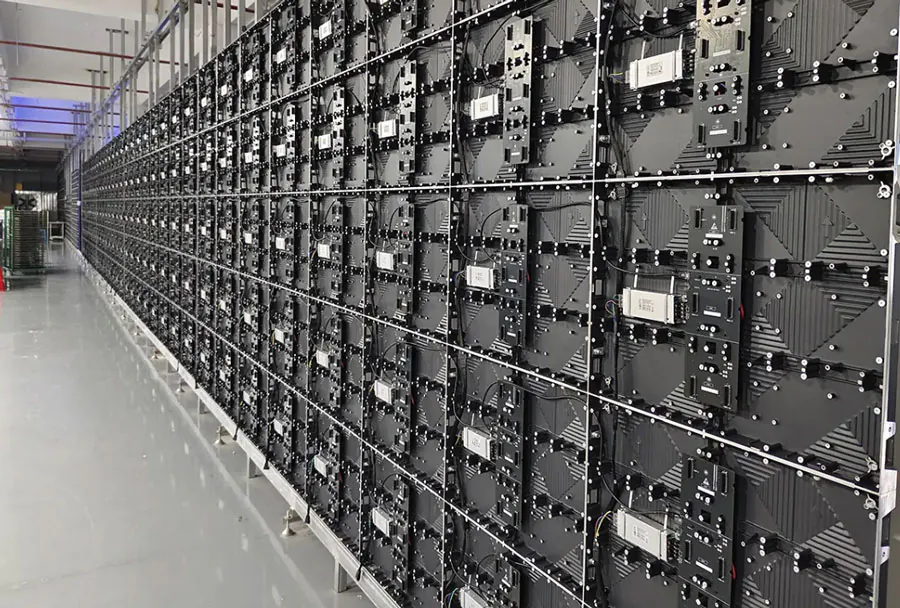
Cabinet quality affects both image continuity and setup speed. Rental-focused LED cabinets are designed for frequent transport, fast locking systems, and reliable alignment. Poor cabinet alignment can create visible seams or uneven surfaces that distract from the content. Lightweight cabinets also reduce labor pressure and may simplify rigging, especially when time windows are tight.
Ingress protection ratings matter because outdoor events face dust, humidity, wind, and rain. While no planner wants extreme weather, a rental screen should be designed to continue operating safely in real outdoor conditions. Confirm both front and rear protection ratings, and ask what extra weatherproofing steps the supplier uses for connectors, power distribution, and control equipment.
Redundancy is another spec worth paying for when the event is high stakes. Backup power supplies, spare receiving cards, extra modules, and signal redundancy can make the difference between a quick fix and a visible failure during a live show. Premium reliability often justifies a higher rental fee if the event includes sponsors, ticket revenue, or media coverage.
How to Choose the Best Rental Outdoor LED Screen with the Right Supplier
Even the best hardware can disappoint if the rental partner is disorganized. How to Choose the Best Rental Outdoor LED Screen is not only about the product; it is also about selecting a supplier with the right experience, support process, and problem-solving ability. In practice, the company behind the screen often has more impact on event success than the spec sheet alone.
Start by checking the supplier’s track record. Look for experience with events similar to yours in scale and complexity. A company that regularly supports touring concerts may be excellent with fast deployment and show control, while a firm focused on trade fairs may be stronger with branded display environments. Ask for photos, case studies, or references that match your event type.
Technical consultation is a good sign of a strong partner. Instead of pushing one standard package, a reliable provider will ask about audience size, content type, camera use, weather exposure, power access, and setup timing. They should be able to recommend screen size, pitch, processor configuration, and support structure based on event goals rather than guesswork.
Service coverage is just as important as equipment quality. Clarify whether the quote includes transport, installation, testing, show-day technicians, dismantling, and emergency support. Some low quotes exclude important labor or on-site standby, which later increases the final bill. A complete service breakdown helps avoid last-minute confusion.
Response time matters when problems appear. Outdoor events involve many moving parts, and schedules can change quickly. You want a supplier that communicates clearly and can adapt if the stage design shifts, the event timing changes, or weather requires adjustments. Reliable vendors usually document escalation contacts, backup plans, and repair procedures in advance.
It is also smart to review maintenance standards. Ask how often modules are inspected, how failed LEDs are handled, and whether spare parts travel with the crew. A well-maintained rental fleet delivers more uniform visuals and lowers the risk of visible dead pixels or cabinet mismatches during the event.
Insurance, certification, and compliance should be part of your evaluation too. Structural safety documents, electrical compliance records, and public liability coverage are not optional details. They protect both the supplier and the event organizer. If a provider cannot clearly explain their safety process, that is a warning sign no matter how attractive the pricing may be.
How to Choose the Best Rental Outdoor LED Screen Without Overspending
Budget matters, but value matters more. How to Choose the Best Rental Outdoor LED Screen without overspending means understanding what drives cost and where smart compromises are possible. Many event planners waste money by paying for unnecessary specifications, while others cut critical services that later cause expensive problems.
The biggest cost factors usually include pixel pitch, total screen size, cabinet type, support structure, installation complexity, transportation distance, crew size, and show duration. Finer pixel pitch raises the price quickly, so only choose it when audience distance truly requires it. For a large outdoor crowd standing far from the stage, a moderate pitch often performs perfectly well.
One practical way to control cost is to prioritize the audience experience rather than premium specs on every line item. If the event content is mainly live camera feed, bold graphics, and sponsor loops, you may not need the same level of fine detail required for luxury brand video or text-heavy presentations. Matching the technical package to the content keeps spending rational.
Package design also influences value. Some suppliers offer complete event bundles that include processors, rigging, power distribution, controllers, transport, and technicians. Others quote the screen alone and add necessary extras later. Always compare full project costs rather than headline rental rates. The cheapest initial quote is often not the cheapest final solution.
Scheduling can affect price as well. Peak event seasons, weekends, and last-minute bookings generally cost more. If your dates are flexible, early planning can improve equipment availability and lower logistics pressure. It also gives more time for render checks, content tests, and structural review, which reduces operational risk.
Another cost-saving strategy is to reduce unnecessary screen area. A wider aspect ratio may serve stage IMAG better than a giant block format. Side screens can sometimes be more valuable than making the main wall slightly larger. In other cases, one well-positioned screen works better than multiple smaller displays with extra control needs.
At the same time, avoid cutting essentials like technician support, weather protection, and redundancy for mission-critical events. How to Choose the Best Rental Outdoor LED Screen on a budget is really about selective investment. Spend on visibility, safety, and reliability first; optimize the rest only after those priorities are covered.
FAQ
Choosing temporary display technology can feel overwhelming, so these quick answers address some of the most common concerns related to How to Choose the Best Rental Outdoor LED Screen.
What pixel pitch is best for an outdoor rental screen?
The ideal pitch depends mainly on how close the audience will stand to the display. When evaluating How to Choose the Best Rental Outdoor LED Screen, use closer viewing distances to justify finer pitch and larger viewing distances to justify a more economical option. For many outdoor stage events, the best choice is not the smallest pitch available but the one that provides clear images without overpaying for detail people will not notice.
How bright should an outdoor LED screen be?
Outdoor screens generally need much higher brightness than indoor displays, especially in direct sunlight. A practical approach to How to Choose the Best Rental Outdoor LED Screen is to ask the supplier for a brightness recommendation based on time of day, screen orientation, and local weather conditions. Good brightness control is equally important, because a screen used from daylight into nighttime should remain visible without becoming harsh or visually unbalanced.
Is it better to rent or buy an outdoor LED screen?
For most short-term events, renting is the smarter choice because it reduces maintenance, storage, transport, and upgrade responsibilities. If you are deciding How to Choose the Best Rental Outdoor LED Screen, rental gives you access to current technology, expert setup crews, and event-specific configurations without the long-term ownership burden. Buying only makes more sense when usage is frequent enough to justify the full lifecycle cost.
Conclusion
The right screen does more than display content; it shapes audience engagement, brand impact, and the overall professionalism of an event. That is why How to Choose the Best Rental Outdoor LED Screen should always begin with your venue, your audience, your content, and your operational risks rather than price alone. When you compare pixel pitch, brightness, weather resistance, cabinet design, supplier support, and full project cost together, the best option becomes much easier to identify. A successful rental decision is not about choosing the biggest or most expensive display. It is about selecting a reliable outdoor LED solution that performs clearly, safely, and efficiently in the exact conditions your event demands.