LED Display Lifespan: How to Improve Durability and Reliability

LED Display Lifespan: How to Improve Durability and Reliability is governed less by a printed LED chip rating than by the heat, current, and environment you allow around it. A surprising fact many operators miss: LEDs rarely die suddenly like old lamps. Instead, they fade gradually until brightness drops below what viewers accept. The U.S.
Department of Energy defines this life limit as L70, the point when output falls to 70 percent of initial brightness. The real-world problem is that most displays never reach that theoretical rating because they run at needlessly high drive current, with blocked airflow, or without calibration checks.
Table of Contents
- 1. Run LED Panels Below Their Maximum Drive Current
- Why Current Limits Matter More Than Brightness
- How to Cap Brightness Without Hurting Content
- 2. Control Junction Temperature With Real Airflow
- Understanding Junction Temperature Without Guesswork
- Cheap Airflow Fixes That Work
- 3. Use Factory Calibration and Pixel-Level Monitoring
- What Calibration Actually Corrects
- Using a Processor to See Problems Early
- 4. Protect Against Moisture, Dust, and Power Spikes
- Ingress Protection and Why It Fades
- Power Protection That Is Easy to Miss
- 5. Service Modules Before Pixel Failures Become Visible
- Why Early Replacement Saves Whole Cabinets
- Building a Simple Service Log
- Does pixel pitch affect how long an LED display lasts?
- Should I replace an entire cabinet or only failed modules?
- How does indoor LED lifespan differ from outdoor LED lifespan?
- What is the most common mistake that shortens LED display lifespan?
- Do LED power supplies need replacement before the panels?
- Conclusion
This article covers five practical, low-cost improvements that slow lumen depreciation and reduce the risk of early module replacement. In any serious maintenance program, LED Display Lifespan should be treated as an operating variable, not a fixed product spec.
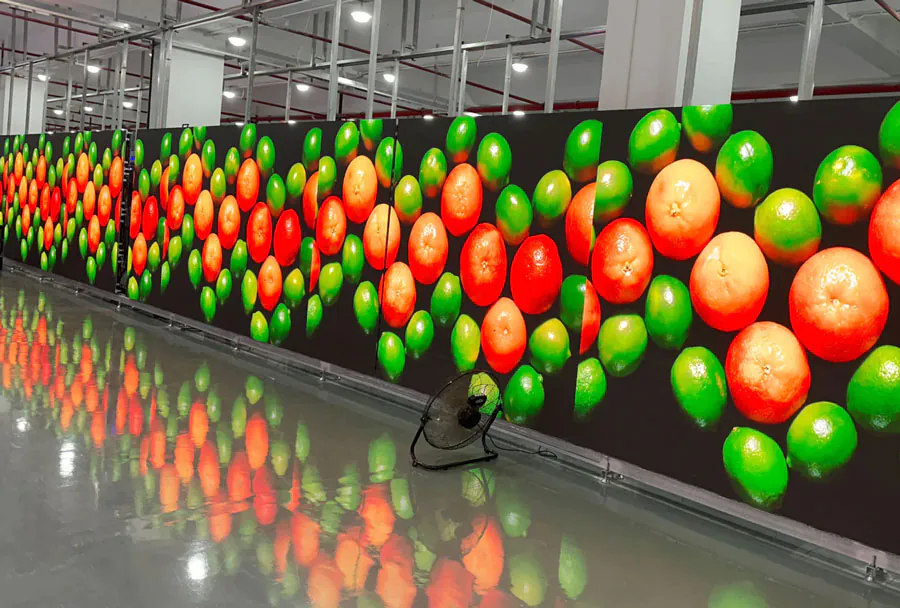
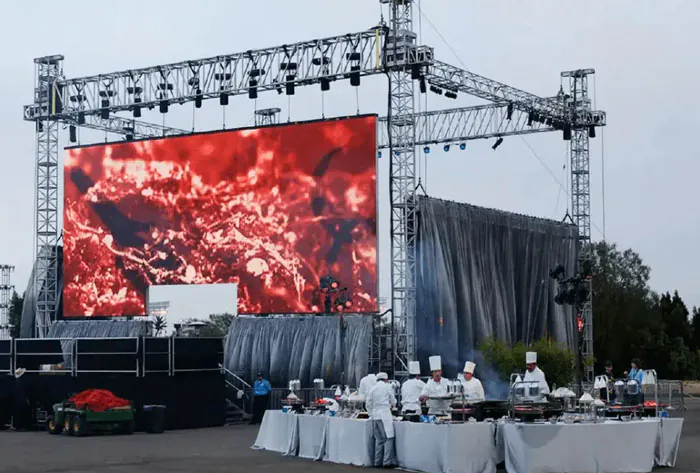
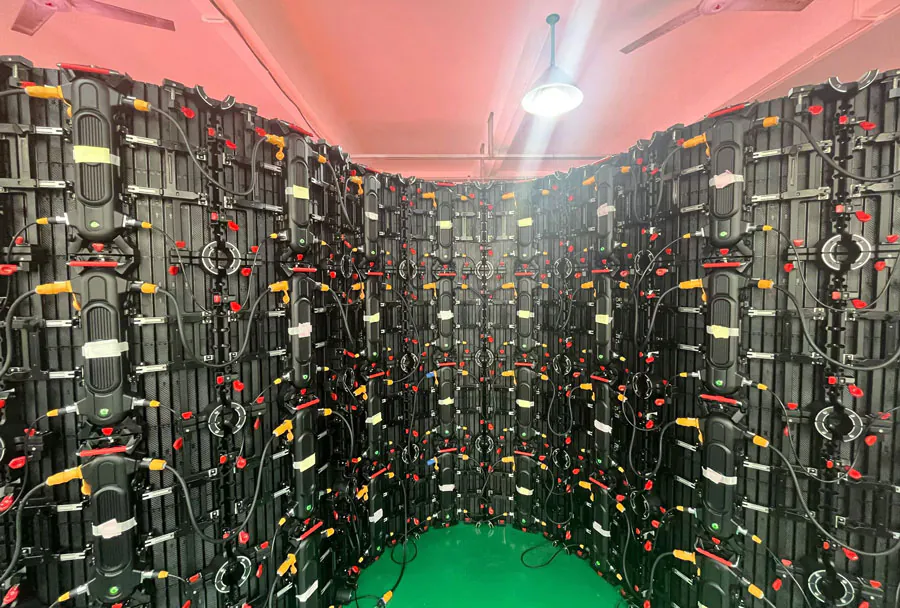
P1.9 flexible led video wall which can curve 22.5 degree for concave and convex-Made by TW VISION.
1. Run LED Panels Below Their Maximum Drive Current
The simplest way to protect LED Display Lifespan: How to Improve Durability and Reliability is to stop treating maximum brightness as the default setting. LED junctions age faster as drive current and temperature rise. A panel running continuously at its highest rated current will generate significantly more heat than the same panel running just below that limit.
From an operational standpoint, LED Display Lifespan improves as soon as you stop chasing maximum nits on every content cue.
Why Current Limits Matter More Than Brightness
– Heat increases with current, often in a non-linear way.
– Drivers and power supplies work harder when modules are driven at full load.
– Signs of stress include uneven whites, reddish cast, or dim regions.
Regular current reviews are part of a complete LED Display Lifespan: How to Improve Durability and Reliability strategy because even a small percentage drop can extend service life.
How to Cap Brightness Without Hurting Content
– Set a global brightness ceiling in your LED control software.
– Use the lowest level that fits the site’s ambient light.
– Check night and day schedules separately.
How to apply this: Open your receiving card software today, review the current brightness percentage, and lower it a few points during off-peak hours. A simple brightness audit is one of the least expensive ways to strengthen LED Display Lifespan: How to Improve Durability and Reliability on an existing wall.
2. Control Junction Temperature With Real Airflow
The second factor behind LED Display Lifespan: How to Improve Durability and Reliability is junction temperature, not the outdoor air temperature. The U.S. Department of Energy’s LED Basics page states that LED life is defined by lumen depreciation, commonly L70, and that operating temperature directly affects how quickly that depreciation happens.
A focused thermal-management routine is one of the most reliable ways to protect LED Display Lifespan: How to Improve Durability and Reliability because heat and current work together.
Understanding Junction Temperature Without Guesswork
– Measure the back of modules with a thermal camera or infrared thermometer.
– Compare readings to the maximum temperature printed on the module label.
– FLIR thermal cameras make this inspection fast and repeatable.
A monthly thermal scan should be a standing item in any LED Display Lifespan: How to Improve Durability and Reliability checklist.
Cheap Airflow Fixes That Work
– Leave the recommended clearance between the cabinet and the wall.
– Clean intake screens and fan filters on a schedule.
– Replace failed fans before symptoms appear.
How to apply this: Scan your display at normal operating brightness with a thermal camera and compare the hottest module to the manufacturer’s limit.
3. Use Factory Calibration and Pixel-Level Monitoring
Calibration is an overlooked part of LED Display Lifespan: How to Improve Durability and Reliability because a screen that drifts unevenly often gets compensated with higher overall brightness. That extra output forces healthy pixels to run hotter and age faster. Factory calibration, followed by ongoing pixel-level monitoring, catches the drift before you compensate for it.
In fact, proactive calibration is one of the most cost-effective ways to extend LED Display Lifespan: How to Improve Durability and Reliability without changing any hardware.
What Calibration Actually Corrects
– Module-to-module brightness differences.
– Color temperature shifts across the wall.
– Aging effects that make one row or section look dim.
All of these factors directly influence LED Display Lifespan: How to Improve Durability and Reliability by preventing uncontrolled brightness drift.
Using a Processor to See Problems Early
– Processors such as Brompton Technology Tessera and NovaStar controllers can monitor per-pixel status and temperature.
– Error logs show open or shorted pixels before technicians call them in.
– Recalibrate after replacing modules so new and old panels blend.
How to apply this: Enable per-pixel monitoring in your processor and set a weekly reminder to review the error log.
4. Protect Against Moisture, Dust, and Power Spikes
The least visible threat to LED Display Lifespan: How to Improve Durability and Reliability is environmental contamination. Moisture corrodes LED leads and PCB traces. Dust blocks heat sinks and seals. Voltage spikes stress capacitors in power supplies. Many outdoor failures that look like dead pixels are actually water entry through an aging gasket.
Operators who ignore cabinet sealing often learn that LED Display Lifespan: How to Improve Durability and Reliability is as much about gaskets as it is about LEDs.
Ingress Protection and Why It Fades
– IP65-rated cabinets resist water jets when new, but gaskets harden and crack.
– Cable glands and door seals are the most common points of failure.
– Inspect them after heavy rain rather than waiting for visible corrosion.
A seasonal seal inspection is an essential part of any LED Display Lifespan: How to Improve Durability and Reliability plan.
Power Protection That Is Easy to Miss
– Use surge-rated power distribution, not basic outlet strips.
– Check surge protector status lights during routine service.
– Keep spare power supplies in stock if your display is mission-critical.
How to apply this: Inspect every door seal, cable gland, and intake vent after the next storm, and replace any gasket that has hardened.
5. Service Modules Before Pixel Failures Become Visible
The fifth secret to extending LED Display Lifespan: How to Improve Durability and Reliability is to act on small faults while they are still small. A single persistent dim pixel rarely causes a display to fail. A cluster of them often signals a failing module or driver.
If left in place, a damaged module can draw irregular current and push more stress onto neighboring panels. A focused early-service policy is among the most overlooked levers for improving LED Display Lifespan: How to Improve Durability and Reliability on established installations.
Why Early Replacement Saves Whole Cabinets
– Damaged modules can overheat and affect nearby electronics.
– Early module swaps preserve uniform brightness without overdriving.
– Planned service costs less than emergency repair after a full-section failure.
Module replacement decisions should always be evaluated for their impact on overall LED Display Lifespan: How to Improve Durability and Reliability, not just immediate image quality.
Building a Simple Service Log
– Record module serial numbers, fault descriptions, and dates.
– Note whether the same module appears repeatedly.
– Keep a small stock of matched spare modules.
How to apply this: Create a shared spreadsheet mapping every dead or dim pixel location so repeated faults become obvious before they spread.
Quick reference: LED display risk factors and actions
| Factor | What it does | Action to take |
|---|---|---|
| High drive current | Raises junction temperature and speeds lumen loss | Cap brightness in controller software |
| Blocked airflow | Traps heat on module rear | Clean vents and keep cabinet clearance |
| Calibration drift | Causes uneven brightness and overcompensation | Enable per-pixel monitoring |
| Moisture entry | Corrodes LEDs and PCBs | Inspect seals and glands monthly |
| Ignored pixel faults | Turns small module failures into cabinet failures | Replace modules early |
Frequently Asked Questions About LED Display Lifespan: How to Improve Durability and Reliability
These common answers show how LED Display Lifespan: How to Improve Durability and Reliability decisions vary by installation.
Does pixel pitch affect how long an LED display lasts?
Pixel pitch alone does not decide LED Display Lifespan: How to Improve Durability and Reliability. A finer-pitch panel can actually run cooler if it is driven at lower brightness for close viewing, while a coarser outdoor panel may run harder.
The exception is that fine-pitch modules often have smaller solder joints and tighter spacing, so heat removal and humidity protection need closer attention during installation. For any format, LED Display Lifespan: How to Improve Durability and Reliability depends more on thermal design and drive conditions than on pitch alone.
Should I replace an entire cabinet or only failed modules?
In most cases, replacing the failed module is enough to restore LED Display Lifespan: How to Improve Durability and Reliability, provided the cabinet frame, power supply, and receiving card are still healthy. Replace the entire cabinet only when the structure is corroded, airflow is permanently blocked, or a control failure has affected multiple modules at once.
A full-cabinet swap is usually a structural decision, not a first-line maintenance step. Making the right replacement choice protects LED Display Lifespan: How to Improve Durability and Reliability without wasting budget on unnecessary hardware.
How does indoor LED lifespan differ from outdoor LED lifespan?
Indoor displays often have a longer lifespan advantage because they avoid rain, thermal cycling, and UV. However, a poorly cooled indoor studio wall can still run hot.
The main exception is an outdoor display with excellent ventilation and surge protection; it may outlast an indoor wall that is sealed in a tight enclosure. LED Display Lifespan: How to Improve Durability and Reliability depends more on heat management than location.
In both cases, LED Display Lifespan: How to Improve Durability and Reliability is the result of consistent heat control.
What is the most common mistake that shortens LED display lifespan?
The most common mistake is running every module at maximum brightness all day and ignoring the extra heat. This is especially damaging when a display shows white content at full output for long periods.
A better approach is to schedule brightness to match content and ambient light. LED Display Lifespan: How to Improve Durability and Reliability improves noticeably when brightness decisions are treated as part of maintenance, not just content design. Operators who make this shift usually see fewer hot modules and more consistent color.
Do LED power supplies need replacement before the panels?
Power supplies often need replacement before LED modules because electrolytic capacitors degrade with heat and hours of operation. In many cases, a failing power supply causes flicker or dead module sections. Replace or refurbish power supplies on a preventive schedule, not after burnout.
This protects LED Display Lifespan: How to Improve Durability and Reliability more effectively than simply waiting for pixel failures to appear. A proactive power-supply plan is especially important for large walls, because it supports LED Display Lifespan: How to Improve Durability and Reliability across the entire system.
Conclusion
– LED lifespan is driven by heat, current, and environment more than a printed rating.
– Lower drive current, maintain airflow, and use calibration to stop compensation drift.
– Protect seals and power distribution before moisture or surges create module damage.
– Replace failing modules early because small pixel faults spread into larger cabinet failures.
LED Display Lifespan: How to Improve Durability and Reliability is not something you set once at installation. It is a set of weekly and seasonal habits. Pick one item from the quick-reference table and complete it this week. Then schedule a thermal inspection and a seal check before the next full production cycle.
A consistent routine is the surest way to protect LED Display Lifespan: How to Improve Durability and Reliability over the full service life of the wall.