

led screen testing grid concert: 10 Best for flawless shows

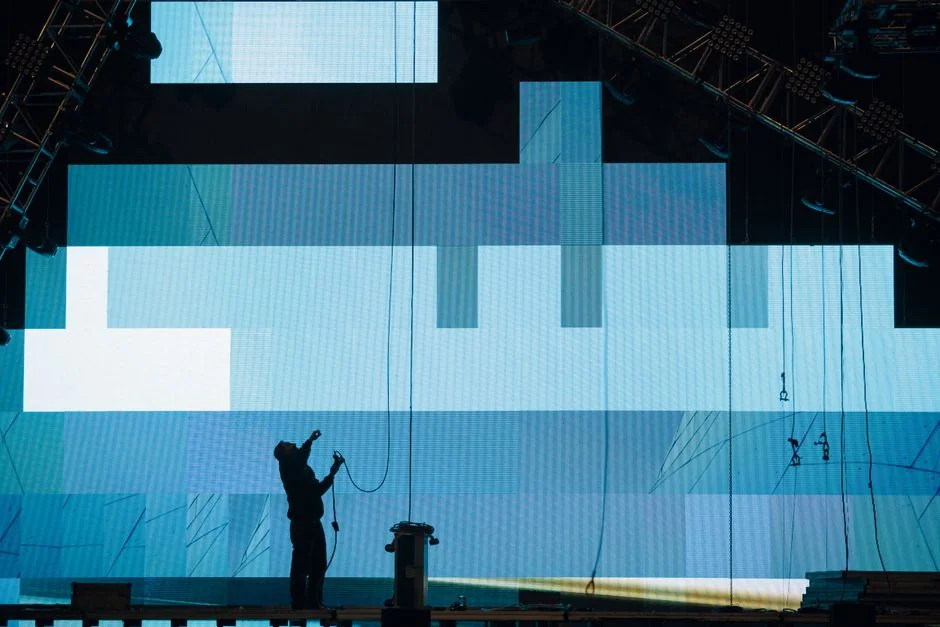
A reliable led screen testing grid concert setup can mean the difference between a clean show and a visible pixel failure on the main camera feed. According to AVIXA, the Audiovisual and Integrated Experience Association, display verification is a core part of live event commissioning.
Table of Contents
- Why a Test Grid Beats Guesswork
- Concert LED Screen Testing Process
- Build a Repeatable Bench Test Before Load-In
- Bench Test Checklist
- 2. Verify Signal Path from Player to Processor
- Red Flags in the Signal Path
- 3. Calibrate Color and Brightness Before Focus
- 4. Stress-Test Redundancy and Content Failover
- Failover Drill Script
- 5. Document Results with a Pre-Show Sign-Off
- Phased Test Sign-Off at a Glance
- Reading the Results: What the Grid Reveals
- Final Checks, Documentation, and Showtime Discipline
- FAQ
- Why use a grid instead of playing a live video?
- How early should the test happen before doors open?
- Can the grid help find mapping mistakes in a complex wall?
- What should be documented after the test is complete?
- Conclusion
The problem is that many techs only test the video input and skip the pixel-level checks that catch dead modules, mapping errors, and signal-chain faults. This guide walks through five practical setup secrets, covering test patterns, sender mapping, content rehearsal, and a show-specific checkout list.
Why a Test Grid Beats Guesswork
Followed video showed example about 7 Essential LED Testing Patterns for Concert Screens
Concert LED systems are built from many moving parts: cabinets, processors, media servers, output cards, signal paths, power distribution, and software layers. If one part is slightly off, the result can be obvious on a giant wall even when the source file looks perfect on a laptop. That is why a led screen testing grid concert approach is so effective. Instead of guessing whether the image is aligned, you force the wall to reveal every edge, seam, and pixel relationship in a format that is easy to read.
A test grid is valuable because it gives you a universal language. A production manager can point to a crooked line. A video operator can see a cabinet that is not responding. A technician can compare what is expected with what is actually being displayed. Everyone is looking at the same pattern, which removes ambiguity. That saves time during setup and eliminates the common problem of different departments describing the same fault in different ways.
The grid is especially useful in large or complex venues where the wall wraps, curves, or includes multiple surfaces. Straight lines help confirm that the cabinet layout matches the design file. Crosshairs help verify that the center points line up. Fine spacing shows whether scaling is clean or whether the image is being stretched. In a led screen testing grid concert scenario, even a small offset becomes visible fast, which is exactly what you want before a paying audience enters the room.
A good grid test also helps identify issues that are not immediately obvious during normal content playback. A high-motion video clip may hide a bad tile, but a precise pattern exposes it instantly. A uniform background may seem fine until a brightness mismatch creates a visible patch. A grid gives the crew a low-noise environment for diagnosis, and that makes troubleshooting much more efficient.
To get the most out of the process, define what success looks like before the test starts:
– Cabinet rows and columns align with the file map
– Pixel pitch appears consistent across the visible surface
– Lines remain straight at the edges and seams
– Brightness is even across all sections
– No cabinet shows unexpected color shifts or dropout
When the team agrees on these checkpoints, the led screen testing grid concert pass becomes a real quality gate, not just a routine checkbox. It creates confidence for operators, reassurance for clients, and a cleaner path toward final rehearsal.
Concert LED Screen Testing Process
1. Build a Repeatable Bench Test Before Load-In
A bench test catches hardware faults at the cheapest point in the concert LED screen testing process. Avoid testing tiles for the first time on a lift; a bad receiving card or damaged connector is much easier to swap in the shop.
A common scenario: a tile runs fine for five minutes, then drops its signal as the receiving card heats up, which only a 20-minute bench loop exposes.
Use a known-good processor and test content loop. Many receiving cards list a maximum pixel load of 512×512 per output, but the exact figure depends on your model’s data sheet. Check every tile, every power supply, and every data cable before packing.
This keeps later stages of the concert LED screen testing process focused on signal and color rather than chasing loose connectors.
How to apply this: Run a 20-minute looping test pattern on every tile at full brightness before it goes on the truck.
Bench Test Checklist
– Run full-white, full-red, full-green, and full-blue fields to expose weak or dead pixels
– Check power supply temperature after 15 minutes of continuous operation
– Verify the receiving card firmware matches the processor version
– Label every cable and tile position so on-site rebuild goes faster
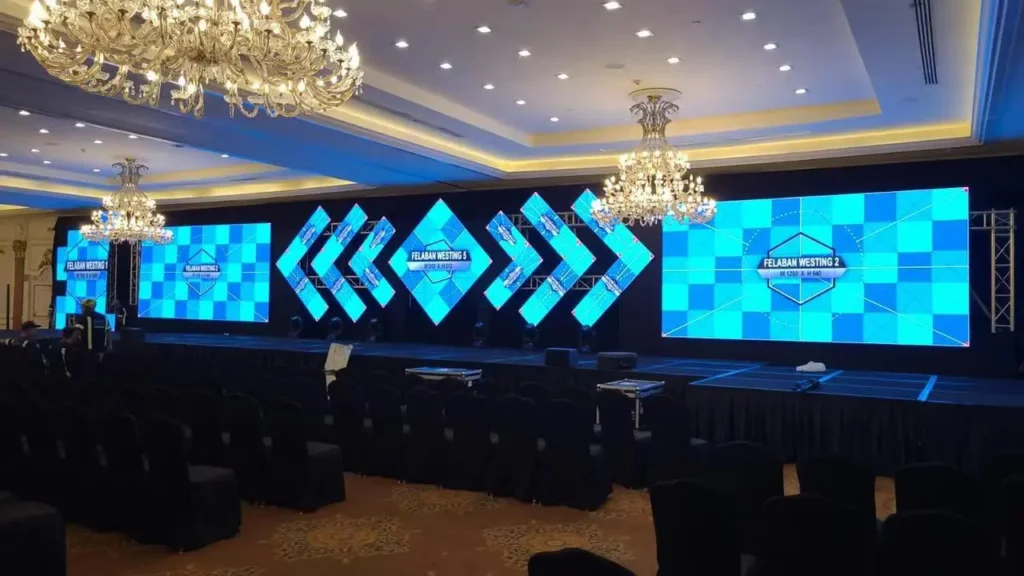
2. Verify Signal Path from Player to Processor
Signal path verification is where many failures in the concert LED screen testing process hide. You may have a clean media server output but lose sync after a scaler or cable. Check the full chain from player to LED processor, including EDID, resolution, refresh rate, and link type.
Open the processor status page. Brompton Technology Tessera systems and Novastar controllers show input resolution, link status, and temperature. Confirm the primary and backup feeds both reach the processor. A 4K60 10-bit signal needs about 12 Gbps, so a 12G-SDI or HDMI 2.0 path is required; an old 3G-SDI line will not carry it.
Make this step part of the concert LED screen testing process even when you have used the same house rig.
How to apply this: Test both primary and backup inputs at the resolution you will actually use, not a desktop default.
Red Flags in the Signal Path
– Intermittent link drops after cable movement or stage vibration
– EDID mismatch causing the processor to fall back to 1080p
– Color banding that disappears when the source or cable is replaced
– Sync loss on camera feeds when the show switches from a lower frame rate
3. Calibrate Color and Brightness Before Focus
Color calibration is the point in the concert LED screen testing process where an LED wall stops looking like individual panels and starts looking like one screen. Use a known target white point, such as 6500 K for broadcast or a show-specific value locked by the lighting director. Run 0-255 grayscale, red, green, blue, and edge transition patterns.
Calman and a colorimeter can measure and adjust panel uniformity if supported by your processor. AVIXA, the Audiovisual and Integrated Experience Association, notes that formal verification should compare actual LED wall output against the performance criteria set before the event. That means writing down the target before you measure, not deciding it looks okay after the fact.
This phase of the concert LED screen testing process locks the look before doors open, so the camera and live audience see the same color.
How to apply this: Save the calibrated profile with a clear name and test it alongside the lighting designer’s final cues.
4. Stress-Test Redundancy and Content Failover
Redundancy checks are the part of the concert LED screen testing process that rental houses rarely skip. Switch off one power supply per wall section and confirm the remaining supply carries the load without flicker. Pull the primary media server feed and watch the backup cut in with no black frame or audio pop.
Use both processor and media server failover tests.
LED tiles with dual power supplies are designed to survive a single feed failure, but only if the redundant input is actually wired and enabled. A no-notice failover drill during the concert LED screen testing process reveals issues that a planned switchover hides.
How to apply this: Run one intentionally unannounced failover during rehearsal and time how long it takes to recover.
Failover Drill Script
– Cut primary media server power with no warning
– Verify the backup feed appears in under two seconds
– Check that the wall stays synchronized and does not flash black
– Repeat the test during a camera rehearsal, not just a dark stage test
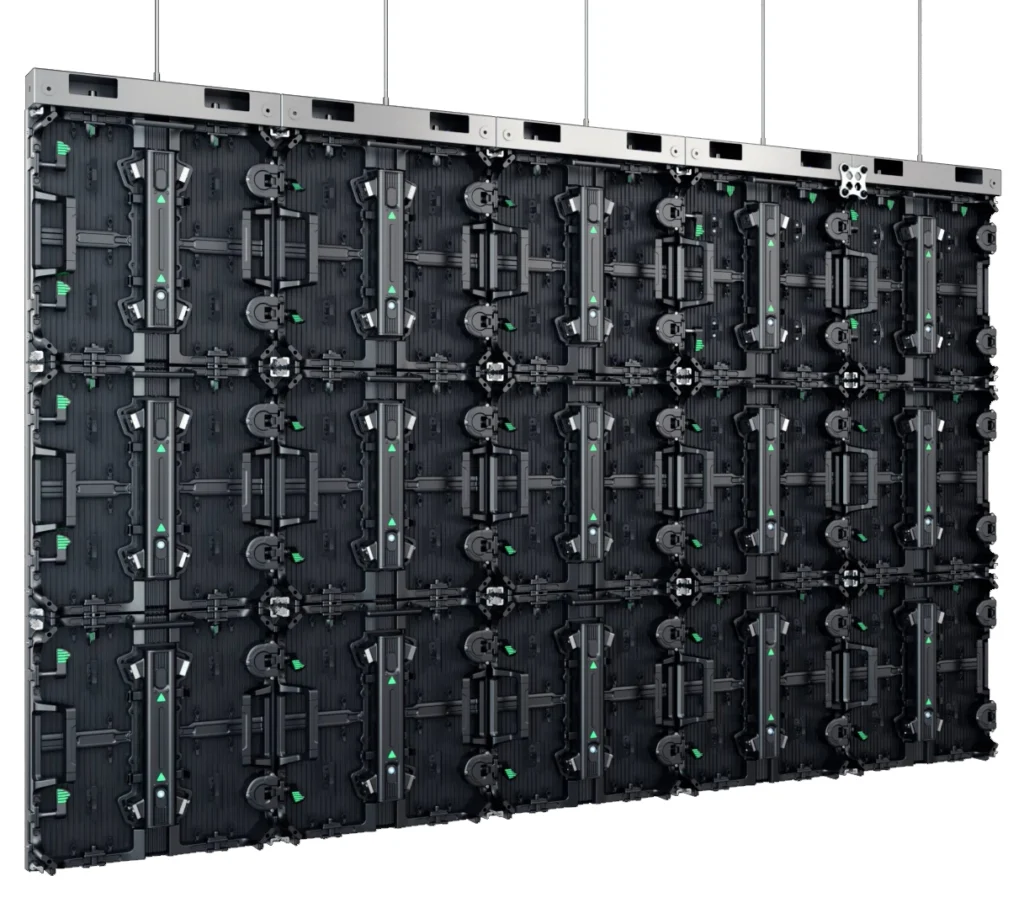
5. Document Results with a Pre-Show Sign-Off
Documentation turns the concert LED screen testing process from a series of opinions into a defensible pass/fail record. Record the show file version, processor settings, tile map, and any replaced parts. If a pixel dies later, you need to know whether it was dead at test time.
A shared sheet or project tool works, but the key is a timestamp and names attached to each checkpoint.
A clean sign-off sheet proves the concert LED screen testing process reached every critical system. Without that record, a late-night repair can erase the memory of what was already checked.
How to apply this: Have one person own the sign-off sheet and require a signature before the opener starts.
Phased Test Sign-Off at a Glance
| Phase | What to check | Tool or method | Action to take |
|---|---|---|---|
| Bench test | Tile mapping, dead pixels, heat | Nova LCT or Tessera loop | Replace suspect tile before load-in |
| Signal path | 4K60 sync, EDID, link type | Processor status page | Verify primary and backup feeds |
| Color | White point, brightness, edges | Calman or colorimeter | Lock profile and label preset |
| Redundancy | Power, media server failover | Manual A/B switch | Run one unannounced cutover |
| Sign-off | File version, crew names | Shared sign-off sheet | Save timestamped report |
Reading the Results: What the Grid Reveals
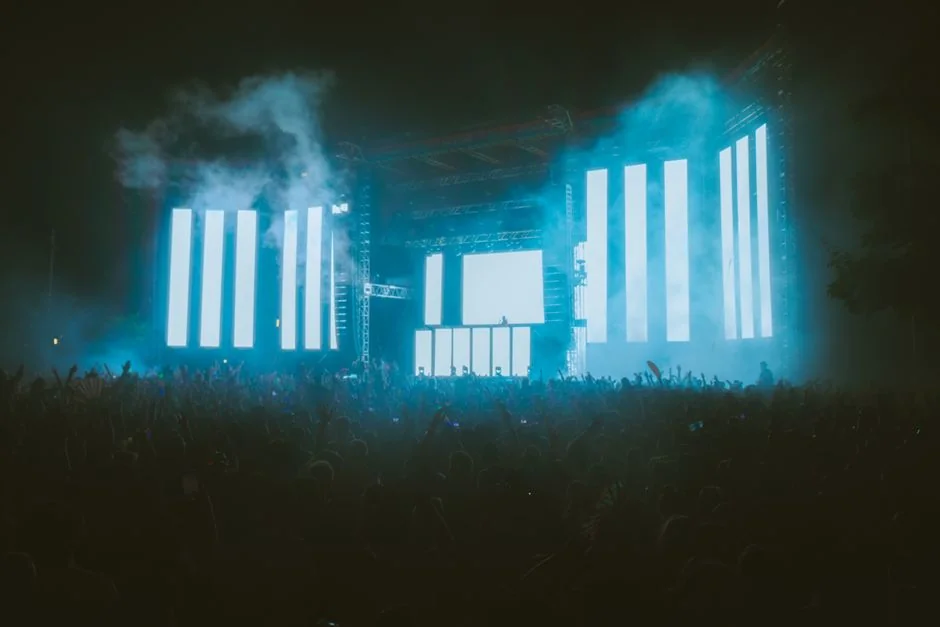
A grid pattern is not just a yes-or-no tool. It tells you where the system is healthy and where attention is needed. In a led screen testing grid concert check, the most obvious issues usually fall into a few categories: geometry, color, brightness, dead pixels, and signal integrity. Knowing how to read each one makes troubleshooting much faster.
Geometry problems show up as bent lines, cropped corners, or squares that do not look square. These issues often point to mapping errors, incorrect output scaling, or a cabinet that is physically misaligned. If the wall has a curve or an unconventional shape, the grid helps the team understand whether the distortion is intentional or accidental. That distinction matters because a properly designed visual effect should still follow the plan from the content designer.
Color issues are equally important. One cabinet may appear warmer, cooler, or less saturated than the rest of the wall. On simple video content, the difference can be hard to see, but a test grid makes it obvious. That is especially useful when matching multiple rental batches or cabinets from different service histories. In a led screen testing grid concert environment, visual consistency is part of the audience experience, so even slight mismatches deserve attention.
Brightness variations can indicate aging modules, thermal differences, power problems, or configuration mismatches. A wall that looks even at a distance may still have local hot spots or dim areas. The grid gives you a neutral backdrop to compare section by section. If the venue lighting is already active, dim the room if possible or use a test brightness level that highlights the contrast without overwhelming the eye.
Dead pixels, stuck pixels, and intermittent modules are among the easiest problems to catch with a grid. A single bad point stands out against a clean line pattern. For large-scale concerts, this is particularly important because the audience may be close enough to see the defect, especially in VIP sections or on side screens. Catching those issues early gives the crew time to swap parts or reassign mapping before the show starts.
Signal integrity problems can show up as flicker, breakup, ghosting, or sections that refresh out of sync. These symptoms may point to a weak cable, a failing connector, a noisy output, or an overloaded data path. A led screen testing grid concert pass helps isolate whether the problem follows a cable, stays with a cabinet, or appears only on a specific output chain. That is the kind of information that shortens troubleshooting from hours to minutes.
Use the grid to answer specific questions:
– Is the issue tied to one cabinet or one output line?
– Does the defect remain after the cable is swapped?
– Does the problem appear only at certain brightness levels?
– Is the fault visible from front-of-house and from stage?
– Does the image hold steady during playback, or does it flicker under movement?
The more precise the observation, the more efficient the repair. A good test does not just show that something is wrong; it tells you where to look first. That is why a led screen testing grid concert inspection is one of the highest-value steps in the entire setup process.
It is also worth capturing photos or short clips of the grid before and after corrections. Those records help track recurring issues across tours or venue visits. Over time, they build a useful history of which cabinets, processors, or cable runs tend to fail first. That kind of documentation turns a one-night fix into a longer-term operational advantage.
Final Checks, Documentation, and Showtime Discipline
Once the display passes visual inspection, the job is not fully done. The final stage is about making sure the wall stays stable when the show environment changes. A led screen testing grid concert workflow should end with a confirmation pass, a rollback plan, and clear handoff notes for the show team.

Start with a retest after every major correction. If you swapped a cable, adjusted a processor setting, or replaced a module, run the grid again. Small changes can have unintended effects, especially in systems where multiple outputs interact. A clean result on the second pass confirms that the fix worked and that nothing else shifted.
Then move to a show-ready content check. Test the actual playback list, not just the grid file. Confirm that cues launch correctly, transitions are smooth, and the wall behaves the way it will during the performance. In a led screen testing grid concert process, the grid is the diagnostic tool, but the real goal is a reliable audience presentation. Make sure the test environment resembles the live show as closely as possible.
Documentation matters here. Record the wall resolution, processor profile, mapping notes, any replaced parts, and the time the wall passed inspection. If a problem reappears later, those details make it much easier to retrace the chain of events. They also help the next crew member understand what was tested and what assumptions were made.
You should also establish a simple escalation plan. If the wall develops a new issue during doors or after the show begins, everyone should know who has authority to pause playback, switch to backup content, or call for a reset. The fewer questions the team has in a high-pressure moment, the better the outcome. A led screen testing grid concert routine is most valuable when it creates confidence not only before the show, but during it.
A strong final pass usually includes these checks:
– All cabinets display the same brightness profile
– No new flicker appears during full-motion playback
– Load and ready the backup content
– Secure power and data connections
– Notes are shared with video, lighting, and stage management
Discipline is what turns a good technical setup into a dependable live show. The wall may be fully operational, but the team still needs to remain attentive to changes in temperature, power load, and content demands. A final led screen testing grid concert review gives everyone one last chance to catch problems while the fix is still easy.
FAQ
Why use a grid instead of playing a live video?
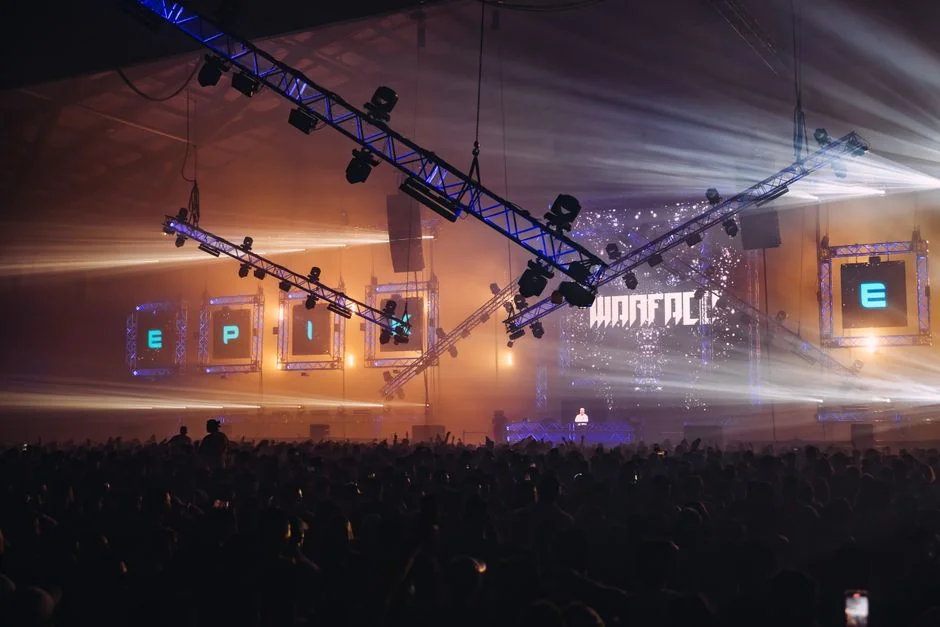
A grid is easier to diagnose because it removes visual clutter. In a led screen testing grid concert check, straight lines and high contrast make alignment, color, and mapping problems stand out immediately. Live video can hide small faults under motion and content complexity, so it is less useful for precise setup verification.
How early should the test happen before doors open?
As early as possible, ideally during load-in or immediately after the wall is powered and mapped. A led screen testing grid concert pass works best when the crew still has time to swap cables, replace modules, or adjust processor settings without rushing. The earlier you find an issue, the lower the pressure on the rest of the production.
Can the grid help find mapping mistakes in a complex wall?
Yes. A led screen testing grid concert setup is one of the fastest ways to catch swapped outputs, incorrect cabinet order, and reversed sections. Numbered markers, edge labels, and predictable spacing make it easier to compare the intended layout with the real display, even on curved or multi-surface rigs.
What should be documented after the test is complete?
Record the wall resolution, processor settings, mapping notes, any repairs, and the final pass time. After a led screen testing grid concert review, those notes help future crews repeat the setup faster and diagnose repeat problems more accurately. Good documentation also protects you if a fault appears later in the show cycle.
Conclusion
Concert visuals only look effortless when the preparation behind them is disciplined. A clear, repeatable led screen testing grid concert process helps crews verify alignment, expose hidden defects, and confirm that the wall is ready for real-world playback. It reduces uncertainty for operators, improves communication between departments, and gives production teams a practical way to protect show quality under time pressure. When the audience sees a clean, stable wall from opening cue to final encore, the work behind it has done its job.
