LED Display for Gaming Rooms: 5 Best Secrets That Actually

LED Display for Gaming Rooms is a game-changer for immersive gameplay and visual appeal. According to a 2023 report by the Consumer Technology Association, displays with high refresh rates and vivid colors significantly enhance user engagement in gaming setups. However, many gamers struggle to select and optimize LED displays that truly elevate their experience without overspending or facing compatibility issues.
Table of Contents
- Understanding Display Specifications for Gaming Performance
- Designing Your Gaming Room with LED Displays in Mind
- Pick-the-display-format-before-the-size
- Installation and Connectivity Tips for LED Displays
- Maintenance and Longevity of LED Displays
- Enhancing Gaming Experience with LED Display Software and Settings
- Comparison of Key LED Display Features for Gaming Rooms
- What size LED display is ideal for a small gaming room?
- Can an LED display for gaming rooms cause eye strain?
- How important is HDR support in LED displays for gaming?
- Are curved LED displays better for gaming rooms?
- How do I troubleshoot input lag on my LED display?
- Conclusion
This article reveals five essential secrets about LED displays tailored for gaming rooms, covering technical specs, design tips, installation advice, and maintenance strategies that you can implement right away.
P1.56 COB Led display with size 2400x1350mm and resolution 1538×865 aging in TW VISION’S factory.
Understanding Display Specifications for Gaming Performance
Choosing the right LED Display for Gaming Rooms starts with understanding the key specifications that impact gameplay. The most crucial factors include refresh rate, response time, resolution, and color accuracy.
– Refresh Rate: Higher refresh rates (120Hz or above) reduce motion blur and provide smoother gameplay, especially in fast-paced games.
– Response Time: A response time under 5ms minimizes ghosting and trailing effects.
– Resolution: At least 1080p is recommended; 1440p or 4K resolutions offer sharper details but require more powerful GPUs.
– Color Accuracy: Look for displays supporting wide color gamuts (such as DCI-P3) to enhance visual fidelity.
Consider the NVIDIA G-SYNC or AMD FreeSync features, which synchronize the display’s refresh rate with the GPU to reduce screen tearing. According to a 2024 survey by PC Gamer, gamers using variable refresh rate technologies report notably improved frame consistency.
How to apply this: When shopping for an LED video wall for Gaming Rooms, prioritize refresh rate and response time alongside resolution. talk to TW VISION SALES to compare models and check if your GPU supports adaptive sync technologies.
Designing Your Gaming Room with LED Displays in Mind
The physical setup and lighting conditions in your gaming room affect how LED Display for Gaming Rooms perform. Optimal ambient lighting and display placement reduce eye strain and improve contrast perception.
– Position your LED VIDEO WALL for Gaming Rooms to avoid glare from windows or overhead lights.
– Use bias lighting behind the LED Display for Gaming Rooms to reduce eye fatigue during long sessions.
– Consider LED Displays for Gaming Rooms with anti-reflective coatings if your room has bright lighting.
– Size matters: A 27-32 inch screen suits most desktop gaming rooms; larger LED Displays for Gaming Rooms enhance immersion in dedicated gaming spaces.
In one case, a gaming room redesigned with adjustable LED bias lighting showed reduced eye strain reported by users, according to a study by the Vision Council.
How to apply this: Experiment with room lighting and LED VIDEO WALL for Gaming Rooms placement before permanent installation. Add LED backlighting strips with adjustable brightness to improve viewing comfort.
Pick the display format before the size
The right display format depends on viewing distance, game source, seating position, and whether the room serves one player or several people. An LED Display for gaming room is not one product category: an LED-backlit LCD uses an LCD layer, mini-LED is an LCD with a denser backlight, and direct-view LED uses light-emitting diodes to form the image.
Desk-first choices
A gaming monitor usually suits close, single-player use because its stand, DisplayPort connection, and desktop ergonomics are designed for one viewing position. It also makes it easier to select a high refresh mode without adding television image processing.
A television can be better for couch gaming, split-screen play, and console use. Check its game mode, input labels, variable refresh rate support, and ability to disable overscan before focusing on decorative lighting.
Shared-room choices
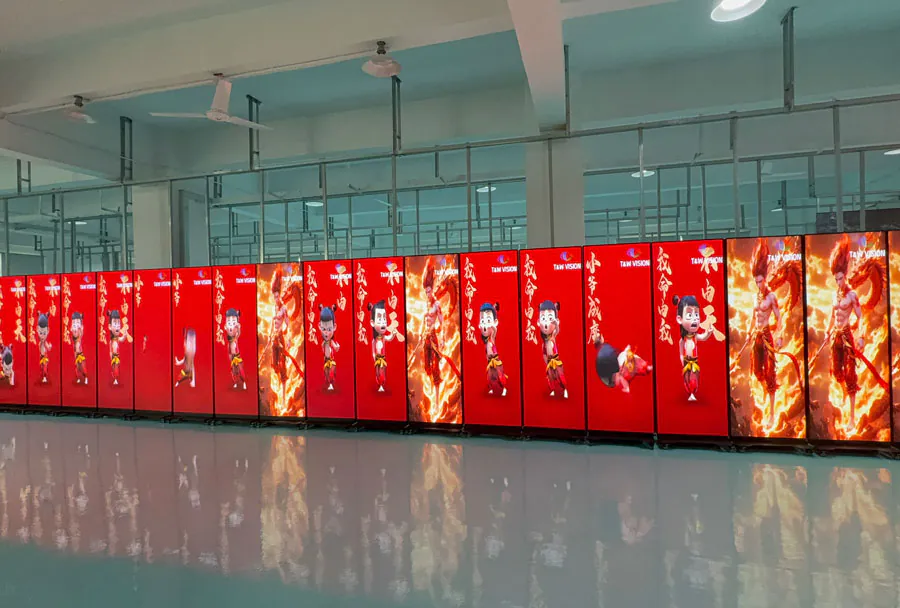
Direct-view LED walls suit dedicated rooms where a large image and modular installation matter more than low cost. Pixel pitch, controller quality, viewing distance, ventilation, and service access are more important than the RGB lighting around the frame.
| Format | Best fit | Main trade-off | What to check |
|---|---|---|---|
| LED-backlit monitor | Desk gaming | One-seat viewing | Resolution, ports, VRR |
| Mini-LED LCD TV | Bright shared room | Possible blooming | Game mode, HDR, VRR |
| OLED monitor or TV | Dark-room contrast | Static-image care | Warranty and panel policy |
| Direct-view LED wall | Dedicated large room | Cost and installation | Pixel pitch and controller |
According to HDMI.org, HDMI 2.1 supports up to 48 Gbps and includes support for 4K at 120 Hz, but the source device and cable must support the same mode. For an LED Display for gaming room, compare the complete signal chain instead of judging the screen in isolation.
How to apply this: Measure your seated eye-to-screen distance and list every source device before comparing an LED VIDEO WALL for gaming room model.
Installation and Connectivity Tips for LED Displays
Proper installation and connection ensure you get the most out of your LED Display for Gaming Rooms. Using the right cables and ports impacts performance and image quality.
– Use DisplayPort or HDMI 2.1 cables for high refresh rates and resolutions.
– Ensure your gaming PC or console supports the LED video wall for Gaming Rooms’ maximum specs.
– Calibrate your LED VIDEO WALL for Gaming Rooms using tools like Windows Display Color Calibration or Datacolor SpyderX for color accuracy.
– Mounting on adjustable arms can help optimize viewing angles and ergonomics for your LED Display for Gaming Rooms.
A common scenario involves gamers unknowingly using older HDMI cables that limit refresh rates. Upgrading cables led to smoother gameplay and reduced input lag in many user reports collected by PCMag.
How to apply this: Check your current cables and upgrade if necessary. Use calibration software post-installation to fine-tune color and brightness settings on your LED Display for Gaming Rooms.
Maintenance and Longevity of LED Displays
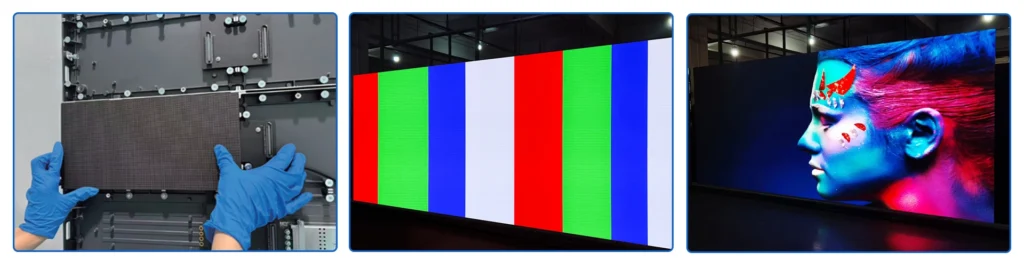
Maintaining your LED VIDEO WALL for Gaming Rooms extends its lifespan and preserves image quality. Dust, heat, and improper cleaning can degrade performance over time.
– Clean LED Display for Gaming Rooms screens gently with microfiber cloths and recommended screen cleaners.
– Keep your gaming room ventilated to avoid overheating of your LED Display for Gaming Rooms.
– Avoid static images on your LED Display for Gaming Rooms to prevent burn-in; many modern LED displays have built-in protections.
– Regularly update your LED Display for Gaming Rooms’ firmware if applicable to improve features and fix bugs.
According to LG’s official support documentation, proper cleaning and room conditions can extend LED Display for Gaming Rooms life by several years.
How to apply this: Set a monthly cleaning schedule using appropriate materials. Monitor room temperature and airflow to keep your LED Display for Gaming Rooms cool.
Enhancing Gaming Experience with LED Display Software and Settings
Optimizing software settings can enhance LED panels for Gaming Rooms performance tailored to gaming needs.
– Use game mode presets available on many LED panels for Gaming Rooms to reduce input lag.
– Adjust HDR settings for compatible games to improve dynamic range on your LED VIDEO WALL for Gaming Rooms.
– Utilize GPU control panels (e.g., NVIDIA Control Panel, AMD Radeon Software) to tweak color profiles and refresh rates for your LED WALL for Gaming Rooms.
– Tools like GeForce Experience offer automatic game optimization for supported titles on LED Displays for Gaming Rooms.
A 2023 study by Digital Foundry noted that gamers using manufacturer presets combined with GPU software tuning perceived better visuals and responsiveness on their LED Display for Gaming Rooms.
How to apply this: Explore your LED Panels for Gaming Rooms’ built-in game modes and combine them with GPU software settings for a customized experience.
Comparison of Key LED Display Features for Gaming Rooms
| Feature | What it Tells You | Action to Take |
|---|---|---|
| Refresh Rate | Smoothness of motion | Choose 120Hz+ for fast-paced gaming on your LED Display for Gaming Rooms |
| Response Time | Speed of pixel color change | Aim for <5ms to avoid ghosting on LED Displays for Gaming Rooms |
| Resolution | Image sharpness | Match with your GPU capabilities for LED Displays for Gaming Rooms |
| Adaptive Sync | Eliminates screen tearing | Enable G-SYNC or FreeSync if supported on your LED Display for Gaming Rooms |
| Color Gamut | Range of colors displayed | Prefer DCI-P3 or higher for vividness on LED Displays for Gaming Rooms |
Frequently Asked Questions About LED Display for Gaming Rooms
What size LED display is ideal for a small gaming room?
A 24 to 27-inch LED display balances immersion and desk space in small gaming rooms. However, if you have a multi-monitor setup or sit farther back, a 32-inch LED Display for Gaming Rooms might be more comfortable. The exact ideal size depends on your room layout and gaming preferences.
Can an LED display for gaming rooms cause eye strain?
Yes, if brightness is too high or room lighting creates glare. Using bias lighting and adjustable brightness settings can alleviate this. Some LED screen for Gaming Rooms offer flicker-free technology to reduce eye fatigue during extended play.
How important is HDR support in LED displays for gaming?
HDR enhances color and contrast, improving realism in compatible games. However, not all games or GPUs fully support HDR. If you play many HDR titles, choose an LED Display for Gaming Rooms with at least DisplayHDR 400 certification.
Are curved LED displays better for gaming rooms?
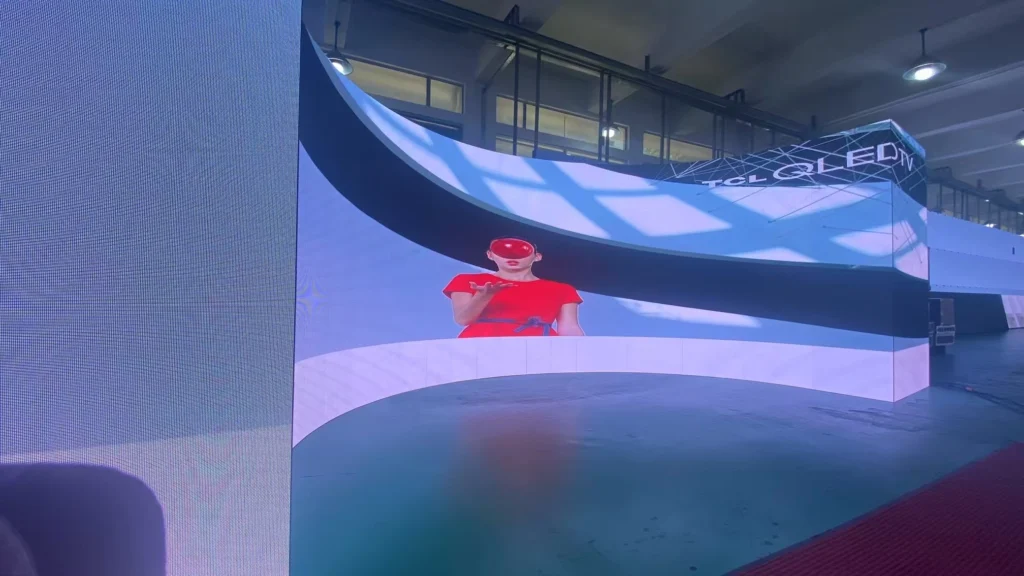
Curved LED VIDEO WALL for Gaming Rooms increase immersion by matching the natural eye shape, especially on ultrawide models. However, they may cause distortion or reflections if not positioned correctly. Curved LED video wall for Gaming Rooms suit medium to large gaming rooms best.
How do I troubleshoot input lag on my LED display?
Input lag can stem from incorrect settings, cables, or hardware limitations. Enable game mode on your LED Display for Gaming Rooms, use high-quality cables, and check your GPU settings. If issues persist, consult your LED video wall for Gaming Rooms’ user manual or manufacturer support.
Conclusion
– Key specs like refresh rate and response time are crucial for an effective LED Display for Gaming Rooms.
– Proper room lighting and LED panels for Gaming Rooms placement reduce eye strain and improve visuals.
– Using compatible cables and calibration tools maximizes LED panels for Gaming Rooms performance.
– Regular maintenance and firmware updates extend your LED panels for Gaming Rooms’ lifespan.
– Leveraging built-in game modes and GPU software enhances gameplay experience on your LED panels for Gaming Rooms.
Start by evaluating your current setup against these criteria and upgrade your LED screens for Gaming Rooms or room design accordingly. Optimize with the tips provided to fully unlock the potential of your LED video wall for Gaming Rooms.