

How to Test Movie Image Quality on a Home Theater LED Screen Before Buying

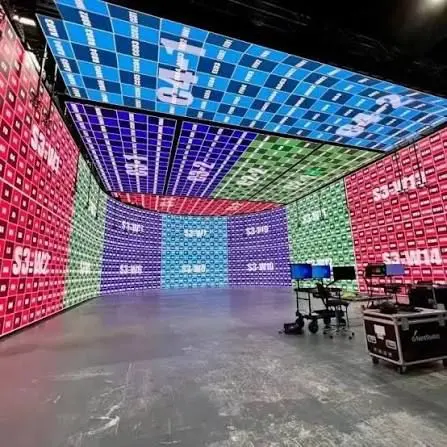
How to Test Movie Image Quality on a Home Theater LED Screen Before Buying starts with controlling the demonstration, because a showroom’s brightest picture can hide weaknesses you will notice during a movie.
Table of Contents
- 1. Identify the Screen Technology and Set Fair Viewing Conditions
- Confirm what produces the picture
- Match your room and seating
- 2. Examine Black Levels, Shadow Detail, and Subtitle Halos
- Watch local dimming during real content
- Check whether detail survives
- 3. Judge HDR Through Highlight Detail, Color, and Comfortable Brightness
- Separate HDR compatibility from performance
- Compare color without rewarding exaggeration
- 4. Test Movie Motion Without Confusing Judder and Blur
- Inspect the playback chain
- Adjust motion processing deliberately
- 5. Check Screen Uniformity, Viewing Angles, and Surface Reflections
- Use patterns to locate problems
- Judge the actual installation
- 6. Verify the Complete Signal Path and Document Your Decision
- Check SDR and HDR separately
- Record observations you can act on
- Why do phone recordings show bands that I cannot see directly?
- What should I do if a screen causes eyestrain during a demonstration?
- How can I evaluate a direct-view LED wall that is not yet installed?
- When should I test subtitle and accessibility settings?
- Who should verify image quality when I need accurate creative monitoring?
- Make the Final Decision From Repeatable Evidence
A surprising fact: an “LED TV” usually creates its picture with an LCD panel illuminated by LEDs, while a direct-view LED screen creates the image with the LEDs themselves.
That distinction affects what you should inspect, from backlight halos to visible pixel structure. It also explains why a screen that looks impressive with colorful promotional footage can disappoint with dark films, subtitles, or slow camera movements.
Your goal is to judge the screen under conditions that resemble your room, using familiar content and repeatable settings. The checks below cover display technology, black levels, HDR detail, motion, screen consistency, and the complete playback chain. You will also learn how to record your findings and turn a sales demonstration into a useful buying decision.
1. Identify the Screen Technology and Set Fair Viewing Conditions
A useful movie-quality test starts with identifying the display technology and matching the demonstration to your viewing conditions. Ask whether you are evaluating an LCD television with LED backlighting or a direct-view LED installation.
Confirm what produces the picture
Mini-LED televisions are still LCD displays; “Mini-LED” describes their backlighting. Direct-view LED installations instead require attention to pixel pitch, cabinet alignment, and the image processor.
Resolution labels need context, too. ITU-R BT.2020 specifies UHD image formats including 3840 × 2160 and 7680 × 4320 pixels, but a resolution label alone does not establish contrast, motion quality, or viewing comfort.
Match your room and seating
Request the most accurate cinema-oriented preset available, then inspect its settings. Preset names vary, and a movie label does not guarantee accurate configuration.
– Sit at approximately your intended viewing distance.
– Match the showroom lighting to your room as closely as possible.
– Note automatic brightness settings and ambient-light sensors.
– View from the side seats your household will actually use.
For someone researching How to Test Movie Image Quality on a Home Theater LED Screen Before Buying, these conditions make comparisons meaningful. Comparing screens at different brightness settings can otherwise turn a picture-quality decision into a brightness contest.
How to apply this: Record the display type, picture preset, seating distance, and room lighting before judging any movie scene.
2. Examine Black Levels, Shadow Detail, and Subtitle Halos
Good dark-scene performance preserves faint details while keeping dark areas convincingly dark. Judge black depth and shadow visibility together: a screen can make blacks look deeper simply by hiding information near black.
Use a familiar, high-quality movie sequence with dark clothing, dim interiors, and small bright objects. Look for separation between nearby dark shades, rather than treating an entirely black screen as proof of good contrast.
Watch local dimming during real content
On an LCD-based LED screen, local dimming adjusts groups of backlight LEDs. RTINGS’ local dimming test methodology evaluates effects including blooming and changes in dark-scene detail.
A common scenario is white subtitles appearing over a dark movie: watch whether a glow follows the text or the surrounding picture changes brightness. Judge this from your normal seat, because off-center viewing can change the appearance.
Check whether detail survives
The Spears & Munsil evaluation discs provide test patterns and demonstration material for assessing display setup. Their patterns can help expose near-black visibility problems, but follow the instructions for your particular edition.
How to Test Movie Image Quality on a Home Theater LED Screen Before Buying requires distinguishing setup problems from display limitations. Ask the salesperson to correct black-level settings before deciding that missing shadow detail is unavoidable.
How to apply this: Replay the same dark scene with subtitles enabled and disabled, noting lost detail, halos, and distracting brightness changes.
3. Judge HDR Through Highlight Detail, Color, and Comfortable Brightness
Useful HDR combines visible highlight detail, believable colors, and enough brightness for your room. A screen that makes every part of the image brighter may look striking without reproducing the scene convincingly.
Separate HDR compatibility from performance
An HDR logo confirms a supported format; it does not establish how well the display reproduces that format. The screen still has to map the content’s brightness and color information to its own capabilities.
According to ITU-R BT.2100, the PQ and HLG systems are both specified for HDR television. That is a signal-standard fact, not a promise that every compatible screen will look equally good.
When considering How to Test Movie Image Quality on a Home Theater LED Screen Before Buying, inspect textures inside bright areas. Clouds should retain visible structure when the source contains it, rather than merging into a featureless white patch.
Compare color without rewarding exaggeration
Use familiar faces and neutral objects to assess the picture. Excessively red skin or tinted whites deserve investigation, although a film’s intentional color grade can also explain unusual colors.
Disable vivid color enhancements for the comparison, and verify that the player is actually sending HDR. Then compare a bright sequence with a darker one to assess viewing comfort.
How to apply this: Ask for the same HDR scene on each candidate and record highlight detail, skin-tone appearance, and comfort at your intended brightness.
4. Test Movie Motion Without Confusing Judder and Blur
Movie motion should remain understandable and consistent without processing artifacts that distract you. Evaluate slow camera movements, moving subjects, and scene transitions separately.
Low-frame-rate film can show visible stepping during a pan. That does not automatically mean a screen is defective; the source cadence, playback output, and display processing all influence what you see.
Inspect the playback chain
HDMI Licensing Administrator lists support for formats including 4K at 120 Hz among HDMI specification capabilities. However, a supported connection format does not tell you whether a particular display handles movie cadence well.
Ask the salesperson to show the player’s output information. The source, receiver, and television must agree on a compatible signal, and a high-refresh-rate label cannot compensate for a poorly configured playback chain.
Adjust motion processing deliberately
Start with motion interpolation disabled, then try a modest setting if the native presentation bothers you. Look for distortion around moving objects and sudden changes in texture.
Consider a slow pan across a fence: watch whether the vertical lines advance consistently or appear to hitch at irregular intervals. Keep the same clip and playback settings when comparing screens.
How to Test Movie Image Quality on a Home Theater LED Screen Before Buying includes choosing the motion presentation you can enjoy for an entire film, not merely the smoothest showroom setting.
How to apply this: Replay one slow pan with interpolation off and then adjusted, recording both motion comfort and any visible processing errors.
5. Check Screen Uniformity, Viewing Angles, and Surface Reflections
A consistent screen should avoid visible patches, color shifts, or reflections that repeatedly pull your attention away from the movie. Inspect these issues from your actual seating positions and under realistic room lighting.
Use patterns to locate problems
RTINGS’ gray-uniformity methodology uses 50% and 5% gray patterns to examine screen consistency. Such patterns can reveal unevenness that is harder to identify in a colorful demonstration.
Use them as diagnostic material, then check whether the same issue appears during normal viewing. A defect visible only in a demanding pattern may matter less to you than a reflection crossing the center of every dark scene.
| Check | Look for | Action to take |
|---|---|---|
| Gray field | Patches or bands | Confirm in a movie |
| Dark scene | Uneven corners | Check from your seat |
| Side seating | Color or contrast shifts | Test household positions |
| Room lights | Distracting reflections | Recreate likely lighting |
| Direct-view LED | Visible joins or pixels | Inspect at viewing distance |
Judge the actual installation
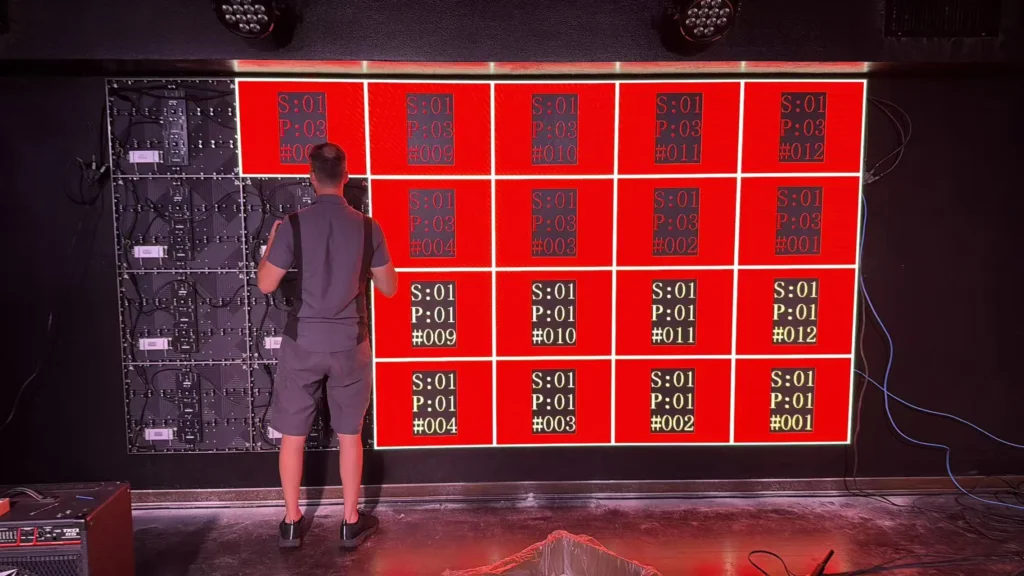
For direct-view LED, include cabinet joins, pixel visibility, and consistency across modules. Installation quality becomes part of picture quality.
If your question is How to Test Movie Image Quality on a Home Theater LED Screen Before Buying, remember that a showroom sample cannot establish the uniformity of the unit delivered to you.
How to apply this: Inspect patterns and movie footage from every important seat, then confirm how the seller handles an unacceptable delivered sample.
6. Verify the Complete Signal Path and Document Your Decision
Your final test should use the source devices, connections, and content types you expect to use at home. A demonstration from a retailer’s media server does not establish how your streaming device or disc player will behave.
Check SDR and HDR separately
Standard dynamic range and HDR use different signal systems. ITU-R BT.709 specifies parameters for HDTV, while BT.2100 addresses HDR television; confusing their handling can produce misleading results.
Confirm the active picture mode after switching content. Also check that picture settings persist on the input you intend to use.
For instrumented evaluation, HCFR is display-calibration software that works with supported measurement hardware. It can help assess grayscale, gamma, and color, but it requires suitable equipment and measurement knowledge.
Record observations you can act on
A practical answer to How to Test Movie Image Quality on a Home Theater LED Screen Before Buying should produce a buying record:
– Record the exact model and tested picture settings.
– Note each visible issue and the scene that revealed it.
– Confirm supported formats through your intended receiver or soundbar.
– Obtain written return, installation, and defect-handling terms.
Avoid assigning laboratory-style scores to subjective impressions. “Subtitle halo distracts from this seat” is more useful than an unsupported numerical rating.
How to apply this: Have the seller repeat your most revealing scene through your intended playback chain, then attach your observations to the purchase paperwork.
Frequently Asked Questions About How to Test Movie Image Quality on a Home Theater LED Screen Before Buying
Special situations require a targeted check beyond the standard showroom demonstration. Use these answers when cameras, accessibility settings, installed screens, or long viewing sessions complicate your decision.
Why do phone recordings show bands that I cannot see directly?
A phone can record bands when its exposure timing interacts with a display’s scanning or brightness modulation. This matters particularly when you plan to film a direct-view LED installation, because camera results may differ from what your eyes see.
How to Test Movie Image Quality on a Home Theater LED Screen Before Buying should therefore include your actual camera only when recording the screen is part of its intended use.
What should I do if a screen causes eyestrain during a demonstration?
Treat discomfort as a reason to extend the evaluation under your intended settings. Brightness modulation, motion settings, reflections, or excessive luminance may contribute, but a showroom visit cannot diagnose the cause. If you have experienced similar discomfort before, arrange a longer trial with familiar content.
How to Test Movie Image Quality on a Home Theater LED Screen Before Buying should include personal comfort alongside visible image detail.
How can I evaluate a direct-view LED wall that is not yet installed?
Request a demonstration using the proposed LED modules, processor, and viewing distance, then put installation acceptance criteria in writing. A sample with different pixel pitch or processing may not represent your purchase. For a custom wall, include module consistency, visible joins, and service access in the agreement.
How to Test Movie Image Quality on a Home Theater LED Screen Before Buying becomes partly an installation-verification task in this situation.
When should I test subtitle and accessibility settings?
Test them before purchase if they are central to how you watch films, especially when you depend on adjustable text size or background shading. App-generated subtitles may behave differently from subtitles supplied by a player, so use your intended service.
How to Test Movie Image Quality on a Home Theater LED Screen Before Buying should include confirming that your preferred accessibility settings remain available during the content you watch.
Who should verify image quality when I need accurate creative monitoring?
A qualified display calibrator should assess the screen if you need dependable color decisions for editing or grading. Consumer movie enjoyment and professional monitoring have different requirements, and a pleasing cinema preset does not establish reference accuracy. Request a measurement report tied to the intended signal format.
How to Test Movie Image Quality on a Home Theater LED Screen Before Buying needs a measurement-based extension when creative work is involved.
How to apply this: Add any relevant special-use requirement to your demonstration request before booking the appointment.
Make the Final Decision From Repeatable Evidence
Buy the screen that performs well with your content, seating, lighting, and playback equipment. A persuasive demonstration should survive changes from promotional footage to the films you actually watch.
How to Test Movie Image Quality on a Home Theater LED Screen Before Buying ultimately comes down to a repeatable comparison:
– Match the picture preset, viewing position, and room conditions before comparing candidates.
– Inspect dark detail, HDR highlights, motion, and uniformity using familiar material.
– Verify the complete playback chain and any accessibility or installation requirements.
– Document visible problems and obtain clear terms for handling the delivered unit.
Keep your notes specific enough that another person could repeat the check. The next step is to book a demonstration, bring your chosen content, and ask the seller to reproduce your home setup as closely as practical.
How to apply this: Send the retailer your test checklist before your visit and request written confirmation of the demonstration arrangements.
