Outdoor LED Screen Rental for Weddings, Parties & Celebrations

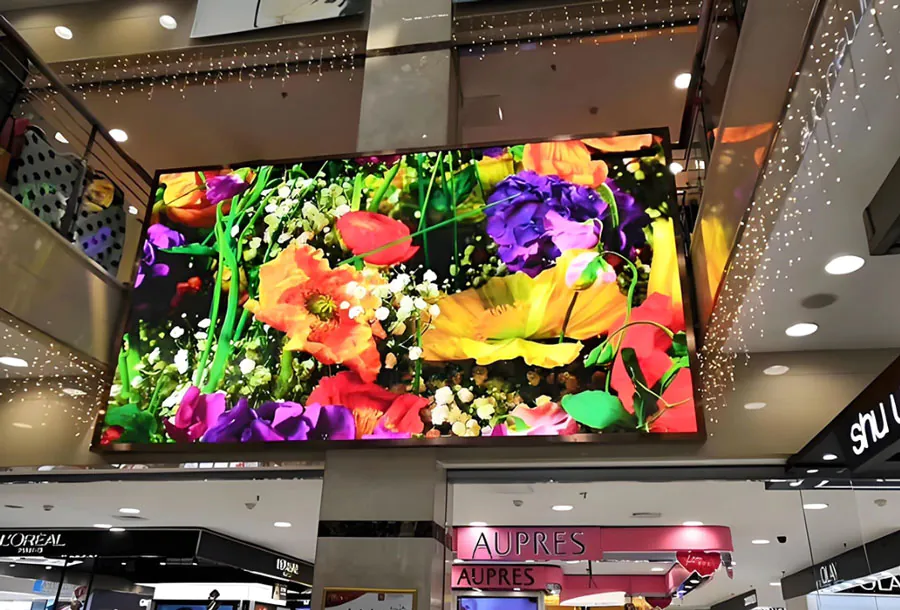
Outdoor LED screens have become a signature element of modern weddings, parties, and celebrations. They transform ordinary outdoor venues into immersive, cinematic environments where memories are amplified, guests stay engaged, and event planners can deliver seamless multimedia experiences. Whether you’re projecting a bride and groom’s video montage at sunset, live-streaming a band for a large outdoor festival-style wedding, or creating dynamic photo walls and sponsor boards for a milestone birthday, an LED screen adds visual impact and functional benefits that traditional projection systems cannot match.
This article explores the practical, technical, and creative aspects of renting outdoor LED screens for celebrations. You’ll find guidance on choosing the right screen size and pixel pitch, power and weather considerations, content preparation, logistics, budgeting, and best practices to ensure a flawless deployment. An analysis table compares common screen options, and checklists help planners and couples avoid the most common pitfalls.
The Benefits of Using Outdoor LED Screens for Events
Reliability and Brightness
Outdoor LED screens are designed for high brightness—typically 3,000 to 7,000 nits or more—so they remain visible in daylight. Unlike projectors, LEDs are not affected by ambient light, meaning guests can view crisp images during daytime receptions or sunset ceremonies.
Weather-Resistant and Durable
Most outdoor rental led screens feature weatherproof enclosures (common IP ratings: IP65), ensuring they withstand light rain, dust, and humidity. This durability makes them ideal for unpredictable outdoor events.
Scalability and Flexibility
LED screens can be assembled in modular panels, allowing customization of screen size and aspect ratio. Whether you want a narrow stage backdrop, a large video wall, or multiple smaller screens around the venue, rental providers can scale the setup to your event.
Superior Image and Video Quality
With modern LED pixel pitches and high refresh rates, screens display smooth motion and vivid color. This is critical for live video, music visuals, and playback of high-resolution wedding films.
Creative Possibilities
LED screens can be integrated with lighting and stage design to create cohesive experiences—animated backdrops, synchronized visuals with a DJ set, or interactive guest walls where attendees appear in real time.
Key Technical Terms You Should Know
Pixel Pitch
Pixel pitch (measured in millimeters) indicates the center-to-center distance between pixels. Smaller pixel pitch (e.g., 2.6mm) yields higher resolution and is better for close viewing; larger pitch (e.g., 6mm–10mm) is cost-effective for distant viewing.
Brightness (Nits)
Brightness is measured in nits. Outdoor events generally require at least 3,000 nits for effective visibility during daylight; evening events can get away with lower brightness.
Refresh Rate
A higher refresh rate (e.g., 3,840 Hz and above) reduces flicker and improves camera compatibility for live streaming or photographing the screen.
IP Rating
Ingress Protection (IP) rating reflects weather resistance. IP65 and above is standard for outdoor rentals to protect against rain and dust.
How to Choose the Right Screen for Your Event
Match Screen Size to Audience and Viewing Distance
To choose screen size, estimate the farthest viewing distance and align pixel pitch accordingly. A common rule: viewing distance (in feet) = screen height (in feet) × 6–8 for comfortable visibility with mid-resolution screens. For wedding ceremonies where guests are relatively close, prioritize higher resolution (lower pixel pitch).
Consider Sunlight and Orientation
Position the screen to minimize direct sunlight hitting the display face. High brightness screens help, but strategic placement (back-facing the sun) avoids washout.
Decide on Single Large Screen vs. Multiple Smaller Screens
Large single screens create a dramatic focal point; multiple screens placed around the venue improve sightlines and encourage social mingling. For long outdoor aisles or sprawling venues, deploy additional screens to ensure all guests can see.
Content and Media Preparation

Preferred File Formats
Rental providers typically accept MP4 (H.264/H.265), MOV, and image formats like JPEG or PNG. Confirm codec and container requirements ahead of time. For live feeds, confirm the video input (HDMI, SDI) and streaming protocol.
Resolution and Aspect Ratio
Prepare content at the native resolution and aspect ratio of the LED configuration to avoid stretching or black bars. If using modular panels to create an unusual aspect ratio, work with the rental tech to set output scaling.
Timing, Transitions, and Playlists
Create timelines and playlists for your event—what plays during ceremony, cocktail hour, dinner, and dancing. Include backups: duplicate files on USB drives and cloud storage.
Sound, Lighting, and AV Integration
Synchronizing Audio and Video
Ensure audio distribution is set up so that live speech and music are in sync with on-screen content. Use a single AV technician or a coordinated AV team to manage delays and lip-sync issues.
Lighting Considerations
LED screens emit significant light; balance stage lighting to keep subjects well-lit without causing glare. Use dimmable lighting and test live shots with screens on to fine-tune exposure.
Logistics: Installation, Power, and Safety
Installation Time and Crew
Plan at least 4–8 hours for installation and testing depending on screen size. Renters often provide technicians to assemble, calibrate, and dismantle the screen—confirm crew size in advance.
Power Requirements
Large LED walls can draw substantial power. Typical medium screens might require 20–50 amps, while larger setups need dedicated three-phase power or generators. Always have contingency power (battery UPS or generator) for live events.
Mounting and Rigging
Screens can be ground-supported on truss structures, scaffold towers, or flown from an overhead rig. Ensure structural engineers approve any overhead installations and secure necessary permits.
Permits and Venue Rules
Outdoor venues or municipalities may require permits for temporary structures, amplified sound, or generators. Check local regulations and the venue’s policies on staging, power, and late-night activity.
Weather and Contingency Planning
Rain, Wind, and Temperature
While screens are weather-resistant, strong wind can be hazardous to tall screen structures—follow manufacturer wind load limits. Have rain plans: waterproof cabling, covered electronics, and a backup indoor location if possible.
Backup Systems
Always include redundancy: spare media players, duplicated content on USB/cloud, backup power, and at least one on-site technician during the event.
Budgeting: Typical Costs and What’s Included
Costs vary by region and screen specs, but a typical rental package includes screen panels, control system, power distribution, optional sound integration, delivery, setup, and technician labor. Rough cost ranges (general estimates):
– Small screens (6–10 sq ft): $500–$1,500 per day.
– Medium screens (20–40 sq ft): $1,500–$5,000 per day.
– Large screens (50+ sq ft): $5,000–$15,000+ per day.
Ask providers for itemized quotes including transport, installation labor, insurance, and any additional accessories like truss, weather covers, or generators.
Analysis Table: Comparing Common Outdoor LED Rental Options
| Screen Size | Ideal Event Size | Optimal Viewing Distance | Power & Connectivity Needs | Typical Rental Price (per day) |
|---|---|---|---|---|
| 6′ x 4′ (24 sq ft) | Small ceremonies, photo walls (50–100 guests) | 20–60 ft | 1 dedicated 20–30A circuit; HDMI input | $500–$1,200 |
| 10′ x 6′ (60 sq ft) | Medium weddings, cocktail areas (100–250 guests) | 30–90 ft | 1–2 dedicated 30–50A circuits; HDMI/SDI | $1,500–$4,000 |
| 16′ x 9′ (144 sq ft) | Large receptions, DJ stages (250–500 guests) | 50–150 ft | 3-phase power or generator; SDI/HDMI; video processor | $4,000–$10,000 |
| 20′ x 11′ (220 sq ft) | Festival-style weddings, large parties (500+ guests) | 70–200 ft | 3-phase or high-capacity generator; video matrix | $8,000–$20,000+ |
| Multiple 8′ panels (modular) | Staggered placements across venue | Varies by placement | Multiple power drops; networked media players | Depends on panel count; $2,000–$12,000 |
Creative Uses and Content Ideas
Live Ceremony Close-Ups
Place a screen near the rear of the audience to display live close-ups of the ceremony. This is invaluable for guests seated further away and helps preserve intimate moments for everyone.
Photo Montages and Save-the-Date Videos
Play a curated montage during cocktail hour. Use themed transitions and captions to tell the couple’s story—this keeps guests engaged and provides a shared emotional experience.
Interactive Guest Walls
Create a live feed where photos taken by guests (via hashtag or an event app) are displayed in real time. This encourages social sharing and acts as a digital guestbook.
Dynamic Backdrops for Dances and Performances
Use the LED wall to display motion graphics that complement the music during the first dance, band performances, or DJ sets. Sync visuals with lighting for cinematic impact.
Menus, Schedules, and Sponsor Displays
Replace static signage with rotating slides for schedules, menus, directions, and sponsor recognition—especially useful at corporate celebrations or milestone birthdays with vendor partners.
Case Studies: Real-World Examples
Sunset Garden Wedding
A couple booked a 10′ x 6′ screen as a ceremony backdrop to show live cameras and a pre-wedding montage. The screen’s high brightness maintained visibility as the sun set. The rental included two technicians and a small generator; installation was completed with a single 6-hour window.
Backyard Anniversary Party
For a 100-guest anniversary, a modular 6′ x 4′ LED served as a photo wall and live-feed display for speeches. The rental used a single power drop from the house and required minimal rigging, keeping costs manageable.
Outdoor Reception with Live Band
A large reception used a 16′ x 9′ LED behind the band for visuals and live camera feeds. The production required 3-phase power and a dedicated video engineer. Guest experience improved thanks to striking visuals that matched the band’s stage design.
Checklist for Rental Day
– Confirm final screen dimensions and pixel pitch with provider.
– Validate native resolution and provide content in the correct aspect ratio.
– Verify power availability and arrange generator if needed.
– Reserve installation and teardown times with venue.
– Confirm weatherproofing and wind limits; have a rain contingency plan.
– Arrange for on-site technician for the entire event.
– Prepare backups: media files on USB and cloud, spare cables, spare player.
– Obtain necessary permits for temporary structures and amplified sound.
– Conduct a full AV rehearsal including lighting, audio, and camera checks.
Common Pitfalls and How to Avoid Them
Underestimating Brightness Needs
Choosing a low-brightness screen can result in washed-out images in daylight. Always opt for higher nits for daytime events.
Poor Audio-Video Synchronization
Without proper AV coordination, lip-sync and delay problems occur. Run synchronization tests before the event and have a single point of contact managing AV routing.
Ignoring Wind and Structural Safety
Rushing installation without checking wind limits or anchor points can be dangerous. Use certified rigging and follow manufacturer load charts.
Late Content Delivery
Provide final media at least 48–72 hours before the event for testing and last-minute adjustments. Last-minute uploads increase risk of formatting issues.
Questions to Ask Potential Rental Providers
– What pixel pitches and brightness levels do you offer for outdoor screens?
– Can you supply references or photos from similar events?
– What is included in the rental price? (delivery, setup, tech, teardown)
– Do you provide power solutions, generators, and UPS backups?
– What are your weather and wind policies?
– What is the timeline for delivery and installation?
– Can you handle live inputs (cameras, HDMI, SDI) and streaming?
– Do you carry insurance and necessary permits?
Final Thoughts: Making the Right Investment
Outdoor LED screen rental is a high-impact investment that can transform weddings, parties, and celebrations into unforgettable experiences. The right screen size, brightness, and content strategy make guests feel connected to the moment, while proper planning for power, weather, and logistics safeguards the event against common disruptions.

When sourcing a rental provider, prioritize experience, transparent pricing, and technical support. Clear communication about content, timelines, and contingency plans ensures your celebration looks and feels seamless. With thoughtful design and reliable execution, an LED screen becomes more than a display—it becomes a focal point that amplifies emotion, keeps guests engaged, and elevates memories that last a lifetime.