

LED Display Low-Grayscale Performance for Concerts: What Buyers Should Test

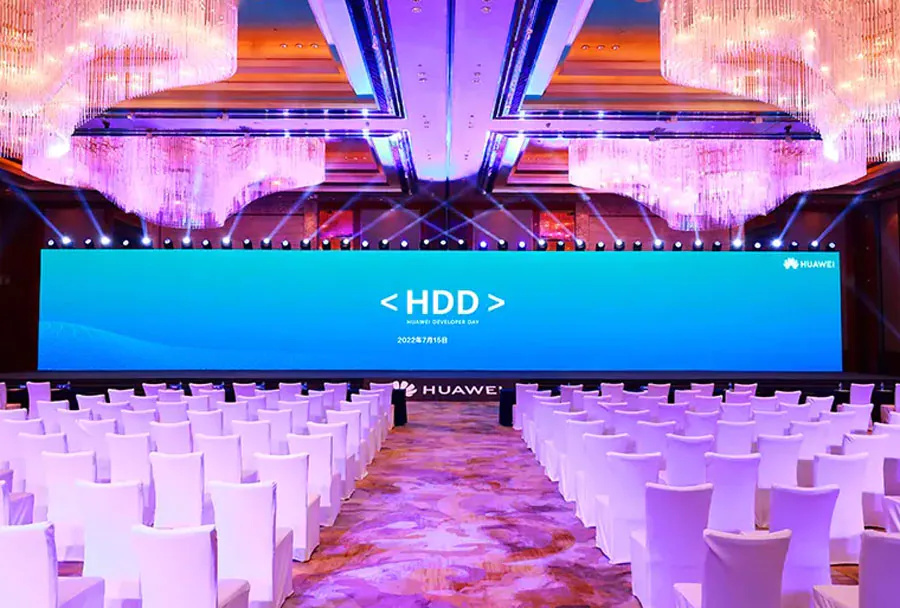
LED Display Low-Grayscale Performance for Concerts: What Buyers Should Test determines whether dark visuals look cinematic or reveal banding, color casts, and unstable pixels during a show. NovaStar documents that a 16-bit driver supports 65,536 grayscale levels, while its 22-bit+ processing increases available grayscale precision by 64 times under supported conditions. (oss.novastar.tech)
Table of Contents
- 1. Test Grayscale Ramps at Real Show Brightness
- Use the Intended Luminance
- Examine the First Visible Steps
- 2. Check Neutral Grays, Color Linearity, and Batch Matching
- Look Beyond Full-White Calibration
- Use Measurement and Visual Inspection
- 3. Test Motion, Refresh, and Camera Interaction Together
- Match the Production Camera
- Combine Dark Content With Movement
- 4. Verify Bit Depth and Processing Through the Entire Signal Path
- Check Configuration, Not Marketing Labels
- Compare Real Processing Features
- 5. Run a Repeatable Acceptance Test Under Concert Conditions
- Build a Pass-or-Fail Procedure
- Include Calibration Time and Serviceability
- How should outdoor concert panels be tested for low grayscale?
- Can older rental panels still deliver acceptable low-grayscale performance?
- What viewing distance should buyers use during testing?
- Does HDR automatically fix poor low-grayscale performance?
- Can a smartphone replace a professional camera during testing?
- Conclusion
The problem is that specification sheets rarely show what happens after a high-brightness touring panel is dimmed for an indoor stage. A display may look uniform at full white yet lose shadow detail when the brightness is reduced.
You need to test real panels, processors, receiving-card configurations, cameras, and content at the intended operating level. The five tests below help you evaluate shadow ramps, neutral grays, camera behavior, processing features, and complete show-condition performance before approving a purchase.
1. Test Grayscale Ramps at Real Show Brightness
Buyers should begin with grayscale ramps because they reveal low-level image defects faster than bright promotional content.
Use the Intended Luminance
Run LED Display Low-Grayscale Performance for Concerts: What Buyers Should Test at the actual brightness expected during rehearsals and performances. Do not accept a demonstration conducted only at maximum output.
Brompton Technology explains that lowering an LED panel’s brightness reduces its effective bit depth, which can produce banding and lost detail in dark image areas. Its documentation states: “LED panels are often run at a lower brightness than their maximum capability.” (bromptontech.com)
Ask the vendor to measure the wall’s luminance rather than showing only a percentage on the processor. A setting of 20% does not represent the same luminance across panels with different maximum outputs or brightness curves.
Examine the First Visible Steps
Display smooth black-to-white ramps and individual 8-bit RGB code values such as 1, 2, 4, 8, and 16. Watch for:
– Abrupt jumps between dark levels
– Black areas that crush into one shade
– Sparkling or unstable pixels
– Vertical or horizontal contour bands
– Dark-red, green, or blue tinting
– Cabinets that become visible within the gradient
Consider testing a slow fade from black behind the stage’s normal scenic content. It can expose transitions that a static ramp does not reveal.
Repeat LED Display Low-Grayscale Performance for Concerts: What Buyers Should Test after disabling and enabling the processor’s low-brightness features. This shows whether the panel is inherently stable or depends heavily on corrective processing.
How to apply this: Bring your own ramp files, set the wall to measured show brightness, and record the first grayscale level that appears cleanly and uniformly.
2. Check Neutral Grays, Color Linearity, and Batch Matching
Buyers should verify whether red, green, and blue remain balanced as the wall moves from black through dark gray.
Look Beyond Full-White Calibration
A display can appear well matched at full white while showing green, magenta, or cyan casts in its shadows. This happens because LED emitters and driver channels do not always respond linearly at low drive levels.
Brompton’s PureTone documentation says the red, green, and blue channels can have different nonlinear responses, creating color casts that are especially visible in darker grays. PureTone profiles can be created from one measured panel per LED batch, but the feature requires appropriately calibrated and supported panels. (bromptontech.com)
For LED Display Low-Grayscale Performance for Concerts: What Buyers Should Test, request neutral patches at several low input levels rather than judging color from a single gray image. Compare the center and corners of each cabinet, cabinet seams, spare modules, and tiles from separate production batches.
Use Measurement and Visual Inspection
A Konica Minolta CA-410 measures display luminance, chromaticity, white balance, gamma, and flicker. Konica Minolta specifies configurations for measurements from very low luminance through high-output display levels. (sensing.konicaminolta.us)
A common scenario is a rental fleet assembled from several purchase dates. The tiles may match under bright test patterns but separate into visible blocks during dark blue or neutral-gray content.
Repeat LED Display Low-Grayscale Performance for Concerts: What Buyers Should Test with calibration enabled and disabled. Save the processor settings and measurement results so replacement modules can be checked against the same baseline.
How to apply this: Display low-level red, green, blue, and neutral-gray patches, then compare every cabinet batch visually and with a calibrated color analyzer.
3. Test Motion, Refresh, and Camera Interaction Together
Buyers should test low grayscale while content moves and cameras operate because static visual quality does not guarantee clean recorded output.
Match the Production Camera
Low-brightness problems can combine with pulse-width modulation, scanning, shutter timing, and genlock behavior. The result may be rolling bars, scan lines, frame blending, flicker, or uneven exposure that is visible on camera but difficult to see by eye.
Brompton’s ShutterSync documentation says compatible Tessera processors can tune LED refresh timing to camera exposure. Its documented shutter-speed range depends on panel capability and can extend from 1/23.976 second to 1/250 second on panels supporting the required high-frame-rate operation. Brompton still recommends camera testing during setup. (cn.bromptontech.com)
Run LED Display Low-Grayscale Performance for Concerts: What Buyers Should Test using the actual camera models, frame rates, shutter angles, and sensor modes planned for image magnification, broadcast, livestreaming, or documentary capture.
Combine Dark Content With Movement
Test more than a stationary gray card. Use:
– A slow dark gradient moving horizontally
– Fine gray text scrolling across black
– Dim faces moving under stage lighting
– Low-level color fades
– A camera pan across cabinet boundaries
– Slow-motion recording where relevant
Do not assume that a high published refresh-rate figure solves every problem. Camera artifacts depend on the complete timing chain, including the source, processor, receiving card, driver IC, panel scan pattern, camera exposure, and synchronization.
During LED Display Low-Grayscale Performance for Concerts: What Buyers Should Test, record both the LED wall and the camera monitor. A defect visible in only one viewing method is still relevant if that method is part of the production.
How to apply this: Build a camera-test matrix listing each frame rate, shutter setting, brightness level, processor mode, and observed artifact.
4. Verify Bit Depth and Processing Through the Entire Signal Path
Buyers should confirm the active signal format because the weakest stage in the chain can limit low-grayscale performance.
Check Configuration, Not Marketing Labels
A panel advertised with high internal processing depth may still receive an 8-bit source, operate in an incompatible receiving-card mode, or sacrifice output depth for bandwidth. Ask the vendor to show the active input depth, processor output mode, receiver configuration, panel firmware, gamma, color space, and brightness-control method.
The Megapixel HELIOS platform uses 12-bit output by default in its documented Quick Color workflow, with a 10-bit option available when additional bandwidth is required. This illustrates why buyers must verify the mode used during the demonstration rather than relying on the platform’s maximum capability. (support.megapixelvr.com)
Use LED Display Low-Grayscale Performance for Concerts: What Buyers Should Test to document these settings:
| Item | What it reveals | Action to take |
|---|---|---|
| Source depth | Available input levels | Confirm active format |
| Output depth | Processor precision | Test every show mode |
| Gamma | Shadow distribution | Match content workflow |
| Calibration | Pixel and color correction | Toggle before-and-after |
| Brightness mode | Effective low-level range | Use measured nits |
| Firmware | Feature compatibility | Record version numbers |
Compare Real Processing Features
Brompton Tessera offers Dark Magic, PureTone, Studio Mode, and Extended Bit Depth for supported hardware. Brompton says Extended Bit Depth can unlock up to 3.3 additional bits under suitable configurations, while Dark Magic is intended to reduce low-brightness banding. (bromptontech.com)
NovaLCT supports calibration and image-quality functions on compatible NovaStar hardware. Its documentation notes that results depend on the driver IC and receiving-card support. (oss.novastar.tech)
Repeat LED Display Low-Grayscale Performance for Concerts: What Buyers Should Test using the exact signal path included in the quotation.
How to apply this: Require a screenshot or exported report showing every active source, processor, receiver, firmware, gamma, and calibration setting used for approval.
5. Run a Repeatable Acceptance Test Under Concert Conditions
Buyers should finish with a controlled acceptance test that recreates the visual, thermal, and operational demands of a real concert.
Build a Pass-or-Fail Procedure
Do not approve panels from a short showroom demonstration. Assemble enough cabinets to expose module seams, cabinet boundaries, processor loading, mixed batches, and realistic viewing distances.
Your LED Display Low-Grayscale Performance for Concerts: What Buyers Should Test checklist should include:
- Warm the display under normal operating conditions.
- Set the processor to the intended show configuration.
- Measure and record wall luminance.
- Play ramps, patches, fades, motion, and production content.
- Inspect from audience, control, and camera positions.
- Swap in spare modules and cabinets.
- Power-cycle the system and repeat critical patterns.
- Save configuration files, photos, and camera recordings.
Use a simple 0-to-3 defect score for banding, color cast, mottling, sparkle, cabinet mismatch, and camera artifacts. Define acceptable scores before the vendor demonstration so approval does not depend on memory or subjective discussion.
Include Calibration Time and Serviceability
NovaStar’s documentation estimates that supported CA-410 data collection can take about seven minutes in its specified workflow, while some other listed meters may require several hours. Actual timing depends on the calibration system and screen configuration, but the difference shows why buyers should evaluate maintenance workflow as well as final image quality. (oss.novastar.tech)
During a vendor demo, ask a technician to replace one module, restore its calibration data, and rerun a dark-gray pattern. This reveals whether field servicing preserves the approved appearance.
Complete LED Display Low-Grayscale Performance for Concerts: What Buyers Should Test before final payment, not after the panels arrive at the first venue.
How to apply this: Attach the signed test procedure, accepted configuration, sample recordings, and rejection criteria to the purchase agreement.
Frequently Asked Questions About LED Display Low-Grayscale Performance for Concerts: What Buyers Should Test
How should outdoor concert panels be tested for low grayscale?
Test them at both daytime output and the much lower luminance used after sunset. LED Display Low-Grayscale Performance for Concerts: What Buyers Should Test is especially important for outdoor panels because products designed for high maximum brightness may lose effective grayscale precision when heavily dimmed.
Also repeat the test after the panels reach their normal operating temperature, since visual uniformity observed immediately after power-up may not represent show conditions.
Can older rental panels still deliver acceptable low-grayscale performance?
Yes, but age alone does not determine the result. LED Display Low-Grayscale Performance for Concerts: What Buyers Should Test should compare older cabinets, newer cabinets, replacement modules, and spare inventory within one assembled wall. An older matched batch may look more consistent than mixed newer stock.
Check whether calibration files, receiver settings, firmware, and replacement LED batches remain available before accepting the system.
What viewing distance should buyers use during testing?
Use at least the nearest audience position, the planned camera position, and the normal control location. LED Display Low-Grayscale Performance for Concerts: What Buyers Should Test may reveal pixel sparkle or module texture at short distances that becomes invisible farther away.
The opposite can also occur: subtle cabinet-to-cabinet shading may become easier to recognize from a distance because you see a larger area as one image.
Does HDR automatically fix poor low-grayscale performance?
No. HDR content and high-bit-depth transport can preserve more source information, but they cannot correct unstable drivers, nonlinear RGB channels, poor calibration, or incompatible panel settings. LED Display Low-Grayscale Performance for Concerts: What Buyers Should Test must therefore include both SDR and HDR workflows when both will be used.
A wall should not receive approval merely because the processor recognizes an HDR signal or displays bright highlights well.
Can a smartphone replace a professional camera during testing?
A smartphone can identify obvious flicker, scan lines, and cabinet differences, but automatic exposure and image processing can hide or exaggerate defects. LED Display Low-Grayscale Performance for Concerts: What Buyers Should Test should use the production camera whenever broadcast, livestreaming, or image magnification matters.
If only a phone is available initially, lock its exposure where possible and treat the result as screening evidence rather than final acceptance.
Conclusion
A strong purchasing test examines the LED wall as a complete production system, not as a collection of specifications.
– Test gradients and near-black patches at measured show brightness
– Verify neutral grays across cabinets, modules, and manufacturing batches
– Recreate the actual camera, shutter, genlock, and motion workflow
– Record the active signal depth, firmware, calibration, and processor settings
LED Display Low-Grayscale Performance for Concerts: What Buyers Should Test should become a written acceptance procedure with repeatable content and agreed rejection criteria. Published bit depth and refresh rate still matter, but they cannot replace direct inspection under realistic conditions.
Before approving your next purchase, schedule a full-wall demonstration, bring your own test files and cameras, measure the operating luminance, and save evidence from every critical configuration.
