

Outdoor Digital Signage for Schools: 5 Best Secrets


Outdoor digital signage for schools is one of the fastest ways to improve daily communication with students, parents, and staff. A surprising fact: many school districts still buy indoor-rated panels and put them in metal enclosures, only to see them fail within the first year because of heat, moisture, or direct sunlight.
Table of Contents
- Secret 1: Budget for True Outdoor Digital Signage for Schools
- Cost Drivers Most Schools Miss
- Secret 2: Choose Brightness and Weather Ratings That Actually Survive
- The Indoor vs Outdoor Comparison
- Secret 3: Plan Content That People Actually Read in 5 Seconds
- Secret 4: Use Cloud Software and Automated Scheduling
- Features That Save the Most Time
- Secret 5: Measure Impact and Avoid Costly Maintenance Mistakes
- How long do outdoor digital signage panels last in a school setting?
- Can outdoor digital signage for schools run during a thunderstorm or snowstorm?
- Do schools need a special permit or license for outdoor digital signage?
- Can we reuse indoor digital signage content on an outdoor screen?
- What is the best way to protect outdoor digital signage for schools from vandalism?
- Conclusion
That avoidable mistake drains budgets and erodes trust in campus messaging.
The problem is clear. Schools need weatherproof, readable, secure displays that can handle morning car lines, bus loops, and front entrances without constant maintenance. But choosing the right hardware, software, and content plan is not obvious.
This guide breaks down five practical secrets that help you select, install, and manage outdoor campus displays without overspending. You will learn what brightness and IP ratings matter, how to schedule content, and which tools simplify daily use.
Secret 1: Budget for True Outdoor Digital Signage for Schools
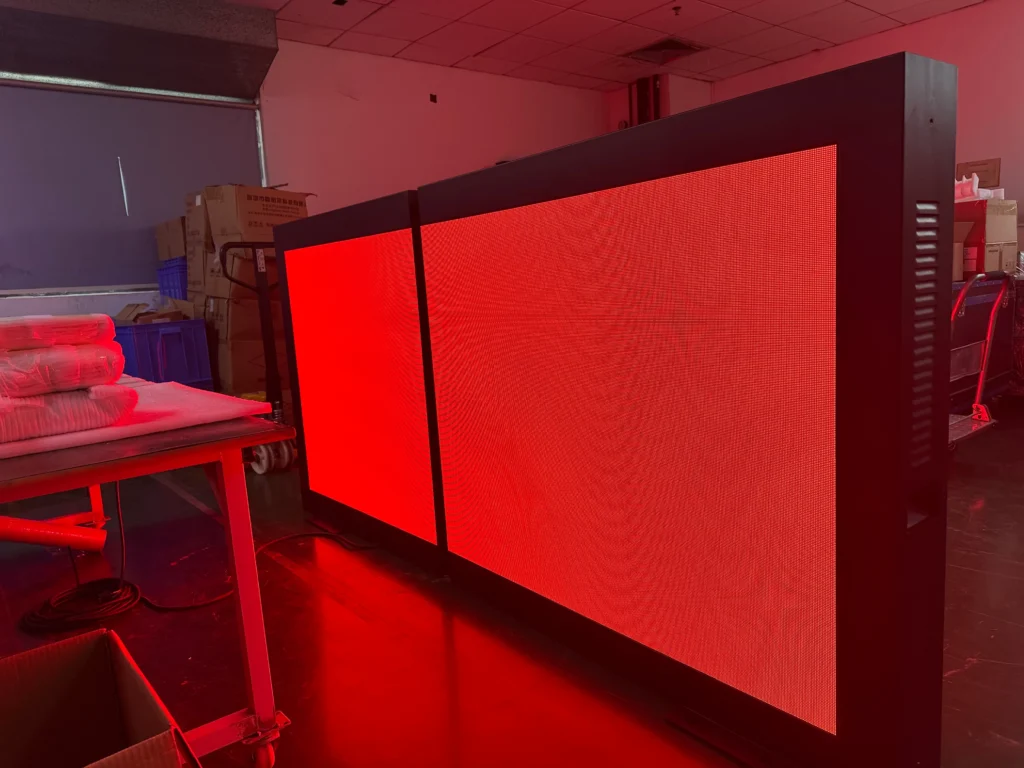
Outdoor digital signage for schools is a different product category from the TV on a hallway cart. You need a display built for sunlight, temperature swings, rain, and dust. Indoor panels placed in outdoor enclosures often fail because the internal cooling was never designed for direct sun.
The result is a dead screen and an awkward conversation with the business office.
A useful data point: most name-brand outdoor models specify at least 2,500 nits of brightness and an IP65 or higher weather-resistance rating, while typical indoor displays stay below 500 nits. The Digital Signage Federation identifies environmental stress as one of the most common reasons outdoor signage projects fail.
Cost Drivers Most Schools Miss
Budget for the complete system, not just the panel. A weatherproof enclosure, a commercial-grade media player, professional mounting, and a service plan all add cost. Schools often compare only the screen price and then face hidden charges later. Request a line-item quote that separates hardware, installation, licensing, and annual maintenance.
How to apply this: write a three-year total cost estimate for one outdoor unit and compare at least two vendor quotes before you approve any purchase.
Secret 2: Choose Brightness and Weather Ratings That Actually Survive
Outdoor digital signage for schools must start with brightness and weather resistance, not screen resolution. A 4K indoor panel may look crisp in a lobby but wash out completely in the sun. Most commercial outdoor displays need at least 2,500 nits of brightness to stay readable during midday pickup and drop-off windows.
The spec sheet matters more than the brochure. Look for an IP rating of IP65 or IP66, which means the display resists dust and strong water jets. If the unit sits near a playground or driveway, check for an IK08 or IK10 impact rating.
The table below summarizes the differences and the exact columns to check before signing a purchase order.
The Indoor vs Outdoor Comparison
| Spec | Indoor panel | Outdoor-rated panel | What to check |
|---|---|---|---|
| Brightness | 350-500 nits | 2,500+ nits | Does it stay readable in direct sun? |
| Weather rating | None or IP20 | IP65 or IP66 | Can it resist rain, dust, and snow? |
| Impact resistance | No IK rating | IK08 or IK10 | Can it handle stray balls or vandals? |
| Operating temperature | 32°F-104°F | -22°F-122°F | Will it work in your climate extremes? |
| Cooling | Passive | Active airflow or heat exchanger | Is the cooling rated for continuous outdoor use? |
One district scenario shows why this matters: a school installed indoor displays inside aftermarket enclosures to save money, only to replace all six units after the first summer. Use this quick scorecard for any outdoor digital signage for schools quote you receive.
How to apply this: create a three-column checklist from the table and require vendors to fill in the spec before you compare prices.
Secret 3: Plan Content That People Actually Read in 5 Seconds
Outdoor digital signage for schools fails when it tries to say too much. A parent driving through the drop-off line can only process a few words in five seconds or less. The U.S. Access Board explains that the ADA Standards for Accessible Design set minimum character height requirements based on viewing distance.
That is why oversized text and high contrast matter more than a flashy design.
Use one message per screen priority. Announce today’s early dismissal, tonight’s board meeting, or a weather closure. Do not crowd the screen with lunch menus, club flyers, and the district motto at the same time.
A common scenario: a school puts a scrolling PDF of the entire newsletter on the outdoor screen. Drivers cannot read it, and the board complains the sign is ineffective. Instead, build five-second slides with large type and a single call to action.
How to apply this: time a coworker reading your first draft from 50 feet away inside a car; if they miss the message, cut words.
Secret 4: Use Cloud Software and Automated Scheduling
Outdoor digital signage for schools becomes much easier to manage when content lives in the cloud instead of on a USB drive. Tools such as Yodeck, ScreenCloud, and Rise Vision let staff schedule slides, playlists, and emergency messages from a web browser.
Features That Save the Most Time
Look for three features. Dayparting changes content based on arrival and dismissal times. Role-based access lets the front office update a message without breaking the system. Remote monitoring alerts you if a display goes offline or a player stops responding.
One school office saved hours each week by scheduling a main playlist to run from 7:00 a.m. to 4:00 p.m. and an evening event playlist to run automatically after hours. Nobody had to walk outside. When you evaluate outdoor digital signage for schools platforms, start with a free trial and build a three-playlist test before committing to a paid plan.
How to apply this: create one emergency alert template and assign two staff members as editors so updates take seconds, not minutes.
Secret 5: Measure Impact and Avoid Costly Maintenance Mistakes
Outdoor digital signage for schools is not a set-and-forget purchase. Plan for filter cleanings, lens cleaning, software updates, and occasional vandalism repair. Many schools include only the hardware in their budget and forget the annual service agreement.
Before you buy, ask the vendor what a standard service visit covers. Some plans include remote diagnostics and firmware updates; others bill hourly for every truck roll. The most effective way to compare vendors is to request a sample maintenance checklist for a display that runs outdoors 12 months a year.
A practical data point: many commercial outdoor displays are rated for roughly 50,000 hours of operation, but that estimate assumes proper cooling and maintenance. Dust-clogged filters shorten panel life and cause brightness to fade faster than expected. Schedule a recurring calendar reminder every 90 days to inspect vents, filters, and screen readability.
This kind of plan protects your outdoor digital signage for schools investment.
Frequently Asked Questions About Outdoor Digital Signage for Schools
How long do outdoor digital signage panels last in a school setting?
Most commercial outdoor displays are rated for 50,000 hours of use, but school conditions vary. Heat, dust, pollen, and direct sun can shorten that unless filters and vents stay clean. In a coastal or high-humidity campus, expect additional corrosion checks.
A well-maintained outdoor digital signage for schools display typically lasts five to seven years of school-day operation before major components need replacement.
Can outdoor digital signage for schools run during a thunderstorm or snowstorm?
Yes, if the unit carries an IP65 or IP66 rating and an operating temperature range that covers your climate. Rain and snow are fine; lightning and power surges are not. Connect the display through a commercial surge suppressor and an isolated ground. In areas with frequent ice, consider a heated enclosure or a model rated for extreme cold.
This keeps outdoor digital signage for schools live when closures and delays matter most.
Do schools need a special permit or license for outdoor digital signage?
It depends on local zoning, sign codes, and historic district rules. Some municipalities limit brightness at night, display area, or moving content near roadways. A school may also need an electrical permit for new outdoor wiring. Before mounting outdoor digital signage for schools, ask the planning department for its sign ordinance and share it with your vendor.
This avoids citations and costly retrofits.
Can we reuse indoor digital signage content on an outdoor screen?
Yes, but most content will need reformatting. Indoor slides built for 16:9 lobby TVs often have too much text for a driveway. Outdoor viewing distances require larger fonts, higher contrast, and slower transitions. You can keep the school branding and calendar data, but rebuild templates for five-second readability.
That keeps your outdoor digital signage for schools content useful without starting from a blank slate.
What is the best way to protect outdoor digital signage for schools from vandalism?
Choose a display or enclosure with an IK08 or IK10 impact rating, and mount the screen high enough to discourage tampering. Add a security camera with a clear view of the sign. Some schools also apply anti-graffiti film to the surface. In one district, placing the unit behind a steel bollard cluster stopped repeated after-hours damage.
This extra physical protection keeps outdoor digital signage for schools in service longer.
Conclusion
Choosing the right outdoor digital signage for schools comes down to five decisions that are easy to get wrong and expensive to fix. The schools that succeed treat the purchase as a system, not a TV.
– Budget for outdoor-rated hardware, enclosures, and service, not indoor panels.
– Check brightness, IP ratings, and impact resistance before comparing prices.
– Design five-second content for drivers and pedestrians, with large text and one message.
– Use cloud software to automate scheduling and remote updates.
– Plan maintenance and local sign code compliance before installation.
Your next step is to create a one-page spec sheet using the table in this article and send it to at least two vendors. Ask for a live demo with your actual content at the intended viewing distance. Start small with one high-traffic entrance, measure usage, and expand from there.
