High-Resolution Outdoor LED Screen Rental for Concerts & Festivals

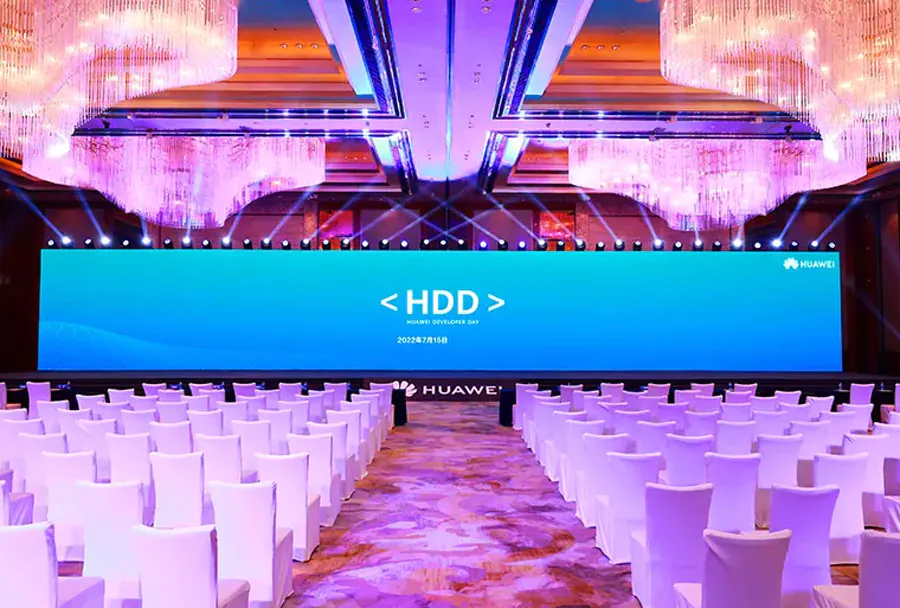
High-resolution outdoor LED screen rental are the backbone of modern event production. Large-scale live events such as concerts and festivals demand high-impact visuals to elevate the audience experience, communicate information, and reinforce branding. They deliver crisp video, readable text, and immersive imagery even at long viewing distances and under challenging lighting conditions. Renting these screens — rather than purchasing — gives event organizers flexibility, cost-effectiveness, and access to the latest technology without long-term capital outlay.
Followed is a YOUTUBE link about TW VISION‘s outdoor LED Screen rental panel.
This article is a practical, technically informed guide for event organizers, production managers, AV rental houses, and festival promoters considering high-resolution outdoor LED screen rental. It covers technical specifications, practical considerations for deployment, content production tips, logistical and safety issues, and a comparative analysis table to help you select the right solution for your event.
Understanding High-Resolution in Outdoor LED Contexts
What “high-resolution” means for LED screens
Unlike fixed-resolution displays such as TVs or projectors, LED screens are modular assemblies of panels made up of individual LEDs spaced by pixel pitch (measured in millimeters). “High-resolution” in the outdoor LED context typically refers to small pixel pitch (e.g., P2.6 to P4.0 for near-stage applications) that yields finer detail and legible text at closer viewing distances. For larger festival stages where audiences are far away, pixel pitches between P4.8 and P8 can deliver a great balance of resolution, viewing distance, and cost.
Key metrics: pixel pitch, brightness, contrast, refresh rate
– Pixel pitch defines the density of LEDs and directly influences the closest comfortable viewing distance and the perceived sharpness.
– Brightness (measured in nits or cd/m2) is crucial outdoors; effective outdoor screens often range from 4,000 to 8,000 nits to combat direct sunlight.
– Contrast ratio affects perceived image depth; high-quality modules and good calibration increase dynamic range.
– Refresh rate (Hz) and grayscale processing determine motion clarity and camera-friendly performance to avoid flicker on broadcast feeds.
Technical Specifications to Evaluate When Renting
Pixel pitch vs. viewing distance
A practical rule of thumb: minimum comfortable viewing distance (in meters) is approximately equal to pixel pitch (in mm) multiplied by a factor (often 3 to 10 depending on visual acuity required). For example, a P4.8 screen (4.8 mm pixel pitch) is suited for viewing distances from about 14–48 meters. Choose pixel pitch based on how close the front row will be and whether you intend the screen for audience entertainment, stage backdrops, or informational signage.
Brightness and HDR considerations
Outdoors, 5,000–7,000 nits is common for daytime events; screens with automatic brightness sensors and HDR processing yield better image fidelity and reduce power waste at night. Rental units should include brightness control and calibration options.
Refresh rates and camera compatibility
When the screen will be on-camera during live broadcast or streaming, choose equipment with high refresh rates (≥3,840 Hz or better in modern modules) and low PWM flicker. Proper scanning and processing avoid rolling bars or flicker on video feeds.
Ingress protection and weatherproofing
Outdoor LED panels should meet at least IP65 for front protection; IP54 for rear or better depending on exposure. Water-resistant connectors, sealed cabinets, and temperature-hardened components are essential. Rental companies typically include weather operation specifications and may offer covers, heaters, or air conditioners for extreme conditions.
Designing Screen Layout and Size for Concerts & Festivals
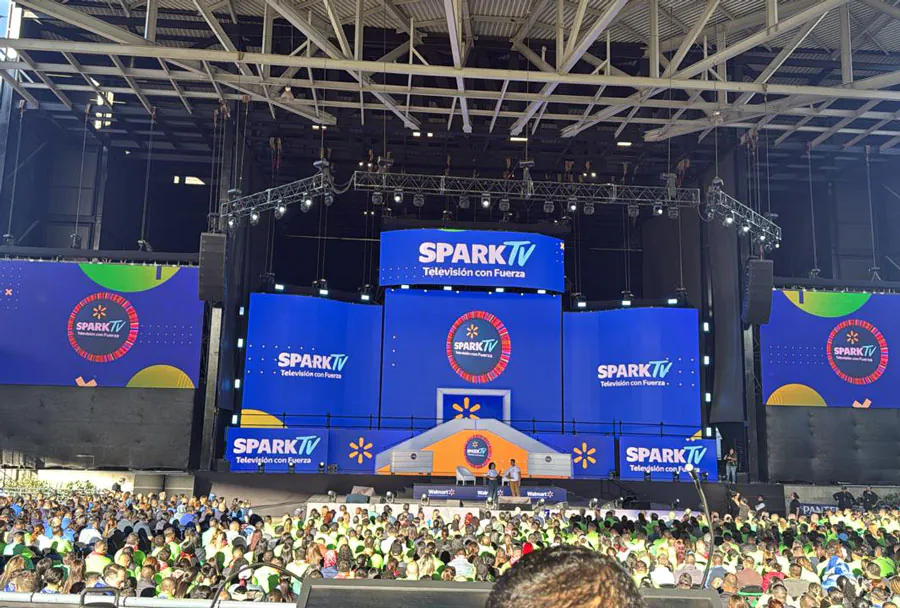
Stage backdrop vs. audience-facing video walls
– Stage backdrop: Often placed behind artists, used for visuals, cueing, and integrated stage design. Needs to be large with good resolution near the performers.
– Audience-facing screens: Positioned to ensure visibility for distant audience members. Multiple screens (left/right/center/side-hangs) can improve sightlines.
Consider sightline analysis, camera positions, and stage scenery when determining aspect ratio and screen height. Modular panels let you build unusual shapes and integrate curved or angled surfaces.

Content zones and multi-layer display
Modern LED systems support multiple content zones (video, lyrics, sponsor tickers). Split the screen logically: primary live feed, secondary graphics, sponsor band, and informational overlays. Rental control systems should allow real-time switching and compositing.
Logistics: Rigging, Power, and Terrain
Rigging and structural safety
Rigging outdoor LED screens requires certified rigging points, load calculations, and trained crew. Wind load is critical — plan for wind-rated truss systems and safety backup lines. Many rental companies provide engineering documentation and on-site rigging supervision.
Power requirements and redundancy
Large LED walls can draw significant power. Plan for three-phase power distribution, UPS for critical control systems, and generator backup for remote locations. Always calculate peak and average power draw per panel and include headroom for ancillary equipment (switchers, servers, cameras).
Ground conditions and access
Festival grounds vary: soft soil, sloped terrain, or paved plazas affect staging and anchoring. Use base plates, ground mats, or ballast systems as required. Ensure clear load-in lanes and staging areas for safe and efficient deployment.
Operational Considerations: Crew, Transport, and Setup Time
Crew skill sets and responsibilities
Successful deployment requires technicians experienced in LED panel assembly, calibration, power distribution, and networking. Typical roles include lead technician, rigging crew, LED specialist, video engineer, and stage manager liaison. Define responsibilities and chain of command before load-in.
Transport and packing
LED panels are fragile; quality rental houses use flight cases with foam inserts and protective hardware. Plan for transport windows, road permits for oversized loads, and secure parking near the stage for efficient load-in/out.
Typical setup and teardown timelines
Setup times vary with screen complexity. A simple side-hung system might take a single day’s setup; large ground-supported structures can require multiple days for rigging, calibration, and testing. Allow additional time for rehearsals and camera checks.
Content Production and Playback Best Practices
Resolution and aspect ratio planning
Match content pixel dimensions to the native resolution of the LED array to avoid scaling artifacts. If your screen is a custom aspect ratio, render content in that exact ratio. Produce high-bitrate video files and use dedicated media servers for playback.
Color calibration and LUTs
LED panels vary; calibrate color temperature and gamma across the array. Use lookup tables (LUTs) in the playback server to maintain consistency between panels and with broadcast cameras. Conduct checks under event lighting conditions.
Live camera integration
Coordinate with your director of photography to test camera angles, exposure, and black levels. Provide timecode and genlock signals where necessary to sync cameras and LED content and avoid strobing.
Rental Cost Structures and Choosing a Vendor
Price factors: size, pixel pitch, duration, logistics
Rental pricing depends on screen size, pixel density, brightness rating, rental duration, transport distance, installation complexity, and labor. Additional costs may include rigging hardware, power distribution, media servers, and control systems.
Service levels and SLAs
Select vendors who provide on-site technical support, spare modules and power supplies, and service-level agreements for uptime. Verify warranty coverage and replacement timelines for faulty panels during the event window.
Insurance and liability
Confirm insurance responsibilities for damage during transport, setup, and operation. Large festivals often require the vendor to carry public liability insurance and provide risk assessments.
Safety, Crowd Management, and Compliance
Wind, weather, and emergency protocols
Establish a weather response plan: threshold wind speeds for safe operation, procedures for shutting down and securing screens, and evacuation protocols. Monitor weather forecasts and have decision authority clearly assigned.
Visual safety and flashing content
Avoid high-frequency flashing sequences and strobe effects that can trigger photosensitive epilepsy or cause audience distress. Provide content guidelines to creative teams and implement guardrails in playback systems.

Permitting and local regulations
Outdoor screens may require permits for temporary structures, noise and light impact assessments, and electrical inspections. Work with local authorities early to secure approvals and inspections.
Case Studies and Use Scenarios
– Large stadium concert: multiple high-resolution center screens with P3.9 stage backdrop and P5 side-hangs to ensure clarity for both near- and far-field viewers.
– Multi-stage festival: medium-resolution P6–P8 LED walls on secondary stages for cost-effective visibility, while the main stage gets a P4.8 wall for tight camera shots and close audience viewing.
– Nighttime electronic music event: ultra-high brightness screens with HDR content and synchronized lighting for immersive visuals; increased attention to refresh rate and camera compatibility due to heavy broadcast integration.
Comparative Analysis Table: Typical Rental LED Options
| Model / Option | Pixel Pitch (mm) | Brightness (nits) | Recommended Max Viewing Distance | Typical Rental Use |
|---|---|---|---|---|
| Outdoor P2.9 Ultra | 2.9 | 4,000 | Up to 30 m | High-end concert backdrops, camera-friendly main stages |
| Outdoor P4.8 Pro | 4.8 | 5,500 | 18–60 m | Main festival stages, close-to-mid viewing crowds |
| Outdoor P6.9 Value | 6.9 | 6,000 | 30–90 m | Secondary stages, large viewing areas where cost matters |
| High-Bright P8 Outdoor | 8.0 | 7,000+ | 40–120 m | Daytime outdoor festivals, large audience sightlines |
| Pixel-Perfect P3.9 HDR | 3.9 | 4,500 | 20–50 m | Broadcast-friendly concerts, mixed lighting conditions |
Checklist: Questions to Ask Your Rental Provider
– What is the exact native pixel resolution and pixel pitch of the proposed screen?
– The certified brightness (nits) and does it include auto-dimming sensors?
– What ingress protection rating (IP) does the equipment carry?
– Can you provide engineering documents for rigging and wind-load calculations?
– What is the total power requirement and distribution plan?
– Does the rental include on-site technicians, spares, and a guaranteed response time?
– How is color calibration handled, and can you provide LUT support?
– Are media servers, video processors, and camera interfaces included or available?
– What are the transport, setup, and teardown windows and costs?
– What insurance and liability coverage does the vendor maintain?
Return on Investment: Measuring Impact
High-resolution LED walls can significantly increase audience engagement, sponsor visibility, and perceived production value. Measure ROI by tracking metrics such as:
– Sponsor exposure value (screen time, impressions).
– Ticket sales uplift correlated with enhanced production.
– Social media engagement driven by shareable visuals.
– Operational efficiency gains from modular rented systems versus purchasing and maintaining equipment.
When renting, factor in saved capital expenditure, reduced maintenance liabilities, and access to the latest technology as part of the value equation.
Common Pitfalls and How to Avoid Them
– Underestimating viewing distances: Choose too-fine pixel pitch for very distant audiences and overspend. Conduct sightline modeling.
– Ignoring camera compatibility: Low refresh rates or poor PWM may cause flicker in broadcasts. Test with the broadcast team in advance.
– Skimping on rigging and safety: Using underspecified rigging can lead to catastrophic failures in wind.
– Poor content preparation: Scaling low-resolution assets leads to blurred visuals. Always render to native resolution.
– Inadequate power planning: Unexpected brownouts or generator shortages disrupt playback. Over-provision power capacity.
Recommendations and Best Practices Outdoor LED Screen Rental
– Start planning early: secure vendors, permits, and power plans months in advance for major festivals.
– Do a dry run or tech rehearsal with full content to test camera feeds, color, and playback reliability.
– Use media servers with real-time scaling and multi-layer compositing to adapt content on-site.

– Prioritize vendor experience: choose rental houses that specialize in outdoor concert/festival deployments and can provide references.
– Build redundancy: include spare modules, spare power supplies, and an emergency plan for quick repairs.
High-resolution outdoor LED screen rental is a practical, flexible solution to achieve striking visuals for concerts and festivals. Selecting the right pixel pitch, brightness, and vendor, while paying close attention to rigging, power, content, and safety, can elevate an event from good to unforgettable. Renting allows access to cutting-edge technology and experienced crews without the long-term costs of ownership. With careful planning, rigorous testing, and strong vendor partnership, your next event can deliver immersive visual experiences that captivate audiences and maximize sponsor value.
Related Blogs:
- digital poster display: 5 Best : guide, uses, and benefits – TW VISION
- led mesh: 12 : Complete Guide to Uses, Benefits & Design – TW VISION
- outdoor digital signage for schools : complete guide 2026 – TW VISION