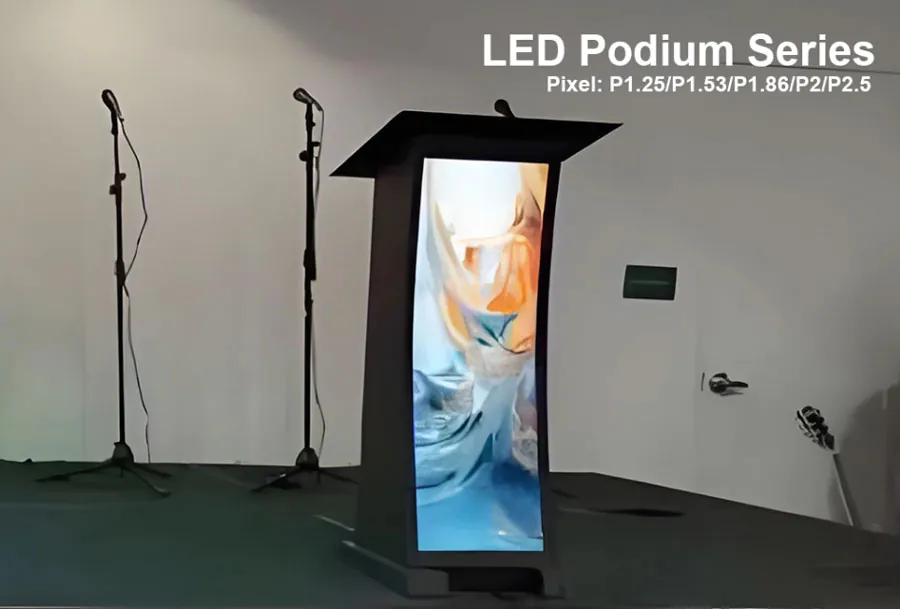
Custom LED Display Design for Irregular Spaces: Corners, Columns and Angled Surfaces

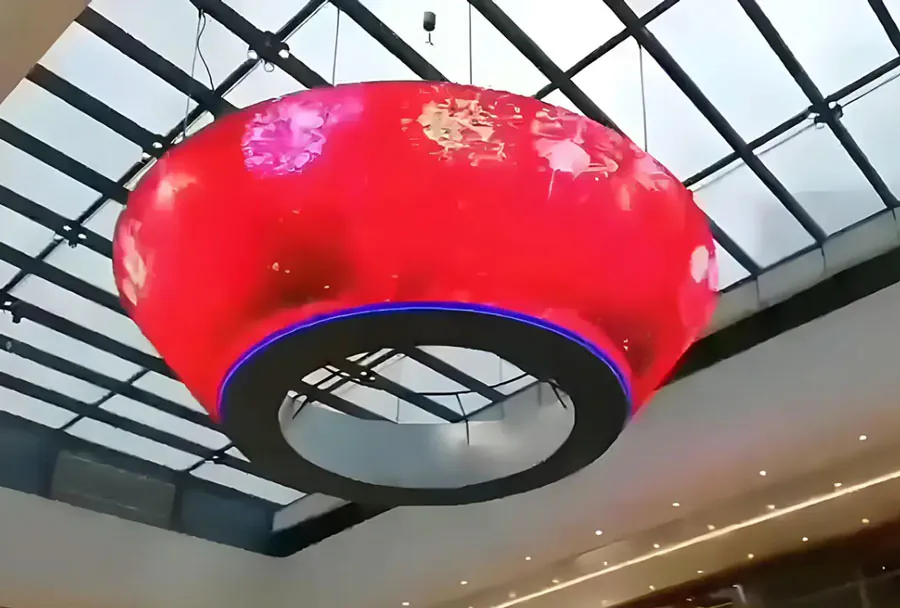
Custom LED Display Design for Irregular Spaces: Corners, Columns, and Angled Surfaces turns architectural constraints into usable digital canvases, but only when geometry, structure, processing, and content are planned together.
Table of Contents
- 1. Model the Surface Before Selecting LED Hardware
- Record the True Geometry
- Map the Viewing Zones
- 2. Match the Module Type to the Geometry
- Use Purpose-Built Parts for Sharp Corners
- Compare the Main Approaches
- 3. Engineer Structure, Power, and Service Access Together
- Calculate the Complete Installed Load
- Preserve Maintenance Routes
- 4. Build the Pixel Map Around the Physical Shape
- Separate Logical Content Zones
- Use Real Design and Processing Tools
- 5. Test the Display From Real Viewing Positions
- Run Structured Visual Tests
- Inspect Every Transition
- How should an irregular LED display be designed for outdoor use?
- What spare parts should be purchased for a custom-shaped display?
- How can camera moiré be reduced on curved or angled LED walls?
- How should a custom LED surface be cleaned safely?
- What warranty terms matter most for custom LED installations?
- Conclusion
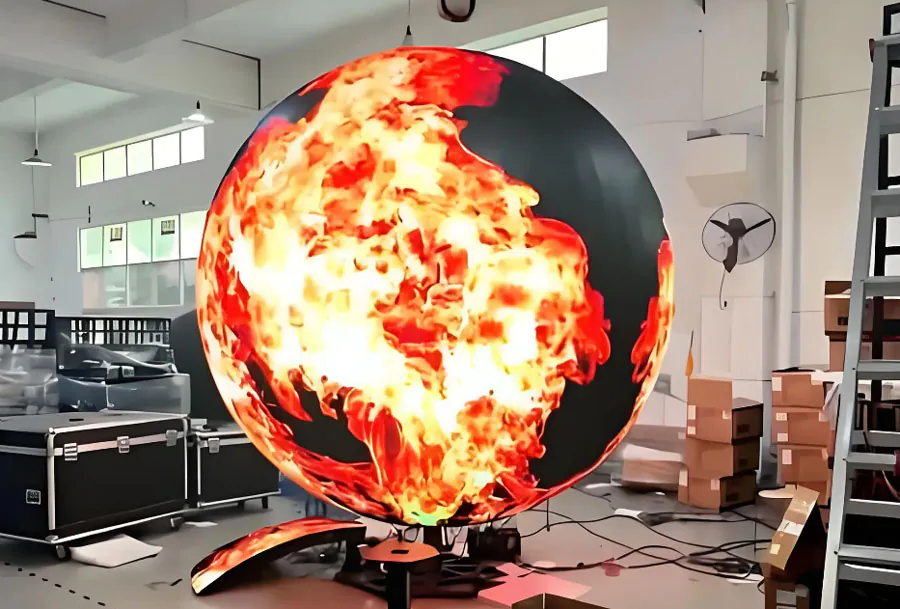
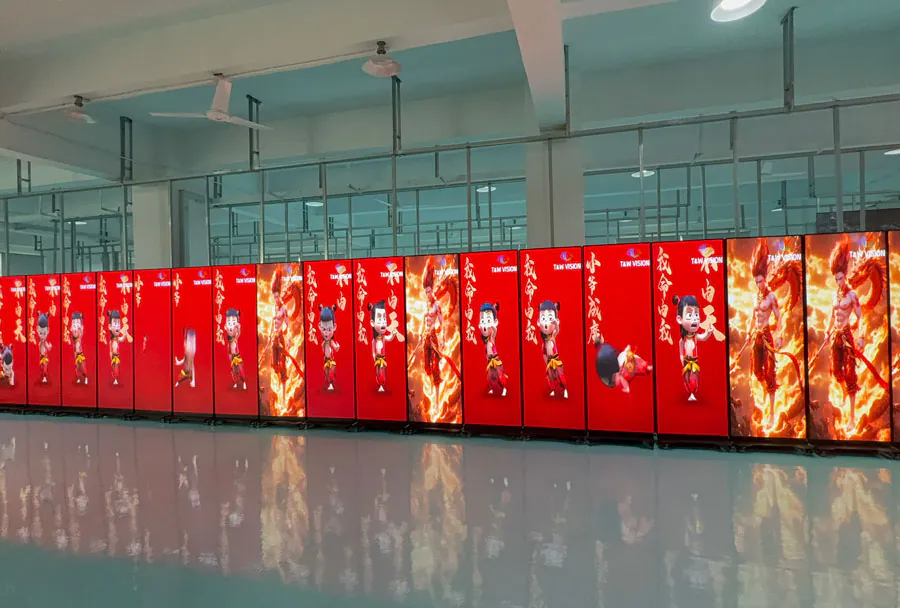
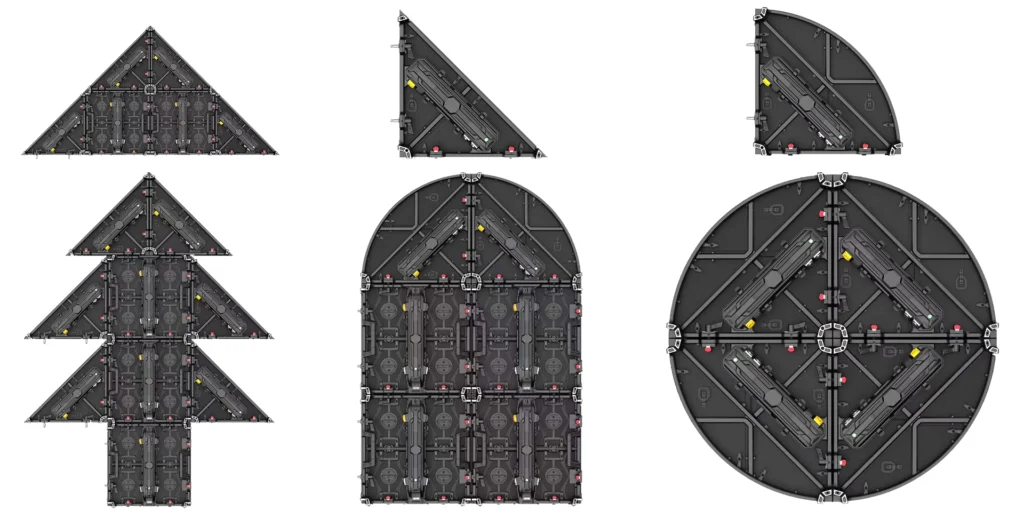
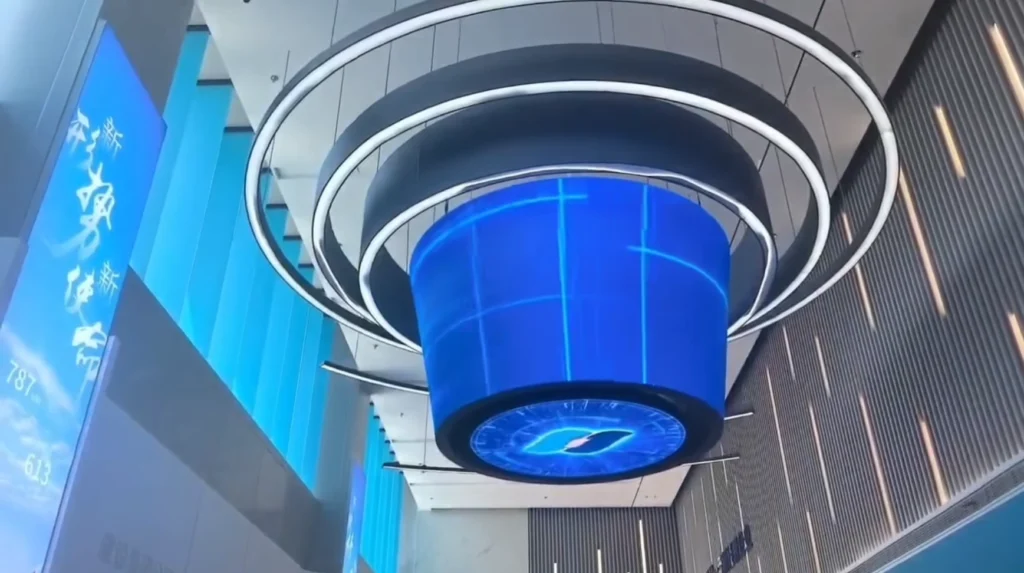
A flexible TW VISION PD series installation can form a complete circle with 8 panels or create a 90-degree arc with three columns, showing how modular hardware can support shapes that once required extensive fabrication. (TW VISION)
The challenge is not simply making LED panels fit. Corners can distort text, columns can hide content, angled walls can expose seams, and custom structures may restrict ventilation or maintenance access.
A reliable design process starts with an accurate site survey and finishes with mapped content tested from real viewing positions. The five sections below explain how to measure irregular surfaces, choose suitable LED modules, engineer safe support systems, configure the pixel canvas, and commission the finished display.
1. Model the Surface Before Selecting LED Hardware
The correct LED system can only be selected after the physical surface has been converted into accurate dimensions, angles, and viewing zones. Begin Custom LED Display Design for Irregular Spaces: Corners、Columns and Angled Surfaces with a survey rather than a product catalog.
Record the True Geometry
Capture overall height, surface width, corner angles, column circumference, structural offsets, and obstructions. A 90-degree architectural corner may not measure exactly 90 degrees after finishes, while a circular column can vary in diameter from top to bottom.
For columns, calculate the theoretical radius with `radius = circumference ÷ 2π`, then verify it at several heights. For angled surfaces, record both the panel angle and the direction from which visitors approach.
Map the Viewing Zones
Mark the closest, farthest, and most important viewing locations. AVIXA states that its display-size standard “determines required display image size and relative viewing positions based on user need.” Its DISCAS guidance applies to permanent and temporary systems. (avixa.org)
Consider a lobby column viewed from four directions. Treating it as one flat screen would hide messages on the rear surface and split text across curves.
For Custom LED Display Design for Irregular Spaces: Corners、Columns and Angled Surfaces, turn survey data into elevation, plan, and section drawings before requesting quotations.
How to apply this: Measure every angle and circumference twice, photograph each obstruction, and mark the primary viewing zones on a scaled floor plan.
2. Match the Module Type to the Geometry
Choose rigid corners, adjustable cabinets, or flexible modules according to the surface radius and the sharpness of each transition. No single LED construction method works equally well on corners, columns, and sloped walls.
Use Purpose-Built Parts for Sharp Corners
A sharp outside corner should normally use a dedicated corner cabinet or mitered module. ROE Visual’s Topaz Cube components support 90-degree corners, four-sided columns, and five-sided cube structures, while its curved Topaz panels adjust by as much as 30 degrees. (roevisual.com)
Flexible cabinets are better for gradual transitions. Absen’s SA-C panels adjust from -30 degrees convex to +30 degrees concave in 1.25-degree increments, providing 25 positions. (absen.com)
Compare the Main Approaches
| Surface | Preferred hardware | What to check |
|---|---|---|
| Sharp corner | 90° cabinet | Pixel continuity |
| Round column | Flexible modules | Minimum radius |
| Broad curve | Adjustable cabinet | Angle increments |
| Sloped wall | Rigid cabinet | Mounting depth |
| Mixed geometry | Hybrid system | Pitch compatibility |
Pixel pitch must remain consistent where sections meet. Mixing incompatible pitches or cabinet depths can create visible changes in scale, brightness, and alignment.
In Custom LED Display Design for Irregular Spaces: Corners、Columns and Angled Surfaces, hardware flexibility should serve the measured geometry rather than forcing the architecture to match a standard cabinet.
How to apply this: Give suppliers your minimum radius, corner angles, panel dimensions, and service-clearance limits before approving a sample configuration.
3. Engineer Structure, Power, and Service Access Together
A custom-shaped LED display needs a support system designed for its total load, maintenance method, ventilation, and electrical distribution. Visual drawings alone are not sufficient for construction approval.
Calculate the Complete Installed Load
Include LED cabinets, mounting frames, power supplies, processors, cables, trim, and access panels. Product weight can vary substantially: ROE Visual lists its Jade cabinet at 6.6 kilograms, while Absen lists a 500-by-500-millimeter SA-C cabinet at 9 kilograms. (roevisual.com)
The final support structure should be reviewed by a qualified engineer for the installation conditions. Suspended systems also require approved rigging methods and hardware appropriate for the calculated loads.
Preserve Maintenance Routes
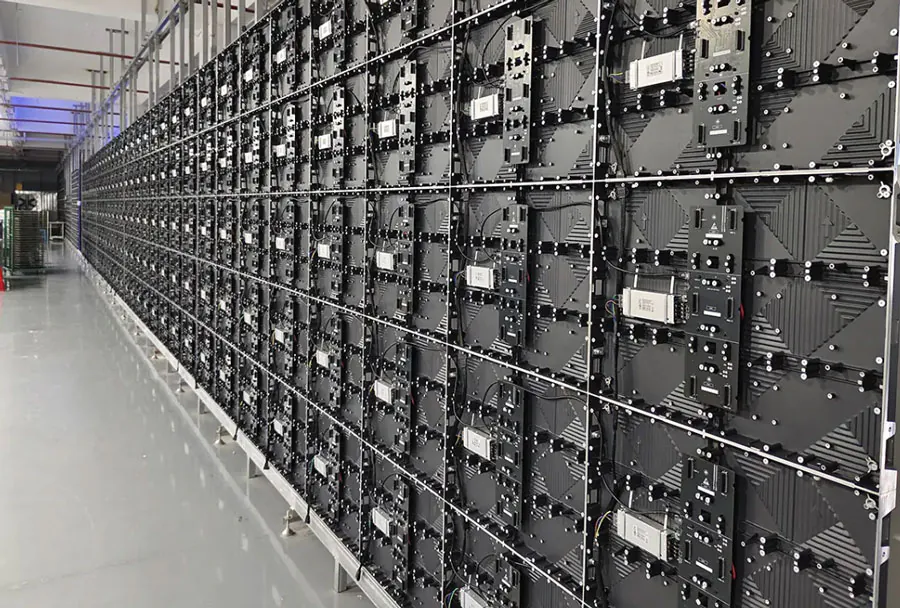
Custom LED Display Design for Irregular Spaces: Corners、Columns and Angled Surfaces often fails when every visible gap is closed without planning module removal. Confirm whether modules, receiving cards, and power units require front or rear service.
A common scenario is a wrapped column installed directly against concrete. If the selected system is rear-service only, replacing one power supply may require dismantling a large section of the display.
Electrical work must follow applicable local requirements. The National Electrical Code is the U.S. benchmark for safe electrical design, installation, and inspection, although adopted editions and amendments vary by jurisdiction. (nfpa.org)
Treat serviceability as a core requirement of Custom LED Display Design for Irregular Spaces: Corners、Columns and Angled Surfaces, not an installation-stage adjustment.
How to apply this: Add structural loads, cable routes, ventilation gaps, isolation points, and module-removal paths to the drawing set before fabrication begins.
4. Build the Pixel Map Around the Physical Shape
The content canvas should reproduce the installed LED geometry rather than flattening every surface into one rectangular image. This prevents logos, faces, and text from disappearing around corners or stretching across angled sections.
Separate Logical Content Zones
Assign each face, curve, or angled plane a clear pixel region. A four-sided column may use one continuous canvas, four coordinated canvases, or a hybrid layout with protected transition zones.
Calculate each region from its physical pixel count, not its dimensions in millimeters. A 500-millimeter-wide panel at 2.6-millimeter pitch contains roughly 192 pixels across, subject to the manufacturer’s actual module resolution.
Use Real Design and Processing Tools
– Vectorworks Spotlight creates scaled 2D drawings, 3D event models, equipment plans, and production documentation. (vectorworks.net)
– Brompton Tessera configures compatible LED processors, fixtures, test content, and display outputs. (bromptontech.com)
– NovaStar NovaLCT configures supported receiving cards, screen connections, brightness settings, redundancy, and calibration data. (oss.novastar.tech)
In one case, a brand logo crossing an outside corner may look correct in the master file but appear compressed from the main entrance. Moving the logo onto a single face avoids that distortion.
Custom LED Display Design for Irregular Spaces: Corners、Columns and Angled Surfaces therefore requires a pixel map, safe-content template, and viewing simulation. Give content creators these files before production begins.
How to apply this: Export a numbered pixel map that shows every cabinet, seam, corner, hidden zone, canvas coordinate, and protected text area.
5. Test the Display From Real Viewing Positions
Commissioning should verify geometry, image continuity, color, safety, and maintenance access from the positions where people will actually see the display. A successful bench test does not prove that the installed system looks correct.
Run Structured Visual Tests
Display full-screen red, green, blue, white, black, and neutral gray images. These patterns expose dead pixels, color variation, incorrect receiving-card mapping, light leakage, and panel orientation errors.
Next, use grids, circles, diagonal lines, scrolling text, and human faces. Circles reveal geometric stretching, while diagonal lines make cabinet offsets easy to detect.
Modern rental panels may support refresh rates of 7,680 Hz, including Absen’s SA-C range, but actual on-camera performance also depends on processor settings, scan behavior, shutter speed, and brightness. (absen.com)
Inspect Every Transition
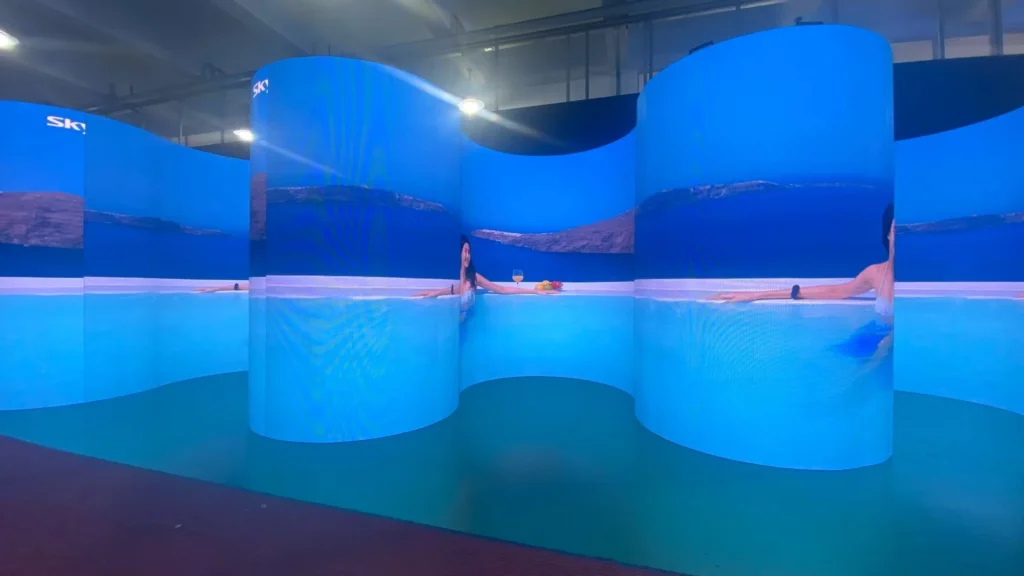
For Custom LED Display Design for Irregular Spaces: Corners、Columns and Angled Surfaces, stand at the closest viewing point, primary entrance, side approaches, and intended camera positions. Check whether important content disappears at seams or changes brightness across angled faces.
Consider a sloped display used behind presenters. It may look uniform to the audience but produce moiré or visible scan artifacts on broadcast cameras.
Finish Custom LED Display Design for Irregular Spaces: Corners、Columns and Angled Surfaces by saving verified configuration files, calibration data, processor settings, cabinet addresses, and content templates. Maintain an approved backup before changing firmware or receiving-card parameters.
How to apply this: Create a signed commissioning checklist covering pixels, color, seams, content mapping, cameras, failover, ventilation, access, and electrical isolation.
Frequently Asked Questions About Custom LED Display Design for Irregular Spaces: Corners、Columns and Angled Surfaces
The questions below address operational and procurement issues that commonly appear after the main system architecture has been selected.
How should an irregular LED display be designed for outdoor use?
Use outdoor-rated cabinets, sealed connectors, suitable drainage, corrosion-resistant hardware, and a structure engineered for local wind conditions. Custom LED Display Design for Irregular Spaces: Corners、Columns and Angled Surfaces may create pockets where water collects, especially near angled transitions. Confirm the complete system’s environmental rating rather than relying on the module rating alone, and keep drainage paths clear of decorative cladding.
What spare parts should be purchased for a custom-shaped display?
Keep spare LED modules, receiving cards, power supplies, data cables, and any shape-specific corner or curved components. Custom LED Display Design for Irregular Spaces: Corners、Columns and Angled Surfaces often uses parts that cannot be replaced with standard flat cabinets.
If a manufacturer later changes its mechanical design or LED batch, obtaining a visually matched replacement may become more difficult, so record part numbers and batch information.
How can camera moiré be reduced on curved or angled LED walls?
Start by testing pixel pitch, camera distance, lens choice, focus, shutter settings, and processor configuration together. Custom LED Display Design for Irregular Spaces: Corners、Columns and Angled Surfaces can produce different camera-to-screen distances across the same shot, making one surface look clean while another shows moiré.
A camera test using the intended lens package is more reliable than judging performance from product specifications alone.
How should a custom LED surface be cleaned safely?
Follow the manufacturer’s approved cleaning procedure and disconnect power when required. Custom LED Display Design for Irregular Spaces: Corners、Columns and Angled Surfaces can include exposed edges, recessed seams, and delicate flexible modules that are easier to damage than conventional flat cabinets. Avoid unapproved liquids, compressed air at close range, or tools that press against LEDs, masks, coatings, or connector areas.
What warranty terms matter most for custom LED installations?
Check coverage for LEDs, modules, power supplies, receiving cards, labor, shipping, on-site service, and discontinued custom parts. Custom LED Display Design for Irregular Spaces: Corners、Columns and Angled Surfaces may involve modified frames or third-party structures, so confirm whether those modifications affect the manufacturer’s warranty. Also document acceptable dead-pixel limits, response times, spare-part availability, and responsibility for removing inaccessible modules.
Conclusion
A reliable irregular LED installation begins with measured geometry and ends with tested content, documented configurations, and safe access for future maintenance.
– Survey first: Record real angles, radii, obstructions, and viewing positions.
– Match the hardware: Use corner cabinets, adjustable panels, or flexible modules according to the shape.
– Engineer the complete system: Coordinate structure, power, ventilation, cabling, and service access.
– Commission the experience: Test seams, mapping, color, cameras, and content from every important viewpoint.
Custom LED Display Design for Irregular Spaces: Corners、Columns and Angled Surfaces works best when architecture, AV engineering, structural design, and content production share one coordinated model.
Your next step is to produce a scaled site survey and pixel map, then have the proposed cabinet configuration reviewed by the LED supplier, structural engineer, electrical contractor, integrator, and content team before fabrication begins.
Related Articles
- LED Display Low-Grayscale Performance for Concerts: What Buyers Should Test
- Virtual Production LED Wall Acceptance Testing: What Buyers Should Verify Before Delivery
- Custom LED Display Integration: Who Is Responsible When Components Come from Different Suppliers?