

Custom LED Display TV Solutions for Residential & Commercial Use

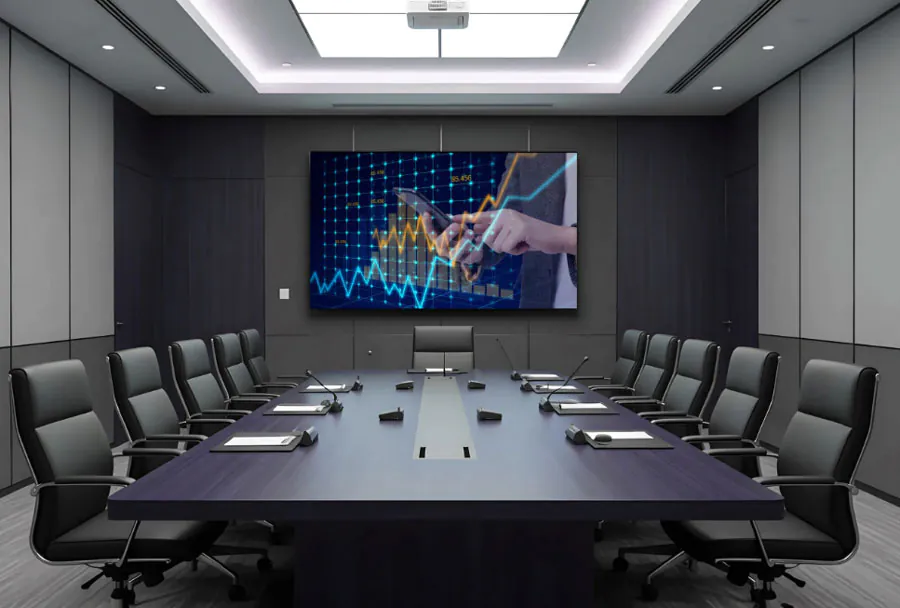
Custom LED Display TV Solutions for Residential & Commercial Use have moved from niche digital signage to practical options for home theaters, lobbies, and retail windows. The challenge is no longer finding a panel; it is choosing the right pixel pitch, brightness, processor, and service plan for your specific room.
Table of Contents
- LED Display TV vs Traditional LED TV: What Is the Real Difference?
- Quick Comparison at a Glance
- LED Display TV Installation: Wall Mount vs Floor Stand vs Mobile
- Step-by-Step Selection: Wall Mount vs Floor Stand vs Mobile
- Wall Mount Installation: Fixed, Tilt, and Full-Motion
- Floor Stand Installation: Stability, Aesthetics, and Room Shape
- Mobile Cart and Mobile Stand Installation: Portability and Safety
- Guidance for Choosing LED Display TV Solutions
- Secret 1: Match Pixel Pitch to Real Viewing Distance
- Why smaller pitch is not automatically better
- Secret 2: Pick Brightness and IP Ratings for the Actual Room
- Secret 3: Confirm Processing, Calibration, and Content Workflow
- Why calibration is not one-time
- Secret 4: Design for Service Access and Heat Removal
- Secret 5: Compare Total Cost of Ownership Before Signing
- Hidden costs that surprise buyers
- What is the difference between a custom LED display TV and a standard LCD or OLED TV?
- Can the same LED panels be moved between indoor and outdoor use?
- What happens if one LED module fails after installation?
- How do I update content on a residential LED wall?
- Does a custom LED wall need a dedicated electrical circuit?
- Conclusion
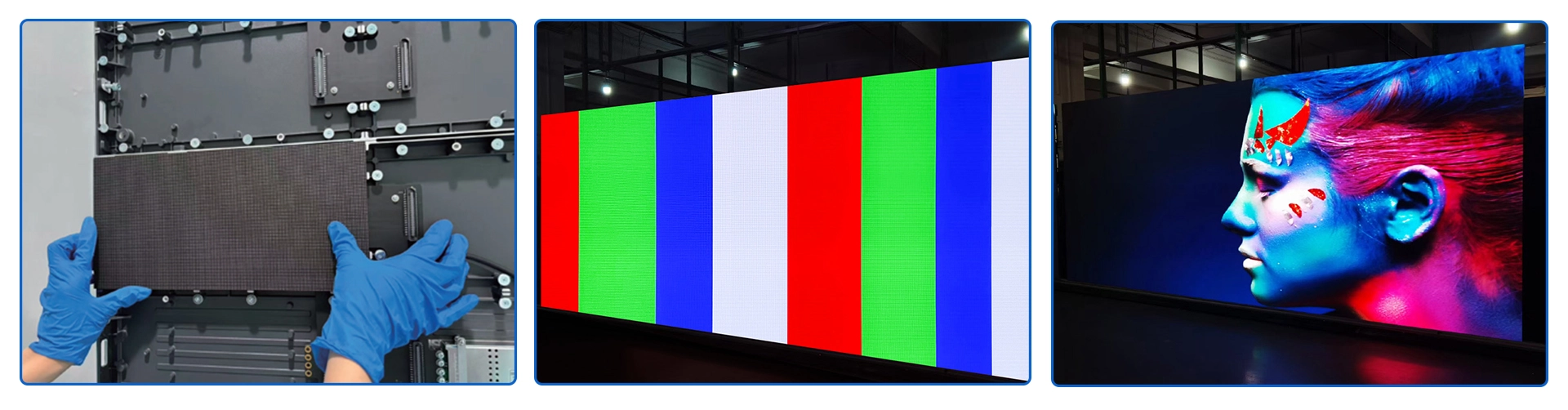
P1.86 LED display TV made by TW VISION, size 3840x1920mm, resolution: 2064×1032
AVIXA, the commercial AV industry association, consistently lists direct-view LED among the fastest-growing display categories in professional projects, but its installation complexity catches many buyers off guard. This article tell in details about difference on LED dispaly TV and traditional LED TV, LED display installation ways and guidance about select LED display TV.
LED Display TV vs Traditional LED TV: What Is the Real Difference?
LED Display TV vs Traditional LED TV: What Is the Real Difference? is a question that separates a great living-room setup from a costly commercial mistake. Both product categories use LED technology, but only one is a backlit LCD television; the other is a modular direct-view panel built for signage. Buyers often choose the wrong panel because spec sheets list similar terms like “LED”, “4K”, and “HDR”, then face washed-out pictures or missing TV functions.
The core difference is how each panel creates an image. A traditional LED TV is an LCD television with LED backlighting, while a commercial LED display TV is usually a direct-view LED video wall.
If you compare LED Display TV vs Traditional LED TV: What Is the Real Difference? at the component level, the contrast is direct-view diode versus backlit liquid crystal.
This design gap explains why direct-view panels are modular and can be assembled into non-standard sizes, while consumer TVs come in fixed 43-, 55-, 65-, and 75-inch classes. Pixel pitch, measured in millimeters, tells you how close viewers can sit before individual LEDs become visible. Smaller pixel pitch means sharper images at shorter distances.
A common scenario: a café owner buys a 55-inch consumer TV for a bright window and later finds the picture is barely visible at noon.
This is the clearest answer to LED Display TV vs Traditional LED TV: What Is the Real Difference? for people deciding between a video wall and a standard TV. How to apply this: search the product data sheet for “direct-view LED” or “edge-lit LED” before you buy.
Quick Comparison at a Glance
| Feature | Traditional LED TV | Commercial LED display | Action to take |
|---|---|---|---|
| Light emission | LED backlight + LCD layer | Direct-view LED diodes | Check panel type |
| Brightness | Tuned for dim rooms | Built for ambient light | Compare nit ratings |
| Tuner/apps | Usually built in | Often monitor-only | Confirm ATSC tuner |
| Input lag | Game Mode common | May be higher | Look for low latency |
| Size flexibility | Fixed consumer sizes | Modular cabinets | Measure wall space |
| Cost | Lower up front | Higher, scalable | Ask for install quote |

LED Display TV Installation: Wall Mount vs Floor Stand vs Mobile
Before you choose LED Display TV Installation: Wall Mount vs Floor Stand vs Mobile, verify the wall material, the mounting surface, and the total installed weight. Drywall alone is not a safe anchor for large panels.
Most installation guides say the bracket must be attached to wood studs, steel studs, concrete, or masonry with hardware rated for the screen’s full weight.
Mounting manufacturers follow the Flat Display Mounting Interface, or FDMI. As the Video Electronics Standards Association (VESA) explains, the FDMI defines the standardized bolt patterns used by displays and brackets. Common sizes include 100 x 100 mm, 200 x 200 mm, 300 x 300 mm, 400 x 400 mm, and 600 x 400 mm.
Match the mount’s bolt pattern to your TV before you buy.
Consider a screen installed over a plaster wall without a stud finder. The installer may hit lath, not a stud, and the mount will slowly sag. That is why professional installers check center-load and shear-load capacity, not just the box’s weight number.
How to apply this: use a magnetic or electronic stud finder, measure the wall thickness, and record your TV’s exact VESA pattern and weight before selecting any mount.
Step-by-Step Selection: Wall Mount vs Floor Stand vs Mobile
Your final LED Display TV Installation: Wall Mount vs Floor Stand vs Mobile choice should follow a decision sequence: surface, weight, movement, cabling, and safety. Use the table below to match each option to a room profile.
| Factor | Wall Mount | Floor Stand | Mobile Cart | What to check |
|---|---|---|---|---|
| Drilling | Always, into studs | Rarely, anti-tip only | None | Wall or base material |
| Floor space | Very small | Medium to large | Small to medium | Footprint width |
| Movement | Fixed or slight | Low | High | Caster brakes |
| Weight support | High with studs | High with wide base | Moderate to high | Capacity rating |
After you eliminate options that fail on surface or movement, compare cable routing access. Wall mounts hide wires best, but floor stands and carts are easier to service. For shared-use spaces, the mobile cart usually wins when transport safety rules are in place.
How to apply this: write down your wall material, VESA pattern, screen weight, and move frequency, then use the table to eliminate options that fail on any one point.
Wall Mount Installation: Fixed, Tilt, and Full-Motion
Wall mounting is often the preferred route in the LED Display TV Installation: Wall Mount vs Floor Stand vs Mobile comparison because it frees floor space and hides cables inside the cavity. Fixed mounts hold the screen close to the wall. Tilt mounts reduce overhead glare. Full-motion mounts pull out, swivel, and extend for corner viewing.
One real differentiator is leverage. A full-motion arm that extends far beyond the wall places more stress on the mounting surface than a fixed bracket. Sanus installation guides recommend matching the mount’s extension rating to the screen size and stud spacing, not just the weight capacity.
A common scenario is a living room with top-down LED lighting. A fixed mount keeps the panel flat, but a tilt mount drops the top edge just enough to remove glare. If you sit far left or right, a full-motion arm improves viewing angles but needs stronger support.
How to apply this: decide whether the screen will stay in one viewing position or move daily, then choose fixed, tilt, or full-motion hardware before you cut any drywall.
Floor Stand Installation: Stability, Aesthetics, and Room Shape
Floor stands change the LED Display TV Installation: Wall Mount vs Floor Stand vs Mobile calculation when a wall is glass, brick, stone, or inaccessible. They require no fixed wall anchoring, though some models nclude anti-tip brackets for safety. This makes them easier to reposition during a remodel.
Imagine a training room with floor-to-ceiling windows and concrete blocks. Drilling may be forbidden, so a low-profile floor stand keeps the display stable while staying out of the walking path.
How to apply this: measure the base footprint and the walkway clearance, and check that the stand’s listed height range keeps the screen’s center of gravity inside the safe zone.
Mobile Cart and Mobile Stand Installation: Portability and Safety
Mobile carts make the LED Display TV Installation: Wall Mount vs Floor Stand vs Mobile decision about movement and turnover. A rolling cart lets one screen serve multiple rooms, event spaces, or conference areas. It also concentrates weight on four small wheels, so floor load and caster quality matter.
Leading cart systems from brands such as Chief include locking casters, internal cable routing, and a wide base for stability. Before rolling a 65-inch LED display through a doorway, measure the clear opening height and width. Displays damaged during transit often fail at the panel edge, not the mount.
In one corporate setting, a 75-inch interactive display lived on a mobile cart so two classrooms could share it. The cart rolled smoothly on hard floors, but carpet transitions required a second person to avoid snagging or tipping.
How to apply this: if you need shared-use mobility, look for braked casters, a wide footprint, and cable storage; then create a two-person transport rule for screens over 55 inches.

Guidance for Choosing LED Display TV Solutions
Secret 1: Match Pixel Pitch to Real Viewing Distance
Pixel pitch is the first spec to verify on any Custom LED Display TV Solutions for Residential & Commercial Use. It measures the distance in millimeters between LED clusters, and it drives both sharpness and cost.
When budgeting for Custom LED Display TV Solutions for Residential & Commercial Use, request a pixel-pitch sample wall rather than judging from a spec sheet.
A smaller pitch improves detail at close range, but it also adds panel cost, power draw, and heat. The field rule used by many integrators is that minimum comfortable viewing distance is roughly three times the pixel pitch in millimeters.
A P1.5 panel therefore works well from around 4.5 meters, while a P2.5 panel can look soft inside a typical living room.
Why smaller pitch is not automatically better
Moving from P1.5 to P0.9 can increase cost and power consumption noticeably, so avoid over-specifying a wall that no one will approach closely. Consider a living room where the sofa sits 4.5 meters from the wall; a P1.5 module may look sharp and free up budget for processing and installation.
The decision for Custom LED Display TV Solutions for Residential & Commercial Use should follow seating distance, not marketing claims.
| Pixel pitch | Typical indoor viewing distance | Best environment | What to check |
|---|---|---|---|
| P0.9 | 2.7 m (9 ft) or closer | Home theater, premium lobby | 4K source, processor bandwidth |
| P1.2 | 3.6 m (12 ft) or closer | Media room, executive briefing | Color uniformity, seam visibility |
| P1.5 | 4.5 m (15 ft) or closer | Corporate lobby, worship | Cabinet alignment, brightness |
| P2.5 | 7.5 m (25 ft) or closer | Airport, retail ceiling | Ambient light, front or rear service |
For larger Custom LED Display TV Solutions for Residential & Commercial Use, confirm that the processor can drive the full pixel canvas at your target resolution.
How to apply this: mark the wall size on the floor with tape, stand at the actual viewing position, and approve the pixel pitch from that distance before requesting final pricing.
TW VISION LED DISPLAY TV 110′-less than 2k, pixel pitch: P1.5, GOB
Secret 2: Pick Brightness and IP Ratings for the Actual Room
Custom LED Display TV Solutions for Residential & Commercial Use should start with environment, not resolution. A panel that looks bright in a dark showroom may wash out next to a glass storefront or skylight. A proper lighting assessment for Custom LED Display TV Solutions for Residential & Commercial Use should include peak glare, not just average room light.
Manufacturer datasheets commonly list indoor direct-view LED panels from 600 nits to over 1,000 nits, while outdoor and direct-sun panels are often specified above 4,500 nits. In a room with strong window glare, even 1,000 nits may not feel bright enough unless you add shades or window film.
Check the ingress protection (IP) rating next. Clean indoor rooms often use IP20 panels. Covered patios or dusty warehouses may need IP54. Fully exposed outdoor walls typically require IP65. When placed in covered areas, Custom LED Display TV Solutions for Residential & Commercial Use benefit from enclosures that block wind-driven rain even if panels carry an outdoor rating.
In one case, a homeowner installed an indoor-rated panel on a covered porch and lost modules after seasonal humidity. Matching the IP rating to the exact weather exposure would have avoided the failure. The failed installation reinforces why weather exposure must be confirmed for Custom LED Display TV Solutions for Residential & Commercial Use before modules ship.
How to apply this: use a light meter app at noon and during bright signage hours to record the peak ambient light, then share that number with your integrator before they finalize a brightness spec.
Secret 3: Confirm Processing, Calibration, and Content Workflow
Panels display nothing without a controller. A reliable signal path for Custom LED Display TV Solutions for Residential & Commercial Use includes spare sending cards and documented firmware versions. For Custom LED Display TV Solutions for Residential & Commercial Use, the video processor, sending box, and receiving cards determine frame rate, color depth, and system stability.
Many installers standardize on Novastar controllers because the LCT and VMP software support common receiving cards and LED cabinet mapping. For color alignment, integrators often use CalMAN from Portrait Displays to profile grayscale, white point, and gamut across multiple modules.
AVIXA, the Audiovisual and Integrated Experience Association, states that brightness, viewing angle, and pixel pitch should be treated as minimum display specifications, and that calibration should follow the manufacturer’s recommended workflow (AVIXA). Without that workflow, individual panels can drift visibly within the first year.
For long-term consistency in Custom LED Display TV Solutions for Residential & Commercial Use, integrators often schedule calibration during the first month and again after one year.
Why calibration is not one-time
LED diodes age and shift, so a panel that looks uniform at commissioning can drift after the initial run-in period. Schedule a follow-up calibration check rather than assuming the wall stays consistent.
This also applies to Custom LED Display TV Solutions for Residential & Commercial Use where the wall doubles as a primary TV screen and runs for hours each day.
How to apply this: download the controller configuration software before panels arrive, open a sample project, and confirm you can import the manufacturer’s cabinet configuration file.
Secret 4: Design for Service Access and Heat Removal
What happens after installation is the most overlooked part of Custom LED Display TV Solutions for Residential & Commercial Use. Service planning for Custom LED Display TV Solutions for Residential & Commercial Use begins with a simple question: how will a technician reach a failed module?
Even reliable panels need a way to reach power supplies, receiving cards, and module connections.
Manufacturers often rate LED diodes for 100,000 hours to half brightness, but power supplies and receiving cards can fail earlier if heat is trapped behind the wall. Heat modeling for Custom LED Display TV Solutions for Residential & Commercial Use should cover the power supply temperature, not just the diode rating.
A common scenario is a floor-to-ceiling residential wall with no rear access; a front-service cabinet lets you replace one module without removing the entire display.
Leave at least 60 cm of rear clearance for large serviceable walls, or specify front-service modules when the wall sits flush against drywall. Add ventilation at the top and bottom of the enclosure so warm air does not recirculate through the electronics.
A cool, serviceable enclosure preserves the lifespan of Custom LED Display TV Solutions for Residential & Commercial Use far more than a premium power supply alone.
How to apply this: include an access panel, cooling plan, and spare-module stock in the architectural drawings before drywall goes up.
Secret 5: Compare Total Cost of Ownership Before Signing
The lowest panel price rarely produces the best Custom LED Display TV Solutions for Residential & Commercial Use. A complete proposal for Custom LED Display TV Solutions for Residential & Commercial Use should list commissioning, programming, and spare parts as mandatory items.
Installation, rigging, power distribution, control hardware, and content authoring are often separate line items that can exceed the panel cost.
Request a three-year total cost of ownership breakdown that includes energy consumption, maintenance visits, spare modules, and content updates. Comparing quotes only by panel price hides variances in processor quality, warranty length, and commissioning time. When evaluating Custom LED Display TV Solutions for Residential & Commercial Use, ask for a warranty that covers parts, labor, and travel in writing.
TW VISION 163′ LED display TV-COB and 4K resolution,pixel pitch:P0.9.
Hidden costs that surprise buyers
Shipping crates, lift rentals, structural engineering, dedicated electrical circuits, and after-hours installation can all affect the final invoice. Ask each integrator to itemize these costs before you compare proposals. The real cost of Custom LED Display TV Solutions for Residential & Commercial Use often shows up in change orders after the wall location shifts or power is missing.
How to apply this: put at least three quotes into a spreadsheet and compare identical pixel pitch, cabinet type, controller model, and service terms, not just the square-meter rate.
Frequently Asked Questions About Custom LED Display TV Solutions for Residential & Commercial Use
What is the difference between a custom LED display TV and a standard LCD or OLED TV?
Standard LCD and OLED TVs are fixed-size consumer displays with built-in tuners and smart platforms. Custom LED Display TV Solutions for Residential & Commercial Use are modular, bezel-less walls driven by external video processors.
In a bright boardroom where a 75-inch OLED may feel undersized, a custom wall can scale to 120 or 165 inches without visible seams, but it requires separate audio, sources, and content management.
Can the same LED panels be moved between indoor and outdoor use?
Usually not. Indoor panels have lower brightness and IP20-level protection, so they can fail quickly outdoors. Outdoor panels have higher brightness and IP65-rated cabinets, but their larger pixel pitch can look coarse in a close indoor seating area.
Before moving Custom LED Display TV Solutions for Residential & Commercial Use outdoors, specify a semi-outdoor panel with at least 2,500 to 3,500 nits and IP54 protection, then confirm the rating with the manufacturer.
What happens if one LED module fails after installation?
Modular panels are designed for field replacement. You or your integrator can usually remove the failed module from the front or rear, swap in a spare, and re-import the cabinet configuration file through controller software such as Novastar LCT. If the replacement module shows slight color variance, recalibrate that zone.
Keep at least two spare modules for any Custom LED Display TV Solutions for Residential & Commercial Use because panel revisions can change over time.
How do I update content on a residential LED wall?
You run the wall from a media player or PC connected to the video processor. Change content by pushing new files to that player, not by replacing the display. For a room used as living space art, schedule a rotating playlist through a content management app or a USB media player.
For Custom LED Display TV Solutions for Residential & Commercial Use, confirm that your processor accepts the source resolution and frame rate before loading files.
Does a custom LED wall need a dedicated electrical circuit?
Most medium and large LED walls should have a dedicated circuit to avoid dimming, breaker trips, or interference with audio equipment. Residential walls often run on 120V circuits, while commercial installations may require 208V or 240V service.
Most dedicated circuits for Custom LED Display TV Solutions for Residential & Commercial Use should be sized for continuous load, not just startup current. Have an electrician calculate maximum current draw from the manufacturer’s datasheet before adding any Custom LED Display TV Solutions for Residential & Commercial Use to an existing electrical panel.
Conclusion
Custom LED Display TV Solutions for Residential & Commercial Use reward precise specification, not bigger budgets.
– Match pixel pitch to your actual viewer distance, not a number on a datasheet.
– Verify brightness and IP rating for the exact room or weather exposure.
– Lock down processor, calibration, and content workflow before panels ship.
– Design service access and cooling into the wall structure.
– Compare total cost of ownership with identical pitch, controller, and service terms.
Start with a measured floor plan, ambient light readings, and three integrator quotes. Bench-test a sample panel in your space, then sign only after you see the calibration report and the line-item TCO breakdown.
