Professional LED Screen Rental Solutions for Events


LED Screen Rental Solutions for Events: A Professional Guide can mean the difference between a flawless visual experience and a costly technical failure. According to AVIXA, the Audio-Video Integration Association, LED displays are among the fastest-growing categories in professional AV, with live events driving much of that demand.
Table of Contents
- Start With the Event Type
- Know Your Viewing Distance and Pixel Pitch
- Pixel Pitch Quick Reference
- Indoor, Outdoor, and Broadcast Environments
- Recommended-Solutions-by-Event-Type
- Compare Rental Providers on More Than Price
- Budget for Hidden Costs and Contingencies
- Plan Logistics, Power, and On-Site Support
- Build Content That Fits the LED Canvas
- Why Choose TW VISION for LED Screen Rentals?
- What is the difference between indoor and outdoor LED rental panels?
- How far in advance should I book an LED screen rental?
- Can I rent an LED screen without a technician?
- What happens if an LED panel fails during my event?
- Are curved or flexible LED screens available for rent?
- Conclusion
Many event planners rent LED screens without understanding pixel pitch, processing, or content workflows, leading to wasted budget and underwhelming visuals. This guide breaks down five practical steps to help you choose, budget, and execute LED screen rentals with confidence.
Start With the Event Type
The most dependable LED display event type-pixel pitch-recommened solution starts with the event type, not the spec sheet. A trade show booth where people stand two to five feet away needs a finer pitch than a concert side screen positioned fifty feet from the nearest audience member.
Viewing distance changes what the human eye can resolve, so the same pitch can look razor sharp in one room and visibly pixelated in another.
A stage keynote and a festival main stage also put different demands on the wall. The LED display event type-pixel pitch-recommened solution for a lounge, demo station, or photo opportunity will normally use a pitch below 2.6mm, while a long-throw outdoor screen may work well above 4mm. Cabinet design, rigging, and service access differ with each choice.
How to apply this: write down the closest and farthest audience positions before you ask for a quote, then use that range to filter supplier pitch charts.
Know Your Viewing Distance and Pixel Pitch
The most important technical decision in any LED screen rental is pixel pitch, which is the distance in millimeters between individual LED clusters. When evaluating LED Screen Rental Solutions for Events: A Professional Guide, pixel pitch should be your first filter.
Industry guidance from manufacturers and AVIXA standards suggests that the minimum comfortable viewing distance is roughly 1.5 to 2 times the pixel pitch in millimeters.
Consider a product launch where the nearest audience member sits 12 feet (3.7 meters) from the screen. A P3.9 panel (3.9mm pitch) will appear smooth from that distance, while a P5.9 panel may show visible pixel gaps.
Processors like those from Novastar help scale content to match the panel’s native resolution, but they cannot fix a pitch that is too coarse for your audience.
Pixel Pitch Quick Reference
| Pixel Pitch | Best Viewing Distance | Typical Use | Action to Check |
|---|---|---|---|
| P2.6 | 4–6 ft (1.2–1.8 m) | Indoor keynotes, close-up cameras | Verify content resolution matches panel |
| P3.9 | 6–10 ft (1.8–3 m) | Ballrooms, exhibit booths | Ask about processor scaling |
| P5.9 | 10–16 ft (3–5 m) | Outdoor stages, large venues | Confirm weatherproof rating for outdoor use |
The right pixel pitch is the foundation of any LED Screen Rental Solutions for Events: A Professional Guide. How to apply this: measure the closest viewing distance before you request quotes, then ask providers for panels with a pitch no larger than half that distance in millimeters.
When content demands a finer pitch
Text-heavy slides, charts, and small sponsor logos reveal pixel gaps more quickly than full-motion video. If a presenter must show a spreadsheet to guests seated ten feet away, a 3.9mm panel may be inadequate for the small text even though it looks fine for video.
An LED display event type-pixel pitch-recommened solution for text-based presentations should lean one pitch class finer than a video-only show.
How to apply this: use a manufacturer pitch chart or a rental company’s minimum viewing distance table, and add a safety margin for small text or camera close-ups.

Indoor, Outdoor, and Broadcast Environments
Environment changes the decision again. Indoor event screens commonly run at 800 to 1,500 nits, while daylight outdoor stages often require 3,500 nits or more to compete with sunlight.
An outdoor LED display event type-pixel pitch-recommened solution usually trades the tightest pitch for higher brightness and an IP65 or similar weather rating, because most viewers are far enough away that fine pitch cannot be perceived.
Wind, dust, and direct sun also affect cooling and access. Rental companies often use lightweight outdoor cabinets with protective masks, while fixed installs may require stronger structural engineering.
For broadcast and hybrid productions, the camera creates a separate challenge. A pitch that looks clean in person can produce moiré patterns on a tight camera shot. An LED display event type-pixel pitch-recommened solution for broadcast should include a camera test with the actual lens, sensor, frame rate, and production resolution before the show.
How to apply this: check the event’s sunlight and weather conditions, then ask the vendor to demonstrate the same pitch at the brightness level required for that time of day.
Recommended Solutions by Event Type
Putting the factors together creates a practical shortlist. The LED display event type-pixel pitch-recommened solution below uses common pitch ranges as a starting point, not a fixed rule. Manufacturers such as Planar publish pitch-specific minimum viewing charts that can confirm the final choice.
| Event type | Typical pixel pitch range | What to verify | Action to take |
|---|---|---|---|
| Keynote or general session | 1.9mm-2.6mm | Front row and camera distance | Request a camera test from the first row |
| Trade show booth | 1.5mm-2.5mm | Attendees stand within 4 ft | Rent fine-pitch tiles only for close-up walls |
| Outdoor festival or rally | 4.8mm-8mm+ | Daylight brightness and IP rating | Confirm nits and weatherproofing first |
| Hybrid or live broadcast | 1.2mm-1.9mm | On-camera moiré and frame rate | Test with the production camera before show |
| Corporate meeting room | 2.5mm-3.9mm | Room length and slide font size | Match screen width to farthest seat |
These ranges reflect typical event conditions shown in manufacturer spec sheets and rental guidance; actual choices vary with camera plans, content, and budget. Before finalizing an LED display event type-pixel pitch-recommened solution, confirm the cabinet’s service access, spare module count, and power requirements.
How to apply this: copy the table into your event brief and mark the row that matches your nearest viewer before you contact vendors.
Compare Rental Providers on More Than Price
The lowest quote rarely reflects the total cost of a successful LED screen rental. A reliable LED Screen Rental Solutions for Events: A Professional Guide requires comparing what is included in each proposal. Many event producers report significant cost overruns when using low-cost providers because backup equipment, on-site labor, and content management fees are billed separately.
A common scenario involves a provider quoting only the LED wall, then invoicing later for a video processor, rigging hardware, and a dedicated technician. Tools like Rentman help rental companies itemize quotes and track inventory, so ask providers if they use such systems to ensure transparency. Without a detailed proposal, you cannot compare true costs.
How to apply this: request a line-item quote that lists panels, processor, rigging, power distribution, labor, and contingency, then compare line by line. The second mention of LED Screen Rental Solutions for Events: A Professional Guide reminds you that a cheap headline price often hides expensive gaps.
Budget for Hidden Costs and Contingencies
Even a well-negotiated LED rental quote can balloon without a contingency line. Effective LED Screen Rental Solutions for Events: A Professional Guide includes a realistic budget that accounts for hidden costs. Industry surveys consistently show that ancillary services such as power distribution, rigging, transportation, and insurance account for a substantial share of total rental spend.
In one case, a corporate summit budgeted a flat rental fee but discovered after the quote that power and rigging added roughly a third more to the final invoice. Venue restrictions on ceiling rigging, floor loading, or generator placement can trigger last-minute charges that no rental company absorbs for free.
Adding a 15–20% contingency line is not pessimistic; it is the standard practice among seasoned event producers.
How to apply this: before signing any contract, ask the venue for a power and rigging spec sheet, then send it to the rental provider for a written estimate of those extra services.
Plan Logistics, Power, and On-Site Support
On-site failures are rarely caused by the LED panels themselves; they usually stem from power, rigging, or missing technical support. Strong LED Screen Rental Solutions for Events: A Professional Guide must include a site survey and power plan.
Many event technicians report that insufficient power or inadequate rigging points are the most common causes of LED display issues on show day.
Consider a trade show booth where the venue provides only 15-amp circuits, but the LED wall and its processor draw more than that, causing breakers to trip mid-demo. A technician who knows the system can balance loads or bring a portable power distribution unit.
Always confirm that the rental includes at least one trained operator for setup and the first hour of the live event.
How to apply this: send the rental provider a venue floor plan and power specs at least two weeks before the event, and confirm that a technician will be on site for setup and the first hour of the show.
Build Content That Fits the LED Canvas
An LED wall is only as good as the content you feed it. The final piece of successful LED Screen Rental Solutions for Events: A Professional Guide is content that matches the wall’s exact pixel dimensions.
Content that is not optimized for the LED panel’s native resolution often appears stretched, cropped, or blurry, a problem many event techs encounter on show day.
A common scenario involves a presentation built in 16:9, then displayed on a 4:1 ribbon LED wall, forcing the playback software to crop or letterbox the image. Tools like Resolume are used by many event professionals to map and scale content to the LED wall’s exact dimensions in real time.
The rental provider should give you the wall’s width and height in pixels before you produce any graphics.
How to apply this: ask the rental provider for the wall’s pixel width and height, then export your videos and slides at that exact resolution before the event.
Why Choose TW VISION for LED Screen Rentals?
Industry Expertise and Dedicated Service
TW VISION brings years of experience in staging, technical production, and audiovisual integration. For professional events, this expertise translates into proactive planning, precise technical specifications, and on-site support. Reliable AV partners reduce the risk of last-minute failures and ensure the event runs smoothly.
Comprehensive Inventory and Scalable Solutions
One of TW VISION’s strengths is its broad inventory of LED panels and accessories. Whether you need a small backdrop, a large outdoor façade, or a fine-pitch screen for close-range viewing, TW VISION can scale solutions to fit venue constraints and audience size. Their modular systems enable flexible aspect ratios and custom shapes, which are essential for creative staging and branding.
Focus on Quality and Reliability
TW VISION invests in well-maintained, commercially rated LED modules, reliable power distribution units, and professional-grade signal processing. Renting from a provider that prioritizes equipment condition and monitoring reduces downtime risk and ensures consistent image quality across long events.
Frequently Asked Questions About LED Screen Rental Solutions for Events: A Professional Guide
What is the difference between indoor and outdoor LED rental panels?
Indoor panels typically have finer pixel pitches (P2.6 to P4.8) and lower brightness because they are viewed up close. Outdoor panels are weatherproof, brighter (often 5,000 nits or more), and use coarser pitches like P5.9 or P10.
For a hybrid event held partly outside, many LED Screen Rental Solutions for Events: A Professional Guide recommend renting separate indoor and outdoor panels rather than one compromise unit. Check IP ratings before signing.
How far in advance should I book an LED screen rental?
For large corporate events, 4 to 6 weeks is standard, but peak seasons (September–November, May–June) often require 8 to 12 weeks. A last-minute one-day rental may limit you to lower-resolution or older panels.
When researching LED Screen Rental Solutions for Events: A Professional Guide, check provider calendars early and lock in a backup option in case your first choice is booked.
Can I rent an LED screen without a technician?
Most providers require a technician for any LED wall larger than a small portable unit, because setup involves processor configuration and color calibration. If you decline on-site support, you assume liability for damage or downtime.
Some LED Screen Rental Solutions for Events: A Professional Guide include dry-hire options for confident AV teams, but first-time renters should always budget for a technician.
What happens if an LED panel fails during my event?
Reputable providers include spare modules and a technician who can swap a failed panel in minutes without shutting down the whole wall. Always confirm this in writing. A strong LED Screen Rental Solutions for Events: A Professional Guide includes a service-level agreement that specifies response time and whether spare parts travel with the rental.
Ask about pixel mapping redundancy before the show.
Are curved or flexible LED screens available for rent?
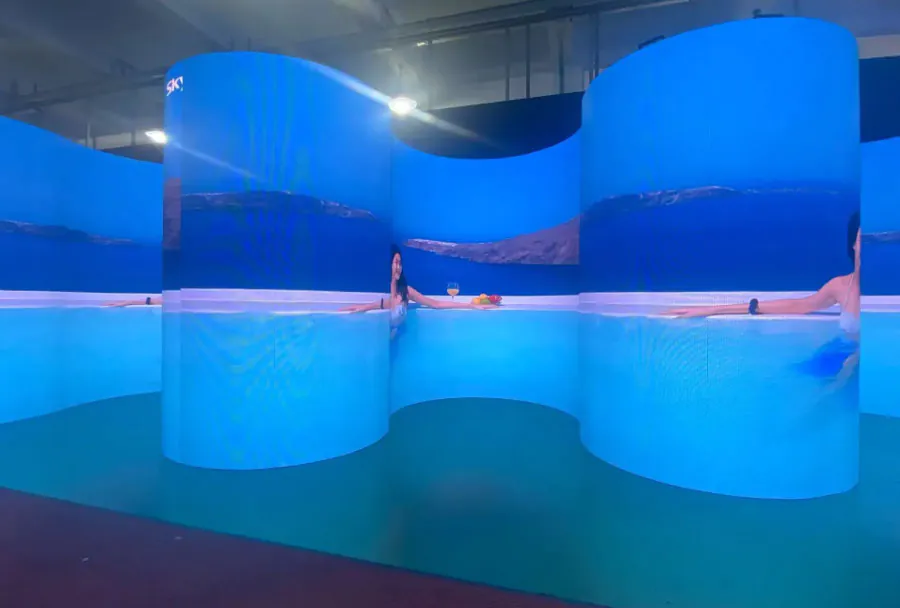
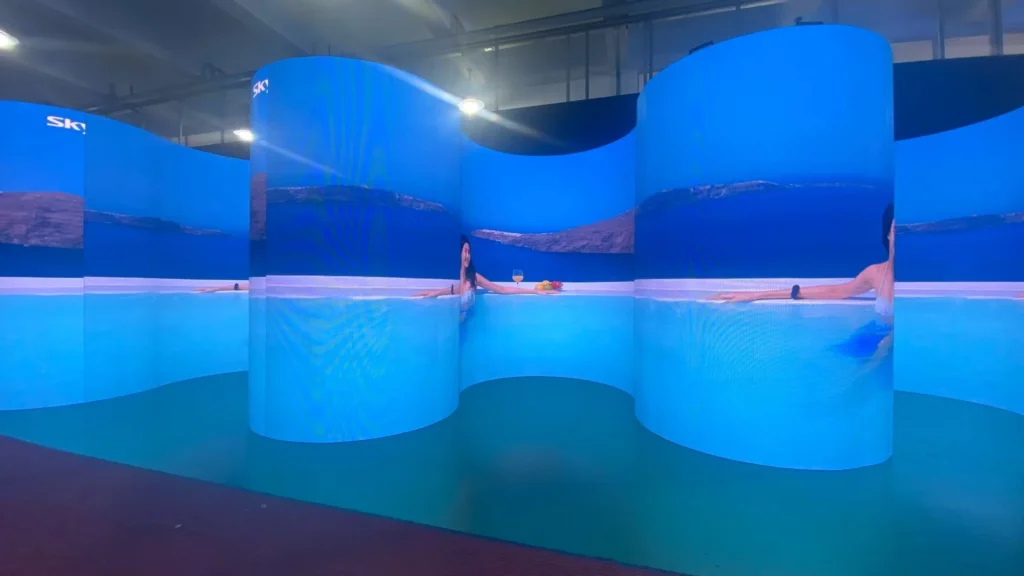
Yes, many rental houses stock curved and flexible LED panels for stage designs, but they cost more and require longer setup. Flexible panels can wrap around columns or create immersive backdrops. When evaluating LED Screen Rental Solutions for Events: A Professional Guide, ask about minimum radius, module compatibility, and whether the provider has experience rigging curved walls safely.
Conclusion
Renting an LED screen for an event is a high-stakes decision, but a methodical approach removes most risk. Key takeaways from this LED Screen Rental Solutions for Events: A Professional Guide include:
– Match pixel pitch to the closest viewer distance.
– Compare line-item quotes, not just headline prices.
– Budget for power, rigging, and contingency costs.
– Confirm on-site technician support and spare modules.
– Build content at the wall’s exact native resolution.
Your next step is to request three detailed quotes from local providers and ask each for a site survey. Then compare pixel pitch, included services, and content support side by side. With the right planning, your LED screen rental will deliver sharp, reliable visuals that elevate your event.