Small LED Display Technology: High Resolution & Narrow Bezel Explained

Small LED screens are everywhere now—from retail signage and control rooms to airports, sports venues, and corporate meeting spaces. As demand for sharper visuals in tighter spaces rises, the industry has moved faster toward more refined screen engineering. This is a topic that matters because buyers want more than just brightness; they want detail, seamless visuals, and a modern look that fits compact installations. In this guide, we’ll break down how pixel pitch affects image clarity, why bezel size matters in multi-panel setups, and how to evaluate the features that make a display truly high-performing. Whether you’re planning a digital signage project or comparing display options for a professional environment, it will help you make a smarter choice.
Table of Contents
- What Makes Small LED Displays Different?
- Pixel Pitch and Viewing Distance
- Why Small Formats Need Better Engineering
- High Resolution: What It Really Means for LED Screens
- Resolution, Pitch, and Image Sharpness
- Content Type Matters More Than Most Buyers Think
- Narrow Bezel Design: Why It Changes the Viewing Experience
- Seamless Walls and Visual Continuity
- Aesthetic Value in Modern Spaces
- How to Choose the Right Display for Your Project
- Practical Buying Checklist
- Installation and Maintenance Considerations
- FAQ
- What is the main benefit of high resolution in small LED screens?
- Why does a narrow bezel matter so much?
- Is a smaller pixel pitch always better?
- Can these displays be used for both business and public spaces?
- Conclusion
What Makes Small LED Displays Different?
The term “small LED display” can refer to compact-format screens used for close-viewing applications, but the real difference is not just size—it’s how the display is engineered for precision. In these, the most important idea is that smaller displays must often deliver higher pixel density so viewers can see crisp text, fine graphics, and smooth motion at short distances.
Traditional large-format LED screens are often designed for audiences farther away. Small LED displays, however, may be used in conference rooms, control systems, showroom kiosks, luxury retail walls, and command centers where viewers stand close enough to notice every detail. That means pixel pitch, module alignment, heat management, and cabinet design all become more critical.
A small LED display typically uses tightly packed diodes arranged to minimize visible gaps. This increases clarity and reduces the “screen door” effect, where individual pixels become noticeable. For users, that translates to a cleaner image and a more immersive experience. It also makes the display suitable for text-heavy content, dashboards, data visualizations, and high-end branding.
Another key difference is scalability. A well-designed system can be expanded into larger video walls without obvious borders. This is where they becomes especially important: the display should look refined on its own and still integrate seamlessly into a larger visual array when needed.
Small LED systems also tend to emphasize front-serviceability, lightweight construction, and energy efficiency. Because teams often install them in spaces with limited access or strict interior design standards, the product must support easy maintenance without disrupting the surrounding environment. That combination of compactness and performance is what sets the category apart.
Pixel Pitch and Viewing Distance
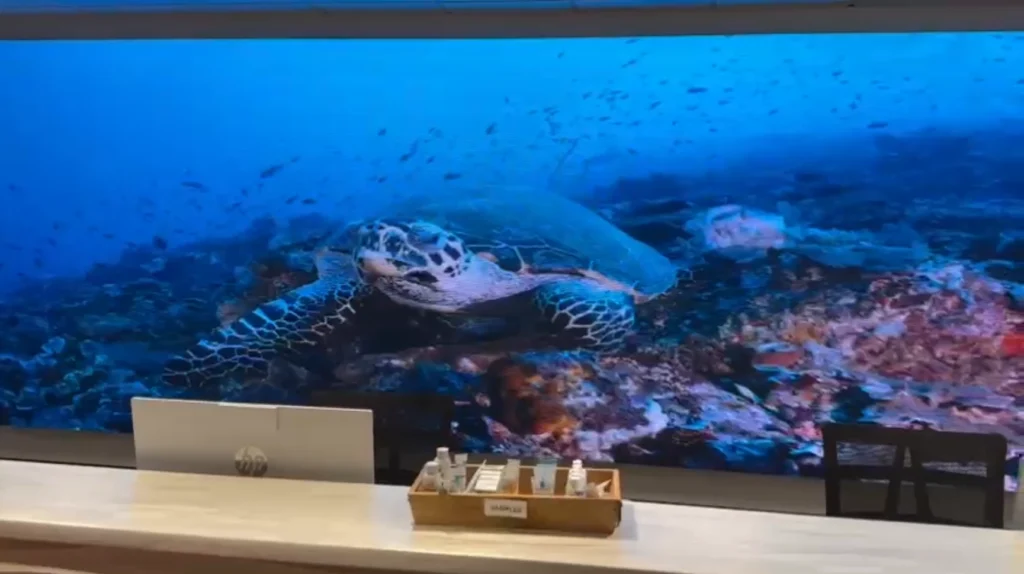
Pixel pitch is one of the most important specifications in LED display selection. It measures the distance between the centers of two adjacent pixels, usually in millimeters. The smaller the pitch, the tighter the pixels are arranged, and the sharper the image appears from close range. In the concept, pixel pitch is the foundation of image quality.
For example, a 1.2 mm pitch display will typically look much sharper up close than a 2.5 mm pitch display. That difference matters when displaying spreadsheets, product visuals, stock data, or live video in environments where people stand only a few feet away. Choosing the right pitch is not about selecting the smallest number available; it’s about matching the display to the typical viewing distance and content type.
A general rule is that closer viewing requires finer pitch. If the display is in a boardroom or lobby where people may approach it directly, high pixel density is worth the investment. If the screen is intended for a larger audience, a slightly wider pitch may deliver the same perceived clarity at a lower cost. the approach helps buyers understand that high resolution is not only about “more pixels,” but about the right pixel density for the environment.
You also need to consider content. Static text and detailed diagrams demand finer pitch than large motion graphics or video backgrounds. In mixed-use settings, choosing a display with a higher density than you think you need can improve flexibility and future-proof the installation.
Why Small Formats Need Better Engineering
When display size shrinks, tolerance for error shrinks too. A slight misalignment in a small LED display is more noticeable than in a massive screen viewed from far away. That’s why manufacturers invest heavily in calibration, cabinet precision, and module consistency. it is not just about resolution—it’s about engineering accuracy.
Good engineering also affects brightness uniformity and color matching. If one module appears slightly dimmer or tinted differently, the human eye will catch it quickly on a compact display. Advanced calibration tools help ensure that every panel matches in brightness, white balance, and chromaticity.
Thermal management is another factor. Packed pixels generate heat, and heat can shorten component lifespan or cause color drift if not managed properly. Smart airflow designs, heat-dissipating materials, and efficient power systems help maintain performance over time. For installations in conference centers, retail stores, or control rooms, long-term stability is just as important as image sharpness.
Finally, smaller formats often demand elegant physical design. Since these screens may be installed indoors where aesthetics matter, the display should look minimal, clean, and modern. That is why this often goes hand in hand with slim cabinets and near-invisible seams.

High Resolution: What It Really Means for LED Screens
High resolution is one of the most misunderstood terms in display shopping. Many people assume it simply means “better image,” but in LED systems it depends on a combination of pixel pitch, screen size, native matrix, processing power, and content quality. In these, resolution is best understood as the ability to preserve detail at the intended viewing distance.
A high-resolution small LED display can render fine typography, sharp interface elements, and realistic visuals without visible pixel structure. This is especially valuable in professional settings where presentation quality affects perception. In a boardroom, a blurry chart can weaken a message. In retail, a pixelated visual can make premium products look less refined. In control rooms, crisp detail supports faster decision-making.
The benefit of high resolution is not only visual beauty—it’s also functional. More detailed output can improve readability, reduce eye strain, and help users interpret complex information more quickly. This is why they is especially relevant for corporate, educational, and command-center applications.
It’s worth noting that resolution should always be evaluated in context. A screen with ultra-fine pixel pitch may offer excellent clarity but also cost more and require stronger processing equipment. If the content is simple and the viewing distance is moderate, the extra investment may not be necessary. The best display is the one that matches the use case.
Resolution, Pitch, and Image Sharpness
Resolution and pixel pitch work together. A display’s physical resolution is determined by how many pixels fit across its width and height, but the pitch determines how densely those pixels are packed. In practical terms, smaller pitch means higher apparent resolution at a given size. This is why the concept often focuses on pitch first and resolution second.
For close viewing, the viewer’s eyes can distinguish very fine differences in detail. If the pitch is too large, the image may look blocky or jagged, especially around text or curved shapes. If the pitch is small enough, the screen looks continuous and smooth, almost like a printed image or a premium monitor.
Sharpness also depends on signal processing. Even a high-pixel-density display will look mediocre if the video processor, scaling engine, or source material is poor. That’s why modern installations usually include advanced processors that can upsample, correct motion, and match color across multiple panels. In the approach, hardware quality and software intelligence are inseparable.
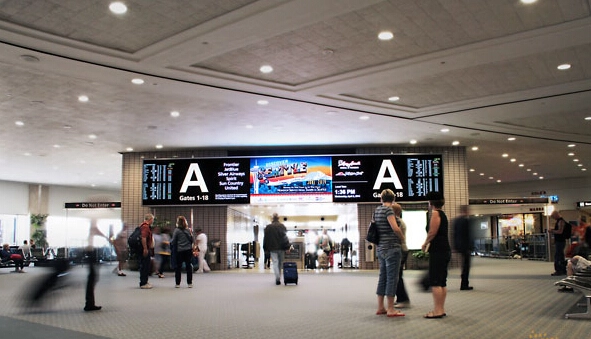
When comparing products, ask not only about pitch but also about refresh rate, grayscale performance, and color depth. A display can be technically dense yet still fail to look high-end if motion appears choppy or gradients look banded. True high resolution should feel natural in motion and still look clean when viewed up close.
Content Type Matters More Than Most Buyers Think
Different content needs different levels of detail. A display used for spreadsheets, financial dashboards, medical imaging, or technical drawings must deliver a much higher level of precision than one used for simple advertising animations. In it, content type is a deciding factor in ROI.
Text-heavy environments benefit the most from fine-pitch LED screens because letter edges remain crisp and readable. Color-critical environments, such as design studios or luxury retail, also need accurate shading and consistent brightness. Meanwhile, video-centric venues may prioritize motion performance and brightness over the absolute finest pitch.
One common mistake is overspending on resolution that users will never fully notice. Another mistake is underbuying, which leads to legibility problems and a screen that looks outdated sooner than expected. The most effective approach is to balance visual needs with budget and installation goals.
If you expect the content to evolve over time, higher resolution may give you more flexibility. A display that handles text, graphics, and high-definition video comfortably is more future-ready than one optimized for only a single use case. That adaptability is one reason Small LED Display Technology: High Resolution & Narrow Bezel Explained remains such a relevant buying topic.
Narrow Bezel Design: Why It Changes the Viewing Experience
The bezel is the border or frame around a display panel, and in LED systems, bezel design can have a major impact on how seamless a wall looks. Narrow bezel construction reduces visual interruption between modules, creating a more continuous image. In Small LED Display Technology: High Resolution & Narrow Bezel Explained, bezel width matters because even a small border can break the illusion of one large, unified screen.
For single-panel screens, a narrow bezel gives the display a sleek, premium look. For video walls, it becomes even more important. Multiple panels combined into a single surface should appear as close to borderless as possible so the content feels immersive rather than segmented. This is especially important in command centers, showrooms, control rooms, and luxury hospitality spaces.
Narrow bezel design also influences installation aesthetics. Interior designers and architects often prefer slim frames because they blend better with modern spaces. A minimal border makes the screen feel integrated rather than intrusive. That’s why Small LED Display Technology: High Resolution & Narrow Bezel Explained attracts not only AV technicians but also designers and project planners.
A key advantage of narrow bezels is improved perceived size. When borders are minimized, more of the physical front surface is dedicated to active image area. That means viewers get more visual impact without needing a much larger wall footprint. In compact environments, that can be a major advantage.
Seamless Walls and Visual Continuity
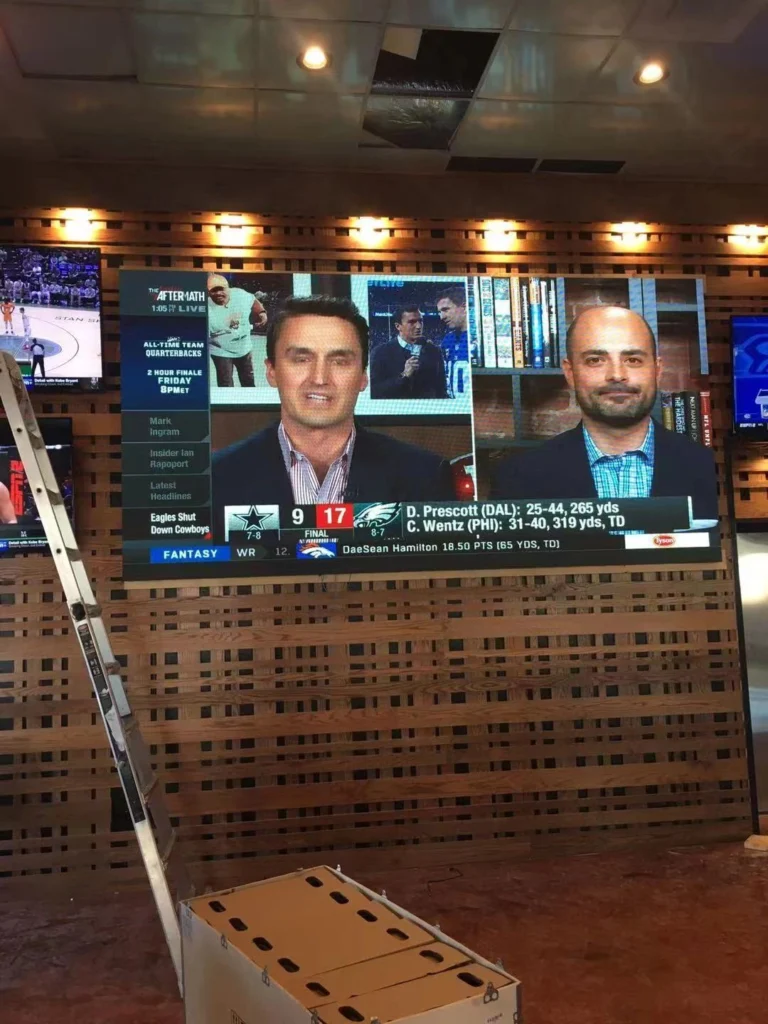
One of the strongest arguments for narrow bezels is seamlessness. When multiple displays are tiled together, every visible border draws the eye. Reducing that border helps the content remain the focus. In Small LED Display Technology: High Resolution & Narrow Bezel Explained, buyers choose refined cabinet systems mainly to achieve seamless visual continuity.
This matters most when displaying wide-format content such as live dashboards, surveillance feeds, maps, or brand storytelling. A seamless wall improves readability and keeps the composition balanced. It also supports immersive experiences in museums, flagship retail stores, and high-end corporate lobbies.
True continuity requires more than just a slim frame. Panels must align precisely in height, depth, and spacing. Even slight variance can create a “line” effect that ruins the smooth appearance. That’s why professional installation and calibration are essential. The better the cabinet engineering, the more the display resembles one large screen rather than several smaller units.
When evaluating a display wall, consider how content will be formatted. Content designed with margin awareness can take better advantage of narrow bezels, while poorly prepared layouts may place critical text too close to panel edges. In Small LED Display Technology: High Resolution & Narrow Bezel Explained, installation planning is part of visual performance.
Aesthetic Value in Modern Spaces
Today’s display buyers care about interior integration as much as technical output. A screen is often part of the room’s visual identity. Narrow bezels support that by making the display feel more architectural and less like a bolted-on device. In Small LED Display Technology: High Resolution & Narrow Bezel Explained, aesthetics and function work together.
This is particularly important in premium environments. A clean display reinforces professionalism in executive boardrooms, while retail spaces can use a borderless visual surface to enhance luxury perception; in hotels, airports, and experience centers, the screen becomes part of the environment rather than a distraction.
Another benefit is focus. Reduced borders help viewers stay engaged with the content because there are fewer visual interruptions. That can improve presentation effectiveness, especially for data dashboards and branded media. The result is a screen that feels modern, elegant, and purposeful.
For buyers comparing different product lines, the bezel is not a cosmetic afterthought—it is a key design criterion. And in many cases, Small LED Display Technology: High Resolution & Narrow Bezel Explained helps explain why premium models cost more: the precision required to build a slim, durable, aligned frame is significant.
How to Choose the Right Display for Your Project
Buying an LED display is easier when you break the decision into practical questions: Where will it be used? How far away will people sit or stand? What type of content will be shown? How important is visual design? In Small LED Display Technology: High Resolution & Narrow Bezel Explained, the best choice is the one that matches both performance needs and real-world constraints.
Start with viewing distance. If users will be close to the screen, prioritize fine pixel pitch and high image uniformity. If the audience is farther away, you may be able to use a slightly larger pitch without sacrificing perceived clarity. Next, define the content. If it includes text, charts, and interface elements, choose sharper resolution. If it’s mainly video or branding, brightness and color performance may be higher priorities.
Then consider bezel and cabinet design. If the display will stand alone, a narrow bezel creates a polished finish. If it will be part of a multi-screen wall, seam reduction becomes even more important. Project planners should also think about maintenance access, power consumption, installation depth, and long-term support. Small LED Display Technology: High Resolution & Narrow Bezel Explained is ultimately about matching technology to business outcomes.
Budget matters, but it should be weighed against lifecycle value. A slightly higher upfront investment can produce better readability, lower maintenance issues, and a longer useful life. In many commercial projects, that is the smarter decision.
Practical Buying Checklist
Use the following checklist when comparing products:
– Determine average viewing distance
– Identify whether the content is text, video, or mixed-use
– Compare pixel pitch and native resolution
– Review refresh rate and grayscale performance
– Check bezel width and cabinet alignment
– Ask about calibration and color matching
– Confirm service access and maintenance options
– Evaluate warranty and vendor support
This list helps simplify a complex purchase. In Small LED Display Technology: High Resolution & Narrow Bezel Explained, every feature should support the end use—not just look impressive on a spec sheet.
Installation and Maintenance Considerations
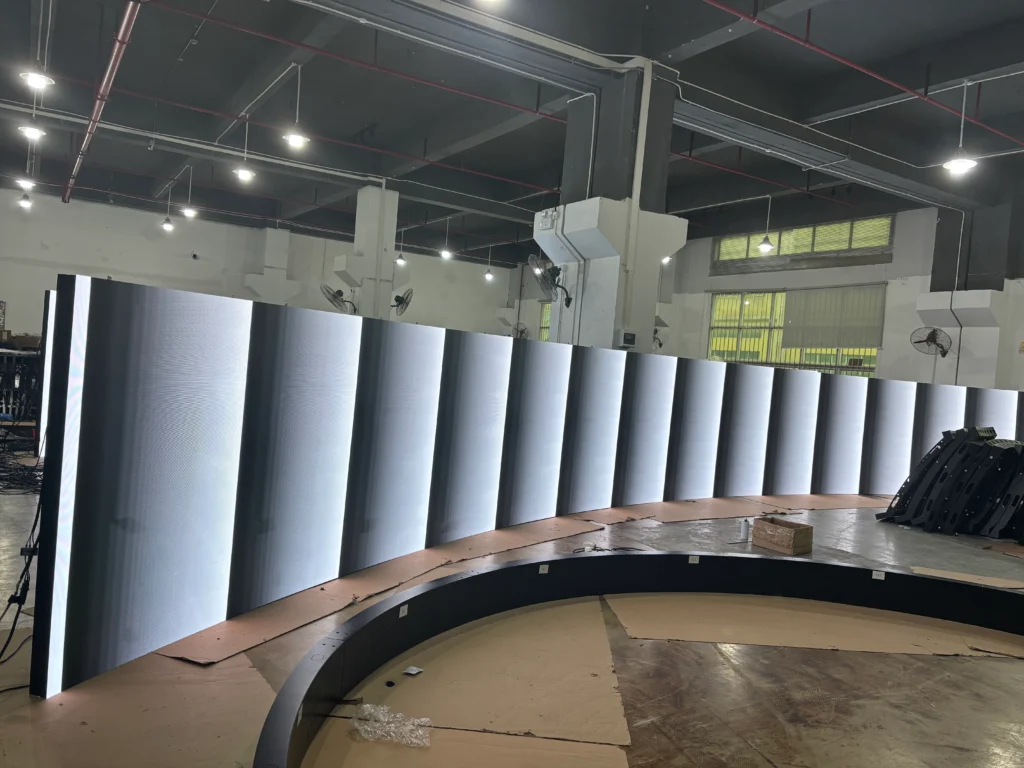
The best display in the world can underperform if it’s installed poorly. Alignment, support structure, cabling, thermal spacing, and calibration all affect the final image. A narrow bezel only looks seamless when installers mount the panels precisely. Likewise, high resolution delivers its full value when teams configure the source signal and processor correctly. That’s why Small LED Display Technology: High Resolution & Narrow Bezel Explained covers both design and operations.
Maintenance planning is also important. If the display is used heavily, it should allow quick module replacement and straightforward diagnostics. Front-access service can reduce downtime in public or high-traffic spaces. Clean power delivery and stable environmental conditions help protect long-term image quality.
Finally, think about content management. A great screen needs great content. Make sure your graphics team or AV integrator prepares layouts optimized for the native resolution and aspect ratio of the display. When those elements are aligned, the result is far more impressive.
FAQ
What is the main benefit of high resolution in small LED screens?
The biggest benefit is clarity at close viewing distances. In Small LED Display Technology: High Resolution & Narrow Bezel Explained, high resolution means text, graphics, and video appear sharper and more professional, which is especially important in boardrooms, retail, and control environments.
Why does a narrow bezel matter so much?
A narrow bezel reduces visual interruption and helps multiple panels look like one continuous screen. In Small LED Display Technology: High Resolution & Narrow Bezel Explained, this is crucial for video walls, premium interiors, and any setup where aesthetics and immersion matter.
Is a smaller pixel pitch always better?
Not always. A smaller pixel pitch improves clarity, but it also increases cost. In Small LED Display Technology: High Resolution & Narrow Bezel Explained, the right choice depends on viewing distance, content type, and budget. The ideal pitch is the one that delivers the needed sharpness without overspending.
Can these displays be used for both business and public spaces?
Yes. In Small LED Display Technology: High Resolution & Narrow Bezel Explained, sharp visuals and clean borders enhance corporate spaces, retail stores, hospitality venues, museums, and control rooms when teams match the screen to the environment.
Conclusion
Choosing the right LED display is about more than screen size. It’s about how clearly the content is seen, how smoothly the panels fit together, and how well the system supports the space around it. Small LED Display Technology: High Resolution & Narrow Bezel Explained shows why pixel density, seam reduction, and installation quality all matter when you want a display that looks modern and performs reliably.
If you’re planning a project, focus on viewing distance, content needs, bezel design, and long-term maintenance. When those elements align, you get a display that feels premium, works efficiently, and stays relevant for years. In the end, Small LED Display Technology: High Resolution & Narrow Bezel Explained is not just a specification guide—it’s a roadmap for making a smarter visual investment.