

Mobile LED Display Solutions: Applications,Specs & Design

Mobile LED Display Solutions: Applications, Specs & Design Strategies can determine whether a vehicle-mounted screen delivers clear video or becomes an expensive, underpowered sign. Industry analysts at Grand View Research describe the LED display market as a high-growth segment, but published forecasts vary substantially by region and product category.
Table of Contents
- Secret 1: Match Applications to the Right Display Format
- Secret 2: Lock Down Outdoor-Ready Specifications
- Pixel pitch and viewing distance
- Brightness, IP rating, and refresh rate
- Secret 3: Design the Structure for Wind, Vibration, and Weight
- Wind load and frame design
- Secret 4: Use Processing That Keeps Color Consistent
- Secret 5: Build a Field Maintenance and Power Plan
- Power and generator sizing
- Why Choose TW VISION for Mobile LED Display Solutions
- What pixel pitch works for a moving vehicle?
- Can mobile LED displays run in heavy rain and extreme heat?
- How do I power a mobile LED screen without a generator?
- What is the difference between a mobile LED display and a fixed outdoor billboard?
- How do I reduce flicker when filming a mobile LED wall?
- Conclusion
Many teams still focus on panel price while overlooking brightness, pixel pitch, and wind load. This article breaks down the five fast secrets that make mobile LED systems reliable, bright, and worth the investment.
Secret 1: Match Applications to the Right Display Format
Every evaluation of Mobile LED Display Solutions: Applications, Specs & Design Strategies starts with the deployment scenario, because a trailer screen for a sports parking lot has different requirements than a curved stage wall. The Out-of-Home Advertising Association of America describes mobile billboards as a flexible format that places creative near events, storefronts, and dense foot traffic.
A touring stage wall may prioritize exact color and camera performance, while a mobile billboard often needs raw daylight visibility and rugged cabinets.
– Event trailers: bright 5,000+ nit modules, simpler color calibration, fast setup.
– Indoor or semi-outdoor activations: finer pixel pitch can work, but weight still matters.
– Vehicle-mounted billboards: weatherproofing, wind load, and road vibration become critical.
– Temporary sports zones: modular cabinets with quick locks reduce labor.
Consider a product launch trailer that must attract attendees from 10 meters away outdoors. A 2.9 mm indoor panel would wash out and read poorly from that distance, while a 5.9 mm outdoor module with high brightness and an IP65 front face fits the job better.
Before you buy, inventory your top three use cases for Mobile LED Display Solutions: Applications、Specs & Design Strategies and assign a minimum viewing distance to each.
How to apply this: Write down the primary viewing distance, light conditions, and audience movement pattern before asking for quotes.
Secret 2: Lock Down Outdoor-Ready Specifications
When comparing Mobile LED Display Solutions: Applications, Specs & Design Strategies, the specification sheet is where most mistakes begin. Many manufacturers design outdoor modules around 4,500 to 5,000 nits, though some rental houses specify higher to combat direct sun and reflective glass. IP65 front and IP54 rear are common minimums for truck-mounted screens exposed to rain, dust, and road spray.
Pixel pitch and viewing distance
Pixel pitch is the distance in millimeters between pixel centers. A simple field estimate is that minimum comfortable viewing distance in meters is roughly one to two times the pixel pitch in millimeters, but actual legibility also depends on content type, brightness, and lensing.
For mobile LED screens viewed from a moving car, a wider pixel pitch usually performs better than a fine indoor pitch because motion reduces perceived detail.
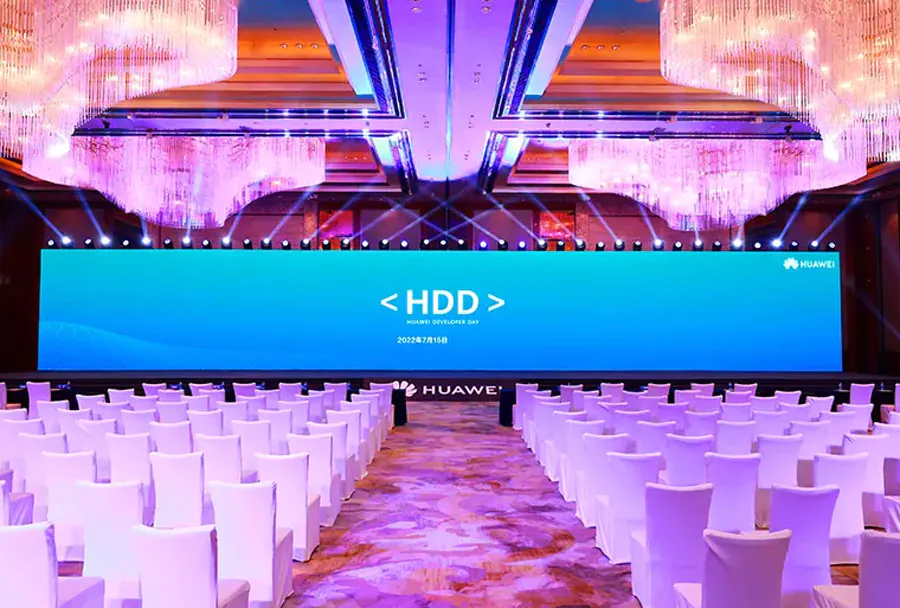
Brightness, IP rating, and refresh rate
Brightness should match the worst expected ambient light, not an average parking-lot condition. Check whether the rated brightness is sustained or peak, and ask for a derating curve in high heat. Refresh rate matters when content will be filmed: 3,840 Hz is widely used to reduce visible flicker on camera, but lower-cost panels often fall below that.
| Specification | Why it matters on mobile LED | What to check |
|---|---|---|
| Pixel pitch | Balances detail and viewing distance | Confirm minimum viewing distance in meters |
| Brightness | Fights sunlight and reflections | Ask for sustained nits, not peak |
| IP rating | Protects against rain and dust | Choose IP65 front / IP54 rear minimum |
| Refresh rate | Prevents flicker on camera | Verify 3,840 Hz or higher |
| Input latency | Keeps live video tight | Test the full processing path on-site |
| Cabinet material | Affects weight and vehicle load | Compare die-cast vs carbon fiber |
A specification sheet alone does not guarantee road performance. These specs form the core of any Mobile LED Display Solutions: Applications, Specs & Design Strategies checklist, but they should be verified in person because rental inventory often moves through multiple repairs and module replacements.
How to apply this: Ask the vendor for a photometric report and IP test certificate, then verify both against the exact cabinet model you are renting or buying.
Secret 3: Design the Structure for Wind, Vibration, and Weight
The design half of Mobile LED Display Solutions: Applications, Specs & Design Strategies is easy to underestimate because cabinet weight and wind load affect fuel, licensing, and safety. Some highway safety agencies require wind load documentation for vehicle-mounted billboards before issuing permits, and requirements vary by state, vehicle class, and panel surface area.
A structurally unstable screen is not just a visual problem; it can create a road hazard.
Wind load and frame design
A common scenario is a trailer wall that looks stable in a parking lot but twists on the highway because the steel frame lacks diagonal bracing. Mobile structures should be designed for crosswind, vibration, emergency braking, and repeated setup cycles.
Use sealed welds on steel frames, vibration-rated fasteners, and service access points that do not require removing the entire cabinet stack.
– Keep total weight within the vehicle’s payload and towing limits.
– Add diagonal bracing to prevent racking and twisting.
– Use quick-lock cabinet alignment that survives road vibration.
– Route cables away from pinch points and moving structural parts.
– Specify lifting points for crane or forklift handling.
Road-safe design should be part of every Mobile LED Display Solutions: Applications, Specs & Design Strategies plan, not an afterthought once the graphics are approved. One useful step is to calculate wind load at the maximum travel speed plus a safety margin, then compare that figure with the frame manufacturer’s engineering documents.
How to apply this: Request a structural drawing with wind load calculations for the maximum route speed before delivery.
Secret 4: Use Processing That Keeps Color Consistent
Processing is often the missing layer in Mobile LED Display Solutions: Applications, Specs & Design Strategies, especially on curved or flexed surfaces where differences between modules become obvious after transport. NovaStar processors such as the VX series and MCTRL4K handle scaling, genlock, and multi-cabinet mapping in mobile rigs.
For larger or touring displays, a dedicated processor gives you control over color temperature, output timing, and failover behavior.
As Brompton Technology explains in its Tessera processing documentation, consistent LED performance depends on per-pixel calibration and dynamic color correction across every module—not just at the factory. This matters on mobile LED walls because modules may come from different production batches, different rental repairs, or different service years.
Without processing-side calibration, adjacent panels can show visible brightness and color steps even when the spec sheet looks identical.
For content mapping and live video playback, Resolume is widely used to manage pixel-mapped visuals on irregular mobile LED surfaces. A practical content check for Mobile LED Display Solutions: Applications, Specs & Design Strategies is to test low-latency camera feeds through the entire processing chain before the event.
Set genlock, confirm frame rates, and run a full-white test to spot weak power supplies or bad modules early.
How to apply this: Map every output, set genlock on your processor, and run a 10-minute color loop with all modules connected before departure.
Secret 5: Build a Field Maintenance and Power Plan
The final secret in Mobile LED Display Solutions: Applications, Specs & Design Strategies is planning what happens when a panel fails at 10 p.m. in a parking lot. A common rental house practice is to keep spare modules on hand for mobile deployments, especially when tours cover multiple cities with limited service access.
Exact spare counts vary, but many crews carry enough modules to replace at least one full row plus a few extras.
Power and generator sizing
Mobile LED screens draw different current depending on content brightness, so a white screen consumes more power than a dark logo loop. Common field practice is to leave at least 20% extra generator capacity beyond the nameplate load because LED peak current can spike during high-brightness content and switching transients.
Use balanced three-phase distribution where available, and separate the processor and media server circuits from the LED power runs.
– Carry spare modules, receiving cards, and power supplies.
– Label every cable and backup circuit before load-in.
– Test the generator at 100% white for 30 minutes before the event.
– Keep a multimeter and thermal camera in the toolkit.
– Document software settings offline in case a processor fails.
A field-ready checklist for Mobile LED Display Solutions: Applications、Specs & Design Strategies should cover spare parts, lifting gear, rain covers, and a generator load test. Without that plan, a small failure can shut down the entire display during the exact moment an activation needs to perform.
How to apply this: Load-test the generator with the screen at 100% white for 30 minutes before the event opens.
Why Choose TW VISION for Mobile LED Display Solutions
TW VISION Manufacturing Control and U.S. Stock
For mobile and portable LED display projects, reliable production and fast product availability can be just as important as screen performance. TW VISION combines in-house manufacturing capabilities with U.S. inventory to provide customers with greater control over product quality, production schedules, and delivery timelines.
In-House Manufacturing from Production to Quality Control
TW VISION operates an 8,000 m² manufacturing facility with 8 independent SMT production lines, enabling us to manage key stages of LED display manufacturing in-house. From component assembly and LED module production to cabinet assembly, aging, quality inspection, and final shipment, our production team can closely monitor the manufacturing process and respond to project-specific requirements.
Our dedicated module aging workshop and approximately 2,000 m² cabinet aging area provide additional quality-control capacity. Before shipment, each cabinet batch undergoes a 24-hour aging test to help identify potential performance issues and ensure stable operation before the products leave the factory.
This level of in-house manufacturing control gives TW VISION greater visibility into production progress and quality at every stage. It also allows us to coordinate customization, production scheduling, inspection, and delivery more efficiently for projects with specific technical or design requirements.
U.S. Stock for Faster Product Availability
In addition to our manufacturing facility, TW VISION maintains a U.S. warehouse with selected LED display inventory, including LED Podium and LED Poster products. This U.S.-based stock provides an additional supply option for customers who need products on a shorter timeline.
For events, exhibitions, retail promotions, brand activations, and other projects with urgent delivery requirements, customers can check available U.S. inventory for faster fulfillment and local pickup. When a customized configuration is required, TW VISION can also coordinate production directly from our manufacturing facility.
By combining in-house manufacturing, dedicated aging and quality testing, U.S. stock, and customization capabilities, TW VISION provides a more coordinated supply solution for professional LED display buyers. Customers can source standard products from available U.S. inventory or work with our manufacturing team to develop a display configuration tailored to their project.
Contact www.cstwvision.com to get more info. about our stock mobile led display.
Frequently Asked Questions About Mobile LED Display Solutions: Applications、Specs & Design Strategies
What pixel pitch works for a moving vehicle?
For a moving vehicle, viewer distance changes constantly, and motion blur reduces perceived resolution. In most vehicle-mounted Mobile LED Display Solutions: Applications, Specs & Design Strategies, a 4.8 mm to 6.9 mm pitch works well for viewing distances of roughly 5 to 15 meters.
An exception is a stationary activation vehicle where viewers stand close to the screen; in that case, a finer indoor pitch may help but only if brightness and weatherproofing remain adequate.
Can mobile LED displays run in heavy rain and extreme heat?
Yes, if the cabinets meet the correct outdoor rating and the thermal design accounts for heat. For Mobile LED Display Solutions: Applications, Specs & Design Strategies, choose IP65 front and IP54 rear enclosures for rain and road spray. In extreme heat, many LED panels derate maximum brightness to protect components, so check the manufacturer’s derating curve.
A screen that works at 20°C may lose significant output at 45°C unless the thermal design includes active cooling or reduced load.
How do I power a mobile LED screen without a generator?
You can use a trailer-mounted battery bank with an inverter, but runtime depends heavily on screen size, brightness, and content. For small Mobile LED Display Solutions: Applications、Specs & Design Strategies, silent battery systems may run a few hours at reduced brightness. Larger screens typically need a generator because LED walls draw high current during white content.
If site noise limits apply, look for inverter generators with sound-dampened enclosures and verify surge capacity against the processor and screen combined.
What is the difference between a mobile LED display and a fixed outdoor billboard?
A fixed outdoor billboard is usually installed once, often with heavier structural support, dedicated utility power, and limited daily handling. Mobile LED Display Solutions: Applications、Specs & Design Strategies add vibration, wind load, quick setup, generator power, and repeated transport.
Maintenance planning also changes because a mobile screen may need field-serviceable modules and spare parts stored on the vehicle, while a fixed billboard can rely on scheduled site visits and permanent power distribution.
How do I reduce flicker when filming a mobile LED wall?
Use a high refresh rate, genlocked processing, and a camera shutter matched to the display scan rate. In most Mobile LED Display Solutions: Applications, Specs & Design Strategies, a refresh rate of 3,840 Hz or higher reduces visible flicker on camera. Genlock the processor to the camera and media server so frame timing stays aligned.
If the screen still flickers at certain shutter speeds, adjust the shutter angle or test a different processor output mode before relying on the wall as a camera background.
Conclusion
– Mobile LED success depends on matching pixel pitch, brightness, and cabinet design to the actual route and viewer distance.
– Outdoor road conditions demand IP65 front protection, wind load planning, and vibration-rated frames.
– Processing tools from NovaStar, Brompton Technology, and Resolume help keep color, timing, and content consistent during transport.
– A field plan for power, spare modules, and generator testing prevents small failures from turning into event-day downtime.
Mobile LED Display Solutions: Applications, Specs & Design Strategies work best when you treat the screen as a complete system rather than a panel purchase. Before your next deployment, download or request the specification sheet, structural drawing, and photometric report for the exact cabinet model.
Then run a full-white power test, map every output, and verify camera refresh behavior before the first attendee arrives.
Related Articles
- Commercial LED Display: 10 Best for Modern Business Growth
- mobile led screen rental: 5 Best for Events and Promotions
- led screen rental tampa: 9 Best for Events and Promotions
