

Small Pixel Pitch LED Display: Resolution,Viewing Distance & Buying Guide

Small Pixel Pitch LED Display: Resolution&Viewing Distance & Buying Guide starts with a simple truth: pixel pitch alone does not tell you what your audience will see. A 0.9 mm pitch panel contains roughly 1.23 million pixels per square meter; a 2.5 mm panel contains about 160,000—so the fine-pitch panel has more than seven times the pixel density.
Table of Contents
- Secret 1: Start With Viewing Distance, Not Pixel Pitch
- Secret 2: Calculate Resolution Before You Compare Panels
- Secret 3: Match Pitch to Room and Content
- Secret 4: Check Processing, Refresh Rate, and Service Access
- Secret 5: Compare Total Cost of Ownership, Not Just Panel Price
- What changes when you move from SMD to COB in a small pixel pitch LED display?
- Is a smaller pixel pitch always brighter?
- Can you use an indoor small pixel pitch LED wall behind glass in a window?
- How often do fine-pitch LED modules need calibration?
- Why do two P1.2 LED wall quotes differ so much?
- Conclusion
Buyers often pay extra for a pitch they do not need, or choose a coarse pitch that becomes pixelated at close range. This guide breaks down resolution math, viewing distance rules, and buying checks into five practical secrets.
Secret 1: Start With Viewing Distance, Not Pixel Pitch
A Small Pixel Pitch LED Display: Resolution&Viewing Distance & Buying Guide decision should begin with the distance between the viewer and the wall. If viewers stand 10 feet away, a P2.0 panel can look as sharp as a P1.2 panel from 5 feet because the eye cannot resolve the larger pixels at that range.
AVIXA, the Audiovisual and Integrated Experience Association, describes pixel pitch as the center-to-center distance between adjacent LED pixels, measured in millimeters. The closer your audience stands, the smaller the pitch you need to keep individual pixels invisible.
Use the common 1.5× pitch guideline: minimum comfortable viewing distance in feet is roughly pixel pitch in millimeters × 1.5 × 3.28. For P1.5, that is about 7.4 feet; for P2.5, about 12.3 feet.
Measure the room before comparing quotes. Note the nearest viewer, the primary viewer, and the farthest viewer.
How to apply this: draw a simple floor plan with viewing distances, then use that plan to eliminate any pixel pitch too coarse for the nearest viewer.
Secret 2: Calculate Resolution Before You Compare Panels
Pixel density, not marketing labels, tells you how much detail a Small Pixel Pitch LED Display: Resolution&Viewing Distance & Buying Guide can show. Calculate it as (1000 ÷ pixel pitch in millimeters)².
For P1.2, that formula gives about 694,000 pixels per square meter. For P2.5, it gives about 160,000 pixels per square meter. A P0.9 panel jumps to roughly 1.23 million pixels per square meter. This is the first calculation in any Small Pixel Pitch LED Display: Resolution&Viewing Distance & Buying Guide comparison.
Total physical resolution matters more than density alone. A 16:9 wall with 1920×1080 physical pixels can display Full HD sources natively without scaling. If the cabinet grid produces fewer pixels, the processor must downscale, and fine text can soften.
Use Planar’s LED video wall calculator to test different pitch and cabinet combinations before you request quotes. It shows estimated resolution, dimensions, and weight.
| Pixel pitch | Pixels per m² | Typical comfortable minimum | Best fit | What to check |
|---|---|---|---|---|
| P0.9 | ~1,234,000 | ~4.5 ft | Command centers | COB or SMD |
| P1.2 | ~694,000 | ~6 ft | Boardrooms | Pixel failure rate |
| P1.5 | ~444,000 | ~7.5 ft | Lobbies | Color uniformity |
| P2.0 | ~250,000 | ~10 ft | Retail | Brightness vs ambient |
| P2.5 | ~160,000 | ~12 ft | Events | Refresh rate |
| P3.9 | ~65,000 | ~19 ft | Outdoor rental | IP rating |
How to apply this: write down the pixel dimensions of your primary content, then work backward to find the pitch and wall size that gives at least that many physical pixels.
Secret 3: Match Pitch to Room and Content
Brightness, ambient light, and content type change how you should read a Small Pixel Pitch LED Display: Resolution&Viewing Distance & Buying Guide. A 4K wall in a dark boardroom can often use P1.5 or P1.8 and still look sharp, while a retail window in sunlight needs higher brightness and possibly a finer pitch if viewed up close.
Text-heavy content is less forgiving than video. Fine lines and small fonts reveal pixelation sooner, so corporate lobbies with dashboards or wayfinding may need finer pitch than a bar showing full-motion video. This is why a Small Pixel Pitch LED Display: Resolution&Viewing Distance & Buying Guide should treat content as a specification.
Many manufacturers rate indoor fine-pitch panels at 600 to 1,000 nits, while window-facing or outdoor-visible displays often exceed 2,500 nits. Check brightness in the exact operating mode you plan to use, because power and heat rise with brightness.
Consider a lobby with an 8-foot primary viewing distance and mostly presentation slides. P1.5 usually provides enough pixel density; P0.9 would raise cost while delivering little visible improvement at that distance.
How to apply this: list your three most common content types and the brightest ambient light scenario, then use that list to set minimum brightness and maximum acceptable pitch.
Secret 4: Check Processing, Refresh Rate, and Service Access
A Small Pixel Pitch LED Display: Resolution&Viewing Distance & Buying Guide is not complete until you check the system behind the panel. Processing quality, refresh rate, and module access often determine whether the wall looks clean over time.
For camera-filled rooms, many professional LED displays list refresh rates from 1,920 Hz to 3,840 Hz to reduce scan-line flicker. Fixed-install displays may use lower rates in simple meeting rooms, but broadcast and live-event spaces usually need the higher end.
Check front versus rear service access. A recessed lobby wall with no rear clearance needs front-service cabinets or modules. Rear-service walls can cost less, but only when installers can reach the back.
Manufacturers such as TW VISION publish cabinet drawings and service guides for their fine-pitch series. Ask for those documents before you buy, not after installation.
How to apply this: request a spec sheet showing refresh rate, processor latency, and service access, then compare those values across at least two vendors.
Secret 5: Compare Total Cost of Ownership, Not Just Panel Price
The final secret in a Small Pixel Pitch LED Display: Resolution&Viewing Distance & Buying Guide is to compare total cost over the wall’s life. Panel price is only one line item; processing, rigging, power, cooling, commissioning, and spare modules can change the final price sharply.
Many integrators recommend keeping a small percentage of spare modules on site, often around 2 to 5 percent, because fine-pitch panels are harder to repair in the field. Waiting weeks for a replacement module can leave a lobby or studio wall with a visible dead section.
Power and cooling also scale with pixel density. A P1.0 wall can draw more power per square meter than a P2.5 wall in the same series unless the panel uses efficient driver ICs or common cathode design. Ask for a thermal load estimate so the room HVAC can handle it.
This is why every Small Pixel Pitch LED Display: Resolution&Viewing Distance & Buying Guide quote should separate panels, processor, mounting, power, commissioning, and spare modules. A low panel price can hide a missing processor or insufficient spare inventory.
How to apply this: request a line-item quote from each integrator and red-flag any bid that does not list spares, calibration, or commissioning.
How TW VISION Builds Small Pixel Pitch LED Displays
TW VISION is an integrated LED display manufacturer specializing in the design, development, and production of rental LED displays, fixed installation LED screens, flexible LED displays, and customized visual solutions.
With an 8,000㎡ manufacturing facility, 8 independent SMT production lines, automated assembly equipment, and strict pre-shipment testing procedures, TW VISION delivers reliable LED display solutions for global markets.
If you interested in how we build our small pixel pitch LED displays, click our website and check production details.
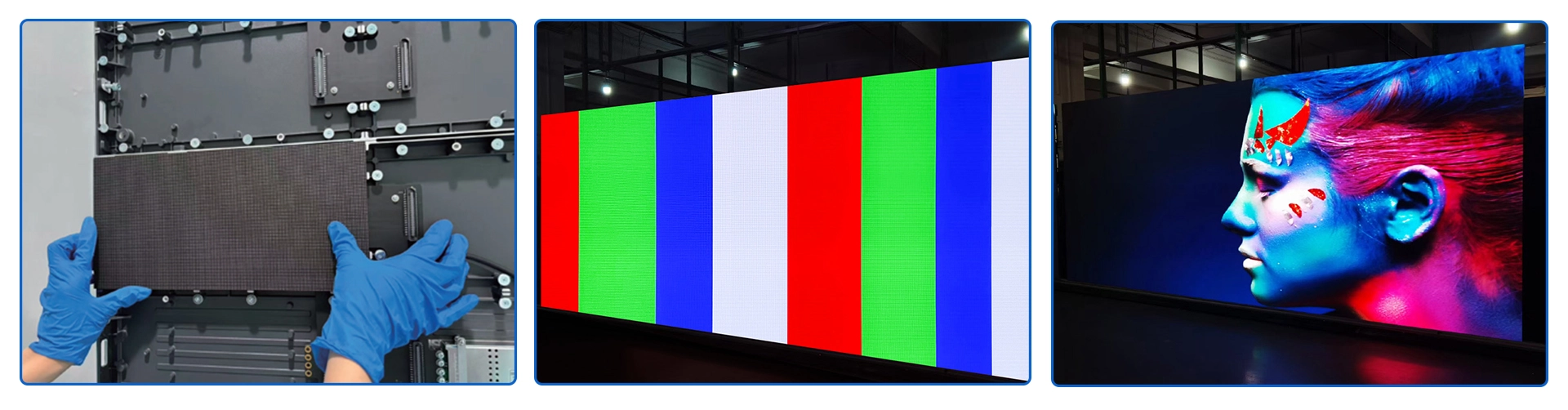
Followed is a P0.9 aging in our factory.
Frequently Asked Questions About Small Pixel Pitch LED Display: Resolution&Viewing Distance & Buying Guide
What changes when you move from SMD to COB in a small pixel pitch LED display?
COB packages the LED chip directly to the board, which can improve impact resistance and reduce dead pixel risk. This matters in a Small Pixel Pitch LED Display: Resolution&Viewing Distance & Buying Guide when panels are installed within arm’s length. A museum with P0.9 panels behind low glass may prefer COB because accidental contact is more likely.
SMD remains common and often costs less.
Is a smaller pixel pitch always brighter?
Not always. Pixel pitch and brightness are separate specifications. A Small Pixel Pitch LED Display: Resolution&Viewing Distance & Buying Guide should compare nits, not pitch alone. Some ultra-fine panels use smaller diodes and finer masks, which can reduce light output versus a P1.5 or P2.0 panel in the same series.
Check rated brightness in the exact operating mode you plan to use.
Can you use an indoor small pixel pitch LED wall behind glass in a window?
Yes, but heat and reflected light are common problems. In a Small Pixel Pitch LED Display: Resolution&Viewing Distance & Buying Guide, a window display needs anti-glare treatment, adequate ventilation, and usually higher brightness than a standard indoor wall. If the glass has heavy tint, request a physical sun-load test so the panel does not overheat or become unreadable.
How often do fine-pitch LED modules need calibration?
It depends on usage and brand, but many manufacturers recommend annual or biannual calibration. A Small Pixel Pitch LED Display: Resolution&Viewing Distance & Buying Guide should ask whether the vendor provides calibration service and what the warranty covers. Walls that run continuously or change content often may show color drift sooner than part-time corporate displays.
Why do two P1.2 LED wall quotes differ so much?
Panel price is only one part. A Small Pixel Pitch LED Display: Resolution&Viewing Distance & Buying Guide can vary by cabinet engineering, processor brand, spare modules, warranty, and commissioning labor. One quote may include a professional video processor and on-site color calibration; another may only cover panels. Request matching line items and service response times before comparing final totals.
Conclusion
Before you sign a purchase order, turn the five secrets into a one-page checklist.
– Start with the room: measure viewer distance and ambient light before choosing pitch.
– Do the math: pixels per square meter = (1000 ÷ pitch in mm)², then compare total physical resolution.
– Check the full system: processor, refresh rate, service access, and spare parts affect long-term experience.
– Read quotes line by line: panel price does not equal total cost.
Your next step is to create a one-page spec sheet with viewing distance, required resolution, brightness, and service access. Use it to request comparable quotes from at least three LED display integrators, and keep this Small Pixel Pitch LED Display: Resolution&Viewing Distance & Buying Guide as a checklist before signing.
