How to Prepare for LED Display Installation Before the Cabinets Arrive

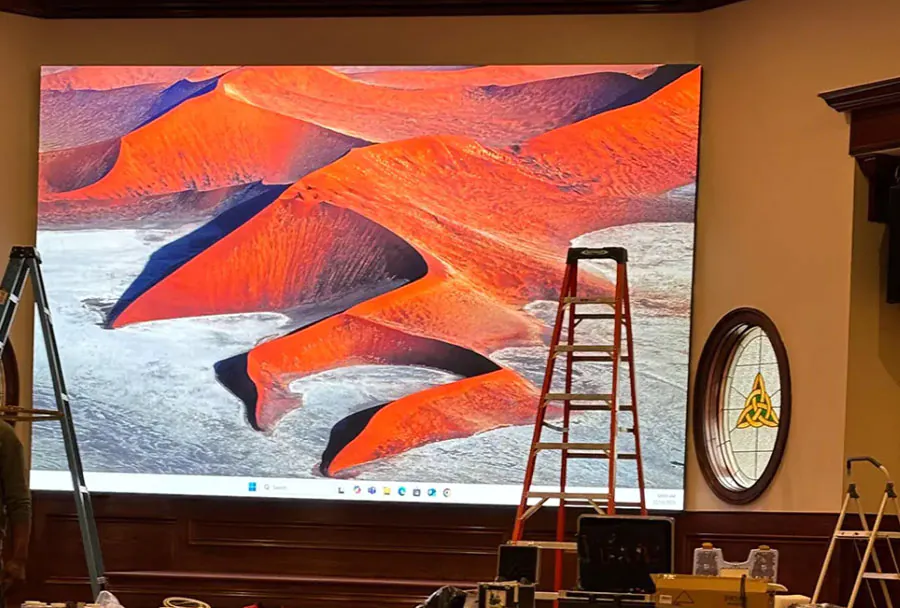
Preparing for LED Display Installation Before the Cabinets Arrive starts with treating delivery day as an installation milestone, with the supporting work already complete.
Table of Contents
- 1. Freeze the Display Design and Installation Documents
- Establish a controlled drawing set
- 2. Verify the Supporting Structure and Service Access
- Check more than the wall surface
- 3. Complete Electrical Design and Safe Isolation
- Confirm the complete electrical arrangement
- 4. Prepare and Test the Signal Infrastructure
- Separate cable testing from system testing
- 5. Make the Room and Delivery Route Ready
- Verify cooling and environmental protection
- 6. Agree on Receiving, Commissioning, and Acceptance
- Define measurable acceptance criteria
- What should you do if the building is ready but the cabinets are delayed?
- Can you substitute another cabinet model after the mounting frame is installed?
- Who should arrange permits when the display is part of a leased property?
- How should you prepare for a display used on camera?
- What changes when delivery takes place in an occupied public venue?
- Turn Site Readiness Into a Documented Handover
A detail that can change the entire plan: an enclosure’s ingress protection rating does not establish its structural capacity, electrical safety, or suitability for every outdoor location; the International Electrotechnical Commission’s explanation of IP ratings describes protection against solids and water.
Your biggest preparation problem is coordinating decisions that depend on one another. Cabinet selection affects mounting geometry, mounting geometry affects access, and access affects cable routes, service clearances, and the installation sequence.
The work below turns those dependencies into a practical readiness process. You will identify the documents to freeze, checks to assign, infrastructure to finish, and evidence to collect before shipment. The goal is a site where installers can receive, mount, connect, and commission the display without discovering unresolved building work.
1. Freeze the Display Design and Installation Documents
Prepare the site from the approved drawings for the exact cabinet model and configuration you purchased.
A sales rendering cannot establish fixing locations, electrical connections, or maintenance clearances. Request the manufacturer’s installation manual, cabinet drawings, assembled dimensions, weight data, service requirements, and power and signal diagrams.
Establish a controlled drawing set
Use Autodesk AutoCAD, a drafting application, to coordinate the display elevation with the supporting structure, cable routes, and surrounding finishes. Autodesk documents its use for creating and editing precise drawings; the approved project files should establish which dimensions contractors must follow.
Your controlled package should identify:
– Cabinet model, orientation, and arrangement.
– Finished display dimensions and installation datum.
– Mounting interface and approved attachment details.
– Power entry, data entry, and equipment locations.
– Required installation and service clearances.
– Drawing revision and approval status.
For a recessed display, confirm whether the opening dimensions describe the visible image, cabinet assembly, or required installation envelope. Confusing those dimensions can leave no room to fit or service the wall.
Treat “How to Prepare for LED Display Installation Before the Cabinets Arrive” as a document-control task first: every trade needs the same approved information.
How to apply this: Issue a dated drawing register and ask each responsible contractor to confirm the revision they will build from.
2. Verify the Supporting Structure and Service Access
Have a qualified structural professional verify the complete load path and confirm that the installed mounting system matches the approved design.
The assessment needs the actual cabinet weight, supporting frame, attached equipment, and applicable project loads. Outdoor installations also require consideration of environmental loads under the governing local requirements.
Check more than the wall surface
A finished wall can conceal an unsuitable substrate or an attachment location that conflicts with building services. Verify the supporting material, anchor specification, fixing positions, and any required reinforcement before finishes prevent inspection.
Access requirements depend on the product. Planar’s LED video wall range includes front-serviceable products, demonstrating why service access must come from the selected system’s documentation rather than a general assumption about LED cabinets.
| Area | Evidence to obtain | Action to take |
|---|---|---|
| Structure | Approved load assessment | Resolve missing reinforcement |
| Mounting | Approved fixing details | Inspect installed attachments |
| Alignment | Manufacturer’s tolerances | Survey the completed frame |
| Service access | Product clearance drawings | Check the full access envelope |
| Delivery route | Packed dimensions | Walk the unloading route |
| Work area | Installation access plan | Reserve suitable equipment |
How to Prepare for LED Display Installation Before the Cabinets Arrive also means checking that technicians can remove the intended service components after surrounding finishes are complete.
How to apply this: Arrange a documented inspection of the frame, substrate, fixings, alignment, and maintenance access before authorizing cabinet mounting.
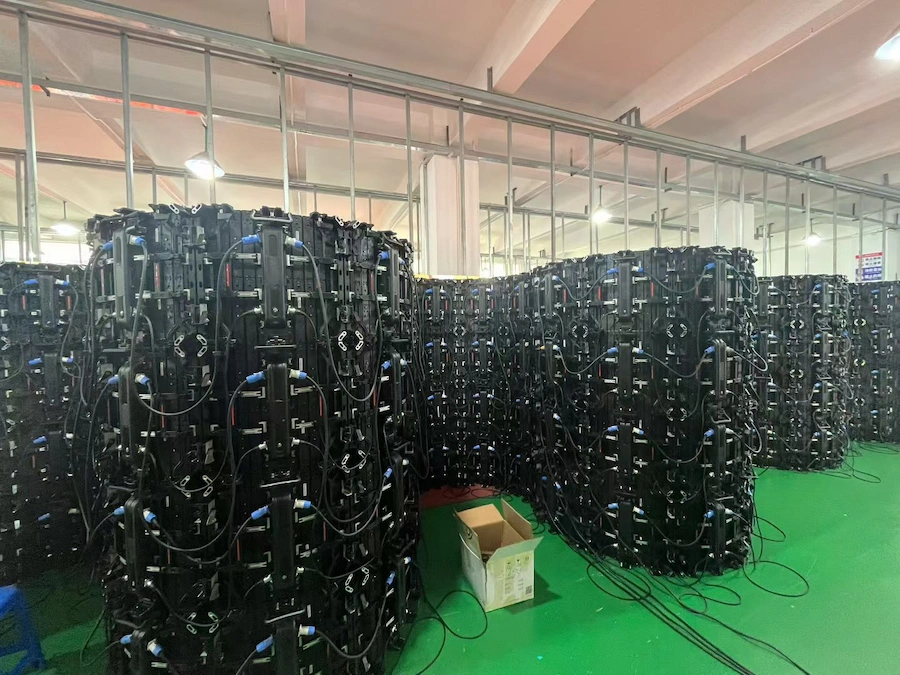
3. Complete Electrical Design and Safe Isolation
Have the electrical contractor complete and verify the supply system against the selected display’s electrical requirements and local rules.
Use the manufacturer’s documented maximum input demand and startup characteristics for circuit planning. A typical operating figure used to estimate energy consumption does not, by itself, establish suitable circuit capacity.
Confirm the complete electrical arrangement
The electrical design should address supply voltage, circuit allocation, protective devices, earthing or grounding, isolation, and the permitted connection method. Ask how cabinet groups are assigned to circuits and how each circuit will be identified at the display and distribution equipment.
As an attributed safety requirement, OSHA’s construction standard 1926.416 requires employers to protect workers from contact with electric power circuits through deenergizing and grounding or effective guarding. This is a U.S. construction requirement; the electrician must also follow the rules applicable to your location and work.
How to Prepare for LED Display Installation Before the Cabinets Arrive requires a clear distinction between infrastructure being available and infrastructure being safe to energize.
Record inspection results, circuit labels, isolation locations, and any outstanding electrical work. Keep temporary construction supplies from becoming an undocumented permanent connection.
How to apply this: Request the electrician’s completed verification records and a labeled circuit schedule, then agree who authorizes initial energization.
4. Prepare and Test the Signal Infrastructure
Install and test the complete signal route before the cabinets occupy the working area.
Start with the processor manufacturer’s approved topology. Confirm cable types, connector requirements, supported distances, port assignments, cabinet mapping, and any specified redundancy.
Separate cable testing from system testing
The Fluke Networks DSX CableAnalyzer Series certifies installed copper cabling against selected cabling standards. That establishes useful evidence about the cable installation, but it does not prove that a proprietary LED receiving-card link will work with every cable, connector, or transmission distance.
A connector that resembles an ordinary network connection does not establish compatibility with office switches. Follow the LED controller documentation before connecting any display signal port to network infrastructure.
For a processor located away from the screen, verify the entire approved path, including patch leads, intermediate connections, and any optical conversion equipment.
How to Prepare for LED Display Installation Before the Cabinets Arrive includes preparing a port map that installers can follow without interpreting loose cables.
Label both ends, preserve required bend radii, and leave only the service loops specified for the installation. Where supported redundancy is required, document its routing and planned failure test.
How to apply this: Collect cable test reports, label every installed run, and compare the completed routes with the processor’s approved connection diagram.
5. Make the Room and Delivery Route Ready
Finish disruptive building work and establish suitable environmental conditions before opening cabinet packaging.
Check the manufacturer’s operating and storage limits separately. A space suitable for storing sealed crates may still be unsuitable for unpacking electronics or operating the completed display.
Verify cooling and environmental protection
Ask the mechanical designer to use the selected system’s documented heat-output information and the intended operating conditions. Include processors and other equipment installed in the same room or enclosure.
The IEC’s IP rating guidance explains enclosure protection against access, solid objects, and water. An IP designation does not independently specify cooling needs, corrosion resistance, allowable ambient temperature, or the protection provided by the completed building installation.
An outdoor cabinet installed in a recess, for instance, may still need project-specific drainage and ventilation details approved by the responsible designers.
How to Prepare for LED Display Installation Before the Cabinets Arrive also covers the route between the truck and the mounting position.
Check packed dimensions, handling instructions, floor capacity, door openings, turning space, lift capacity where relevant, and secure staging. Schedule cleaning after dust-producing work and before unpacking.
How to apply this: Walk the delivery route with the logistics lead, then document environmental readiness, storage arrangements, and the remaining site restrictions.
6. Agree on Receiving, Commissioning, and Acceptance
Define how the delivery will be inspected and how the installed display will be accepted before shipment.
The receiving plan should identify who counts packages, checks visible damage, photographs condition, records identifiers, and follows the supplier’s discrepancy procedure. Obtain the supplier’s reporting deadlines directly from the order documents.
How to Prepare for LED Display Installation Before the Cabinets Arrive should produce a written acceptance checklist with named owners.
Define measurable acceptance criteria
AVIXA’s standards resources include audiovisual system performance verification guidance. Use an agreed verification process to convert broad expectations into checks appropriate to the purchased display.
Include the correct image mapping, stable playback, input switching, agreed image settings, service access, and any purchased redundancy functions. Confirm manufacturer limits before defining pixel-defect or uniformity acceptance criteria.
For an installation with multiple source devices, test each contracted source through its intended signal path. Successful playback from an installer’s laptop does not establish that every operational source works.
Closeout documents should include the final connection drawings, configuration backups, warranty information, maintenance instructions, and training records. Record unresolved defects with an owner and an agreed resolution date.
How to Prepare for LED Display Installation Before the Cabinets Arrive ends with deciding what evidence permits handover.
How to apply this: Circulate the receiving and acceptance checklists now, and obtain agreement from the owner, installer, and supplier before delivery.
Frequently Asked Questions About How to Prepare for LED Display Installation Before the Cabinets Arrive
Preparation for unusual installation conditions depends on resolving the relevant commercial, technical, or access issue before it affects delivery.
What should you do if the building is ready but the cabinets are delayed?
Keep the site under a documented preservation plan and reassess conditions before delivery. Temporary storage, unfinished penetrations, and exposed connectors may need attention while the schedule moves. For a phased construction project, ask the installer whether protective covers or another inspection are necessary.
How to Prepare for LED Display Installation Before the Cabinets Arrive includes maintaining readiness through delays; record who checks the site and what triggers another inspection.
Can you substitute another cabinet model after the mounting frame is installed?
Only proceed after the manufacturer and responsible designers approve the substitution. Similar external dimensions do not establish identical fixing positions, weight, service access, electrical demand, or processor compatibility. If your supplier proposes an available replacement, request a written comparison against the approved design.
How to Prepare for LED Display Installation Before the Cabinets Arrive includes controlling product changes; hold installation until revised documents and any required modifications are approved.
Who should arrange permits when the display is part of a leased property?
Assign permit and landlord-approval responsibilities in writing before the affected work starts. The responsible party depends on the lease, contract, jurisdiction, and scope of alterations. An exterior display may involve signage approval as well as building or electrical requirements.
How to Prepare for LED Display Installation Before the Cabinets Arrive includes checking these interfaces; ask the property manager and local authority which approvals apply and who must obtain them.
How should you prepare for a display used on camera?
Specify the camera use and arrange a compatibility demonstration with the proposed display and processing settings. Visible banding or other artifacts can depend on camera settings, display behavior, and the production workflow. A conference room occasionally recorded on a phone has different requirements from a broadcast set.
How to Prepare for LED Display Installation Before the Cabinets Arrive should capture that use case; agree on a representative camera test before acceptance.
What changes when delivery takes place in an occupied public venue?
Coordinate delivery with the venue’s operating team and establish controlled work areas that preserve required access and emergency routes. Noise restrictions, public opening hours, security screening, and loading reservations can affect the installation window. A retail location may require work outside trading hours.
How to Prepare for LED Display Installation Before the Cabinets Arrive includes operational coordination; obtain the venue’s written access conditions and incorporate them into the installation schedule.
Turn Site Readiness Into a Documented Handover
A site is ready when the people responsible can show that the required preparation is complete. How to Prepare for LED Display Installation Before the Cabinets Arrive comes down to resolving dependencies while contractors still have access to the structure, wiring, and surrounding finishes.
Carry these priorities into your final readiness review:
– Freeze the approved design and confirm that every trade is using the current drawings.
– Verify the physical installation, including structural support, electrical supply, signal routes, cooling, and access.
– Prepare the delivery process with a clear route, suitable storage, and assigned receiving responsibilities.
– Agree on acceptance evidence so commissioning and handover follow a shared checklist.
Schedule a readiness walk-through with the installer, electrical contractor, structural representative, and site manager. Close each unresolved item—or document its approved resolution—before confirming that the site can receive the cabinets.