LED Displays for Live Events: What Camera Tests Should Buyers Request

LED Displays for Live Events: What Camera Tests Should Buyers Request? is a procurement question that must be answered with footage, not a showroom demonstration. A display can look clean to the eye yet produce dark bands, color shifts, scan lines, or moiré when recorded because cameras sample light differently from human vision.
Table of Contents
- 1. Test Refresh Rate and Flicker Across Camera Settings
- Build a frame-rate matrix
- Review footage instead of the monitor
- 2. Verify Genlock, Scan Direction, and Processor Timing
- Test the complete signal path
- Look for moving scan artifacts
- 3. Measure Exposure, Brightness, and Low-Level Performance
- Establish the camera-safe brightness range
- Inspect low-level reproduction
- 4. Validate Color Accuracy, Bit Depth, and Processing
- Confirm the complete color pipeline
- Check angle and cabinet consistency
- 5. Reproduce Moiré, Content, and Real Shooting Geometry
- Challenge the pixel structure
- Use production content
- How should buyers test a curved or faceted LED wall?
- What should buyers request when cameras use rolling shutters?
- Can a remote camera test replace an in-person evaluation?
- What happens if the exact LED batch is unavailable for testing?
- How should buyers test LED floors or ceilings?
- Conclusion
The issue becomes more complex when a production uses several frame rates, shutter angles, lenses, and camera positions. A single successful test at 25 frames per second does not prove that the screen will work at 23.976, 29.97, 50, or 59.94 fps.
Buyers should request documented tests for refresh behavior, synchronization, exposure, color, moiré, viewing angles, and real content. The test plan should reproduce the intended cameras, signal chain, processor settings, screen dimensions, and shooting distances. That evidence gives producers a repeatable basis for approval and gives suppliers clear acceptance criteria.
1. Test Refresh Rate and Flicker Across Camera Settings
Refresh testing should confirm that the display remains clean at every frame rate and shutter setting planned for production. LED Displays for Live Events: What Camera Tests Should Buyers Request? should therefore begin with recorded slow pans, static gray fields, gradients, and high-speed footage—not just footage of bright promotional content.
Build a frame-rate matrix
Request tests at the production’s actual recording rates. Common delivery and acquisition settings include 23.976, 24, 25, 29.97, 50, and 59.94 fps, but buyers should not assume that passing one rate guarantees the others.
Test several shutter angles or equivalent shutter speeds. At 25 fps, a 180-degree shutter produces an exposure time of 1/50 second; changing to 90 degrees shortens it to 1/100 second. That change can reveal pulse-width modulation or scan behavior hidden by a longer exposure.
Review footage instead of the monitor
Record flat fields at low, medium, and high brightness because processor timing and pulse behavior may change with brightness. Examine footage at normal speed, frame by frame, and on a calibrated production monitor.
ARRI’s Flicker Free Calculator identifies camera-speed and shutter combinations that can avoid flicker at known light frequencies. ARRI also makes clear through this tool that flicker risk depends on the relationship between exposure timing and the light source, not on one specification alone.
Your LED Displays for Live Events: What Camera Tests Should Buyers Request? checklist should record every passing and failing combination.
How to apply this: Give the vendor your complete frame-rate and shutter list, then require downloadable original camera files for every combination.
2. Verify Genlock, Scan Direction, and Processor Timing
Synchronization testing should prove that the cameras, playback system, processors, and LED cabinets share stable timing. For LED Displays for Live Events: What Camera Tests Should Buyers Request?, this is especially important when multiple cameras may see different parts of a large wall during switching or movement.
Test the complete signal path
Use the intended playback server, switcher, distribution hardware, LED processor, receiver cards, and camera synchronization system. A substitute processor or playback source can invalidate the result because it may use different buffering and timing behavior.
SMPTE ST 2059-1 defines signal generation and alignment using Precision Time Protocol, while SMPTE ST 2059-2 defines the related PTP profile for professional broadcast environments. Productions using conventional black burst or tri-level sync should likewise test the actual house reference path rather than relying on an isolated screen demonstration.
Look for moving scan artifacts
Record vertical and horizontal camera pans, whip pans, tilts, zooms, and subjects walking across the wall. Check for rolling bars, image tearing, partial-frame brightness changes, or seams between processor regions.
A common scenario is a wall that looks stable during a locked-off shot but reveals a moving dark band when the camera tilts. That failure should be documented with the processor configuration, sync source, scan direction, firmware version, and camera settings.
Tools such as Brompton Technology’s Tessera processing platform provide controls designed for professional LED workflows, but the chosen configuration still needs an on-camera test. Documenting settings makes the result repeatable.
The answer to LED Displays for Live Events: What Camera Tests Should Buyers Request? must include synchronized testing under show conditions.
How to apply this: Require a filmed pan-and-tilt test with the final signal chain locked to the same reference source planned for the event.
3. Measure Exposure, Brightness, and Low-Level Performance
Exposure tests should establish a usable operating range instead of proving only that the wall can become bright. LED Displays for Live Events: What Camera Tests Should Buyers Request? must cover highlight clipping, shadow detail, dimming behavior, and interaction with foreground lighting.
Establish the camera-safe brightness range
Record the wall at several processor brightness levels while keeping the camera exposure and lighting measurements documented. Include white, middle gray, saturated colors, skin tones, and near-black patches.
Test at the intended ISO, aperture, shutter, gamma or log curve, and white balance. A 180-degree shutter at 24 fps creates an exposure time of approximately 1/48 second, while the same shutter angle at 60 fps creates approximately 1/120 second. The wall may behave differently under those two sampling periods.
Inspect low-level reproduction
Ask the vendor to show ramps from black to dark gray. Look for crushed blacks, abrupt brightness steps, color tinting, unstable pixels, or visible cabinet boundaries as output is reduced.
Consider a speaker lit for correct skin exposure while a bright graphic plays behind them. If the wall must be lowered until its darkest tones collapse, the display may not provide the usable control range the show requires.
Check the waveform monitor and vectorscope as well as the picture. The scopes help distinguish display clipping from camera exposure errors, but they do not replace visual review for flicker and banding.
A useful LED Displays for Live Events: What Camera Tests Should Buyers Request? specification states the approved operating range and the exact settings used to establish it.
How to apply this: Record a stepped brightness test with the foreground subject lit, then define the acceptable processor range in the purchase or rental agreement.
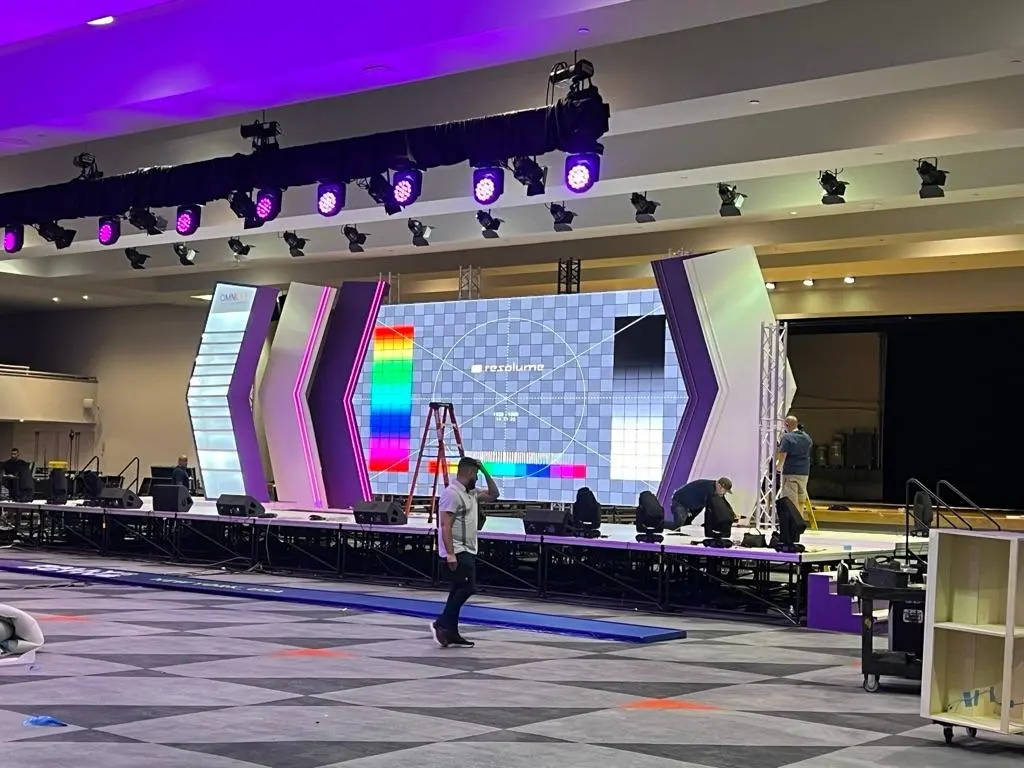
4. Validate Color Accuracy, Bit Depth, and Processing
Color testing should show whether the display reproduces the production color space consistently across brightness levels and viewing angles. LED Displays for Live Events: What Camera Tests Should Buyers Request? should include measured color patches, grayscale ramps, skin tones, and saturated graphics.
Confirm the complete color pipeline
State whether the source, processor, display, and camera monitoring path use Rec.709, a wider-gamut workflow, or a production-specific transform. Avoid sending an HDR or wide-gamut source through an undocumented conversion and judging the result by eye.
The ITU-R BT.709 recommendation defines HDTV picture characteristics, while ITU-R BT.2020 defines parameters for ultra-high-definition television. Naming the standard is more useful than requesting “accurate color” without a reference.
Digital precision also matters. An 8-bit channel has 256 possible code values, while a 10-bit channel has 1,024. Those mathematical limits do not guarantee smooth output, but they explain why bit depth, processing, source quality, and calibration must be evaluated together.
Check angle and cabinet consistency
Record the wall straight on and from the most extreme planned camera positions. Compare white balance, saturation, black level, and brightness across cabinets and replacement modules.
In one case, a center camera may show neutral gray while a side camera records a magenta shift. That result can affect camera matching even when the wall looks acceptable from the audience position.
Use the following compact approval matrix:
| Test | Pattern | What to check | Action |
|---|---|---|---|
| Grayscale | 0–100% ramp | Banding, tint | Adjust calibration |
| White | Full field | Cabinet match | Map outliers |
| Color | Test chart | Hue error | Verify pipeline |
| Skin | Camera chart | Natural tone | Tune transform |
| Side view | Same patterns | Angle shift | Reset camera limit |
Your LED Displays for Live Events: What Camera Tests Should Buyers Request? plan should preserve camera files, scope captures, and processor presets.
How to apply this: Send standardized grayscale and color-chart files through the final playback path, then approve color only from recorded camera output.
5. Reproduce Moiré, Content, and Real Shooting Geometry
The final test should reproduce the real pixel pitch, wall size, camera distance, lenses, focus choices, and movement. LED Displays for Live Events: What Camera Tests Should Buyers Request? cannot be answered reliably with a small sample panel viewed from an arbitrary distance.
Challenge the pixel structure
Moiré occurs when fine display patterns interact with the camera sensor’s sampling grid. The Shannon-Nyquist sampling principle shows why spatial detail near or above half the sampling frequency can create aliases instead of being reproduced accurately.
Test every likely camera position using the intended sensor mode and lenses. Include wide shots, medium shots, close-ups, zoom moves, rack focus, stabilization, and any shallow-depth-of-field setup that will place the LED surface near focus.
Use production content
Play fine text, grids, diagonal lines, repeated textures, saturated graphics, gradients, and rapidly moving imagery. Also include the actual show package because content scale and sharpening can expose artifacts that generic video hides.
Request tests of processor scaling and any camera-oriented controls available in the selected system. Megapixel’s HELIOS is an LED processing platform used to manage display output and synchronization, but its settings should be evaluated with the specified panels and cameras.
For a touring event, test spare modules and cabinets from different batches where possible. A replacement panel that differs in calibration or LED age may be visible on camera even if the primary wall passed.
A complete LED Displays for Live Events: What Camera Tests Should Buyers Request? report should contain the following evidence:
– Original camera clips rather than compressed messaging-app videos
– Camera, lens, distance, frame-rate, and shutter records
– Processor model, firmware, mapping, and brightness settings
– Panel model, pixel pitch, scan configuration, and batch details
– Written pass-and-fail criteria for each camera position
How to apply this: Mark the planned camera positions on a floor plan and shoot the proposed wall from every position before final acceptance.
Frequently Asked Questions About LED Displays for Live Events: What Camera Tests Should Buyers Request?
How should buyers test a curved or faceted LED wall?
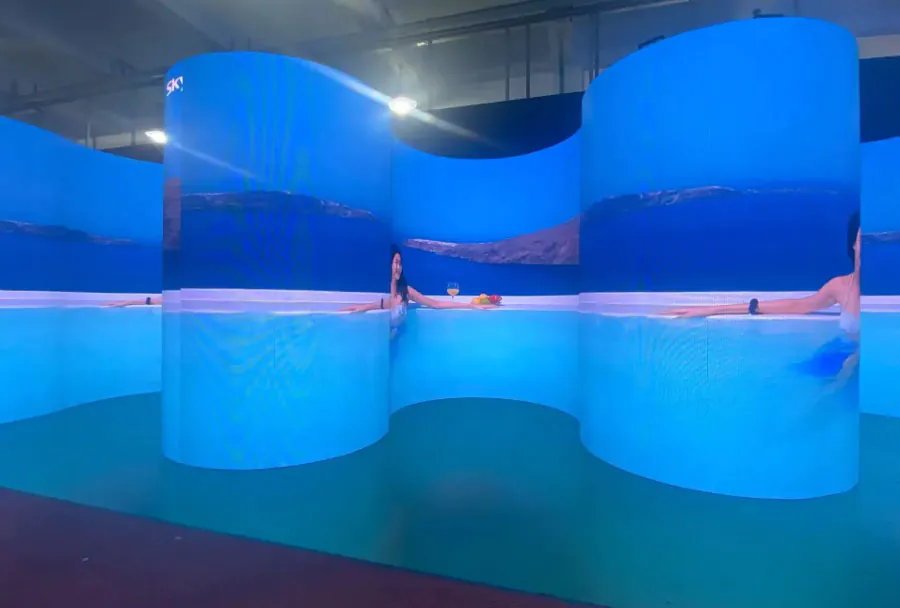
Test each camera across panel joins, corners, and the most severe viewing angle because curved structures can create brightness and color transitions that a flat sample cannot reproduce. With LED Displays for Live Events: What Camera Tests Should Buyers Request?, include tracking shots that cross multiple facets.
A shallow curve may remain uniform, while a tight corner can expose cabinet shading, inconsistent masks, or reflected stage light.
What should buyers request when cameras use rolling shutters?
Request motion and flicker tests with the exact camera model, sensor mode, frame rate, and shutter setting because rolling-shutter readout varies between modes. LED Displays for Live Events: What Camera Tests Should Buyers Request? becomes more demanding when fast pans or flashing content are planned.
A display that passes with a global-shutter camera may still show segmented bands or skew-related artifacts on a rolling-shutter camera.
Can a remote camera test replace an in-person evaluation?
A remote test can support early screening, but it should not replace final testing unless the vendor provides original files and follows a controlled written procedure. For LED Displays for Live Events: What Camera Tests Should Buyers Request?, livestream footage is inadequate because streaming compression can hide fine moiré or introduce unrelated banding.
Remote approval is more credible when you control the test media, camera settings, file format, and shot list.
What happens if the exact LED batch is unavailable for testing?
Test the same panel model and processing chain, then make final approval conditional on a sample from the delivered batch. LED Displays for Live Events: What Camera Tests Should Buyers Request? should address batch substitutions because LEDs, masks, calibration files, and receiver-card configurations can differ.
If delivery timing prevents a full rebuild, inspect representative cabinets and reserve the contractual right to reject visibly mismatched modules during installation.
How should buyers test LED floors or ceilings?
Record them from the actual shooting directions because floors and ceilings are usually viewed far outside the straight-on calibration angle. LED Displays for Live Events: What Camera Tests Should Buyers Request? should include reflections, footwear, scenic surfaces, and overhead fixtures.
A floor may pass as a background but produce moiré in a top-down shot, while a ceiling may create exposure or color problems on faces below it.
Conclusion
LED approval should be based on repeatable camera evidence, documented settings, and the actual production geometry. LED Displays for Live Events: What Camera Tests Should Buyers Request? is best treated as an acceptance plan shared by the buyer, supplier, video team, and camera department.
The core requirements are clear:
– Test every planned frame rate, shutter, and brightness range.
– Synchronize the full playback, processing, display, and camera chain.
– Measure grayscale, color, low-level detail, and off-axis consistency.
– Reproduce the real lenses, distances, content, movement, and panel batch.
Do not accept a visual demonstration or a supplier’s refresh-rate specification as the only proof. Turn LED Displays for Live Events: What Camera Tests Should Buyers Request? into a written test matrix, attach pass-and-fail criteria, and require original footage before approving the display for purchase, rental, or deployment.