Custom Large LED Displays for Special Events: Sizing, Specifications, and Design

Custom Large LED Displays for Special Events: Sizing, Specifications, and Design require more than choosing the biggest screen that fits the budget. A single Brompton Tessera SX40 processor can control a nominal nine million pixels, showing how quickly a large event canvas can become a complex video system rather than a simple display.
Table of Contents
- 1. Size the Display Around People and Space
- Calculate the Physical Canvas
- Check the Audience Geometry
- 2. Match Specifications to the Event Environment
- Evaluate the Core Specifications
- Confirm System-Level Compatibility
- 3. Engineer the Structure, Power, and Safety Plan
- Calculate Loads and Electrical Demand
- Treat Safety as a Design Input
- 4. Design Content for the Native LED Canvas
- Build a Pixel-Accurate Template
- Use Real Planning Tools
- 5. Test Control, Redundancy, and Show Readiness
- Configure and Verify the System
- Rehearse Failure Scenarios
- How should an LED display be handled when the venue has limited access?
- What happens if replacement panels come from another production batch?
- Can a curved LED wall use ordinary flat rental cabinets?
- Why does an LED wall look correct in person but poor on camera?
- When is projection a better option than a custom LED display?
- Conclusion
The challenge is balancing audience sightlines, pixel pitch, brightness, structural loading, power, content resolution, camera performance, and redundancy. A screen that looks sharp on a specification sheet may still produce visible pixels in the front row, washed-out images outdoors, moiré on camera, or excessive electrical demand.
This guide explains five practical decisions that determine whether an event LED installation works reliably. You will learn how to calculate physical dimensions, compare technical specifications, plan safe infrastructure, create content for unusual shapes, and test the complete signal chain before guests arrive.
1. Size the Display Around People and Space
The correct display size is the smallest configuration that gives every intended viewer a clear, readable image. Custom Large LED Displays for Special Events should therefore begin with floor plans, seating positions, stage dimensions, and camera locations—not a preferred panel model.
Calculate the Physical Canvas
Start with the maximum available width and height. Then reduce those dimensions for stage entrances, speaker positions, scenic elements, fire routes, rigging points, and required maintenance access.
LED cabinets come in fixed dimensions. A product using 500 × 500 mm cabinets can create a 6 × 3.5 meter wall with a 12-by-7 cabinet layout, but it cannot produce every arbitrary dimension without custom modules or masking.
Check the Audience Geometry
Record three distances:
– Nearest audience position
– Farthest audience position
– Distance from cameras to the display
Also check horizontal viewing angles. The ROE Visual Meru specifications, for instance, list a 160-degree horizontal viewing angle for its MR1.5 product, but actual readability still depends on content contrast, brightness, and room lighting. (roevisual.com)
Consider an 8 × 4.5 meter wall using 2.6 mm pitch. Its approximate native resolution is 3,077 × 1,731 pixels, or about 5.3 million pixels. That resolution affects processor capacity, media-server outputs, and content production.
The key lesson in Custom Large LED Displays for Special Events: Sizing、Specifications and Design is to calculate both physical size and native pixel dimensions before requesting quotes.
How to apply this: Mark the nearest viewer, farthest viewer, screen boundary, backstage clearance, and camera positions on your venue drawing today.
2. Match Specifications to the Event Environment
The best specification is the one that solves the event’s actual viewing and production requirements. Custom Large LED Displays for Special Events: Sizing、Specifications and Design must compare complete display systems rather than treating pixel pitch as the only measure of quality.
Evaluate the Core Specifications
Pixel pitch is the center-to-center distance between LEDs. A smaller pitch creates greater pixel density, which is generally useful for close viewing, detailed text, and camera shots.
Brightness must match ambient light. TW VISION’s PQ rental series lists indoor brightness at 1,000 nits and outdoor brightness at 5,000 nits, illustrating why indoor and daylight applications need different products. (TW VISION)
Refresh rate becomes especially important when cameras record the screen. Absen’s PL Plus V2X indoor rental series specifies a refresh rate of 7,680 Hz and brightness up to 1,200 nits, while actual camera results will still depend on shutter settings, frame rate, scan behavior, and processor configuration. (absen.com)
| Specification | What it affects | What to check |
|---|---|---|
| Pixel pitch | Close-view detail | Nearest viewer |
| Brightness | Visibility | Ambient light |
| Refresh rate | Camera flicker | Camera test |
| Contrast | Dark-scene detail | Black level |
| IP rating | Weather resistance | Exposure plan |
| Viewing angle | Side visibility | Seat map |
Confirm System-Level Compatibility
Ask whether the quoted values apply before or after calibration. Confirm cabinet resolution, scan ratio, grayscale performance, processing bit depth, frame-rate support, and available signal inputs.
Custom Large LED Displays for Special Events: Sizing、Specifications and Design should also specify whether the event is viewed directly, streamed, recorded, or used as an in-camera background. These use cases may require different priorities.
How to apply this: Build a one-page specification sheet that lists audience distance, lighting conditions, cameras, content frame rate, and required inputs before comparing products.
3. Engineer the Structure, Power, and Safety Plan
A large LED display is a temporary structure with concentrated weight, electrical demand, heat, signal cabling, and public-safety implications. Custom Large LED Displays for Special Events should never separate creative approval from engineering review.
Calculate Loads and Electrical Demand
Obtain the manufacturer’s cabinet weight and both average and maximum power consumption. Include processors, distribution hardware, networking equipment, media servers, cooling, and supporting AV systems in the electrical plan.
One INFiLED DBmk2 configuration lists a 500 × 500 mm cabinet at 8.4 kg, with maximum power consumption of 120 watts and average consumption of 40 watts. An 84-cabinet wall using that configuration would represent roughly 706 kg of panels before adding frames, cables, processors, rigging hardware, and safety factors.
Its listed panel demand would be approximately 10.08 kW maximum and 3.36 kW average. (infiled.com)
Treat Safety as a Design Input
Use a qualified structural engineer or competent rigging provider to approve hanging points, ground-support systems, ballast, wind strategy, and load distribution. Outdoor displays require a documented weather-monitoring and shutdown plan.
The Occupational Safety and Health Administration states, “No branch-circuit conductors shall be laid on the floor.” Local regulations and venue rules may impose additional requirements for temporary event installations. (osha.gov)
Custom Large LED Displays for Special Events must document grounding, cable protection, overcurrent protection, emergency access, equipment certification, and responsibility for final inspection.
How to apply this: Send the cabinet count, total dimensions, equipment weights, maximum power, rigging method, and weather exposure to your qualified technical team before approving the design.
4. Design Content for the Native LED Canvas
Content should be created for the display’s exact pixel map, aspect ratio, sightlines, and physical shape. Custom Large LED Displays for Special Events: Sizing、Specifications and Design fails when standard presentation files are stretched across a nonstandard canvas without a content plan.
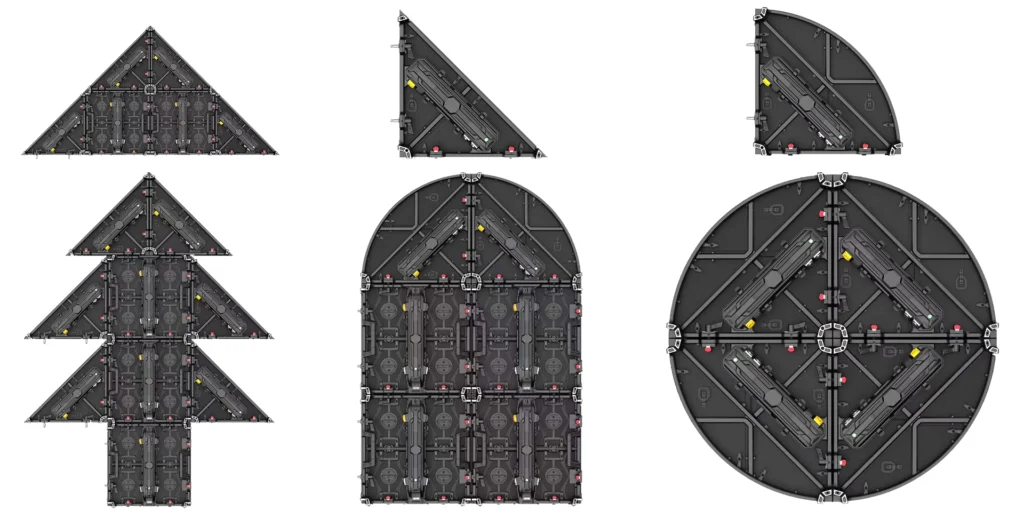
Build a Pixel-Accurate Template
Request the final pixel map from the LED technician. It should show:
– Total canvas resolution
– Cabinet and processor boundaries
– Cropped or masked areas
– Scenic gaps and physical obstructions
– Primary and secondary content zones
– Safe areas for text, logos, and captions
Do not assume a large wall is 16:9. An 8 × 4.5 meter wall has that physical ratio, but cabinet dimensions and pixel pitch determine the true pixel resolution.
The Brompton Tessera SX40 supports 4K canvas resolutions and a nominal nine-million-pixel capacity. However, processor capacity does not automatically make a custom canvas native 4K; the mapping must still match the installed fixtures. (bromptontech.com)
Use Real Planning Tools
Vectorworks Spotlight supports entertainment and event design, including video-screen objects for placing displays within venue drawings. Its documentation describes tools for configuring and placing event screens. (app-help.vectorworks.net)
Brompton Tessera includes an Offline Editor for planning fixture maps and topology before connecting the physical panels. (bromptontech.com)
A common scenario is a panoramic wall with presenters standing in front of its center. Keeping critical text in the outer regions would make the message difficult to follow, even if the technical resolution were correct.
Custom Large LED Displays for Special Events should include a review of real content at expected viewing distances.
How to apply this: Give every content creator a pixel-map template with visible safe zones, cabinet boundaries, frame rate, color-space requirements, and delivery deadlines.
5. Test Control, Redundancy, and Show Readiness
A display is show-ready only after the full workflow has been tested from playback source to individual cabinets. Custom Large LED Displays for Special Events should include commissioning time, spare equipment, backup signals, and a defined recovery procedure.
Configure and Verify the System
NovaLCT is NovaStar’s LED configuration software for setting up screens, receiving cards, performance parameters, and configuration files. Its official documentation identifies controls for refresh rate, grayscale, clock settings, low-grayscale compensation, and ghosting adjustments. (oss.novastar.tech)
Never change these settings during a live event without an approved configuration backup. Save the known-good receiver-card file, processor configuration, media-server project, and content package in at least two accessible locations.
Rehearse Failure Scenarios
Your technical rehearsal should test:
- Primary and backup playback
- Main and redundant signal routes
- Processor failover or replacement
- Loss of one data path
- Blackout and freeze controls
- Power restoration behavior
- Camera shutter and frame-rate combinations
The Brompton Tessera S4 data sheet specifies two frames of end-to-end system latency and supported frame rates from 23.98 to 60 Hz. These details can affect live camera feeds, image magnification, and presenter synchronization. (bromptontech.com)
Custom Large LED Displays for Special Events must also include spare panels, modules, power supplies, data cables, and trained technicians. A backup component has little value if it cannot be installed within the event’s acceptable recovery time.
How to apply this: Schedule a full-resolution technical rehearsal and record the recovery time for every failure mode that could interrupt the show.
Frequently Asked Questions About Custom Large LED Displays for Special Events: Sizing、Specifications and Design
How should an LED display be handled when the venue has limited access?
Measure every loading dock, freight elevator, doorway, corridor, and turning point before confirming the cabinet or frame system. Custom Large LED Displays for Special Events may require smaller preassembled sections when a finished frame cannot pass through venue access routes.
Historic venues and upper-floor ballrooms often need more load-in time because equipment must be moved in smaller pieces and assembled near the stage.
What happens if replacement panels come from another production batch?
Panels from different manufacturing batches may show variations in color, brightness, masks, or LED characteristics even when they share the same model number. Custom Large LED Displays for Special Events should require calibration files and visual matching for cross-rented inventory.
If mixed batches cannot be avoided, place replacement cabinets in less prominent areas and calibrate the completed wall before content rehearsals begin.
Can a curved LED wall use ordinary flat rental cabinets?
Some rental panels support concave or convex configurations through adjustable locking mechanisms, while others are designed only for flat builds. Custom Large LED Displays for Special Events must confirm the manufacturer’s permitted angles, compatible corner modules, and structural limitations.
Never force flat cabinets into an unsupported curve, because misalignment can damage connectors, create visible seams, or transfer unexpected loads through the frame.
Why does an LED wall look correct in person but poor on camera?
Cameras may reveal scan lines, flicker, color shifts, moiré, or rolling bands that viewers cannot see directly. Custom Large LED Displays for Special Events: Sizing、Specifications and Design should include camera tests using the actual shutter speed, frame rate, lenses, distance, and exposure planned for the event.
Fine patterns and tightly spaced clothing can also create moiré, so test representative content and wardrobe during rehearsal.
When is projection a better option than a custom LED display?
Projection may be preferable when structural loading is restricted, silent operation is important, or the event needs a very large image in a controlled dark room. Custom Large LED Displays for Special Events is usually stronger in bright environments, but LED may add weight, power demand, and cost.
Projection also requires clear throw paths, making it less suitable when guests or scenic elements block the projector.
Conclusion
Successful Custom Large LED Displays for Special Events begins with the audience and ends with a tested recovery plan. The most important decisions are connected:
– Size from sightlines: Match physical dimensions to the venue, audience, and camera positions.
– Specify the full system: Evaluate pitch, brightness, refresh behavior, processing, and environmental protection together.
– Engineer the installation: Verify structural loads, maximum electrical demand, cable protection, and weather procedures.
– Test native content: Rehearse the final pixel map, playback sources, cameras, backups, and failure responses.
Do not approve a display based only on width, pixel pitch, or a product brochure. Create a written design brief, request a cabinet-level drawing and power schedule, and require a full technical rehearsal. Your next step is to document the venue dimensions, closest viewing distance, content format, camera workflow, and operating environment before asking vendors for comparable proposals.
Related Articles
- Virtual Production LED Wall Acceptance Testing: What Buyers Should Verify Before Delivery
- Custom LED Display Integration: Who Is Responsible When Components Come from Different Suppliers?
- How to Test Movie Image Quality on a Home Theater LED Screen Before Buying