Mobile LED Screen Rental Toronto Complete Guide for Local Events

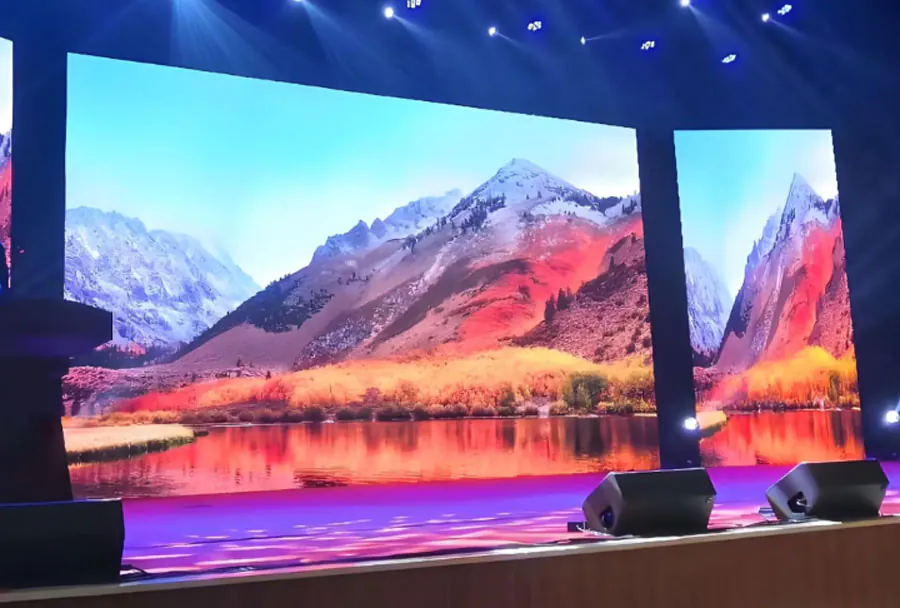
Mobile LED screens have become a go-to medium for event producers in Toronto who want to deliver high-impact visuals to crowds of all sizes. From street festivals on Queen Street to film nights in community parks, a mobile LED screen transforms audience experience — creating clear sight lines, improving visibility for sponsors, enabling live feeds and enhancing safety messaging. This guide provides a professional, practical roadmap for planners, production managers, and volunteers who need to rent and run mobile LED screens for local events in Toronto.
Types of Mobile LED Screens and When to Use Them
Trailer-mounted LED Screens
Trailer-mounted units are commonly used for outdoor festivals, drive-ins and community screenings. They offer quick set-up and integrated power options (generator-ready or with onboard power systems). Pros: fast deployment, mobility, good wind stability. Cons: limited flexibility in screen placement and usually higher rental costs.
Truck-mounted and Container-style Screens
Larger truck- or container-mounted LED systems are ideal for major concerts, large public gatherings or sports-viewing events. They provide a stable platform, high-brightness panels, and substantial on-board power. Pros: robust, large surface area, high brightness for daytime use. Cons: require truck access and larger footprint for set-up.
Trailer with Raise/Lower Hydraulic System
Hydraulic trailers allow screen height adjustments for better sightlines and often include adjustable tilt. They’re useful when audience sightlines are variable or when the screen must be visible above staging or temporary obstructions.
Modular Panel Systems (Truck or Forklift Set-up)
These are traditional LED walls built from modular cabinets. They scale easily in width and height and are commonly used for stages and venues where equipment can be rigged or assembled on-site. Pros: flexible dimensions and higher resolution options. Cons: longer rigging time, require experienced crew.
Key Specifications to Evaluate
Pixel Pitch and Resolution
Pixel pitch (measured in millimeters) determines image sharpness at given viewing distances. For outdoor public events in Toronto:
– P4–P6: good for close-to-medium distances (crowds within 6–20 m).
– P6–P10: common for medium-to-long viewing distances (20 m+).
Choose higher pixel density (smaller pitch) for text readability and close viewing.
Brightness (Nits)
Daylight screens require high brightness to overcome ambient light. Typical recommendations:
– Outdoor daytime: 5,000–7,000 nits (or higher if direct sunlight).
– Evening/night: 1,500–3,000 nits is usually sufficient.
Confirm vendor specifies brightness and adjustable settings to prevent washout or glare.
IP Rating and Weatherproofing
Outdoor mobile LED systems should be IP65 or better for protection against rain and dust. Ask about waterproof connectors, sealed LED cabinets and procedures for severe weather—particularly important for Toronto, where spring and summer can bring sudden showers.
Wind Load and Safety
Mobile screens must meet structural requirements for wind loads. Ask vendors for wind-rating specs (e.g., safe operation up to X km/h) and for ballast/tie-down procedures. For events near Lake Ontario or open spaces with gusts, factor wind limits into site planning.
Local Permits, Regulations and Community Considerations in Toronto
City of Toronto Permits
Most public events require a permit from the City of Toronto. If you plan to place a mobile screen on public property (streets, sidewalks, parks), apply for a Special Event Permit or a Parks permit as required. Permit lead times vary; submit applications well in advance (6–8 weeks recommended for larger events).
Road Closures and Traffic Management
If your screen requires road closure or placement near traffic, coordinate with Toronto Transportation Services and the local police for traffic control. A traffic management plan and certified flaggers may be required.
Noise Bylaws and Vendor Policies
Be aware of noise restrictions and park rules. If you’re using amplification with the screen (speakers or PA), ensure sound levels comply with local bylaws and any permit conditions.
Insurance and Liability
Require vendors to carry commercial general liability insurance—commonly a minimum of CAD 2,000,000 for larger events. Confirm workers’ compensation coverage (WSIB) and obtain certificates of insurance naming the event organizer and City of Toronto as additional insured where required.
Choosing a Vendor: Questions to Ask
– Can you provide reference events in Toronto with similar scale?
– What are the screen specifications (pixel pitch, brightness, IP rating)?
– What is included in the rental (transport, operator, technician, generator)?
– What are set-up, strike, and load-in/out times and costs?
– What power requirements and fuel needs do you have?
– What insurance certificates and safety documentation can you provide?
– What is your contingency plan for technical failure or weather?
Request a site visit or drone photos of the venue to confirm sightlines and access. Compare at least three quotes and check references.
Budget Considerations and Typical Costs (Toronto Market)
Costs vary by size, brightness, and included services. Typical rental elements:
– Base equipment rental (daily): varies widely depending on screen size and type.
– Transport and logistics: mileage, blocking, parking permits.
– Technicians/operator: per hour/day rates.
– Power (generator rental and fuel): per hour/day.
– Insurance or permits (if vendor supports permit applications).
Below is an analysis table comparing common mobile LED options for Toronto events.
| Screen Type | Pixel Pitch (mm) | Recommended Viewing Distance | Brightness (nits) | Estimated Rental Cost (CAD/day) |
|---|---|---|---|---|
| Small Trailer-mounted LED | P6–P8 | 10–50 ft (3–15 m) | 4,000–6,000 | $1,200–$3,000 |
| Large Truck-mounted LED | P6–P10 | 30–200 ft (10–60 m) | 5,000–8,000 | $3,500–$10,000 |
| Modular Outdoor LED Wall | P4–P8 | 20–150 ft (6–45 m) | 5,000–8,000+ | $2,500–$12,000 |
| Drive-in/Community Screening Trailer | P8–P10 | 30–300 ft (10–90 m) | 4,500–7,000 | $1,800–$6,000 |
| Indoor Portable LED (small events) | P2–P4 | 5–30 ft (1.5–9 m) | 800–2,000 | $800–$3,000 |
Note: Prices are indicative ranges for planning purposes and will vary by vendor, event duration, and additional services.
Technical Production: Power, Signal and Content
Power Requirements
Mobile LED systems often rely on generators. Confirm:
– Generator size and runtime: large outdoor walls can require 20–100 kW depending on size.
– Fuel logistics: who supplies and refuels generators? Plan refueling windows that don’t interrupt the event.
– Power redundancy: consider backup generators or UPS for control systems.
Signal and Connectivity
Clarify signal inputs (HDMI, SDI, fiber). For live video feeds, request:
– Video router or switcher capabilities.
– Latency and synchronization methods for multi-screen operations.
– On-site content operator to manage live feeds, transitions and troubleshooting.
Content Preparation and Resolution
Provide content optimized for the screen’s native resolution. For modular walls, ask for the exact pixel dimensions (width × height in pixels) and deliver content with safe-action areas so text and logos aren’t cropped. Use high-bitrate files and test playback during tech rehearsals.
Site Planning and Audience Sightlines
Perform a Site Walk
A physical site check is essential. Evaluate:
– Screen sightlines for the entire audience footprint.
– Sun paths and potential glare times.
– Vehicle access for delivery and parking.
– Surface strength for trailer stabilization and ballast needs.
Placement and Orientation
Position screens to avoid direct sun hitting the panel during prime viewing times. Consider multiple screens or relay screens for large or dispersed crowds. For seated events, ensure a maximum viewing angle to prevent image distortion and comfortable viewing.
Operational Schedule and Staffing
– 6–8 Weeks Before: Book vendor, submit permits, schedule site visit.
– 2–4 Weeks Before: Confirm technical rider, power plan, insurance certificates.
– 3–7 Days Before: Final run-of-show and delivery windows confirmed. Notify neighbors if needed.
– Day Of: Crew load-in, tech setup, system check, content test, rehearsal 2–3 hours before show.
– Post-Event: Strike, load-out, and site clean-up; vendor should provide a strike plan to minimize disturbance.
Staffing needs typically include:
– Lead technician/operator
– Assistant techs for rigging and monitoring
– Production manager for on-site coordination
– Security/traffic control if the screen blocks public pathways or requires cordon
Common Pitfalls and How to Avoid Them
– Underestimating Brightness: A screen that looks fine in the vendor’s warehouse can wash out in direct daylight. Always verify nits and request a daylight demo if possible.
– Ignoring Wind Ratings: Never deploy a screen without confirming wind safety limits. Use ballast and tie-downs and have a plan to lower/reef the screen if winds exceed safe levels.
– Late Permits: Permit delays can cancel an installation. Start permit applications early and keep alternate locations in mind.
– Missing Power Logistics: Running out of fuel mid-event disrupts programming. Contract a vendor who handles refueling and provides redundancy.
– Inadequate Insurance: If your vendor lacks proper coverage, you (the event organizer) can be exposed to claims. Verify certificates early.
Checklist for a Successful Mobile LED Event in Toronto
– Confirm event goals and audience size; choose screen type accordingly.
– Book vendor and sign contract with clear deliverables and cancellation terms.
– Secure City of Toronto permits (street, park or special event).
– Obtain insurance certificates and name required additional insureds.
– Plan and confirm power and generator logistics, including refueling.
– Produce and test content at the native pixel dimensions.
– Schedule an on-site technical rehearsal and arrive early on load-in day.
– Implement safety plan (wind, rigging, electrical) and emergency contacts.
– Provide clear signage, crowd control and accessibility routes around the screen area.
– Confirm load-out windows and waste removal post-event.
Best Practices for Toronto Event Success
A well-chosen and properly managed mobile LED screen can elevate your Toronto event from good to unforgettable. Start planning early, vendor-compare on specs (not just price), secure permits and insurance, and prioritize site-specific safety considerations such as wind and crowd sightlines. With the right technical partner and logistical planning, mobile LED screens will give your local event professional visuals, better audience engagement, and increased sponsor value — all while keeping the production on schedule and within regulatory requirements.