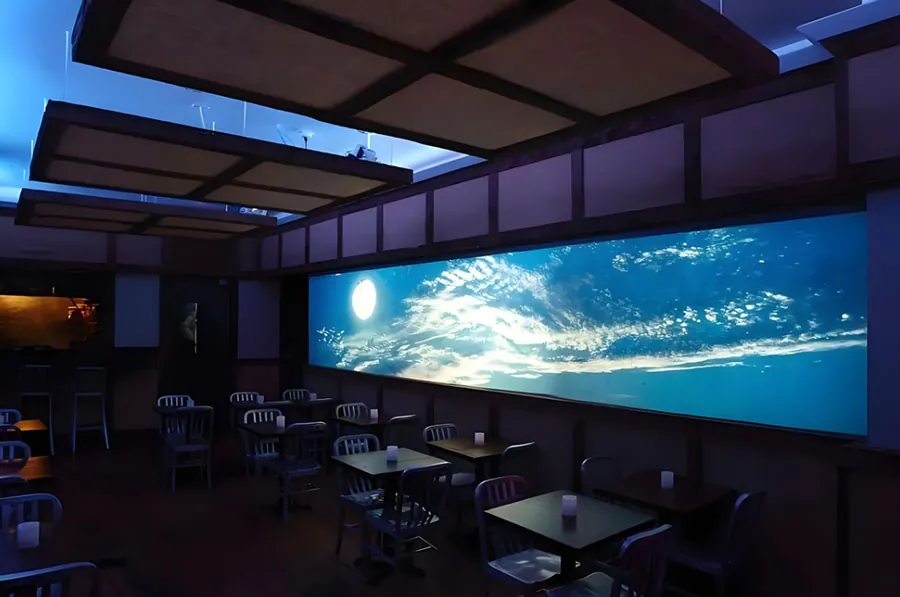
Flexible LED Screen for Home Theater: Features,Benefits & Buying Guide decisions


Flexible LED Screen for Home Theater: Features-Benefits & Buying Guide decisions are easier when you treat the product as a complete display system. The curved surface is only one part; the processor, power supplies, mounting structure, and service access also determine performance.
Table of Contents
- 1. Understand What “Flexible” Means
- Module, Cabinet, and Processor
- Fixed Curve Versus Reconfigurable Curve
- 2. Choose Pixel Pitch and Size From the Seats
- Match Pitch to the Nearest Seat
- Map Content and Aspect Ratio
- 3. Verify HDR, Contrast, and Motion Claims
- Brightness Is Not Black Level
- Refresh and Calibration
- 4. Build the Signal and Audio Chain Before Buying
- Check the Video Link
- Plan Audio and Control
- 5. Price Installation, Heat, and Long-Term Service
- Request a Complete Installed Quote
- Plan Heat, Access, and Safety
- Demand a Service Plan
- 6.Why choose a flexible LED screen for home theater
- How does a flexible LED wall compare with a projector in a dark room?
- What should you do when one LED module shows a dark spot?
- Why is an above-fireplace location risky for a flexible LED wall?
- How do you connect a gaming PC to a flexible LED screen?
- Why might a renter choose a projector instead of flexible LED?
- Conclusion
A useful fact is that a 4K UHD frame contains 8,294,400 pixel positions, calculated from the 3,840 × 2,160 UHDTV raster listed by the ITU-R BT.2020 recommendation. A fine-pitch wall can still look poor if its processor or source cannot handle the required image data.
Home theater buyers often face unclear brightness claims, confusing refresh-rate labels, difficult audio routing, heat-management concerns, and quotes that exclude installation. A display that fits the wall may still be unsuitable for your seating distance or gaming hardware.
The buying path below covers screen construction, pixel pitch, image quality, signal compatibility, installation costs, maintenance, and less obvious ownership issues.
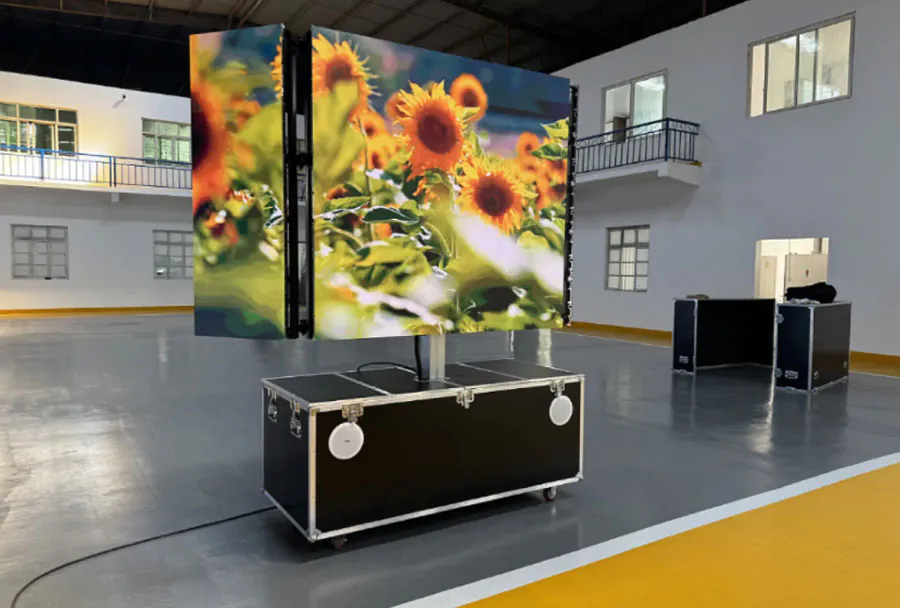
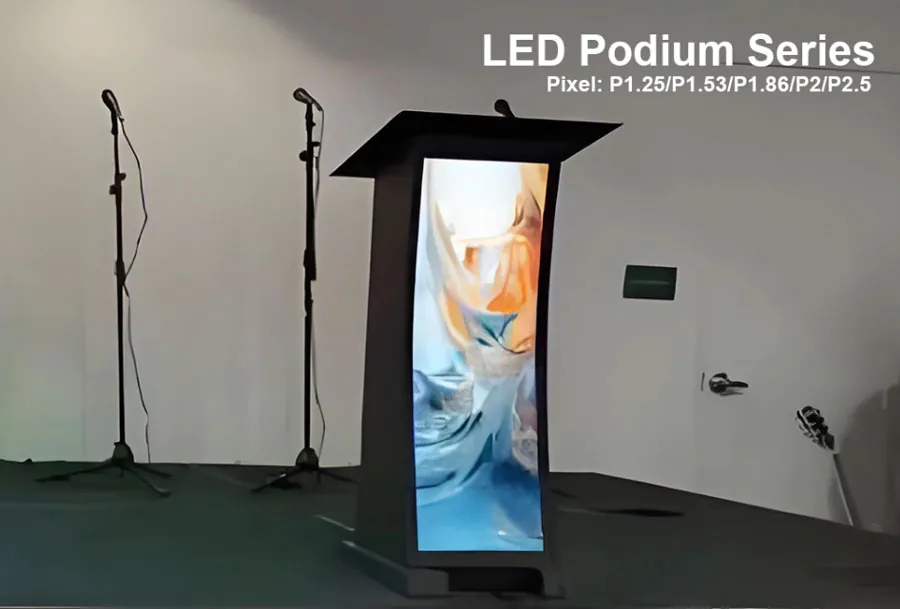
Front desk screen P1.8 with size 960x1920mm.
1. Understand What “Flexible” Means
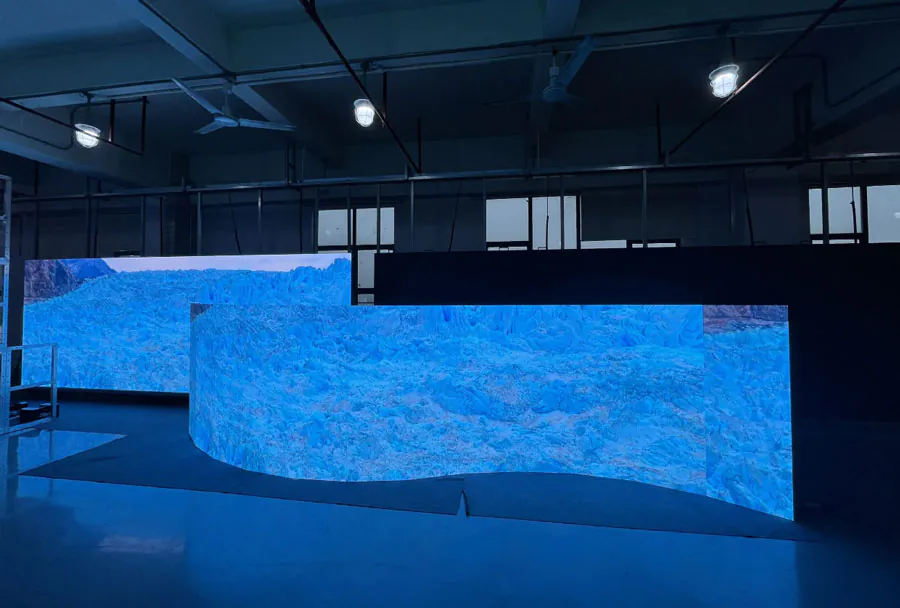
A flexible LED theater display is a modular direct-view system that bends or mounts to a curve; it is not a soft sheet that you fold like fabric. The surface, electronics, frame, and power system must work together.
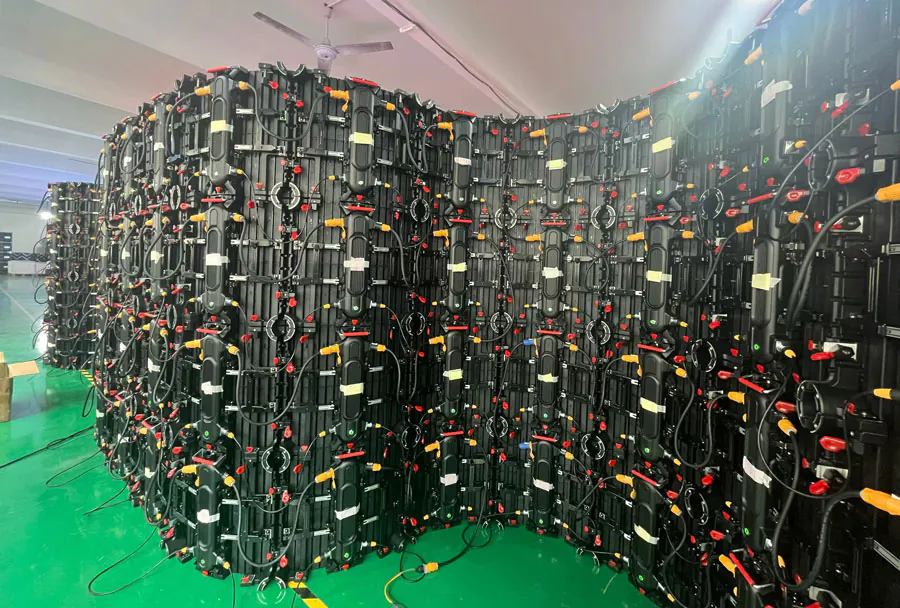
With a Flexible LED Screen for Home Theater: Features-Benefits & Buying Guide purchase, separate the LED modules from the cabinet or frame, receiving cards, controller, and power distribution. Flexible modules commonly use bendable circuit boards and segmented support, while curved cabinets provide a predetermined geometry.
Module, Cabinet, and Processor
The LED module creates the image, the frame keeps modules aligned, and the processor converts video sources into data that the receiving cards distribute. Ask which component controls scaling, calibration, input switching, and content mapping.
A 4K source uses the 3840 × 2160 raster identified by ITU-R BT.2020, but the wall’s physical pixel matrix may differ. Request the processor’s actual output mapping rather than relying on a “4K compatible” label.
Fixed Curve Versus Reconfigurable Curve
Some displays maintain one factory-defined radius, while others allow limited changes during installation. Confirm the minimum radius, maximum permitted curvature, convex or concave orientation, and whether changing the curve affects the warranty.
Before approving a Flexible LED Screen for Home Theater: Features-Benefits & Buying Guide quote, ask for a scaled drawing showing the radius, frame depth, service access, and cable routes. For overhead hardware, also request applicable electrical documentation and compliance information for standards such as IEC 62368-1.
How to apply this: Require a labeled system diagram and a manufacturer-approved curvature drawing before comparing prices.
2. Choose Pixel Pitch and Size From the Seats
Pixel pitch and viewing distance should drive the screen choice; diagonal size comes after the seating map. A close seat exposes pixel structure, seams, poor alignment, and uneven brightness more readily than a distant seat.
Pixel pitch is the center-to-center distance between neighboring LED pixels. Smaller pitch generally supports closer viewing, but it can increase the number of pixels, processing demand, and quoted system cost.
Use the Flexible LED Screen for Home Theater: Features-Benefits & Buying Guide label only after the seller provides pixel pitch, active resolution, module dimensions, and cabinet dimensions. Those details let you determine whether the wall can show your source without excessive scaling.
The ITU-R BT.2020 4K raster contains 3,840 × 2,160 positions, or 8,294,400 calculated pixel positions. A wall with a different physical matrix may scale, crop, or leave unused image area, even when the source is advertised as 4K.
Match Pitch to the Nearest Seat
Measure the distance from the screen to every important seating position, not just the central recliner. Inspect small subtitles, facial detail, credits, and dark gradients from those locations before committing.
Map Content and Aspect Ratio
Movies may use a wider image inside a standard output canvas, while games and television content can use different framing. An otherwise capable Flexible LED Screen for Home Theater: Features-Benefits & Buying Guide can disappoint if its active area forces frequent cropping or visible unused borders.
Create a temporary wall outline with painter’s tape, then sit in each viewing position with representative content. This reveals whether the planned height, width, and curve feel comfortable before the installer fabricates the frame.
How to apply this: Send the vendor your seat-to-wall measurements and demand a drawing that shows active pixels, borders, and the final aspect ratio.
3. Verify HDR, Contrast, and Motion Claims
Picture quality depends on measured luminance, black level, processing, and uniformity—not merely the word HDR on a brochure. Ask for test results that describe how the complete system performs.
A Flexible LED Screen for Home Theater: Features-Benefits & Buying Guide should be evaluated with the processor and intended source connected, because the module specification alone does not describe the finished image.
Brightness Is Not Black Level
Peak brightness helps preserve highlight detail in HDR content, but excessive output can cause eye fatigue in a dark room. Dolby says its Dolby Vision ecosystem can support brightness levels up to 10,000 nits; that is a format capability, not proof that a particular LED wall reaches that level.
Contrast claims also need context. Ask whether the figure is native, dynamic, measured with a full-black pattern, or produced by software processing, and inspect near-black detail rather than accepting a single headline value.
Refresh and Calibration
A high scan-frequency label may describe LED driver behavior instead of the image refresh rate reaching the screen. Request supported input modes, processing latency, motion settings, and gray-scale uniformity.
Use Calman Home only with compatible displays and workflows; it is calibration software, not a substitute for an LED processor’s calibration system. RTINGS provides measurement-focused display reviews that can clarify terminology, but its television results do not replace wall-specific testing.
| Check | What it tells you | Action to take |
|---|---|---|
| HDR peak | Highlight headroom | Request measured results |
| Black level | Dark-scene performance | View near-black patterns |
| Refresh/input | Motion compatibility | Verify processor modes |
| Uniformity | Panel consistency | Inspect gray fields |
| Calibration | Color accuracy | Request a final report |
Treat a Flexible LED Screen for Home Theater: Features-Benefits & Buying Guide quote as incomplete if it lists brightness but omits black level, input modes, uniformity, and calibration procedure.
How to apply this: Ask for a live demonstration using dark movie scenes, bright HDR highlights, scrolling text, and your own source device.
4. Build the Signal and Audio Chain Before Buying
Build the video, audio, and network chain before ordering, because the screen can display only what its processor accepts. Compatibility problems often appear at the processor, AVR, cable, or content-protection stage rather than in the LED modules.
A Flexible LED Screen for Home Theater: Features-Benefits & Buying Guide system may require a separate video processor, so confirm every input and output instead of assuming the wall behaves like a television.
Check the Video Link
The HDMI organization states that Ultra High Speed HDMI cables support bandwidth up to 48 Gbps. That figure describes the certified cable category; it does not guarantee that your LED processor, AVR, graphics card, and display timing support the same capability.
Netflix’s Help Center describes “15 megabits per second or higher” as the recommended connection speed for 4K content. That is an internet recommendation, not an HDMI specification, so streaming bandwidth and local video-input bandwidth should be tested separately.
Plan Audio and Control
Many LED walls are video hardware without built-in speakers. Decide whether the source will feed an AV receiver first, whether the processor will pass audio, or whether the system will use eARC or another dedicated audio path.
Check HDCP handshakes, input switching, automatic power behavior, remote control, and network control. A gaming system may also require a direct connection to the processor if an older receiver cannot pass the desired signal mode.
Before purchasing a Flexible LED Screen for Home Theater: Features-Benefits & Buying Guide, request a complete signal-flow diagram with source, AVR, processor, display, and audio endpoints. Include cable types and maximum supported modes in the written quote.
How to apply this: Connect every planned source to a sample processor, then test video, audio, switching, and standby behavior before final installation.
5. Price Installation, Heat, and Long-Term Service
Total cost and service planning determine whether a flexible LED wall remains practical after installation. The purchase price is only one part of the budget.
A Flexible LED Screen for Home Theater: Features-Benefits & Buying Guide quote should list the active display area, modules, frame, processor, power distribution, mounting, cabling, freight, labor, commissioning, taxes, spare parts, and warranty separately.
Request a Complete Installed Quote
Ask whether the price includes structural review, wall reinforcement, electrical work, ventilation, calibration, control programming, and removal of packaging. Clarify which party is responsible for correcting uneven walls or unsuitable power circuits.
Do not compare two proposals until both use the same active area, pixel pitch, processor class, warranty length, and service scope. A low equipment price can become expensive when installation, custom framing, or international support is excluded.
Plan Heat, Access, and Safety
LED electronics produce heat, and a curved frame still needs ventilation and service access. Keep power supplies and controllers reachable without dismantling the entire theater, and follow the manufacturer’s operating-temperature and clearance requirements.
The IEC explanation of IP ratings explains that the IP Code uses two numerals: the first addresses solid-object protection and the second addresses water protection. An indoor theater may not need a high water-resistance rating, but an IP label does not measure heat tolerance, impact resistance, or local electrical compliance.
Demand a Service Plan
Ask how a failed module is diagnosed, whether spare modules are pre-calibrated, and whether repairs require a shutdown. Obtain written response times, replacement-part availability, firmware support, and warranty exclusions.
An apparently affordable Flexible LED Screen for Home Theater: Features-Benefits & Buying Guide can become difficult to own if the supplier has no local technician or documented replacement process. Keep the original module layout, serial numbers, configuration files, and calibration records.
How to apply this: Get two itemized installed quotes and have an electrician or qualified installer review power, heat, structure, and service access before paying a deposit.
6. Why choose a flexible LED screen for home theater
A flexible LED screen is the better choice when shape, scale, or modular repair matters more than a simple flat-TV installation.
Why Choose a Flexible LED Screen for a Home Theater should be answered against the strengths and limits of OLED and projection. VESA’s published DisplayHDR performance criteria include tiers such as DisplayHDR 400, 600, 1000, and 1400, showing why a brightness label should be treated as a test category rather than a complete picture of movie performance.
| Option | Best use | Main caution | Immediate check |
|---|---|---|---|
| Flexible LED | Curved or very large wall | Pitch, heat, service | Bend radius; peak watts |
| OLED | Flat, dark-room viewing | Fixed shape; retention policy | Warranty terms |
| Projector | Very large image | Throw distance; ambient light | Throw ratio; screen gain |
Choose flexible LED when the curve improves sightlines, the desired image exceeds practical TV sizes, or modular service is valuable. OLED may suit close-seat viewers who prioritize very dark blacks and a simpler installation, while a projector may suit owners who want a large image with minimal display hardware on the wall.
If Why Choose a Flexible LED Screen for a Home Theater comes down to appearance alone, compare the total installation and service burden before deciding.
How to apply this: Watch the same dark movie scene on each shortlisted technology and compare black level, uniformity, fan noise, speaker placement, and required room changes.
Frequently Asked Questions About Flexible LED Screen for Home Theater: Features-Benefits & Buying Guide
These questions address installation and ownership cases that a normal specification sheet often leaves unanswered.
How does a flexible LED wall compare with a projector in a dark room?
The better choice depends on black-level expectations, room depth, and whether you need the image to disappear. A projector remains useful when a retractable screen or very large image matters; direct-view LED removes throw-distance and alignment limits. If seating changes often, a Flexible LED Screen for Home Theater: Features-Benefits & Buying Guide may be less adaptable.
Compare both using a temporary wall outline before ordering.
What should you do when one LED module shows a dark spot?
First photograph the fault, note whether it follows the module or input, and stop pressing the surface. A loose connector, failed receiving card, or LED package can look similar, so remote diagnosis is unreliable. Ask whether replacement requires power isolation, recalibration, or a certified technician.
Before ordering a Flexible LED Screen for Home Theater: Features-Benefits & Buying Guide, obtain the written module and labor policy.
Why is an above-fireplace location risky for a flexible LED wall?
Treat an above-fireplace location as high-risk unless the manufacturer approves it in writing. Rising heat, soot, vibration, and difficult service access can complicate warranty claims and maintenance. A mantel may reduce direct heat but does not prove safe operating temperature.
For a Flexible LED Screen for Home Theater: Features-Benefits & Buying Guide, have an installer measure surface temperature during use and verify required clearances.
How do you connect a gaming PC to a flexible LED screen?
The graphics card, cable, processor, and display timing must all support the target mode. The wall may accept a high-refresh signal but process it more slowly, add latency, or crop the desktop. Test with the actual GPU before final mounting.
A Flexible LED Screen for Home Theater: Features-Benefits & Buying Guide quote should state supported input modes, chroma handling, and measured latency.
Why might a renter choose a projector instead of flexible LED?
Renters should usually favor a removable, lighter system and a mounting method approved by the lease and building owner. Flexible does not necessarily mean lightweight: the frame, power distribution, controller, and wall reinforcement can dominate the installation. A retractable projector setup may travel more easily, while modular LED can offer a cleaner permanent image.
Evaluate a Flexible LED Screen for Home Theater: Features-Benefits & Buying Guide against move-out costs.
Conclusion
Buying a Flexible LED Screen for Home Theater: Features-Benefits & Buying Guide is safest when you evaluate the complete system rather than a product-page headline. Pixel pitch, processor capability, signal compatibility, installation conditions, and service support all influence the final experience.
– Match pixel pitch and active resolution to your nearest seat.
– Verify measured HDR, black level, motion, and uniformity performance.
– Test the full video and audio chain with your own sources.
– Price mounting, electrical work, calibration, spares, and warranty support.
Request scaled drawings, signal-flow documentation, and itemized installed quotes from qualified suppliers. Use those documents to compare systems before approving a deposit or scheduling construction.