Reliable LED Screen Rental with Technical Support

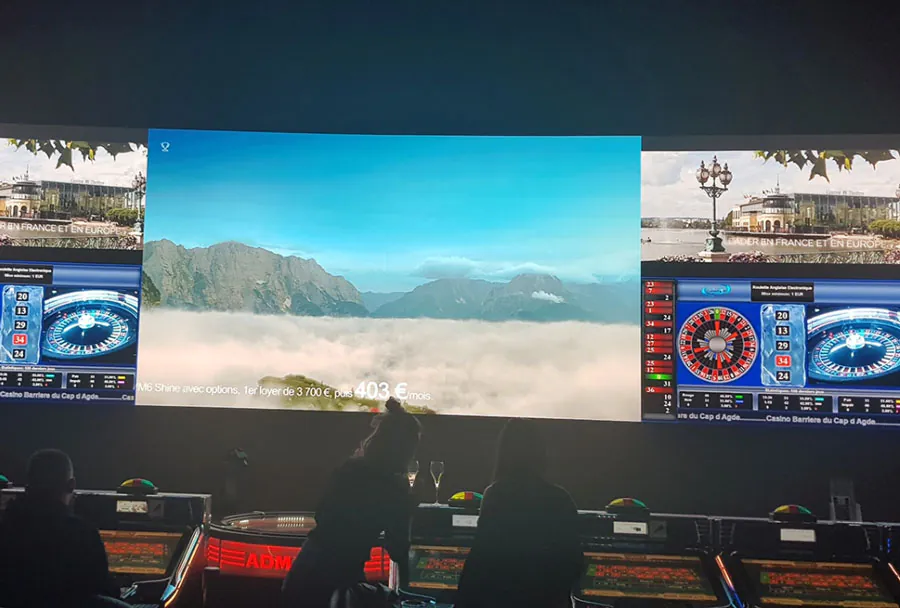
In today’s event-driven world, high-quality visual presentation is no longer optional. From corporate conferences and trade shows to concerts, sporting events, and outdoor festivals, LED screens deliver bright, dynamic visuals that capture attention and communicate messages clearly. For most organizations, renting LED screens rather than purchasing them outright makes financial and logistical sense. But the rental decision must go beyond the hardware: reliable technical support is the differentiator between a flawless event and one that’s hampered by downtime, poor image quality, or safety concerns.
This article examines what “reliable LED screen rental with technical support” looks like, why it matters, how to evaluate providers, and how to plan for success. It includes a comparative analysis table to help you weigh critical factors and a practical checklist you can use when selecting a vendor and preparing for an event.
Why Rent LED Screens Instead of Buying?
Renting LED screens is attractive for many reasons:
– Cost efficiency: Rental avoids the capital expenditure, maintenance, and depreciation associated with owning hardware you might use infrequently.
– Access to the latest technology: Rental vendors refresh their fleets regularly, giving you access to cutting-edge pixel pitches, brightness ratings, and processing capabilities without an upgrade cost.
– Scalability and flexibility: Rentals make it easy to scale screen size and resolution to a specific venue or audience size.
– Logistics included: Many rental agreements bundle installation, transport, and teardown, saving your team time and reducing risk.
– Expertise: Reputable rental companies include experienced technicians who understand the idiosyncrasies of LED systems, control processors, and video routing.
However, the benefits of renting only fully manifest when the provider pairs the hardware with reliable technical support. Without it, a rental can become a liability.
Defining “Reliable” in LED Screen Rental
“Reliable” encompasses several dimensions:
– Consistent image quality: Uniform brightness, accurate color reproduction, and no dead or flickering modules.
– On-time delivery and setup: Equipment arrives and is installed according to schedule, without last-minute surprises.
– Robust redundancy: Backup processing, cabling, and power solutions to prevent single-point failures.
– Rapid response: Availability of technicians who can diagnose and fix issues quickly, onsite or remotely.
– Predictable outcomes: Clear service levels, guarantees, and documented procedures that reduce event-day uncertainty.
A reliable rental partner combines well-maintained inventory, standardized procedures, experienced technicians, and transparent SLAs (service-level agreements).
Core Components That Affect Reliability
Understanding the components of an LED screen system helps you evaluate reliability:
LED Modules and Pixel Pitch
Pixel pitch determines resolution at a given viewing distance. For indoor corporate events, tighter pitches (e.g., 1.5–2.5 mm) are common. For outdoor stages and stadiums, 6 mm and above may suffice. Reliability depends on module quality, manufacturer support, and how well the vendor maintains spare modules and replacement parts.
Processing and Control Systems
Video processors, scalers, and media servers manage resolution, aspect ratio, and content mapping. A robust processing chain includes redundancy and tested signal routing to handle multiple input formats and live feeds.
Power and Cabling
Reliable power distribution, conditioned supplies, and neat cabling reduce the risk of outages, shorts, and signal loss. Vendors should use proper breakers, ground fault protection, and cable management practices.
Mounting, Rigging, and Structural Safety
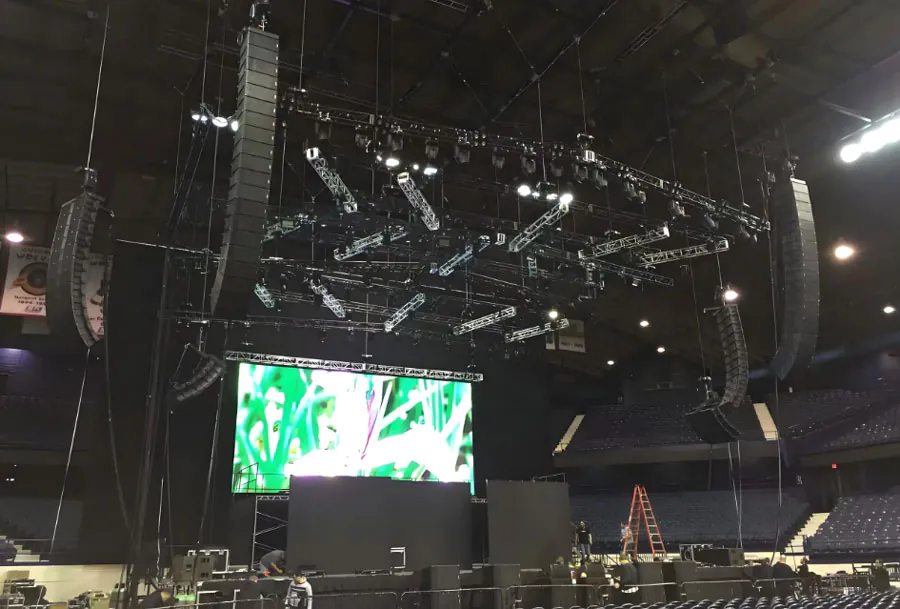
Screens must be safely mounted, whether flown, stacked, or ground-supported. Certified riggers and load-rated hardware are essential for safety and event liability.
Monitoring and Backup Systems
Remote monitoring (temperature, voltage, LED health), spare control paths, and hot-swappable modules reduce the probability of visible failures.
The Role of Technical Support Throughout the Rental Lifecycle
Technical support is not a single service but a lifecycle of activities that begin before your event and extend through teardown.

Pre-Event Consultation and Site Surveys
A reliable vendor conducts a detailed site survey: sightlines, ambient light levels, power availability, rigging points, and signal paths. They advise on optimal screen size, pixel pitch, and mounting strategy. This stage is where potential problems are identified and mitigated before arrival.
Design and Content Preparation
Technical teams help with media formatting, resolution matching, and asset testing. A proactive vendor provides templates and recommended codecs to avoid scaling and letterboxing issues.
Logistics, Delivery and On-Site Setup
On the event day, technicians manage delivery windows, install and align panels, configure processors, and run burn-in tests. For outdoor events, setting up sun-shields and anti-glare measures is part of setup.
Live Monitoring and Troubleshooting
During the event, technicians monitor the system and maintain a troubleshooting workflow. Remote access to processors and servers, spare modules on-hand, and a diagnostic toolkit (multimeters, fiber testers, backup batteries) are essentials.
Post-Event Teardown and Evaluation
Proper teardown protects equipment and reduces the risk of damage during transport. A debrief helps identify performance improvements for future events.
Choosing a Provider: Key Evaluation Criteria
When selecting a rental partner, evaluate the following:
Inventory and Equipment Quality
Look for recent-generation LED panels, reputable manufacturers, and a clear maintenance schedule. Ask about the age of their fleet and how often modules are replaced.
Technical Expertise and Staff Certifications
Request resumes or bios for the lead technicians. Certifications in rigging, electrical safety, and specific control systems (e.g., Brompton, Novastar, Disguise) are a plus.
Service-Level Agreements (SLAs)
SLAs should specify response times, uptime guarantees, compensation for downtime, and escalation pathways. Ensure SLAs are written into the contract.
Redundancy and Contingency Planning
Confirm that the vendor brings spare modules, backup processors, extra cables, and an alternate power strategy. Ask what their backup plan is for the single most likely failure mode.
Reviews, References and Case Studies
Request references for similar events and examine case studies. Vendors who have worked at venues like yours and solved analogous challenges are more likely to deliver.
Pricing and Contract Considerations
Understanding cost components prevents unpleasant surprises:
– Base rental: Screen panels, processors, basic cabling.
– Setup and teardown labor: Number of technicians and hours.
– Transportation: Distance, vehicle type, and any night/weekend surcharges.
– Power and rigging equipment: Trusses, chain hoists, scaffolding.
– Media server or playback device rental.
– Technical support packages: Basic remote support vs. dedicated onsite technicians.
– Damage waiver, insurance, and liability coverage.
– Overtime and change-order rates.
Negotiate clarity on potential additional costs, such as venue fees for rigging certifications, delayed load-in penalties, or change orders. Prefer fixed-fee quotes for the agreed scope.
Analysis Table: Comparing Technical Considerations
| Aspect | Importance | Common Issues | Technical Support Response | Example Measure |
|---|---|---|---|---|
| Pixel Pitch & Resolution | High | Blurry text, visible pixelation at short distances | Recommend pitch, swap modules, or change content scaling | Use 2.5mm for indoor close-view corporate stages |
| Brightness & Ambient Light | High | Washed-out images outdoors in daylight | Increase brightness units, add shading, or adjust contrast/color profiles | Specify >5,000 nits for direct sun viewing |
| Power & Grounding | Critical | Random reboots, flicker, electrical trips | Deploy redundant supplies, UPS, verify grounding, use power conditioners | Provide dual feeds and UPS for mission-critical shows |
| Signal Integrity | Medium-High | Latency, frame drops, sync errors | Use proper video distribution, fiber runs, and signal regenerators | Use fiber for runs >100m to avoid degradation |
| Rigging & Safety | Critical | Structural failure, panel falls, liability exposure | Certified riggers, load calculations, safety inspections | Include certified rigging plan in contract |

Case Studies and Real-World Scenarios
Analyzing common event types illustrates how technical support requirements vary.
Corporate Conference — Indoor, Tight Schedule
Scenario: A multi-track conference needs a 16:9 LED wall for keynote presentations and smaller stage screens for breakout sessions.
Key needs: High-resolution indoor panels (≤2.5 mm), seamless aspect management between sources, low latency for live camera feeds, quick changeovers.
Technical support approach: Provide dedicated onsite technician during keynotes, pre-stage content testing, redundant playback servers, and a written run sheet coordinating with AV and stage management.
Outdoor Concert — Nighttime with Large Audience
Scenario: A band requires a large outdoor screen for audience visibility at 50–200 meters.
Key needs: High-brightness panels, robust weatherproofing, flying or scaffolded support, long cable runs, and synchronized playback for multiple screens.
Technical support approach: Certified riggers to fly the screen, redundant power feeds and generators, weather contingency plans, remote monitoring for LED temperature and voltage, and spare modules staged for rapid replacement.
Stadium Event — Variable Ambient Conditions
Scenario: A sports event in a stadium needs in-game graphics, instant replays, and sponsor ads.
Key needs: High refresh rates for camera compatibility, synchronization across multiple screens, and integration with broadcast trucks.
Technical support approach: Close coordination with broadcast engineers, SMPTE signal handling, frame-accurate switching, and on-call technicians to manage live switching and content scheduling.
Common Pitfalls and How Technical Support Prevents Them
– Underestimating ambient light: Without brightness planning and anti-glare accessories, visuals appear weak. Technical support provides measurement and appropriate equipment.
– Inadequate power planning: Overloaded circuits lead to tripped breakers. Technicians handle distribution and bring UPS solutions.
– Poor content preparation: Wrong aspect ratios and codecs cause scaling artifacts. Support teams provide templates and test content ahead of time.
– Lack of redundancy: Single-point failures cause visible outages. A reliable vendor supplies backups and tested failover workflows.
– Insufficient rigging assessment: Uncertified rigging risks safety and legal consequences. Certified riggers and load calculations mitigate this.
Checklist: Questions to Ask Potential Rental Providers
– What is the age and manufacturer of the LED panels you will supply?
– Can you provide references for events similar to ours?
– Do you include onsite technicians for setup and the duration of the event? What are their qualifications?
– What is your response time for technical issues during the event?
– What redundancy and backup equipment will you bring (modules, processors, power)?
– What does your SLA cover? Is uptime guaranteed? What compensation exists for downtime?
– Do you have certified riggers and the necessary insurance?
– Who is responsible for permitting and venue-specific requirements?
– What are your policies on overtime, last-minute changes, and damage waiver?
– Can you provide a run sheet and do a rehearsal/test prior to the event?
Preparing Internally: How Your Team Can Support a Successful Rental
Even with a strong vendor, your team plays a role:
– Share a detailed event timeline and content well in advance.
– Provide venue contact information and access windows.
– Allocate a point of contact for the vendor to coordinate with during load-in, showtime, and teardown.
– Plan rehearsals or tech checks into the schedule to validate A/V sync and content formatting.
– Ensure the venue’s power and rigging information is provided early so vendors can plan correctly.
– Establish a communications channel (walkie-talkies, Slack, phone tree) for rapid issue escalation.
Technological Trends Affecting Rentals and Support
Awareness of trends helps you ask the right questions:
– Higher pixel density: Pixel pitches are shrinking, allowing close-proximity viewing but increasing hardware costs and power requirements.

– Cloud-based content management: Some vendors provide remote content control and monitoring via cloud dashboards.
– AI-driven diagnostics: Emerging tools analyze LED health metrics and predict failures before they manifest.
– Integrated broadcast workflows: Tight integration between stadium systems and broadcast trucks demands sophisticated signal routing and coordination.
– Environmental considerations: Lighter panels and energy-efficient designs reduce rigging loads and power consumption.
Conclusion: Investing in Reliability Pays Off
Renting LED screens is an efficient, flexible way to deliver high-impact visuals. The difference between success and disappointment often comes down to the quality of technical support. A reliable rental partner provides well-maintained equipment, certified technicians, clear SLAs, and tested contingency plans. When evaluating vendors, focus on equipment condition, staff qualifications, redundancy, and demonstrable experience with events like yours.
Investing time in pre-event planning, asking the right questions, and insisting on documented service levels will minimize risk and ensure your audience experiences the visual impact you intend.
Frequently Asked Questions (FAQ)
Q: How far in advance should I book an LED screen rental?
A: Book as early as possible—especially for peak seasons—or at least 6–8 weeks before the event. Larger or more complex events may require earlier reservations to secure inventory and staff.
Q: Do rental companies provide content playback systems?
A: Many do. Ask whether media servers, switchers, and playback operators are included or available as add-ons. Confirm the supported codecs and playback schedules.
Q: What is a reasonable uptime guarantee?
A: While specifics vary, look for SLAs that guarantee uptime during critical program windows and specify response times for on-site technician dispatch. Uptime guarantees should include remedies or credits for significant failures.
Q: How much redundancy is typical?
A: Typical redundancies include spare LED modules, backup processors or inputs, dual power feeds for critical shows, and spare cabling. The level depends on event criticality and budget.
Q: Who handles permits and venue requirements?
A: This is negotiable. Some vendors assist with permits and venue coordination for an additional fee, while others expect the client or event producer to manage approvals. Clarify this upfront.
By treating LED screen rental as an integrated service that includes proactive technical support, you protect the audience experience and your event’s reputation. Prioritize vendors who pair modern equipment with experienced technical crews, transparent SLAs, and strong contingency planning to ensure your visuals are as reliable as your message.