Big LED Screen Rental Complete Guide for Events and Gatherings

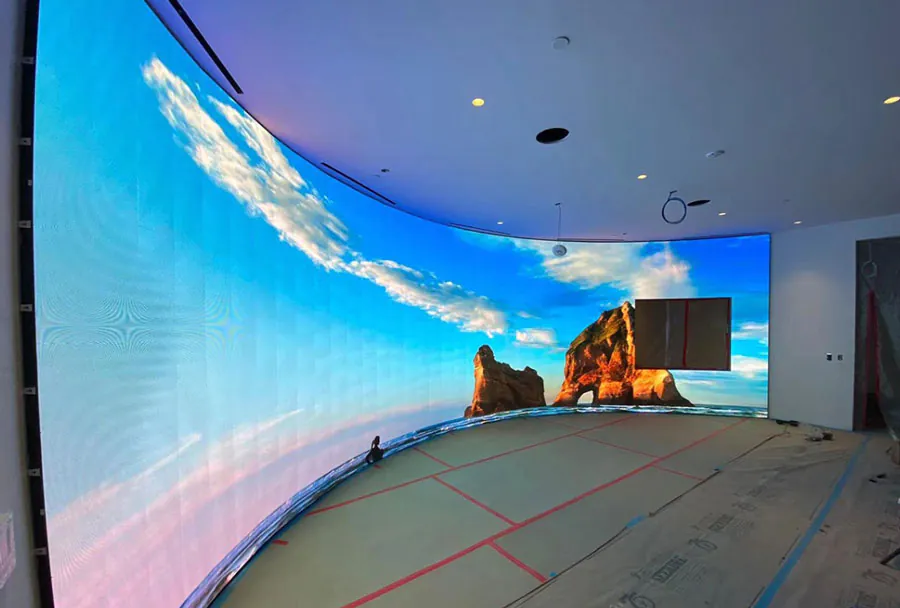
Renting a big LED screen can transform an event. From concerts and sporting events to conferences, weddings, and outdoor community gatherings, large led displays improve visibility, boost engagement, and elevate production value. Unlike projectors, modern LED screens deliver high brightness, excellent contrast, and durable performance in varied lighting conditions. But renting the right screen and managing logistics can be complex. This guide walks event planners, AV managers, and production teams through the technical, logistical, and contractual elements you need to consider to get predictable, professional results.
Key Technical Considerations
Screen Size and Aspect Ratio
Choosing the right screen size begins with the venue and audience. Large outdoor festivals may require screens 20 feet wide and up, while seminar halls might need a 10–15 foot-wide display. Aspect ratio matters, too: 16:9 is standard for video content and live feeds; 4:3 or custom wide formats may be appropriate for historic content or multi-panel setups. Always match the screen dimensions to stage proportions and sight lines so the display looks integrated, not tacked on.
Pixel Pitch and Resolution
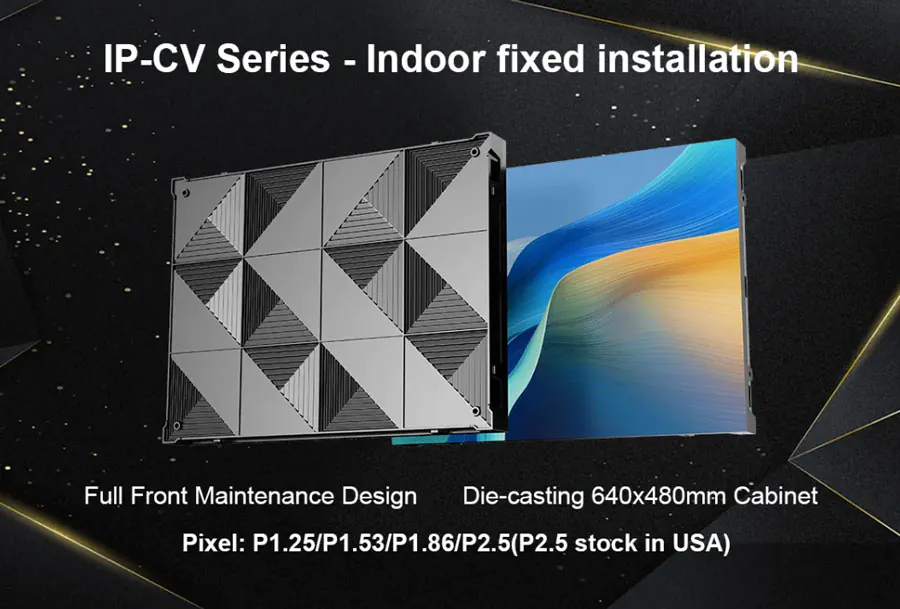
Pixel pitch (measured in millimeters) determines perceived resolution. A smaller pitch (e.g., 2.5mm) gives finer detail suitable for close viewing and indoor corporate events. Larger pitches (6mm–10mm+) work for stadiums or outdoor events where viewers are farther away. Use the rule of thumb: comfortable viewing distance (in meters) ≈ pixel pitch (in mm) × 1.5 to 3. Consult vendor charts, but verify with a sight-line test when possible.
Brightness and Contrast
Brightness, measured in nits (cd/m2), is critical outdoors. For daytime outdoor use you typically need 5,000–8,000 nits or more to overcome sunlight. For nighttime events or indoor spaces, 800–1,500 nits is often sufficient. Contrast ratios and color calibration affect image depth and legibility; request color calibration and a demo to ensure the presentation matches expectations.
Indoor vs. Outdoor Screens
Outdoor LED modules must be IP65 or higher for water and dust protection and usually include higher brightness and reinforced frames. Indoor screens may be lighter, have finer pixel pitch, and integrate seamlessly into architecture. Portable outdoor screens can be ground-supported or truck-mounted, while indoor screens often use flown trusses or floor stands. Confirm environmental specs and mounting methods in the quote.
Viewing Distance and Audience Size
Design screens around the farthest reasonable viewing distance. For dense audiences where people are close, prioritize fine pixel pitch. For widely dispersed crowds (stadiums, plazas), pick larger panels with more brightness. Also think about the “primary viewing zone” — the area where most critical content will be read — and ensure pixel density and size meet legibility standards for that zone.
Logistics and Installation
Transport, Rigging, and Mounting
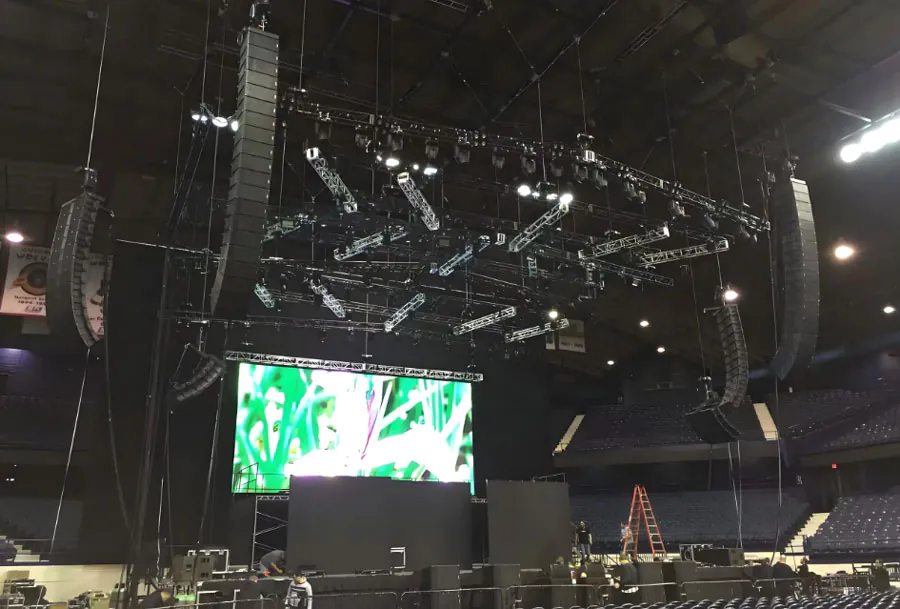
Logistics start with delivery. Large LED screens require trucks, forklifts, and skilled rigging crews. Flown installations need structural engineering sign-off and certified riggers. Ground or scaffold installations must be anchored and wind-rated. Discuss in advance: access routes, load-in windows, and onsite storage for crates.
Power and Cooling
LED walls draw significant power. Determine per-panel power specifications and ensure venue circuits can support the load with proper distribution and backup. For large outdoor rigs, temporary power generators may be required — size them with a margin for peak draw. Heat dissipation is less of an issue than with projectors but still relevant for enclosed cabinets or warm climates; vendors often recommend ventilation clearances or fans.
Weatherproofing and Safety
Outdoor venues require wind, rain, and sun mitigation. Use wind-rated mounts and ballast, rain covers for control racks, and sun visors if needed for operator monitors. Implement safe pedestrian barriers and signposted exclusion zones around rigging points. Ensure your vendor and venue have insurance certificates and safety plans. A bad weather contingency (e.g., reschedule, lower heights, protective covers) should be written into the contract.
Permits and Venue Requirements
Check local regulations for large temporary structures, especially in public spaces. Permit timelines vary — some require weeks for approval. Coordinate with venue operations on power access, egress routes, and access to roof or rigging points. Submit load plans and structural calculations if rigging is involved.
Content, Control, and Connectivity
Playback Systems and Content Prep
Ensure content matches the screen’s native resolution and aspect ratio to avoid stretching or letterboxing. Use high-bitrate codecs for motion content and avoid excessive compression. For multi-day events, prepare a playback playlist and file-naming convention. Some rentals include a media server; verify formats supported (MP4, H.264/HEVC, ProRes) and test locally before load-in.
Live Video, Cameras, and Production Switchers
Live events require camera feeds, vision mixers, and sometimes up/down scaling. Confirm video processors and switchers are included or supplied. Latency matters for interactive events — low-latency converters help keep audio and live-action synchronized. Plan for multi-camera routing and tally systems so camera operators know which camera feeds go live.
Signal Types, Redundancy, and Networking
Modern LED walls accept SDI, HDMI, and often networked protocols (e.g., Art-Net for lighting, NDI for video over IP). Always provision redundant signal paths: dual media servers, backup cables, or failover encoders. For distributed events with multiple screens, synchronization is critical — use genlock or frame-syncing to keep all outputs locked.
Synchronization and Multi-Screen Setups
Multi-panel and multi-screen setups need pixel-perfect synchronization when showing a single canvas. Video processors capable of handling bezel compensation and seam correction are essential for irregular shapes. If running independent content, ensure independent control channels and clear scene mapping to avoid content bleed.
Audio, Lighting, and Peripheral Considerations
Sound Integration
Big screens draw eyes; sound must match. Position loudspeakers to cover the primary viewing area and minimize echo or dead zones. Use delay towers and line arrays for large outdoor audiences. Coordinate audio delay with video playback to maintain lip-sync — audio may require time alignment with live camera feeds.
Ambient Lighting and Image Legibility
Lighting design must consider screen visibility. Bright stage wash or backlighting behind the screen can reduce contrast. Use directional lighting and barn doors to control spill. For outdoor daytime events, increase screen brightness and avoid placing screens in direct sun angles that cause reflections or glare.
Integration with Staging and Scenic Elements
Plan for sight lines, set dressings, and camera positions. If the LED wall is backing the stage, ensure speakers and truss do not block critical pixels. Consider physical transitions between scenic elements and LED frames for a cohesive look. If the screen is floor-mounted, protect it from foot traffic and cable hazards.
Costs, Contracts, and Vendor Selection
Typical Cost Breakdown
Rental quotes often include line items: screen panels (per square meter or fixed package), rigging and labor, transportation, power/generator, media server or operator, and insurance. Day rates vary dramatically by region and screen specs: expect a small indoor LED for a half-day to cost dozens to a few hundred dollars per panel; large outdoor solutions can cost thousands per day plus setup. Always ask for an itemized quote to compare apples to apples.
What to Ask Potential Vendors
– Exact model/spec sheet for panels (pixel pitch, brightness, IP rating).
– Load-in/load-out schedule and labor rates.
– Rigging and safety certifications.
– Onsite technical support and hours covered.
– Sample insurance certificate and cancellation policy.
– Backup equipment and redundancy plans.
– References and recent event photos/videos.
Insurance, Liability, and Contracts
Large screens introduce risk: equipment damage, weather loss, or injury from rigging failures. Ensure the vendor carries appropriate insurance, and that your event insurance covers hired equipment and third-party liability. Contracts should define scope, on-call support hours, force majeure clauses (especially weather), and acceptance tests at load-in.
Case Studies and Cost Examples
Provide scenarios to illustrate choice tradeoffs: a corporate indoor meeting (small pixel pitch, lower brightness, minimal rigging) vs. an outdoor music festival (large pixel pitch, high brightness, wind-rated fly system, generator) vs. a wedding reception (aesthetics-driven integration and quiet, low-power solutions). These concrete examples clarify budget allocation and vendor expectations.
Analysis Table: LED Screen Options at a Glance
| Screen Type | Typical Pixel Pitch | Recommended Viewing Distance | Primary Use Cases | Approx. Rental Cost (per day) |
|---|---|---|---|---|
| Indoor Fine Pitch | 1.5mm – 2.5mm | 5 – 20 feet | Corporate events, broadcast studios, close audiences | $1,000 – $4,000 (small wall) |
| Indoor Standard | 3mm – 5mm | 15 – 50 feet | Conferences, stages, trade shows | $1,500 – $6,000 |
| Outdoor Mid Pitch | 6mm – 10mm | 50 – 150 feet | Outdoor concerts, community events, advertising | $3,000 – $10,000 |
| Outdoor Large Pitch | 10mm – 20mm+ | 150+ feet | Sports arenas, large festivals, highway advertising | $5,000 – $20,000+ |
| Truck-Mounted / Mobile | 6mm – 16mm | Variable | Parades, temporary outdoor stages, emergency messaging | $2,500 – $15,000 |
Checklist & Best Practices
Planning Phase
– Define objectives: live feed, sponsor messaging, presentation slides, or scenic backdrop.
– Determine audience size and viewing distances.
– Prepare content in the screen’s native resolution.
– Reserve vendor and permits early; large rigs need longer lead times.
Technical Prep
– Request a site survey and power/load-in plan from the vendor.
– Ask for a test of playback files at the vendor’s facility.
– Confirm control room locations, video routing, and backup feeds.
– Build redundancy: spare panels, backup servers, and spare signal paths.
Onsite Execution
– Conduct an on-site acceptance test before the event starts.
– Coordinate run-of-show with tech, lighting, and stage managers.
– Monitor temperature, power draw, and signal integrity during the event.
– Maintain a clear chain of command for content changes and emergency stop.
Post-Event
– Inspect screens for damage and document condition with photos.
– Reconcile final billing with the itemized contract.
– Collect playback logs if any incidents require review.
– Capture lessons learned and vendor performance notes for future hires.
Renting a big LED screen is a high-impact decision that requires technical understanding, logistical planning, and clear contractual terms. By aligning screen specs with viewing distance, venue type, and content goals — and by vetting vendors for rigging, redundancy, and support — you can ensure a seamless visual experience that boosts audience engagement and elevates the production. Use the checklists and analysis table in this guide to compare options, estimate costs, and prepare for a smooth load-in, show, and strike. Thoughtful planning and the right partner will make the LED screen the highlight of your next event or gathering.