Flexible LED Media Facade: How to Plan Maintenance Access Before Installation

Flexible LED Media Facade: How to Plan Maintenance Access Before Installation starts with a practical question: can a technician safely reach, isolate, remove, and replace every serviceable component after the building is complete? A detail can change the answer: OSHA’s electrical safety rules state that control devices such as push buttons cannot serve as the sole means of deenergizing equipment.
Table of Contents
- 1. Define What Technicians Must Reach
- Build a service task register
- 2. Prove the Removal Path in the Building Model
- Model the space that maintenance needs
- 3. Design Electrical Isolation Around Service Zones
- Make isolation usable from the service position
- 4. Choose the Working Method Before Fixing the Facade
- Check the complete access operation
- 5. Preserve Weather Protection Through Repeated Servicing
- Check the assembly after reinstallation
- 6. Test the Maintenance Plan Before Accepting the Installation
- Define the evidence required at handover
- Who should control access when the facade crosses leased spaces?
- What happens if the original LED module is discontinued?
- How should maintenance access work on a listed or historic building?
- When can remote monitoring reduce physical access requirements?
- Why should cybersecurity appear in the maintenance handover?
- Turn Maintenance Access Into an Approval Requirement
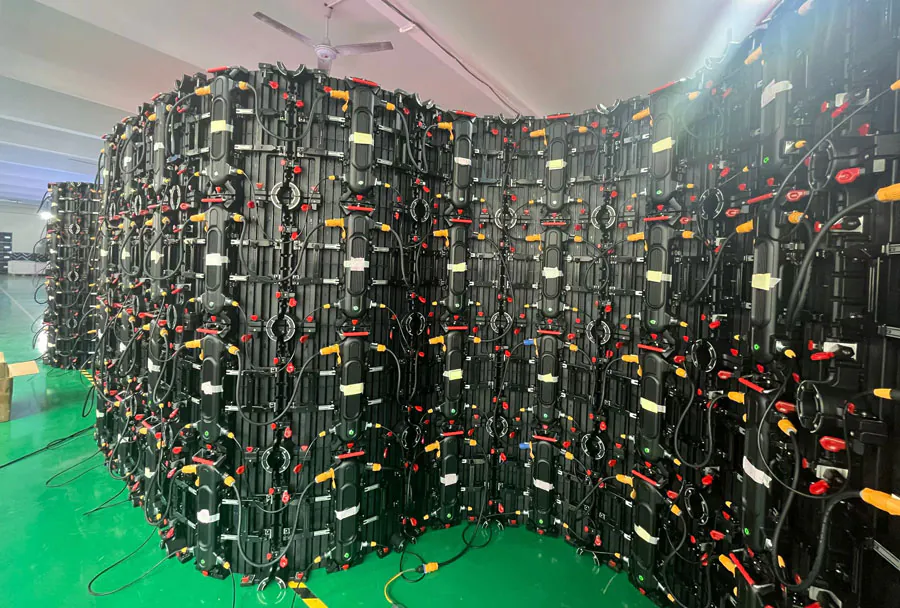
A flexible LED system may follow a curved wall beautifully while leaving its power supplies trapped behind finished cladding. A module labeled “front service” may still need removal space, a secure working position, and access to connections behind the display.
Your access plan should connect the display design to the way people will maintain it. That means checking replacement paths, structural interfaces, electrical isolation, working platforms, weather seals, and handover records before fabrication begins.
The following steps help you turn those checks into drawings, supplier requirements, and acceptance criteria your project team can use.
1. Define What Technicians Must Reach
Plan maintenance access around every replaceable component and the task required to service it.
Start with a component register covering LED modules or strips, power supplies, receiving cards, controllers, cables, connectors, and protective devices. Ask the supplier to identify which parts are individually replaceable and which require removal of a larger assembly.
Treat “front service” and “rear service” as descriptions that need supporting drawings. Neither label proves that the finished installation provides enough room for hands, tools, cable disconnection, or component withdrawal.
Build a service task register
For each component, record:
– Its location and identification code.
– The access direction and removal sequence.
– Required tools and manufacturer-specified clearances.
– The replacement route and temporary support method.
– Any adjacent parts that must be removed first.
In the United States, OSHA’s walking-working surface requirements require employers to provide safe access and egress to and from walking-working surfaces. That makes the route to the equipment part of the maintenance design.
Use Flexible LED Media Facade: How to Plan Maintenance Access Before Installation as the title of your access register. Keep that register connected to the approved equipment schedule.
How to apply this: Add a component-by-component access register to your Flexible LED Media Facade: How to Plan Maintenance Access Before Installation package before approving the display layout.
2. Prove the Removal Path in the Building Model
A component is maintainable only when both the technician and the replacement part can move through the available space.
Coordinate the LED system with facade framing, insulation, glazing supports, drainage channels, fire barriers, lighting, and cleaning equipment. Check the final construction geometry, including brackets and finishes that may be absent from early architectural drawings.
Autodesk Navisworks supports model coordination, while Navisworks Manage includes Clash Detective for identifying clashes between model elements. Use those functions to review modeled service spaces as well as physical equipment.
Model the space that maintenance needs
Your Flexible LED Media Facade: How to Plan Maintenance Access Before Installation review should include access-panel movement, component withdrawal, tool clearance, and the technician’s working position.
A common scenario is a curved module that fits through an opening when viewed straight on but cannot rotate past a facade mullion. A removal-envelope model or physical mock-up can expose that problem before fabrication.
| Access strategy | Best fit | What to check |
|---|---|---|
| Front removal | Accessible display face | Tool and withdrawal space |
| Rear walkway | Service cavity | Clear route and working position |
| Hinged assembly | Supported opening panel | Swing path and restraints |
| Removable cassette | Larger service unit | Weight and lifting route |
| External access | Reachable exterior | Setup area and rescue arrangements |
Clash detection supports the review, but a clear model does not prove that a technician can perform the task.
How to apply this: Require a reviewed removal-envelope drawing and a representative service demonstration in your Flexible LED Media Facade: How to Plan Maintenance Access Before Installation approval package.
3. Design Electrical Isolation Around Service Zones
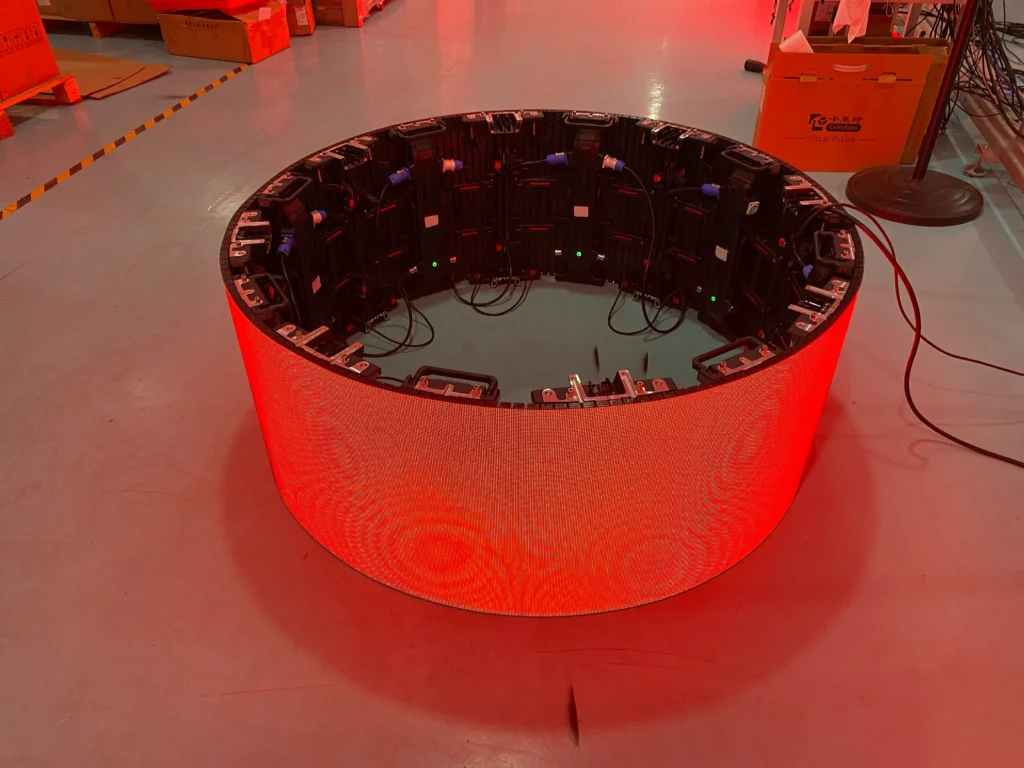
Maintenance access must include a reliable way to isolate electrical energy and verify the equipment’s condition before work begins.
Map the supply path from the distribution equipment to each display zone, power supply, and control enclosure. Identify equipment that can receive power from more than one source, and document any manufacturer-required discharge procedure.
The distinction between “off” and electrically isolated matters. OSHA’s electrical work-practice standard states that control circuit devices, including push buttons and selector switches, must not be used as the sole means of deenergizing equipment.
Make isolation usable from the service position
Ask the electrical designer to specify:
– Which disconnect controls each maintenance zone.
– How isolation will be secured against reconnection.
– Where a qualified person can verify deenergization.
– Which adjacent equipment may remain energized.
– How labels connect field devices to drawings.
Flexible LED Media Facade: How to Plan Maintenance Access Before Installation should distinguish software shutdown from electrical isolation. A dark screen does not establish that its internal conductors are safe to touch.
Consider a facade with separate feeds serving neighboring display sections. Clear zoning and labels help prevent a technician from assuming that one disconnected feed isolates the entire working area.
How to apply this: Have the electrical designer and maintenance representative review the isolation schedule within your Flexible LED Media Facade: How to Plan Maintenance Access Before Installation documents before cable routes are finalized.
4. Choose the Working Method Before Fixing the Facade
Select the maintenance working method while the building can still accommodate its structural and spatial requirements.
Compare internal walkways, permanent platforms, mobile elevating work platforms, building maintenance units, and rope-based access against the actual service tasks. The shortest route to a module may not provide a stable position for handling it.
Distinguish visual inspection from replacement work. A technician might reach a connector from one position yet need another arrangement to support a removed cassette, manage tools, and protect people below.
Check the complete access operation
Evaluate setup space, ground conditions, equipment reach, operating restrictions, public exclusion zones, and rescue provisions. Confirm that the selected access system permits the intended task under its manufacturer’s instructions and applicable local requirements.
For U.S. workplaces, OSHA’s rules for scaffolds and rope descent systems address anchorage information and prompt rescue provisions for rope descent systems. Such requirements need design input before access equipment is specified.
Record the approved working method in Flexible LED Media Facade: How to Plan Maintenance Access Before Installation, including assumptions about surrounding landscaping and vehicle access.
A landscaped courtyard can become an access obstacle if a required lift cannot enter after planting beds and paving are complete.
How to apply this: Obtain an access specialist’s review of reach, support, equipment setup, and rescue arrangements for your Flexible LED Media Facade: How to Plan Maintenance Access Before Installation plan.
5. Preserve Weather Protection Through Repeated Servicing
Design service openings so maintenance can restore the intended weather protection after every intervention.
Access panels, cable entries, gaskets, and connectors form part of the environmental protection system. Document how each is opened, inspected, cleaned, and resealed, including replacement criteria for seals and closure hardware.
The International Electrotechnical Commission’s explanation of IP ratings distinguishes protection against solid foreign objects from protection against water ingress. An IP designation describes tested enclosure protection; it does not establish that an altered facade assembly retains the same performance.

Check the assembly after reinstallation
Your Flexible LED Media Facade: How to Plan Maintenance Access Before Installation documents should identify the configuration covered by the supplier’s rating. Ask whether it depends on particular connectors, covers, seals, orientations, or installation conditions.
Coordinate access details with the facade consultant so service work does not obstruct drainage paths or damage adjacent weather barriers.
For instance, a replacement cable can prevent a cover from seating correctly if the approved routing is unclear. A closing check should confirm cable position, seal condition, fastener engagement, and any manufacturer-specified tightening requirements.
Specify suitable verification after servicing based on the approved assembly and project requirements.
How to apply this: Add an illustrated opening-and-resealing procedure to your Flexible LED Media Facade: How to Plan Maintenance Access Before Installation package, then verify it during the service demonstration.
6. Test the Maintenance Plan Before Accepting the Installation
Accept the installation only after the team demonstrates that the documented maintenance tasks are workable.
A commissioning display test confirms visual operation, but maintenance acceptance needs its own evidence. Require the service team to demonstrate access, isolation, removal, replacement, reconnection, and closure on an agreed representative assembly.
Use the final brackets, cable arrangement, connectors, and access hardware wherever possible. If a substitute mock-up is necessary, record its differences from the installed condition and resolve their effect on access.
Bluebeam Revu provides PDF markup and measurement tools that can support access reviews and annotated handover drawings. Use it to record identified obstructions, service zones, and agreed corrections.
Define the evidence required at handover
The Flexible LED Media Facade: How to Plan Maintenance Access Before Installation file should contain:
– Approved access drawings and component identifiers.
– Electrical isolation information and manufacturer instructions.
– Demonstration records and closed-out defects.
– Replacement-part references and approved substitutions.
– Access-equipment requirements and responsible contacts.
During a demonstration, a technician may discover that a connector release tab faces an inaccessible bracket. Correcting its orientation before acceptance prevents that issue from becoming a recurring service problem.
Record what was demonstrated and any remaining limitations.
How to apply this: Make the completed demonstration and corrected handover file explicit acceptance conditions in your Flexible LED Media Facade: How to Plan Maintenance Access Before Installation specification.
Frequently Asked Questions About Flexible LED Media Facade: How to Plan Maintenance Access Before Installation
Maintenance planning also needs decisions about ownership, future replacements, and building changes that may fall outside the initial installation scope.
Who should control access when the facade crosses leased spaces?
The building owner should establish access rights and a named coordinator before maintenance depends on entering tenant-controlled areas. In a mixed-use property, an equipment cupboard may sit inside a retail unit with restricted opening hours, creating a practical barrier even when the hardware is reachable.
Record notice periods, escort requirements, key control, and emergency arrangements. Flexible LED Media Facade: How to Plan Maintenance Access Before Installation should therefore connect the technical access plan with the building’s lease and operating arrangements.
What happens if the original LED module is discontinued?
Plan for an approved replacement strategy rather than assuming an identical module will remain available. A later product may differ in dimensions, connector position, electrical demand, control compatibility, or visual appearance, even when marketed for a similar application.
Ask the supplier to document substitution review criteria and recommended spare storage conditions. Flexible LED Media Facade: How to Plan Maintenance Access Before Installation should include a process for checking replacement compatibility before a purchasing decision commits the maintenance team.
How should maintenance access work on a listed or historic building?
Access arrangements should be coordinated with the relevant conservation requirements before brackets, openings, or permanent access equipment are approved. A proposal that works technically may still require revision if it alters protected fabric or affects a significant view.
Seek project-specific advice from the conservation professional and approving authority. Flexible LED Media Facade: How to Plan Maintenance Access Before Installation should record permitted attachment locations and approval conditions so future maintenance does not accidentally exceed the authorized work.
When can remote monitoring reduce physical access requirements?
Remote monitoring can help identify faults and prepare a service visit when the installed control system supports suitable diagnostics. It does not remove the need to inspect, disconnect, repair, or replace physical components.
An intermittent fault may also disappear before a technician arrives, making retained event records useful. Flexible LED Media Facade: How to Plan Maintenance Access Before Installation should define which diagnostic records are available, who can retrieve them, and how they support work planning without assuming every controller provides identical features.
Why should cybersecurity appear in the maintenance handover?
Cybersecurity belongs in the handover when maintenance involves networked controllers, remote support, or configuration changes. The owner needs control of authorized accounts, configuration backups, and the process for granting temporary support access.
A service contractor change can otherwise leave the new team unable to administer the system or identify existing access permissions. Flexible LED Media Facade: How to Plan Maintenance Access Before Installation should assign responsibility for credentials and software records alongside responsibility for physical equipment.
How to apply this: Add unresolved ownership, substitution, heritage, monitoring, and account-management decisions to the project action register, with a named owner for each.
Turn Maintenance Access Into an Approval Requirement
A maintainable facade needs a complete service route, from the technician’s arrival to the final resealing check.
Flexible LED Media Facade: How to Plan Maintenance Access Before Installation works best as a shared design and acceptance document. It should give your supplier, facade consultant, electrical designer, access specialist, and facilities team the same requirements.
– Define each service task: Identify the component, working position, removal sequence, and replacement route.
– Coordinate the complete arrangement: Review structural interfaces, electrical isolation, access equipment, and weather protection together.
– Demonstrate the process: Use representative hardware and resolve access defects before acceptance.
– Preserve the evidence: Hand over approved drawings, instructions, component references, and clear responsibilities.
Before releasing fabrication, schedule a maintenance-access review around the current drawings and component register. Require every unresolved access issue to have an owner, an agreed correction, and a clear approval condition.
Related Articles
- LED Screen Geometry, Native Resolution and Content Mapping: 5 Easy Mapping Secrets
- 2026 Folable LED Screen Price: Cost Factors & Custom
- LED Display for home theater: buying guidance and tips