Reliable Mobile LED Screen Rental with On Site Setup in Toronto

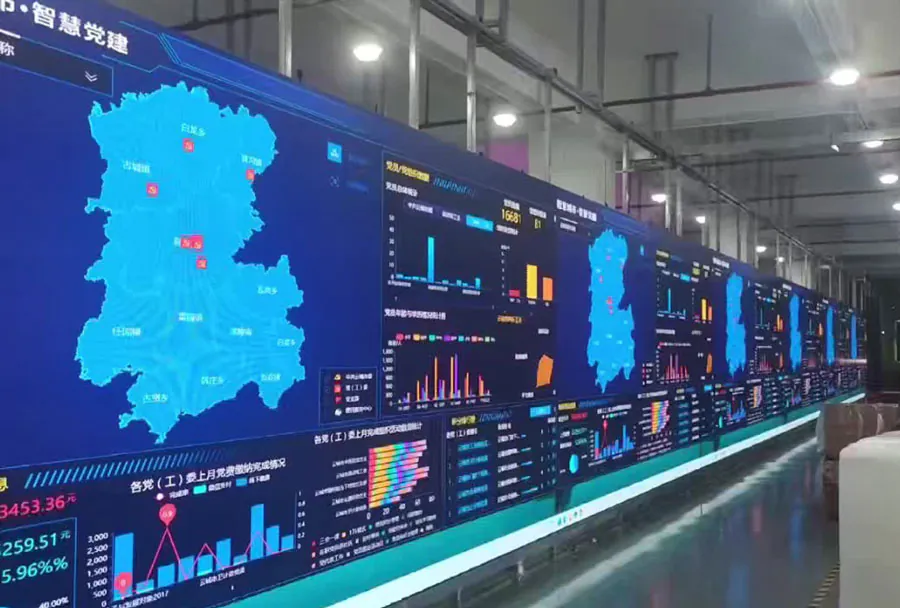
Mobile LED screens have become an essential tool for events, marketing campaigns, and public communication. In a city like Toronto — with its diverse neighborhoods, busy event calendar, and unpredictable weather — reliability and professional on-site setup are critical. A reliable mobile LED screen rental doesn’t just provide a display; it brings peace of mind: expert technicians, tested equipment, fast deployment, and contingency plans for weather, power, and connectivity issues. This article covers what makes a mobile LED solution reliable, the technical and logistical factors to consider in Toronto, cost expectations, and a practical comparison matrix to help event planners choose the right screen for any occasion.
Key Benefits of Choosing a Reliable Mobile LED Screen Rental
Reliable mobile LED screen rentals offer several advantages over traditional staging solutions or temporary projector setups:
– Visibility and brightness: LED screens cut through daylight and city lights, delivering crisp, high-contrast images for large audiences.
– Portability: Trailer-mounted or truck-mounted LED systems are designed for quick placement and relocation.
– Speed of deployment: Professional teams can rig, test, and calibrate the screen and audio in hours, minimizing event downtime.
– Turnkey service: Most reliable vendors include transport, setup, operator staff, and teardown, reducing planning complexity.
– Weather resilience: Outdoor-rated screens and enclosures protect equipment from rain, wind, and cold — crucial for Toronto’s variable climate.
Technical Considerations When Renting a Mobile LED Screen
Choosing the right LED screen requires attention to technical parameters and how they match your event needs. Consider viewing distance, pixel pitch, screen brightness (nits), screen size, audio integration, power requirements, and data connectivity.
Pixel pitch and image clarity
Pixel pitch (measured in millimeters) determines image resolution and ideal viewing distance. Smaller pixel pitch yields higher resolution; for outdoor events with distant audiences, larger pitches (6—12mm) are common and cost-effective.
Brightness and ambient light
Brightness is measured in nits. Outdoor mobile screens typically range from 5,000 to 8,000 nits for daytime visibility; evening or indoor events may require far less.
Sound and synchronization
Good audio is as important as visual quality. Reliable vendors provide integrated PA systems or coordinate with your audio team to ensure sync between sound and image, avoiding lip-sync issues.
Power and connectivity
Mobile LED units often require significant power (generators or local power tie-in). Connectivity for video sources (HDMI, SDI, fiber, wireless transmission) must be planned in advance.
Analysis Table: Comparison of Typical Mobile LED Options
| Screen Model / Size | Pixel Pitch (mm) | Recommended Use | Typical On-site Setup Time | Estimated Rental Cost (per day) |
|---|---|---|---|---|
| Trailer-mounted 12m2 (Outdoor) | 10–12 | Large outdoor concerts, festivals, public viewing | 3–5 hours | $1,200–$2,500 |
| Truck-mounted 18m2 (Outdoor) | 8–10 | Mid-size events, sports watch parties, political rallies | 4–6 hours | $1,800–$3,500 |
| Modular 6m2 Wall (Outdoor/Indoor) | 6–8 | Corporate events, medium-sized outdoor screenings | 2–4 hours | $900–$1,800 |
| High-res Indoor 3m2 | 2.6–4 | Conferences, trade shows, indoor promotions | 1–2 hours | $600–$1,200 |
| Gigantic Festival Screen 30m2 | 10–12 | Major festivals, stadium pre-shows | 6–10 hours | $3,500–$8,000 |
On-site Setup Workflow: What to Expect from a Professional Team

A professional vendor follows a structured on-site workflow to ensure reliability and compliance:
1. Pre-event site survey: A qualified technician inspects the venue or provides a remote assessment to determine placement, sightlines, power access, and permit needs.
2. Equipment staging: Screens, control units, audio systems, cables, and safety gear are unloaded and staged.
3. Mounting and rigging: Trailer or truck units are positioned, anchored, and leveled. For modular screens, frames and panels are assembled and secured.
4. Power and generator setup: If local power is insufficient, the team configures generators with proper grounding and noise control.
5. Video and audio integration: Inputs are connected, routing is established, and synchronization between audio and visual sources is tested.
6. Calibration and testing: Brightness, color balance, and image alignment are calibrated for visibility under expected lighting conditions.
7. Safety and contingency setup: Weatherproofing, wind bracing, and safety perimeters are installed. A contingency plan for sudden weather or technical failure is reviewed.
8. Operator handoff and live support: The vendor provides on-site operators or remote support during the event and performs teardown promptly afterwards.
Permitting, Regulations, and Toronto-Specific Considerations
Toronto has municipal regulations and public safety requirements that affect outdoor events. A reliable rental provider will be familiar with these and guide you through the process.
Event permits and street use
Street closures, use of public parks, and sidewalk occupancy require permits from the City of Toronto. Permit timelines vary; start the application several weeks in advance for larger footprint events.
Noise bylaws and curfews
Toronto enforces noise bylaws that can affect event audio levels and operating hours. Vendors should be prepared to adjust PA levels and provide documentation if required.
Electrical and generator regulations
Generators must meet emissions and noise regulations for certain neighborhoods and may require permits for long-term use. Vendors often supply compliant units and sound attenuation.
Insurance and liability
Ensure your vendor carries comprehensive liability insurance, equipment insurance, and that your event insurance naming the vendor is in place. Proof of insurance is commonly requested with permits.
Power, Connectivity, and Redundancy Planning
Power and data are two pillars of a reliable mobile display.
– Power calculations: Clarify total wattage requirements including screen, control units, audio, lighting, and AV distribution. Factor in startup (inrush) currents for LED panels.
– Generators vs. local tie-in: Where local power is available, vendors can tie in to the venue’s supply. If relying on generators, select units with sufficient capacity and fuel reserves.
– UPS and backup: Use uninterruptible power supplies for critical control gear. Having redundant video feeds (dual-source inputs) prevents single-point failures.
– Data connectivity: For live feeds, streaming, or remote content changes, ensure stable internet (wired or bonded cellular). Event-grade bonded 4G/5G solutions offer resilience.
Weatherproofing and Safety for Toronto Weather
Toronto weather ranges from hot, humid summers to cold, windy conditions. Vendors should provide:
– IP65 or better-rated LED panels and weatherproof control enclosures.
– Wind bracing and guying systems for tall mobile rigs.
– Snow and ice management plans in colder months.
– Quick-deploy tarps or canopies for sudden rainstorms.
– Clear safety perimeters and crowd-control barriers.
A contingency plan must include rapid shutdown procedures to protect equipment and people if weather conditions become unsafe.
Logistics: Transport, Access, and Site Constraints
Before booking, evaluate site logistics:
– Access routes for trucks and trailers: Low bridges, narrow lanes, or weight limits can restrict delivery of large units.
– Loading zones and staging areas: Allocate space close to setup location to minimize labor and time.
– Ground conditions: Soft or uneven ground may require protective mats, temporary roadways, or ballast for anchoring.
– Neighboring properties: Coordinate times to minimize disruption and comply with local access agreements.
Reliable vendors provide site planning support, equipment specs, and crew that can operate under constrained conditions.
Cost Factors and Budgeting
Rental costs depend on screen size, pixel pitch, duration, location, and additional services (operators, audio, generators). Typical cost elements include:

– Base rental fee: Varies by screen size and resolution.
– Transportation and delivery: Distance and labor for loading/unloading.
– On-site crew: Setup, operator, and teardown labor hours.
– Generators and power: Fuel, rental, and setup costs.
– Permitting assistance and insurance: Administrative fees.
– Content playback and live switching: Video operators or playback systems.
Budgeting tip: Request an all-in quote including travel, setup, and contingency fees. Vendors often offer package pricing for multi-day events.
How to Choose the Right Rental Provider in Toronto
Select a vendor based on these criteria:
– Local experience: Familiarity with Toronto permits, venues, and regulations.
– Equipment condition: Ask for recent photos, technical specs, and maintenance records.
– On-site crew credentials: Certified riggers, AV technicians, and licensed electricians.
– Testimonials and references: Recent case studies or client references for similar events.
– Backup and support: Confirm 24/7 phone support during your event and spare parts availability.
Request a site visit or detailed site survey report before committing.
Case Studies: Successful Deployments in Toronto
1. Outdoor Film Night — Waterfront Park: A trailer-mounted 18m2 screen with 8mm pixel pitch provided clear images for an audience 40m away. The vendor supplied a generator, bonded cellular internet for live sponsor overlays, and a 2-person operator team. Setup time was four hours; event ran smoothly despite an evening wind advisory thanks to proper bracing.
2. Corporate Product Launch — Toronto Convention Centre exterior: A modular 6m2 wall with 4mm indoor/outdoor panels displayed high-resolution video and synchronized live presenter feeds. The vendor coordinated with venue power and provided an AV director for synchronization with indoor stages.
3. Political Rally — Nathan Phillips Square: A 30m2 festival screen supported speakers and live feed. The vendor managed permitting, city coordination, and noise compliance documentation. A quick-swap control unit prevented downtime when a primary video source failed.
Frequently Asked Questions (FAQs)
– Q: How far in advance should I book a mobile LED screen?
A: For small events, 2–4 weeks may suffice. For major events or peak summer weekends in Toronto, book 6–12 weeks ahead.
– Q: Do mobile LED screens work in daylight?
A: Yes, properly spec’d outdoor screens (5,000–8,000 nits) maintain visibility in daylight.
– Q: Can vendors handle live streaming feeds?
A: Yes. Many vendors offer bonded cellular streaming or wired fiber connections and live-switching services.
– Q: What about noise from generators?
A: Quiet, low-emission generators are available. Request decibel ratings if noise is a concern.
– Q: Are mobile LED rentals weatherproof?
A: Outdoor-rated screens and enclosures are weatherproof, but extreme winds or lightning may require event suspension.
Maximizing Impact with Reliable Mobile LED Rental
In Toronto’s event landscape, reliable mobile LED screen rentals with professional on-site setup are an investment in audience experience and event resilience. Choosing the right screen involves balancing pixel pitch, screen size, brightness, and budget while accounting for local permits, weather, and logistics. A professional vendor not only supplies the equipment but also brings the expertise to plan, execute, and adapt in real time. When you prioritize reliability — verified equipment, experienced technicians, redundancy plans, and local knowledge — your event’s visual impact and overall success improve dramatically.
If you’re planning an event in Toronto, start conversations with a reputable rental company early. Provide detailed site plans, anticipated audience distances, and program schedules so they can deliver a proposal with accurate technical specs and a transparent all-in cost. With the right partnership, your mobile LED screen will be a memorable centerpiece of your event rather than a last-minute risk.