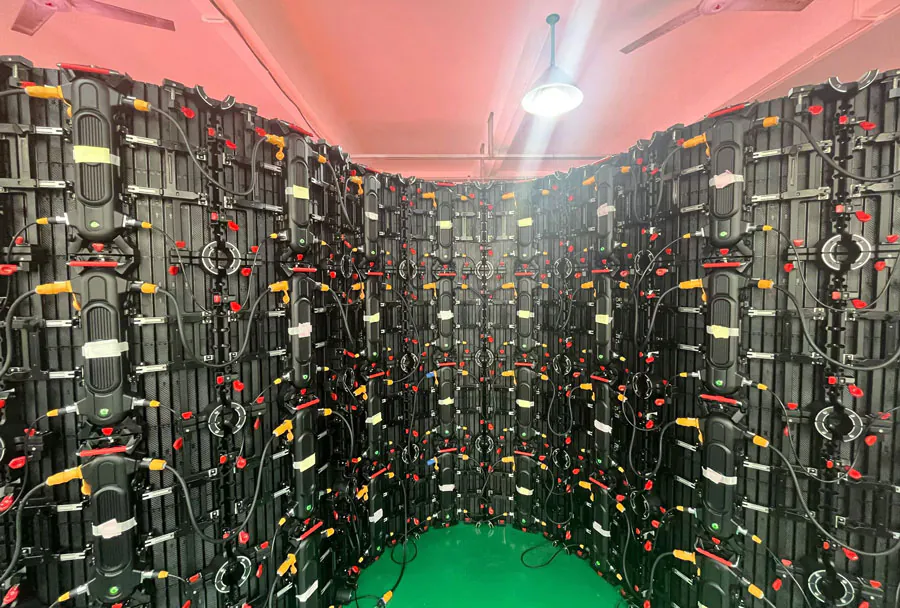
Cost-Effective Outdoor LED Screen Rental for Small & Large Events

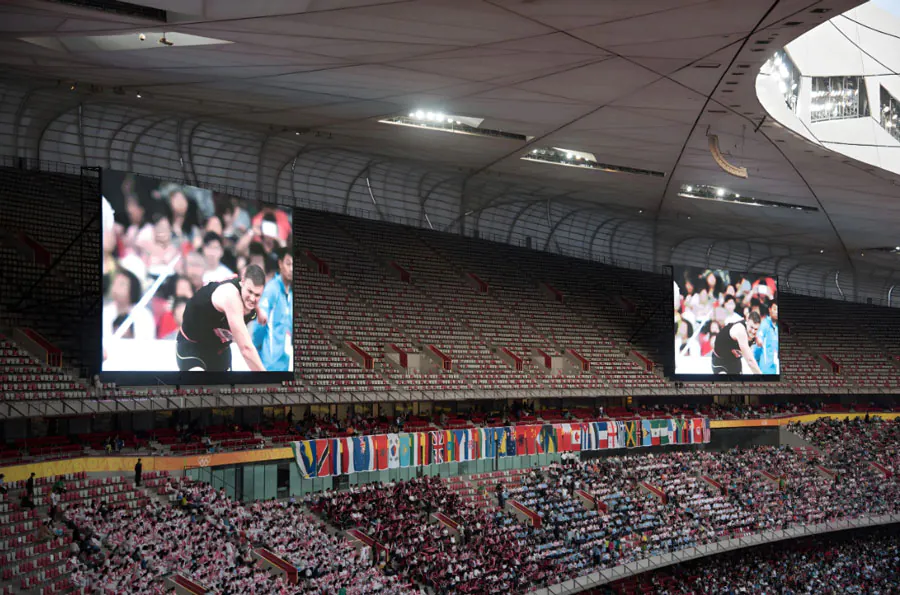
Outdoor LED screens have become a staple for modern events — from community movie nights to multi-day music festivals, and from corporate product launches to outdoor sports broadcasts. Their ability to deliver bright, sharp imagery regardless of ambient light makes them a superior choice over projection in many outdoor scenarios. Yet for event planners and organizers who must keep budgets in check, the question is not only whether to use LED screens but how to deploy them cost-effectively for both small and large events.
This article provides a comprehensive, professional guide to renting outdoor LED screens with an emphasis on cost-effectiveness. It covers technical considerations, cost drivers, sizing and pixel pitch selection, logistical and installation tips, content and control requirements, and models for pricing and negotiation. A practical five-column analysis table is included to compare common event types and recommended screen specs. Whether you run a small-town festival, a corporate cocktail event, or a stadium-sized concert, these insights will help you make informed choices that balance visual impact and budget.
Understanding the Cost Components of Outdoor LED Screen Rental
Before optimizing costs, you must understand the major cost components of an outdoor LED screen rental. Each factor contributes to the total rental price and offers opportunities for cost control.
1. Screen Size and Pixel Pitch
– Screen size: Larger displays require more modules and heavier support structures, increasing cost.
– Pixel pitch: Finer pixel pitch (smaller distance between LEDs) delivers better image quality at closer viewing distances but increases price. Choose the coarsest pitch that still meets viewing distance needs.
2. Rental Duration
Rental companies typically charge per day, with minimums and discounts for multi-day bookings. Shorter events usually cost proportionally more per day than long-term rentals because setup and transport are fixed costs.
3. Transport, Rigging, and Labor
Delivery distances, on-site labor for assembly/disassembly, scaffold or truss rental, and crane or lift fees can add significantly to the base screen rate. Labor costs also vary by region and event complexity.
4. Power and Weatherproofing
Outdoor screens require reliable power sources and often generators for remote sites — a major expense. Weatherproofing, wind engineering, and backup plans (e.g., covers or tarps) are necessary for liability and continuity, sometimes adding to rental insurance or materials charges.
5. Control Systems and Content Playback
Media servers, video processors, playback hardware, and operator fees are additional items. Complex multi-source inputs (live cameras, graphics, feeds) increase technical staffing needs.
Matching Screen Specs to Event Type: Size, Pitch, Viewing Distance
Picking the correct screen size and pixel pitch is the single most effective way to cut costs without compromising viewer experience. Use the three-part rule: viewing distance, viewer density, and content type.
Viewing Distance and Pixel Pitch
A practical guideline: for comfortable image quality, multiply the pixel pitch (in millimeters) by 8–10 to get the approximate ideal viewing distance in meters. For example, a 10mm pixel pitch is suitable for viewing distances of about 80–100 meters. For crowd-facing text or detailed video, err toward smaller pitch; for large outdoor stages viewed from far away, a larger pitch is acceptable and cheaper.
Content Type
High-definition video, live camera feeds, and small-type text require higher resolution (finer pitch). Background visuals or large-scale graphics can be displayed on coarser pitch screens with no noticeable degradation.
Cost-Effective Strategies for Small Events
Small events often have constrained budgets but still need a professional visual presence. Strategies for small events focus on minimizing fixed costs and leveraging technology efficiently.
1. Right-size the Screen
Avoid oversized screens just because they look impressive. Measure expected crowd densities and viewing distances. A modest 8–12 square meter screen with an appropriate pixel pitch may suffice for local festivals, outdoor movie nights, or product demos.

2. Choose Portable and Modular Options
Portable LED walls and smaller modular panels are easier and cheaper to transport and rig. They reduce labor time and eliminate the need for large cranes or heavy trusses.
3. Share Resources
If multiple small events are happening within a season, negotiate a package deal with a rental provider for reduced rates per event. Partner with neighboring event organizers to split delivery and setup costs if logistics allow.
4. Simplify the AV Chain
Minimize the number of playback devices and live sources. Use a single media server or laptop where possible. Each additional input or live mixing position adds operator costs.
Cost-Effective Strategies for Large Events
Large events require more planning, but economies of scale can be used to lower per-unit costs.
1. Bulk Negotiation and Long-lead Booking
Book early and negotiate multi-day or multi-event discounts. Rental houses can allocate inventory and staff more efficiently with advanced notice.
2. Use Hybrid Display Solutions
Combine a large main LED screen with supplemental smaller screens or LED ribbon boards. This reduces the size of the most expensive main display while maintaining excellent sightlines for the audience.
3. Optimize Rigging and Power Plans
Invest time in site surveys to minimize rigging complexity and generator usage. Centralize power and use efficient LED drivers to reduce generator fuel consumption and labor around refueling.
4. Staging & Modular Reusability
Design staging and screen configurations that can be reused across multiple days or events on the same site to amortize setup costs.
Comparison Table: Typical Event Types and Recommended Specs
Below is an analysis table to help planners quickly compare common event types, recommended screen sizes, viewing distances, estimated daily rental cost ranges, and suggested pixel pitches.
| Event Type | Recommended Screen Size (sq ft / m2) | Typical Viewing Distance | Estimated Cost (Per Day, USD) | Recommended Pixel Pitch (mm) |
|---|---|---|---|---|
| Small Community Event / Movie Night | 80–150 sq ft (7–14 m2) | 20–60 ft (6–18 m) | $500–$1,200 | 6–10 mm |
| Corporate Outdoor Launch / Cocktail | 150–400 sq ft (14–37 m2) | 30–100 ft (9–30 m) | $1,200–$4,000 | 4–8 mm |
| Sports Viewing & Fan Zones | 250–800 sq ft (23–74 m2) | 50–200 ft (15–60 m) | $2,000–$8,000 | 6–16 mm |
| Concert & Stage Events (Medium) | 800–2,000 sq ft (74–186 m2) | 50–300 ft (15–90 m) | $6,000–$20,000 | 6–14 mm |
| Large Festivals / Stadium (Main Screen) | 2,000–8,000+ sq ft (186–743+ m2) | 75–500+ ft (23–150+ m) | $15,000–$80,000+ | 10–20 mm |
Note: Costs vary widely based on geography, season, and special requirements (waterproofing, wind-load engineering). The ranges above are estimates and should be validated with local rental houses.
Logistics, Installation, and Safety Considerations
Effective logistics can reduce unforeseen costs and last-minute overruns.
Site Surveys and Permits
Conduct a detailed site survey. Confirm local permits for temporary structures, power draw limits, noise (generator) restrictions, and crowd control per municipality rules. Failing to secure permits can lead to fines and event shutdowns.
Wind, Weather, and Structural Safety
Outdoor LED walls present wind loads that must be engineered. Use appropriate ballast, ground anchoring, and wind monitoring. Budget for weather contingency (covers, quick-dry protection) and ensure vendor liability and insurance coverage.
Power Management
Calculate total power requirements (including PA, lighting, and stage elements) and determine whether site power is sufficient or generators are necessary. Diesel generators, fuel supply, and distribution boxes are common line items in rental quotes.
Access and Load-In

Plan truck access, staging areas for loading/unloading, and safe pathways. If cranes or lifts are needed, confirm on-site ground load capacity and arrange operator certification.
Technical and Content Considerations
Delivering a visually impactful experience requires more than the screen itself. Content preparation and technical workflows influence both cost and final quality.
Media Formats and Server Compatibility
Standardize content formats and codecs to reduce transcoding labor. Ask rental providers for their preferred specs (resolution, frame rate, color space) well in advance. Use a single unified playlist when possible to minimize operator workload.
Live Feeds and Delay Management
Live camera feeds introduce latency and switching complexity. Use reliable signal paths (fiber or SDI) and clear delay settings for synchronized playback. For multi-screen setups, ensure a pixel-accurate warping or mapping system is in place if content spans displays.
Testing and Rehearsal
Schedule technical rehearsals and content checks to catch issues before showtime. Testing reduces the risk of costly last-minute fixes and improves reliability.
Rental vs Purchase: When Buying Makes Sense
For organizations that regularly host outdoor events, the buy vs. rent decision hinges on frequency, storage, maintenance capability, and capital availability.
– Rent if: You run events infrequently (less than 6–8 large outdoor events per year), lack storage or trained staff, or prefer operational expense (OpEx) over capital expenditure (CapEx).
– Buy if: You host multiple large events across a season, require custom configurations regularly, and can absorb maintenance, storage, and depreciation costs. Ownership can lower per-event costs over time but requires upfront capital and operational know-how.
For many organizations, a hybrid model works: purchase small turnkey screens for frequent use and rent large screens for peak events.
Negotiation Tips and Cost-Reduction Tactics
Getting the best value from a rental vendor requires preparation and negotiation.
1. Bundle Services
Combine screen rental with rigging, power, and operator services to get package discounts. Vendors prefer bundled work that reduces administrative overhead.
2. Flexible Dates
If your event date is flexible, choose off-peak rental windows for lower daily rates. Weekdays or non-peak festival seasons often have lower prices.
3. Transparent Scope of Work
Create a clear statement of work (SOW) that lists exact deliverables, setup times, contingencies, and acceptance criteria. Clear SOWs prevent scope creep and surprise fees.
4. Leverage Local Vendors
Local suppliers reduce transport costs and downtime. Ask for references and visit previous installations when feasible.
5. Insurance and Risk Allocation
Understand what the rental vendor’s insurance covers and what you must cover. Vendors may provide limited liability, but event organizers often need additional event insurance or general liability policies.
Case Examples: Practical Applications Across Event Types
– Small Town Film Night: A 10m2 LED wall with 8mm pixel pitch rented for a weekend. Delivery and setup are handled by one technician. Cost is kept low by using the town’s power supply and leveraging volunteer event staff for crowd management. Media is a single HD file played from a laptop.
– Corporate Product Launch: A 30m2 LED wall with a 4mm pitch used close to the audience for crisp product visuals. Additional cost includes a media server and a dedicated operator. The company negotiated a multi-day package and shared transport with a neighboring event to reduce fees.
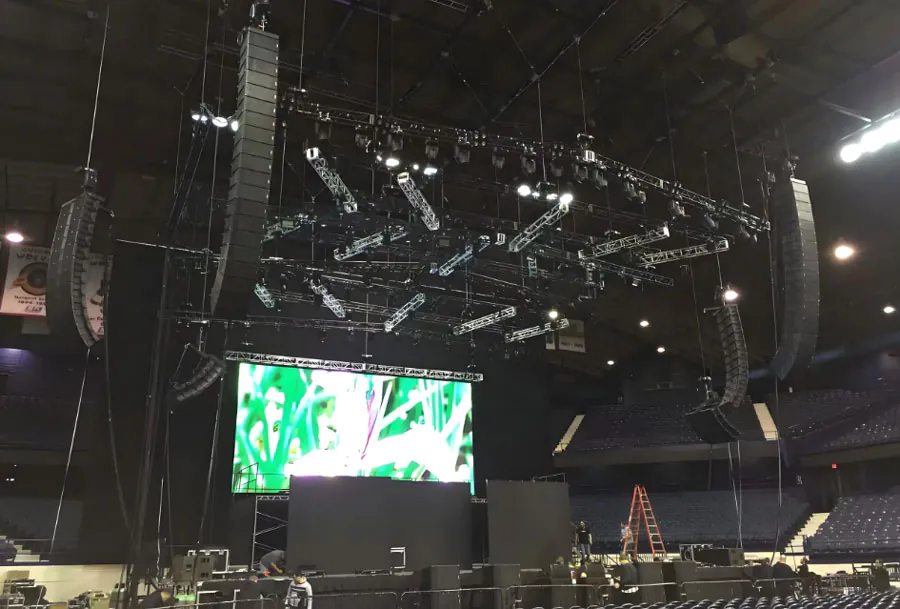
– Stadium Concert: Multiple LED screens (main, side wings, backstage) sized at several thousand square feet. Large pixel pitch for far-field viewing, but lower-level screens use finer pitch. Costs are maximized through advance booking, integrated rigging with stage contractor, and coordinated power distribution.
Checklist: Pre-Rental Questions to Ask Vendors
– What are the exact dimensions and pixel pitch of the proposed screen?
– Do you provide a site survey and structural/wind calculations?
– What is included in the daily rate (transport, setup, operators)?
– What are power requirements and generator recommendations?
– What are the lead times, cancellation policies, and penalties?
– Do you offer multi-day or multi-event discounts?
– What warranties and insurance coverage are provided?
– Can you provide references or site photos of similar events?

Conclusion: Balancing Impact and Budget
Outdoor LED screens deliver a high-impact visual experience that can significantly elevate any event. The key to cost-effectiveness lies in matching technical specifications to audience needs, negotiating smartly with vendors, and optimizing logistics and content workflows. For small events, right-sizing, modular solutions, and simplified playback will save money. For large events, early planning, hybrid display strategies, and efficient power/rigging plans unlock economies of scale. Whether renting for the first time or refining procurement for a recurring festival, using the frameworks and practical tips in this guide will help ensure you achieve maximum visual impact while keeping costs under control.
Final practical tip: Always request a written proposal detailing total cost (screen, labor, transport, power, insurance) and a clear installation timeline. A transparent quote is the best safeguard against unexpected expenses and provides a solid baseline for negotiating better terms.