Mobile LED Screen Rental Toronto for Outdoor Gatherings and Parades

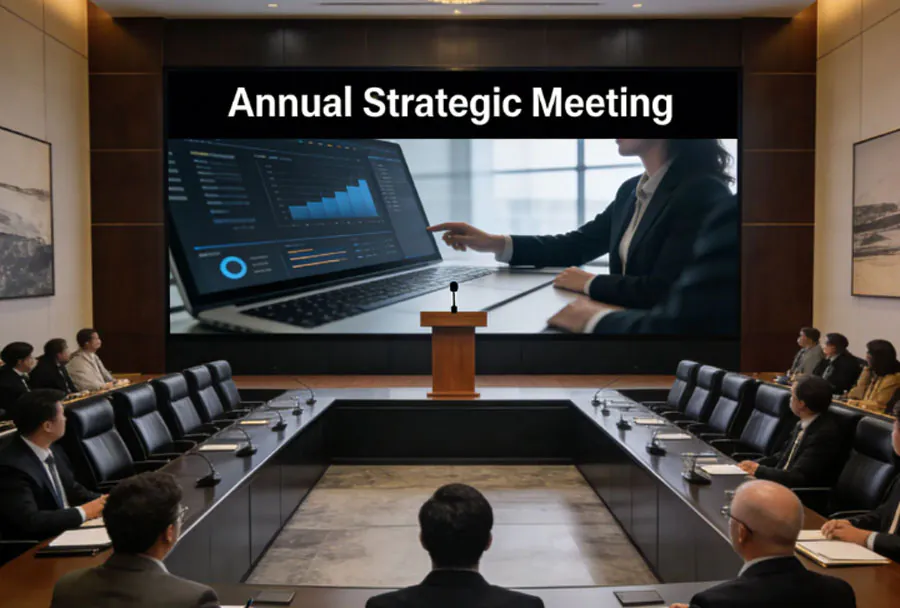
Mobile LED screens have become a staple for modern outdoor events—especially in dynamic urban centers like Toronto where parades, street festivals, rallies, and public gatherings draw large, dispersed crowds. A mobile LED screen (trailer-mounted or towable LED billboard) provides unmatched visibility, real-time content delivery, and flexibility that fixed installations cannot match. For event planners and municipal organizers in Toronto, renting mobile LED screens delivers the technical capabilities and operational agility necessary for safe, engaging, and highly visible outdoor presentations.
This article covers why mobile LED screens are ideal for outdoor gatherings and parades in Toronto, technical considerations, logistical and permitting requirements, vendor selection advice, weather and safety planning, cost and ROI factors, and a practical checklist to help you execute a successful installation.
Why Mobile LED Screens Are Ideal for Outdoor Gatherings and Parades in Toronto
– Visibility and Brightness: Mobile LED screens are designed for high brightness levels (measured in nits) so content remains clear even under direct sunlight—critical for daytime parades and street festivals.
– Mobility and Speed: Trailer-mounted units can be repositioned quickly, follow parade routes, or be redeployed between event sites. Their mobility reduces the time and infrastructure required to serve multiple locations.
– Audience Reach and Engagement: Large-format screens allow organizers to display live camera feeds, sponsor messages, emergency announcements, and real-time social media integrations to keep dispersed crowds informed and engaged.
– Branding and Sponsorship Revenue: Sponsors value the premium visibility provided by LED screens. Rental units can be configured to rotate sponsor ads during downtime or integrate split-screen sponsorship placements.
– Weather-Resistant Design: Purpose-built mobile LED screens are engineered for outdoor conditions with IP-rated components, heated enclosures for colder months, and secure mounting systems suited to Toronto’s variable weather.
– Accessibility and Safety Messaging: Large screens make it easier to show captions, sign-language feeds, and emergency instructions—important in diverse, crowded events in a city with multiple language communities.
Technical Considerations
When renting a mobile LED screen for Toronto outdoor events, you should evaluate these technical specs and operational features:
– Pixel Pitch: Determines resolution and effective viewing distance. For parade viewing where the audience is often 30–100+ feet away, pixel pitches of P6–P10 are common. For closer engagement zones (under 30 feet), consider P4 or finer.
– Brightness (Nits): For daytime outdoor use, aim for 5,000–7,500 nits or higher to ensure readability in direct sunlight. Night events can use lower brightness but still require sufficient contrast.
– Screen Size & Aspect Ratio: Choose sizes appropriate to viewing distance and crowd density. Mobile trailer units commonly range from 10 to 30 square meters (roughly 10’–20’ width displays). Aspect ratio should match your content (16:9 for video, custom for sponsor banners).
– Power & Fuel: Options include onboard generators, shore (mains) power, or hybrid battery systems. Verify fuel capacity and run-time for parades lasting several hours, and plan for refueling logistics.
– Connectivity & Control: Confirm HDMI/SDI inputs, wireless streaming (4G/5G), satellite fallback, and remote content management. Redundant links reduce outage risk.
– Audio Integration: Pair screens with PA systems for synchronized audio—important when showing speeches or live music. Ensure audio coverage matches visual sightlines.
– Mounting & Stability: Trailer-mounted screens should have reliable stabilizers, outriggers, and wind-rating documentation. Ensure compliance with wind-load requirements for the size of the screen.
– Operator & Monitoring: Rent from providers who include a trained operator to manage content, monitor equipment, and handle troubleshooting during the event.
Analysis Table — Typical Use Cases and Recommendations
| Use Case | Recommended Screen Size | Typical Pixel Pitch | Brightness (nits) | Estimated Rental Cost (per day) |
|---|---|---|---|---|
| Parade Float / Route Viewing | 12’–20′ width (trailer unit) | P6–P10 | 6,000–8,000 | $1,200–$3,000 |
| Street Festival / Block Party | 15’–25′ width | P4–P8 | 5,000–7,500 | $1,800–$4,500 |
| Outdoor Concert / Performance | 20’–30′ width | P4–P6 | 6,000–10,000 | $2,500–$6,000 |
| Political Rally / Public Address | 10’–18′ width | P6–P10 | 5,000–7,500 | $1,200–$3,500 |
| Drive-in / Outdoor Movie Night | 20’–35′ width | P6–P10 | 3,000–6,000 (night) | $1,500–$4,000 |

Note: Rental prices are estimates and vary by vendor, season, duration, site access, and included services (operator, power, transport). Always obtain formal quotes from multiple vendors.
Logistics & Permits in Toronto
Renting and deploying mobile LED screens in Toronto requires careful coordination with municipal authorities and other stakeholders. Key considerations include:
– Permits and Approvals: You may need permits from Toronto’s Municipal Licensing & Standards, Transportation Services (for road closures), Toronto Police Services (public safety and parade routing), and Toronto Parks, Forestry & Recreation (for park permits). Applications should be submitted well in advance—typically 30–90 days depending on event scale.
– Road & Sidewalk Access: Parades often require lane closures, temporary barricades, or sidewalk staging. Coordinate with Transportation Services for traffic control plans and ensure signage and pedestrian diversions.
– Utility & Power Access: If you plan to use shore power, obtain approvals and meter connections in advance. For generator use, notify local authorities about noise and environmental guidelines.
– Insurance & Indemnities: Vendors typically carry equipment insurance, but event organizers should obtain general liability insurance naming the City of Toronto, venue owners, and vendors as additional insureds per permit requirements.
– Noise Bylaws: Toronto enforces noise regulations; for amplified audio accompanying the screen, check local bylaws and obtain necessary exemptions if your event runs during restricted hours.
– Accessibility & Crowd Safety Plans: Provide accessible viewing areas, captioning or ASL feeds when required, and a crowd management plan including first aid and emergency egress routes.
Vendor Selection & Rental Tips
Choosing the right vendor determines the success of your event deployment. Ask potential vendors these critical questions:
– What are the exact screen specifications (pixel pitch, brightness, dimensions, IP rating)?
– Do you include a trained operator and on-site tech support for the event?
– What is the setup and teardown time, and what are site access requirements?
– Is delivery, setup, and removal included in the quote? Are there additional charges for stairs, parking permits, or remote sites?
– What power options do you provide and how long will the generator run without refueling?
– Can the system handle live video feeds, multiple inputs, and remote content switching?
– Do you provide staging, outriggers, or wind mitigation equipment and documentation?
– What are your emergency response procedures for equipment failure or severe weather?
– Can you provide references or case studies for similar Toronto events?
Request a site visit or digital site survey so the vendor can confirm visibility lines, power access, and placement logistics. Compare at least three vendors and read contracts carefully for cancellation, overtime, and damage clauses.
Setup, Placement & Audience Engagement Strategies
– Optimal Placement: For parade viewing, place screens at natural congregation points (staging areas, viewing squares, and intersection pivots) where crowds pause. Ensure the screen faces the crowd at a slight downward angle and avoid placing it in front of competing visual obstructions (trees, streetlights).
– Height & Sightlines: Position screens high enough for clear sightlines above crowd heads (typically 10–15 feet for dense crowds), but within safe wind-load limits. Use mobile cranes or trailer jacks for elevation adjustments.
– Content Strategy: Use a mix of live camera feeds, real-time captions, schedule info, sponsor slots, emergency messages, and social media highlights. For Toronto’s diverse audiences, include bilingual content (English/French) and consider translated captions for major language groups.

– Interactivity: Encourage audience interaction through live polls or hashtag displays. Use short, high-contrast graphics for readability at a distance.
– Accessibility: Provide captions and, where possible, include an ASL inset during speeches or important announcements. Ensure audio is intelligible across the same zones the screen serves.
Weatherproofing & Safety
Toronto weather can be unpredictable—rain, wind, and cold are common. Address these points:
– IP Rating & Enclosures: Confirm outdoor-rated panels (IP65 or higher recommended) and sealed cable connections. Protect control racks with lockable, ventilated enclosures.
– Wind Ratings & Anchoring: Obtain wind-load certificates and use ballast, outriggers, or weighted anchors as recommended. Remove or lower screens if wind thresholds are exceeded.
– Cold-Weather Operation: Ensure heaters and temperature controllers are available for screens used in late fall or winter parades. Cold can affect LED performance and battery capacity.
– Lightning & Severe Weather Plan: Have a clear evacuation and shutdown protocol for sudden storms. Coordinate with event safety officers and municipal emergency services.
– Public Safety Barriers: Deploy barriers or stanchions to keep crowds at safe distances from equipment, cables, and fuel sources. Use cable ramps and mats to prevent trip hazards.
Power Management & Connectivity
Power is a make-or-break element for mobile LED operations:
– Generator Sizing: Calculate combined power draw for LED panels, control systems, audio, and ancillary equipment. Use generators with capacity overhead (20–30% reserve) to avoid overload.
– Fuel Logistics: For multi-hour parades, plan for fuel deliveries or swap schedules. Consider quieter, low-emissions generator models if noise or emissions permits are restrictive.
– Redundancy: Use UPS units for control hardware and redundant network links (primary 4G/5G with satellite fallback) for live streaming or remote content changes.
– Remote Management: Choose systems with remote monitoring and diagnostics so operators can identify panel failures, power dips, or connectivity issues quickly.
Case Studies & Examples (Practical Scenarios)
– City Parade: A downtown holiday parade stages three mobile LED units at key viewing hubs. Screens display live camera feeds, parade updates, and sponsor content. A dedicated operator synchronizes feeds to social media, and additional PA coverage ensures audio for speeches. Advance permits and a traffic plan enabled safe lane closures and hill-top screen placement for maximum visibility.
– Street Festival: Multi-site deployment across three blocks used trailer-mounted screens to broadcast performance schedules, interactive sponsor activations, and real-time AMBER-Alert style notifications when needed. Battery hybrid systems reduced generator noise and improved neighborhood acceptance.
– Political Rally: A single large trailer screen with P6 pixel pitch supported live speeches and close-captioning for accessibility. A backup generator and LTE uplink ensured uninterrupted streaming to satellite locations.
These scenarios show how planning, redundant systems, and clear content strategies yield successful outcomes even in complex urban environments.
Cost & ROI Considerations
Rental costs vary based on screen size, pixel pitch, inclusion of operator and logistics, travel distance, and event duration. Additional cost drivers include:
– Length of rental (half-day vs. multi-day)
– Setup complexity and site access (downtown street vs. park)
– Required permits and municipal fees
– Added services (audio, live switching, crew overtime)
– Peak season demand (summer festivals vs. winter holiday events)
Return on investment can be direct (sponsorship revenue, ticket sales uplift) and indirect (increased attendee satisfaction, better event coverage, safer communications). For sponsored events, dedicate clear ad slots and measure impressions via crowd counts and social engagement to quantify sponsor value.
Organizer’s Quick Checklist
– Confirm event date, time, and expected crowd size.
– Select screen size and pixel pitch appropriate for viewing distance.
– Obtain site permits and road closure approvals from Toronto authorities.
– Verify vendor includes operator, transport, and setup/teardown in quote.
– Confirm power plan (generator capacity, fuel logistics, shore power options).
– Arrange insurance that meets City requirements and name required parties as additional insured.
– Prepare content schedule (live feeds, captions, sponsor ads).
– Plan for weather contingencies and establish wind threshold limits.
– Coordinate audio coverage and accessibility services (captions/ASL).

– Confirm emergency communications plan and on-site crew responsibilities.
Mobile LED screen rental in Toronto offers event organizers a powerful tool to elevate outdoor gatherings and parades—improving visibility, engagement, safety communications, and sponsorship value. Successful deployments require attention to technical specs (pixel pitch and brightness), careful logistical planning (permits, power, and placement), and reliable vendor partnerships that include experienced operators and redundancy plans.
When you plan early, choose the right equipment for your audience and context, and prepare for Toronto’s weather and municipal rules, mobile LED screens can transform a traditional parade or outdoor gathering into a high-impact, memorable experience for thousands of attendees.