How to Choose the Best Rental LED Display Screen for Your Event

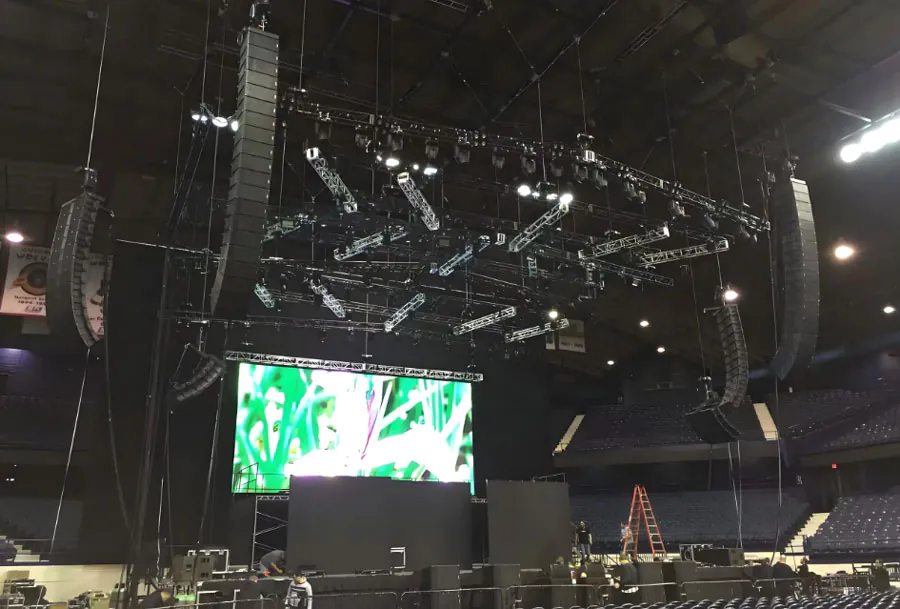
Choosing the right rental LED display screen can make or break the visual experience at your event. Whether you’re organizing a corporate conference, concert, trade show, product launch, or outdoor festival, the LED screen is often the focal point for delivering messages, branding, and entertainment. A properly selected screen enhances visibility, engages the audience, and ensures content looks crisp and professional. Conversely, a poorly chosen display can cause readability problems, glare, pixelation, and technical headaches that distract from the event’s goals.
This guide walks you step-by-step through the practical and technical considerations you need when renting an led display. It’s written for event planners, AV managers, marketing teams, and production companies who need to make informed decisions quickly and efficiently. We’ll cover technical specifications, environmental considerations, content and playback, logistics, budgeting, and how to evaluate rental vendors. A 5-column analysis table is included to help you quickly map screen characteristics to different event needs.
Understand the Basics: Key LED Display Terms
Before diving into selection criteria, get comfortable with the terminology. Knowing these terms will help you ask the right questions of rental vendors:
– Pixel Pitch: The distance in millimeters between the centers of two adjacent pixels. Smaller pitch = higher pixel density = better close-up clarity.
– Resolution: The total number of pixels horizontally and vertically. It determines how much detail the screen can display.
– Brightness (nits): A measure of light output. Higher brightness is essential for outdoor use in daylight.
– Refresh Rate: How often the image on the screen refreshes per second (Hz). Higher refresh rates reduce flicker, especially for camera capture.
– Contrast Ratio: The difference between the darkest and brightest parts of an image. Better contrast yields deeper blacks and richer colors.
– SMD vs DIP: Surface-mount device (SMD) LEDs are commonly used for indoor and fine-pitch displays. DIP LEDs are durable and often used in high-brightness outdoor screens.
– IP Rating: Ingress Protection rating that measures resistance to dust and water—critical for outdoor events.
Step 1 — Define Your Event Requirements
Event Type and Goals
Different events require different visual strategies. Ask: Is the display primarily for branding and signage, speaker support (slides and close-ups), live video, or dynamic content? Concerts and festivals need immersive, large-scale visuals and live camera feeds. Conferences may prioritize slide legibility and speaker close-ups.
Audience Size and Viewing Distance
Estimate the farthest and closest distances between the audience and the screen. This determines appropriate pixel pitch and screen size. A general rule: closest viewing distance (in meters) ≈ pixel pitch (mm) × 1.5 to 2. For example, a 2.5mm screen is comfortable for audiences as close as about 3–5 meters.
Indoor vs Outdoor
Outdoor events need screens with higher brightness, weatherproof cabinets (IP65+), and sun mitigation considerations (anti-reflective coatings, higher contrast). Indoor screens can prioritize finer pixel pitch and lower brightness to avoid glare.
Step 2 — Choose Pixel Pitch and Resolution
Pixel pitch is the single most important technical decision. It determines how clear your graphics, text, and video appear at given distances.
– Close viewing (conference rooms, trade show booths): 1.2mm to 2.5mm.
– Medium distance (small auditoriums, indoor stages): 2.5mm to 4mm.
– Large indoor/outdoor viewing (arenas, concert stages): 4mm to 6mm.
– Long distance and giant screens (stadiums, building fa?ades): 6mm to 16mm+.
Resolution and physical screen size interact. If you need to display complex slides, small type, or detailed video, prioritize higher resolution (more pixels). For big background visuals or ambient imagery, a lower resolution with larger screen area may suffice.
Step 3 — Brightness, Contrast, and Color
Brightness
Brightness is measured in nits (cd/m2). Typical ranges:
– Indoor: 800 to 1,500 nits.
– Outdoor (night or shaded): 2,000 to 4,000 nits.
– Outdoor (full daylight): 5,000 to 10,000+ nits.
Pick a display with enough brightness to maintain color and contrast in ambient lighting. Keep in mind that higher brightness increases power draw and heat.

Contrast and Color Reproduction
Contrast affects perceived image depth. Look for LED panels with strong black levels and consistent color temperature. If color accuracy is critical (product demos, branding), ask about factory calibration, LUTs (look-up tables), and the ability to perform on-site color calibration.
Refresh Rate and Camera-Friendly Displays
For events with live camera feeds—especially multi-camera broadcasts—choose screens with high refresh rates (≥ 3840Hz or vendor-specified “camera-friendly” rates). Lower refresh rates can cause flicker or scanline artifacts on video.
Step 4 — Physical Considerations: Size, Weight, and Mounting
Modular Panels and Aspect Ratios
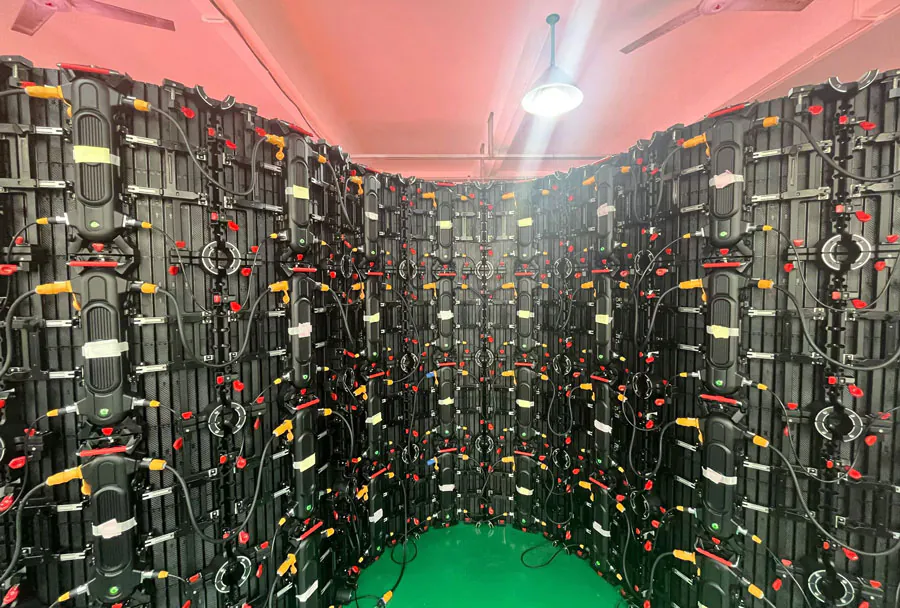
Most rental LED systems are modular, composed of cabinets that assemble into custom sizes and aspect ratios. Confirm:
– The native aspect ratio of the rig.
– Whether the provider can build your required size and shape.
– How seams between modules are handled visually.
Rigging, Ground Support, and Safety
For flown screens, verify rigging points, wind load ratings, and that the vendor uses certified rigging hardware and technicians. For ground-stacked screens, inspect base support, ballast needs, and safety barriers.
Weight and Transport Logistics
Weight affects transportation, labor, and crane or forklift requirements. Confirm road cases, truck space, and crew size. Rental vendors should provide detailed load-in/load-out plans and manpower estimates.
Step 5 — Power, Cabling, and Signal Flow
Plan the power distribution carefully. LED walls have specific voltage and current demands. Ask for:
– Power per cabinet and total power requirements.
– Recommended generator size with headroom (typically 25–30%).
– Uninterruptible Power Supply (UPS) options for critical events.
– Signal chain diagram: from media server to video processor to LED receiving cards.
– Cable types and lengths and whether fiber is used for long runs.
Step 6 — Content, Playback, and Media Servers
Effective content management is as important as the hardware.
– Formats: Confirm supported resolutions and codecs. Most modern setups accept H.264/H.265, ProRes, and uncompressed timelines via media servers.
– Aspect Ratio: Provide content at native resolution to avoid scaling artifacts.
– Edge Blending and Warping: For curved or multi-screen setups, ensure the processor supports blending, warping, and color matching.
– Redundancy: Use dual media servers or synchronized playback nodes for failover.
– Live Input: For live feeds, test camera feeds, latency, and switcher compatibility.
Step 7 — Vendor Selection and On-Site Support
A reliable rental company can provide equipment, technical support, and contingency planning.
– Experience: Look for vendors with experience in your event type.
– Stock and Variety: Ensure they have the pixel pitch and size you need.
– Technical Team: Confirm onsite engineers, techs, and a point of contact.
– Insurance and Certifications: Verify liability insurance, safety certifications, and rigging credentials.
– References and Portfolio: Ask for case studies or references for similar events.
Step 8 — Budgeting and Value Considerations
While price matters, prioritize value. Cheaper rental options may cut corners in support, calibration, or equipment quality.
– Line-item quotes: Request breakdowns for equipment, labor, transport, setup, calibration, and contingency fees.
– Hidden costs: Watch for charges for overtime setup, extra power, or additional testing time.
– Compare proposals: Ask vendors to propose options (basic, recommended, premium) and explain trade-offs.
Step 9 — Testing, Rehearsal, and Contingency Planning
Never rely on last-minute setup. Insist on a full tech rehearsal ideally on the actual equipment or with a mirror setup.
– Test content at full resolution and brightness.
– Check color and black levels across the full screen.
– Test camera shots and live feeds.
– Run a power-failure drill; confirm UPS and failover behavior.
– Ensure spare modules, spare power supplies, and on-site techs for quick swaps.
Analysis Table: Matching Display Choices to Event Needs
| Event Type | Recommended Pixel Pitch | Typical Viewing Distance | Indoor / Outdoor | Notes / Special Requirements |
|---|---|---|---|---|
| Conference / Corporate Meeting | 1.2mm – 2.5mm | 3 – 10 meters | Indoor | High-resolution for small text; color calibration; lower brightness |
| Trade Show Booth | 1.5mm – 3mm | 2 – 8 meters | Indoor | Compact modules; flexible aspect ratio; interactive capability |
| Concert / Live Performance | 3mm – 6mm | 10 – 50 meters | Indoor / Outdoor | High brightness, high refresh rate, camera?friendly, rigging certified |
| Outdoor Festival / Fair | 6mm – 10mm | 20 – 100+ meters | Outdoor | Weatherproof cabinets, high nits, wind load calculations, shading |
| Large-Scale Branding / Building Fa?ade | 10mm – 20mm+ | 50 – 300+ meters | Outdoor | Durable DIP modules, long-term mounting, maintenance access, permits |

Checklist Before You Sign the Rental Contract
– Confirm pixel pitch, brightness, and native resolution for your content.
– Get a complete technical rider with power, rigging, and crew requirements.
– Verify the vendor’s insurance, safety certifications, and references.
– Ask for a site visit or CAD diagrams for load-in and rigging plans.
– Confirm the media server, playback format support, and redundancy plan.
– Request a written SLA for uptime, on-site support response times, and spare parts availability.
– Ensure test and rehearsal time is scheduled and included in the quote.
– Verify billing details for overtime, extra labor, and potential damage fees.
Common Pitfalls and How to Avoid Them
– Underestimating viewing distance: Leads to pixelation. Use the table above to select pixel pitch.
– Neglecting camera refresh rate: Causes flicker when shooting the screen. Always test camera feeds during rehearsal.
– Ignoring weather considerations: Outdoor screens must be rated and secured for wind and rain.
– Not planning power: Inadequate power provisioning can cause brownouts or forced dimming.
– Choosing lowest price: Hidden costs or lower-quality modules can cost more in repairs and headaches.
Case Studies: Practical Choices
– Corporate Product Launch (Indoor): 2.0mm LED wall, 6m x 3.5m, high contrast calibration, dual media server redundancy. Result: Crisp product imagery and clear text for 500 attendees.
– City Music Festival (Outdoor Night): 6mm LED front-of-house and 10mm stage wings, 8,000 nits front screens, full rigging and ballast plan with wind-rated truss. Result: Visibility across a 50m field with stable rigging.
– Trade Show Booth (Interactive): 1.9mm curved LED wall at eye level, integrated touch overlay and interactive content server. Result: High engagement and measurable dwell time increases.
Final Recommendations
1. Start from content and viewing distance, not from price. Content dictates how fine the pixel pitch must be.
2. Prioritize vendors who provide on-site engineers, thorough technical riders, and documented contingency plans.
3. Require camera-friendly displays and high refresh rates if you’ll be shooting the screen.
4. Build power and redundancy buffers into your budget (don’t run generators at 100% capacity).
5. Schedule a full tech rehearsal on the actual gear whenever possible.
Selecting the best rental led display screen is a cross-functional task that blends technical know-how, logistical planning, and creative vision. By understanding pixel pitch, brightness, resolution, and physical rigging considerations—and by partnering with reputable rental vendors—you can ensure your event’s visuals are impactful, reliable, and aligned with your audience’s expectations. Use the checklist and analysis table in this guide to accelerate decision-making, minimize risk, and deliver a memorable visual experience.