4K UHD and HDR on Rental LED Walls — What the Specification Really Means

A 4K HDR LED display is only 4K if the wall physically carries 3,840 or more pixels across, and only HDR if the processing chain delivers the bit depth and brightness range the content was graded for. Both words appear on more datasheets than they survive on site.
In a market where the screen is the protagonist — premieres, launches, broadcasts, residencies — the useful question is not whether a panel advertises 4K or HDR, but which link in the chain gives it away. This page walks through resolution, dynamic range, bit depth, brightness, camera behaviour and source mapping, then lists what to ask before signing.
Table of Contents
- 1. What 4K Means on an LED Wall
- 2. Why HDR Needs More Than a Label
- 3. Bit Depth, Gradients and Banding
- 4. Brightness and Contrast in a Lit Hall
- 5. Cameras, Refresh and Moiré
- 6. Matching Source to Canvas
- 7. What to Ask a Supplier
- FAQ
- Conclusion
1. What 4K Means on an LED Wall
Resolution on an LED wall is a count of physical pixels, not a processing mode.
A 4K UHD frame is 3,840 × 2,160 pixels — about 8.3 million pixels, four times the count of 1080p. A wall reproduces that only if its cabinet grid adds up to at least 3,840 pixels across and 2,160 down. With 500 × 500 mm cabinets at P2.6, each cabinet is roughly 192 pixels wide, so a 4K-wide wall needs about twenty cabinets — ten metres — before scaling enters the picture.
Below that width, the processor downscales. The image still looks sharp, but small type, fine logos and one-pixel lines soften, and the softening is visible first on camera and on any content with thin strokes.
Three practical checks:
- Ask for the wall’s native pixel dimensions, not “4K capable”.
- Multiply cabinet count by pixels per cabinet and compare with the canvas in the brief.
- Confirm whether the processor scales, and by how much.
The same logic applies at the other end. A wall wider than 4K does not need a 4K source stretched across it; it needs content authored to its own canvas, which is why the pixel map belongs in the brief before design starts.
A 4K HDR LED display needs 3,840 pixels across the wall, not 3,840 on a processor spec sheet.
A 4K HDR LED display fed Rec.709 content reproduces colour faithfully but does not become HDR.
2. Why HDR Needs More Than a Label
HDR describes the range between the darkest and brightest parts of an image, plus the colour volume inside it. On an LED wall, that range depends on three things: the panel’s peak brightness, its black level, and the processing that carries the signal.
LED has a genuine advantage on black, because an LED that is off emits no light. Where a projected image lifts blacks in a lit room, an LED wall can hold them. The limit sits at the top end: peak brightness must be high enough for the highlights the grade expects, in the light the room actually has.
That is why the same HDR master can look convincing in a dark ballroom and flat in a glazed atrium. The wall did not change; the ambient light did.
Standard references are useful here. ITU-R BT.2100 defines the HDR television parameters, including perceptual quantiser (PQ) and hybrid log-gamma, and the DCI specification defines the digital cinema mastering environment. A supplier who cannot say which transfer function and bit depth the chain supports is describing a marketing feature, not a signal path.

3. Bit Depth, Gradients and Banding
Most visible HDR failures on rental walls are banding, not brightness.
A gradient — a sky, a spotlight falloff, a dark background behind a logo — needs enough steps to avoid visible steps. At 8-bit processing, a 256-step ramp shows contours on a large wall viewed from a few metres. Higher bit depth, commonly 14 to 16-bit internally, keeps the ramp smooth through calibration and brightness changes.
Banding also comes from the content itself. A compressed deliverable that was already banded cannot be repaired by the processor; it can only be masked by adding dither or noise, which softens detail.
Three checks follow:
- Processing depth. Ask what the controller handles internally, not what the file is.
- Delivery format. Request a high-bit-depth master, and confirm the codec the processor accepts.
- Test ramp. Put a slow grey ramp on the wall at show brightness and look for steps before anyone approves the picture.
This is also where calibration matters. A wall calibrated only at peak brightness will show different gradients at the lower level the show actually runs. Ask for the calibration to be checked at operating brightness, not just at maximum.
For a 4K HDR LED display, bit depth and grading standard matter as much as pixel count.
A 4K HDR LED display quote should name the content standard the wall will actually receive.
4. Brightness and Contrast in a Lit Hall
Calibrated brightness is the number that decides whether HDR reads, and it is rarely the number on the brochure.
A cabinet rated at 6,000 nits does not deliver 6,000 nits at 40°C internal temperature, and it does not deliver it after a year of dust. Ask for the derating curve and the calibration point.
Working ranges for rental work:
- Indoor ballrooms and boardrooms: 800–2,500 nits, calibrated.
- Bright convention halls: 2,000–3,500 nits where the wall faces glazing.
- Outdoor shaded: 4,000–5,000 nits.
- Outdoor direct sun: 6,000–8,000 nits with thermal headroom.
Contrast is a second decision. In a lit room, the wall’s black level is set by reflected ambient light as much as by the panel, so dark content reads better on a wall that is not fighting a white ceiling and house lights at full.
Practical response: specify operating brightness for the room, plan a night profile where the event runs into the evening, and test the actual content at the actual level rather than at maximum.
5. Cameras, Refresh and Moiré
If the event is filmed, the camera sets requirements the audience never sees.
Refresh. 3,840 Hz or higher avoids banding in most broadcast and IMAG situations, and it should be tested against the actual shutter rather than quoted from a datasheet.
Genlock. Where the wall and cameras share timing, genlock removes rolling artefacts and keeps replays clean.
Moiré. The interference pattern between sensor grid and LED grid depends on distance, focal length, focus and pixel structure. It is solved by testing the real lens package at the real shooting distance, not by choosing a finer pitch by default.
Colour pipeline. Camera, switcher and processor should agree on colour space and transfer function. A wall calibrated to one standard and fed another will look correct to the eye and wrong on the feed.
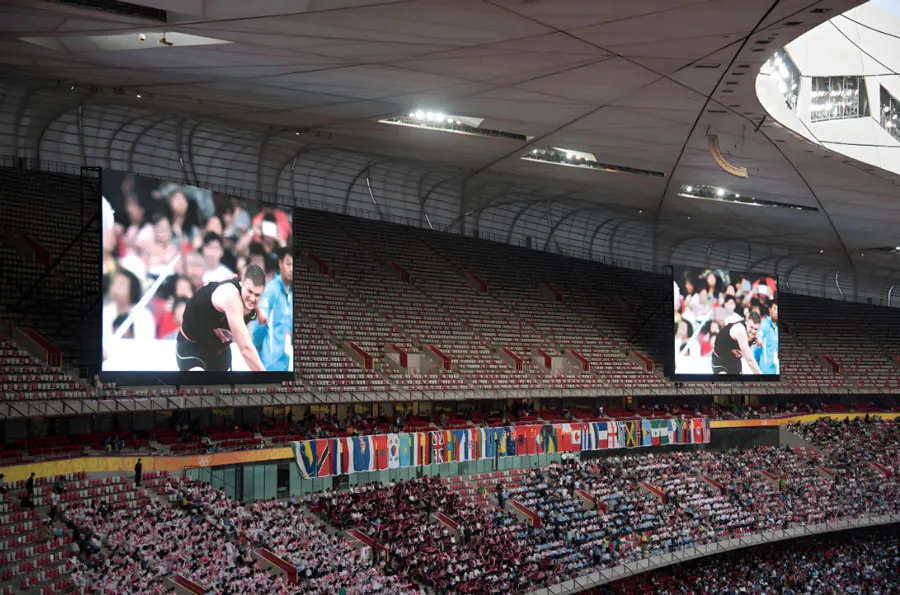
Test the 4K HDR LED display against the client’s own footage before the order is signed.
6. Matching Source to Canvas
Most “4K problems” are mapping problems.
A 16:9 master on a 2.5:1 wall letterboxes or stretches. A 4K master on a 3,000-pixel-wide wall is downscaled. A multi-surface build with a curved section needs a custom map, not one rectangle repeated.
Four steps prevent it:
- Publish the native canvas at kickoff: pixels, cabinet grid and aspect ratio.
- Confirm processor capacity against total pixels, including any confidence monitor or side screen.
- Deliver masters at native resolution, progressive scan, with safe areas for text.
- Run the full content at show brightness before doors, and sign off the picture.
Where shapes are non-standard, previsualisation is cheaper than rebuilding. A dimensioned drawing plus a test render settles most arguments about how a logo will wrap around a curve.
7. What to Ask a Supplier
Seven questions separate a real 4K HDR chain from a brochure claim.
- What are the wall’s native pixel dimensions, and how many cabinets produce them?
- What is the calibrated brightness at operating temperature, not the peak figure?
- What bit depth does the processor handle internally?
- Which transfer function and colour space does the chain support end to end?
- What refresh rate is guaranteed, and how is it tested against our cameras?
- Does the processor have the capacity and outputs for every surface in the design?
- What is the spare and backup arrangement if a module or a signal path fails?
Answers to those seven decide whether the wall delivers the picture the content was graded for. Everything else is a preference.
4K HDR LED Display — FAQ
Does every LED wall support 4K?
No. A wall reproduces 4K only when its physical pixel count reaches 3,840 × 2,160. Smaller walls show a downscaled image, which is fine for viewing but softens fine detail on camera.
Is HDR possible on an outdoor wall?
Partly. Black level is excellent because unlit LEDs emit nothing, but peak brightness has to be high enough for daylight, and thermal derating limits how long it can hold. Outdoor HDR is a brightness decision more than a processing one.
Why does my gradient look stepped?
Usually processing depth or the delivered file. Ask for the controller’s internal bit depth, request a high-bit-depth master, and test a slow grey ramp at operating brightness.
What refresh rate do I need for broadcast?
3,840 Hz or higher is the working figure for camera-facing walls, tested against the actual shutter. Genlock matters when the wall and cameras share timing.
Can a 4K source fix a coarse pitch?
No. Pitch sets how close a viewer can stand before pixels become visible; resolution sets how much detail the wall can carry. Both matter, and one does not substitute for the other.
Conclusion
A 4K HDR LED display is a chain, not a checkbox: native pixel count, calibrated brightness, processing depth, colour pipeline and camera behaviour. Ask for numbers at operating conditions, test with real content, and the claim becomes measurable.
For fleet-level specification, see LED displays for rental companies in Las Vegas; for the wider buying picture, see LED screen rental in Las Vegas.