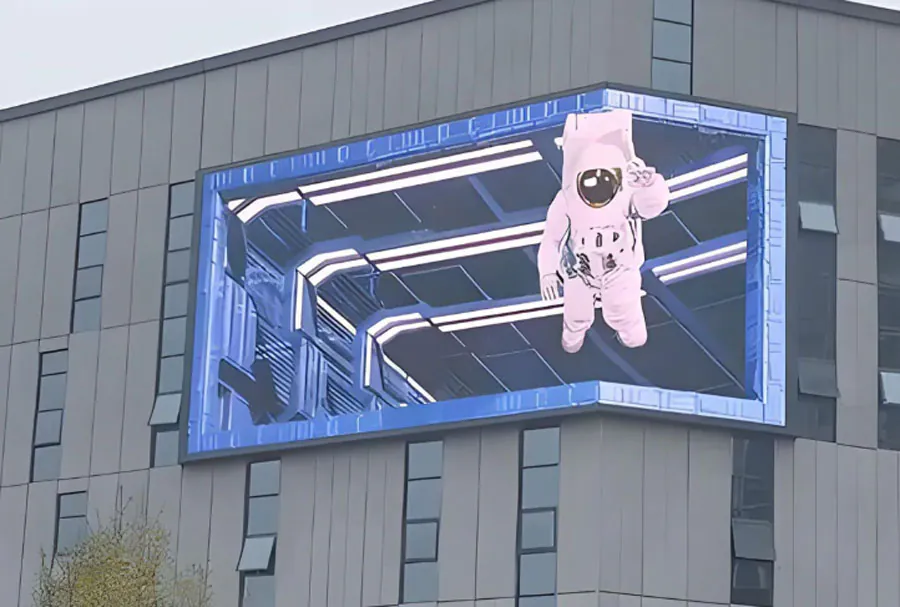
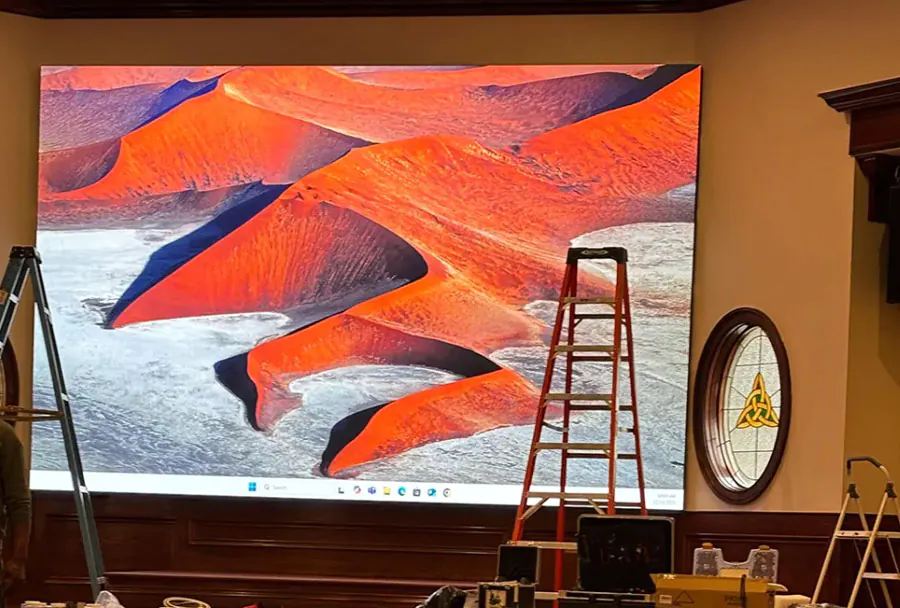
Affordable Big Digital LED Screen Rental Toronto with Fast Installation


Large-format digital LED screens have transformed how events, advertising campaigns, and public activations engage audiences. For event planners and marketers in Toronto, renting a big LED screen is often the most cost-effective and flexible solution compared to outright purchase. This article focuses on “Affordable Big Digital LED Screen Rental Toronto with Fast Installation” — exploring cost drivers, technical specifications, operational requirements, on-site logistics, and practical tips to secure an affordable rental with rapid deployment. Whether you’re organizing a one-day outdoor concert, a multi-day trade show, or a seasonal advertising campaign in Toronto, this guide will help you balance affordability with professional performance.
Why Rent Instead of Buy?
Renting a large LED screen makes sense for most use cases:
– Capital efficiency: Renting avoids large capital expenditure and depreciation.
– Flexibility: Match screen size and resolution to different event needs.
– Latest technology: Rental providers rotate inventory, so you access current models with high brightness and improved pixel pitch.
– Support and warranty: Rental packages typically include setup, technical support, and insurance options.
For Toronto events, rentals are particularly attractive because they avoid storage, maintenance, and provincial tax considerations on acquisitions.
Key Advantages of Fast Installation
Fast installation matters because it reduces labor costs, minimizes venue downtime, and improves contingency planning. Key advantages:
– Lower labor hours translate to reduced rental package costs.
– Quicker turnaround for multi-site or back-to-back events.
– Faster troubleshooting and testing windows prior to showtime.
– Mitigates risk of weather or permit delays in outdoor venues common in Toronto’s variable climate.
Understanding the Components of Affordable LED Screen Rentals
Screen Size and Pixel Pitch
– Screen size: Measured diagonally or by width × height. Choose based on viewing distance and audience distribution.
– Pixel pitch (mm): Smaller pitch equals higher resolution (better for close viewing). Large audience venues may use P6–P10 outdoors; indoor close-viewing events often use P2.6–P4.
Selecting the right size and pitch helps avoid overpaying for unnecessarily high resolution or underserving the audience with a blurry image.
Brightness and Weather Resistance
– Brightness: Outdoor screens should offer at least 5,000–8,000 nits for daylight visibility. Indoor venues typically need 800–1,500 nits.
– IP rating: For outdoor installations, seek IP65+ protection for modules and power components to withstand Toronto’s unpredictable weather.
Control Systems and Content Playback
– Media server vs. laptop: Many rentals include a dedicated media server, which streamlines playback, scaling, and scheduling.
– Connectivity: Options include HDMI/SDI inputs, wireless streaming, 4G/5G failover, and networked content management platforms.
Included operational support is a frequent factor in rental affordability — fixed packages that bundle hardware, software, and operator time reduce unexpected charges.
Cost Components and How to Keep Rentals Affordable
Typical Cost Breakdown
– Base rental rate: Core daily price for the screen hardware.
– Installation and teardown: Labor for rigging, electrical hookup, and dismantle.
– Transport and logistics: Trucking, loading, and distance surcharges.
– Technical support/operator: On-site or remote technician charges.
– Insurance and permits: Venue and municipal requirements.
– Content preparation and playback: Media server time and file formatting.
Understanding these components helps you negotiate bundled deals and avoid last-minute add-ons that inflate costs.
Strategies to Reduce Rental Costs
– Book early: Secure inventory and lock lower rates by reserving well in advance.
– Package services: Request a bundled price that includes installation, operator, and transport.
– Flexible timing: Avoid peak seasons (summer concert season) when demand drives up prices.
– Use local suppliers: Toronto-based providers reduce travel and accommodation surcharges.
– Standardize requirements: Use common screen sizes and mounting options that rental companies already stock to avoid custom fabrication charges.

Logistics and Fast Installation Best Practices
Pre-Event Site Survey
A professional site survey is essential for a fast and trouble-free installation. Key items to verify:
– Load-bearing structures for flown screens or truss placement.
– Power availability and distribution points (amps, phase, breakers).
– Unobstructed sightlines and audience viewing angles.
– Road access for trucks and equipment staging areas.
– Local permits, noise curfews, and municipal requirements.
A detailed site survey identifies potential roadblocks early, enabling proactive solutions that save time and money during setup.
Power and Cabling
– Calculate total amperage and reserve extra capacity for redundancy.
– Use proper distribution panels and GFCI protection for outdoor events.
– Employ cable ramps and covers for audience safety and to avoid trip hazards.
– Plan for generator usage and fuel logistics if venue power is inadequate.
Power surprises commonly cause installation delays; proper planning accelerates setup and reduces unforeseen charges.
Mounting and Rigging
– Ground stack vs. flown: Ground stacks are typically faster and less costly; flying requires structural analysis and certified riggers.
– Truss and baseplates: Ensure compatibility with screen weights and windage requirements.
– Wind monitoring: For outdoor setups, have a plan for wind thresholds to pause or dismantle displays.
Certified rigging teams and standardized mounting systems facilitate rapid, safe installations.
Sample Analysis Table — Comparing Rental Options
| Screen Type | Recommended Audience Size | Typical Rental Rate (Per Day) | Avg Installation Time | Best Use Cases |
|---|---|---|---|---|
| Outdoor LED Wall — P6, 20’×12′ | 2,000–10,000 | $1,200–$2,000 | 4–6 hours | Concerts, festivals, sports viewing |
| Outdoor LED Wall — P10, 30’×18′ | 10,000–50,000+ | $2,500–$5,000 | 6–10 hours | Large outdoor festivals, public broadcast |
| Indoor High-Res — P2.6, 16’×9′ | 500–2,000 | $900–$1,800 | 3–5 hours | Corporate events, conferences, indoor stages |
| Mobile LED Trailer — P6, 12’×8′ | 200–2,000 | $800–$1,500 | 1–2 hours | Street activations, drive-in movies, pop-ups |
| LED Cubes/Columns — Modular | Flexible | $300–$900 | 1–4 hours | Brand activations, wayfinding, small stages |
Notes: Prices are illustrative ranges for Toronto market conditions and may vary by vendor, season, and scope. Installation time assumes standard permits and average site access.
Permits, Insurance, and Municipal Considerations in Toronto
Permitting
Toronto’s permitting process can include:
– Special event permits from the City of Toronto for street closures or public-space use.
– Noise and curfew permits, particularly for concerts in urban neighborhoods.
– Structural permits for temporary works in some districts.
Allow several weeks for approvals during peak months. Some rental companies assist with permit paperwork as part of full-service packages.
Insurance and Liability
– General liability insurance and equipment insurance are commonly required by venues.
– Verify whether the rental provider’s policy covers on-site third-party damage and weather-related incidents.
– Consider adding cancellation or force majeure coverage for costly events susceptible to weather or sudden municipal restrictions.
Clarify responsibilities for insurance in the rental contract to avoid last-minute liabilities that can delay setup.
Content Preparation and Media Management
File Formats and Aspect Ratios
– Know the native resolution of the rented screen (width × height in pixels) and deliver assets in matching or scalable formats.
– Common video formats: MP4 (H.264/H.265), MOV. Static images: PNG or JPG at high resolution.
– Letterboxing and pillarboxing happen when aspect ratios mismatch; prepare content with safe areas to ensure crucial information isn’t cropped.
Scheduling and Live Inputs

– For live events, plan for multi-input workflows (live camera feeds, prerecorded spots, graphics overlays).
– Use a content playlist and run-of-show script to coordinate transitions and cue sequences.
– Have a technical run-through with the rental technician or operator to confirm connectivity and timing.
Good content management minimizes playback errors and reduces operator time, lowering overall costs.
Case Studies — Typical Toronto Scenarios
Case Study 1: Outdoor Music Festival (3-day)
Scenario: A medium-sized festival (5,000 daily attendees) needs a 24’×14′ P6 outdoor LED wall on the main stage for live feeds and sponsor ads.
Approach:
– Local rental provider supplies screen, flown rigging, 2 techs for the weekend, and a backup generator.
– Pre-event site survey identifies preferred staging area and power distribution points.
– Fast installation achieved by ground-stacking modules in the morning and finalizing rigging before soundcheck.
Result:
– Cost savings by bundling installation and tech hours into a weekend package. Quick evening teardown allowed post-event recovery.
Case Study 2: Corporate Product Launch (Indoor)
Scenario: A corporate client hosts a product launch for 800 attendees in a Toronto conference center and requires a high-resolution P2.6 LED screen for product demos and live video.
Approach:
– Select a 20’×11′ high-res LED wall. Installation scheduled overnight to align with venue availability.
– Rental included a dedicated media server and an operator for the show.
Result:
– Crisp visuals elevated product perception. Efficient overnight setup avoided daytime disruption and reduced labor overtime fees.
How to Vet Rental Providers in Toronto
Checklist for Evaluating Vendors
– Inventory and quality: Request photos, module specs, and LED lifetime (MTBF).
– Local experience: Prefer vendors with experience in Toronto municipal processes and common venues.
– References and showreels: Ask for local case studies or past events similar to yours.
– Transparent pricing: Ensure line items for installation, logistics, insurance, and contingency.
– Technical staffing: Confirm the qualifications of riggers and technical operators.
A vendor who can deliver clear answers and a fixed-cost proposal will likely be more reliable and cost-effective.
Negotiating Tips
– Consolidate services into a single contract to reduce markup on third-party services.
– Ask about weekday discounts, offseason pricing, or flexible package tiers.
– Confirm fuel and travel surcharges upfront and request caps on overtime charges.
– Where possible, provide flexible setup windows to let the vendor find a lower-cost time to install.
Clear, early communication is the fastest route to affordable, rapid installations.
Return on Investment (ROI) and Performance Metrics
Measuring ROI
– Direct revenue: Ticket sales uplift, sponsorship revenue, or incremental product sales attributable to bigger audience engagement.
– Cost per impression: Rental cost divided by estimated number of viewers for the event.
– Brand impact: Social media engagement, leads collected, and attendee feedback.
Example: If a P6 20’×12′ rental costs $3,500 (3-day festival bundle including setup) and exposure reached 12,000 attendees plus an online stream of 10,000, cost per impression becomes very low, often just a few cents per view for major events.
KPIs to Track
– Uptime during the event (target 99%).
– Color accuracy and brightness metrics (subjective but measurable using a colorimeter if needed).
– Lead capture rate or sponsor activation successes (QR scans, promo redemptions).
– Audience dwell time and viewership estimates.
Collecting KPIs helps justify rentals to stakeholders and refine requirements for future events.
Common Pitfalls and How to Avoid Them
Underestimating Viewing Distance
Selecting a pixel pitch that’s too coarse for close viewing yields poor visual quality. Use the 1mm ≈ 1 ft viewing distance rule of thumb (e.g., P4 ~ readable from 40 ft).
Ignoring Power Requirements
Insufficient power planning causes last-minute generator rentals and delays. Always verify amperage and plan redundancy.
Skipping Contracts or SOWs
Ambiguity on scope invites disputes and surprise fees. A detailed statement of work should cover installation timing, responsibilities, equipment lists, and penalties for delays.
Quick Checklist for a Smooth, Affordable, Fast Installation in Toronto
– Reserve equipment early and confirm delivery windows.

– Conduct a professional site survey.
– Verify power specs and reserve generators if needed.
– Confirm permits and city approvals in advance.
– Use local vendors when possible to reduce logistics costs.
– Bundle services into a single, itemized agreement.
– Prepare content in the correct resolution and aspect ratio.
– Schedule technical rehearsals (ideally a day before show).
– Have spare modules, cables, and a backup playback device.
– Clarify insurance responsibilities and buy necessary coverage.
Conclusion — Balancing Affordability and Speed
Affordable big digital LED screen rental in Toronto with fast installation is achievable when you combine careful planning, early bookings, and working with experienced local providers. Prioritize the event’s visual needs, choose the appropriate pixel pitch and size, and negotiate bundled services to reduce hidden costs. A thorough site survey, clear permitting strategy, and a professional technical team will shorten installation time and avoid last-minute surprises. When measured against the marketing impact, sponsorship revenue potential, and audience engagement gains, a well-executed LED screen rental often delivers strong ROI for Toronto events of all scales.